



Precise GPS-Powered Clock: Affordable Accuracy & Reliability
Components and supplies
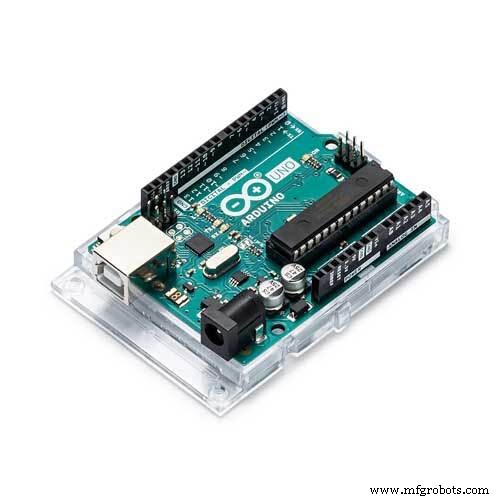 |
| × | 1 | |||
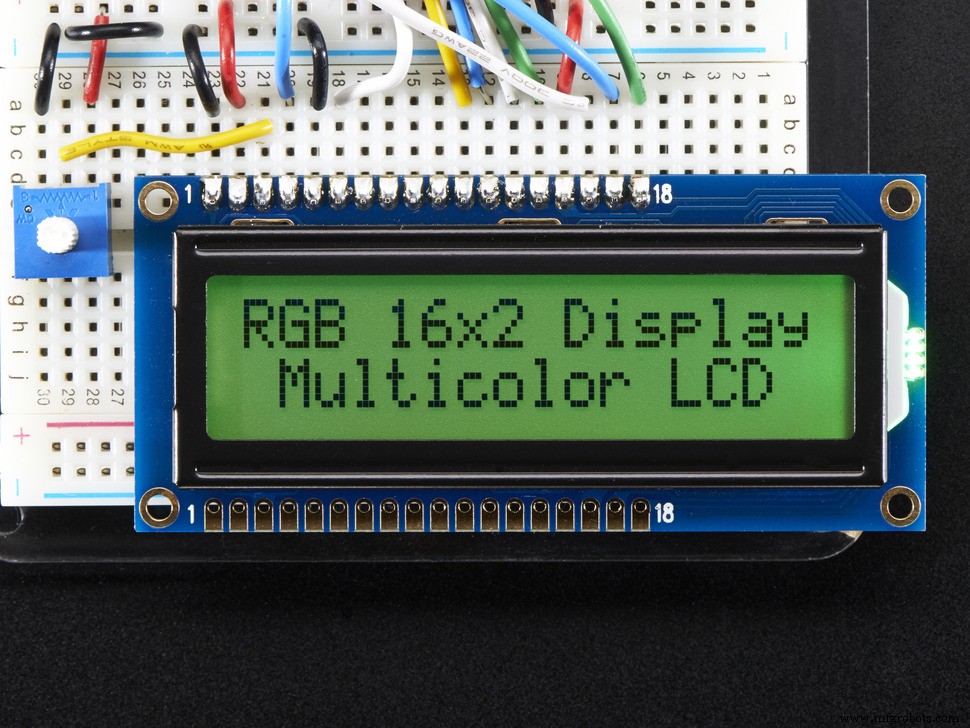 |
| × | 1 | |||
 |
| × | 1 | |||
 |
| × | 1 | |||
| × | 1 |
Apps and online services
 |
|
About this project
So far I have used various RTC clocks for clock projects or got the time from NTP servers. In this project I present another source to you: parsing from the NMEA string of GPS satellites around the world.
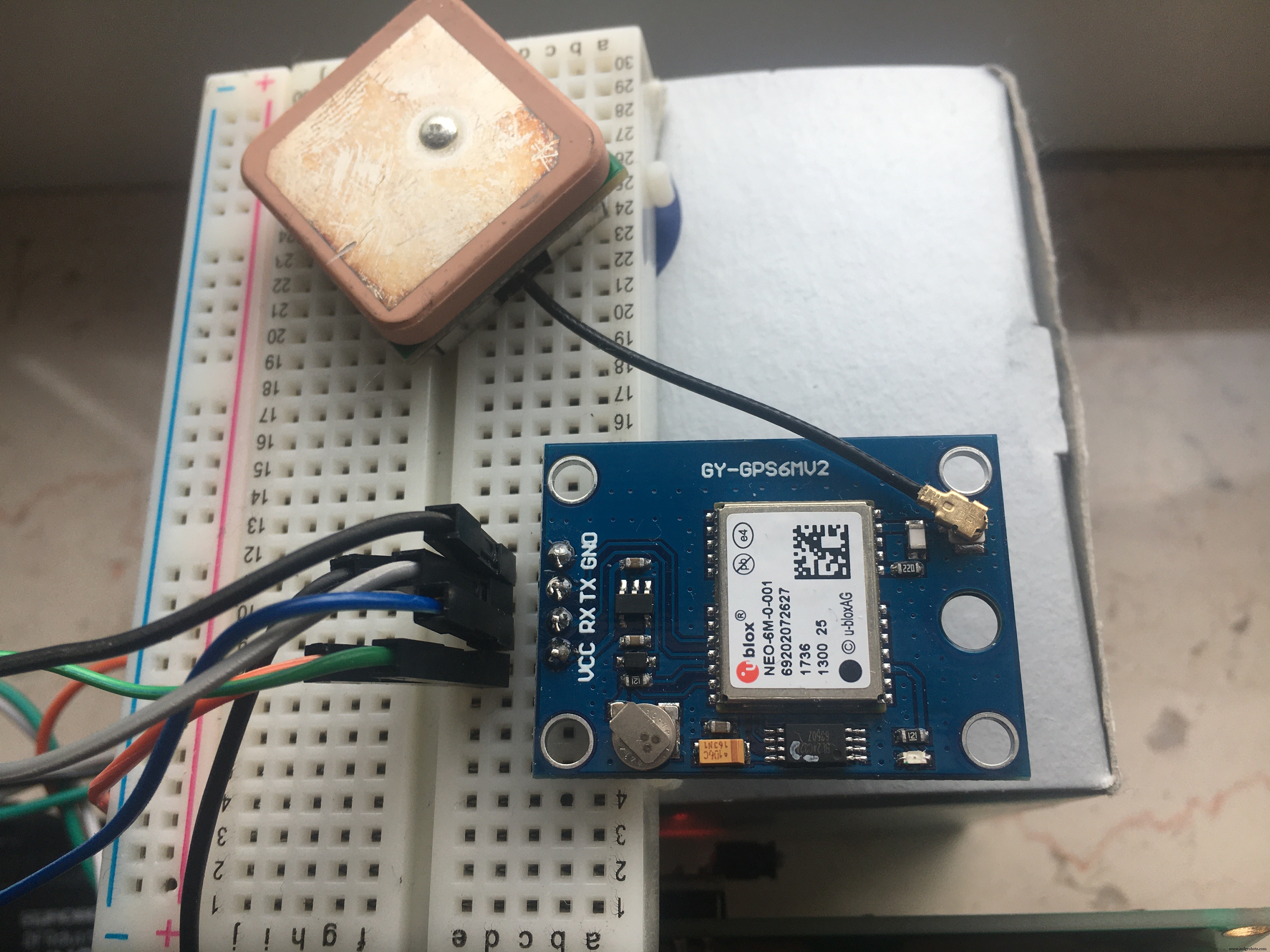
I was surprised how cheap a GPS receiver is today: get one (in my case the GY-GPS6Mv2 is used).
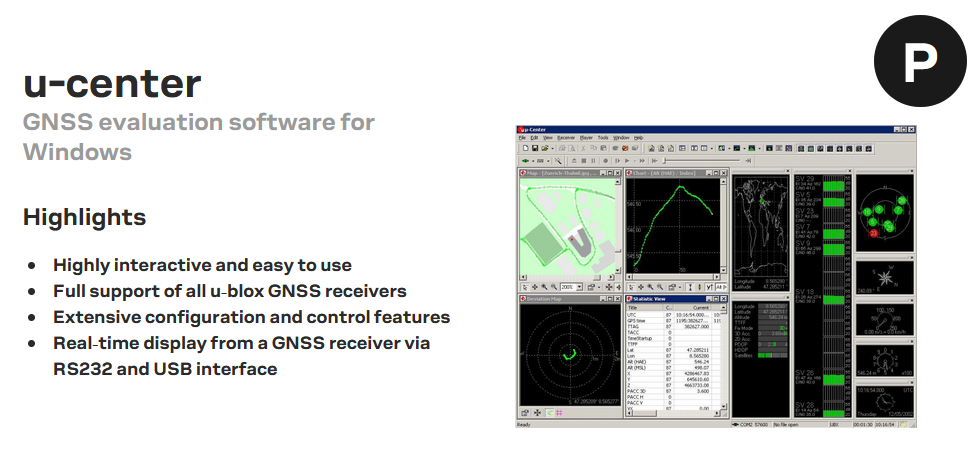
a.) a first - optional - test on a Windows PC: Install "u-center" as a download from U-Blox.
With the help of an FTDI adapter, the GPS breakout finds its way to the COM port of your PC and shows the fixing (the connection) to the orbit after about 1 minute. For this purpose, a red control lamp on the breakout flashes.
The automatically generated graphics make you want to experiment more with GPS. With F8 - Text Console in the View menu you get the various NMEA strings delivered.
b.) You can carry out a decoding test on free online services: https://rl.se/gprmc
Now that it is ensured that you have a functioning GPS receiver - make sure that there is a view of the sky - we can extract the desired information from the string for your own wishes.
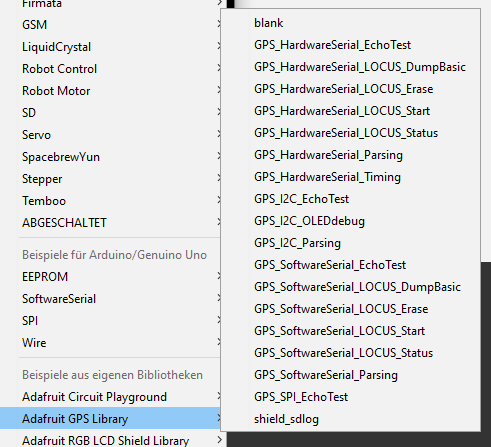
We use an Adafruit library "Adafruit GPS Library" - if you have installed it in the Arduino IDE, you can try out a little with the examples.
c.) Circuit
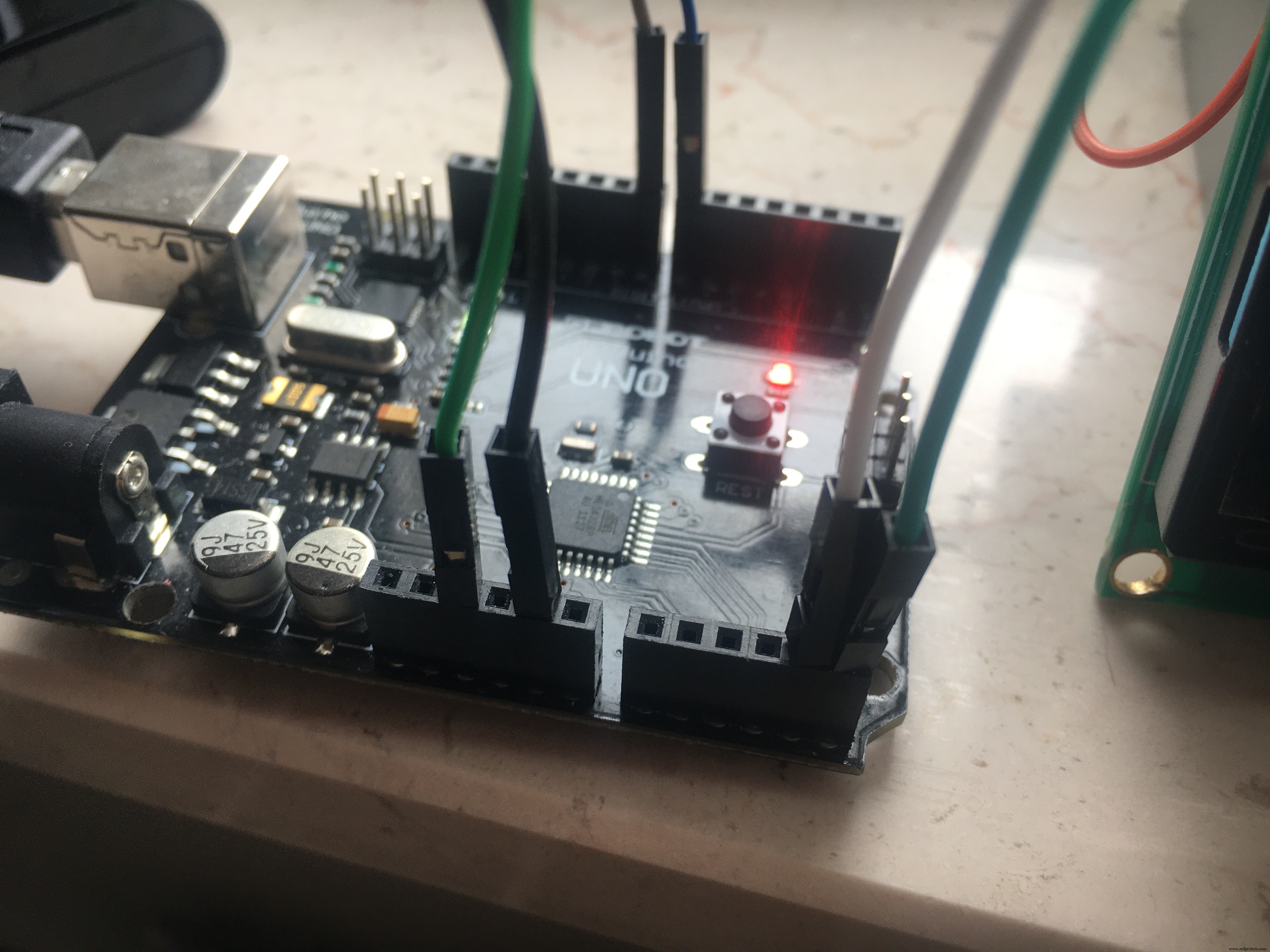
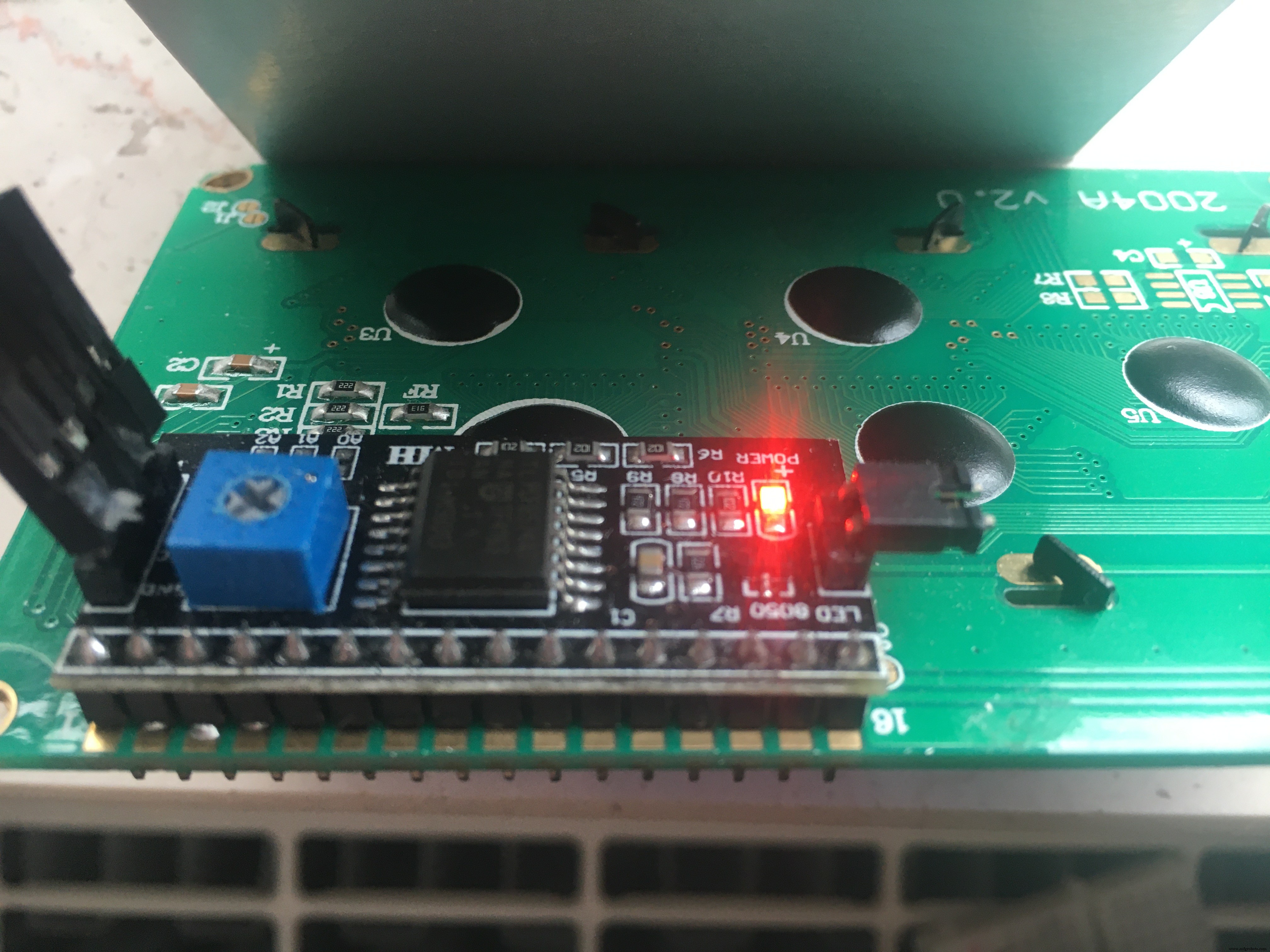
Arduino A4 > Display SDA Arduino A5 > Display SCL
#include <Wire.h>#include <LiquidCrystal_I2C.h>LiquidCrystal_I2C lcd(0x3F, 20, 4); // set the LCD address > often 0x27 or 0x3F
> use a Display which is lay around, maybe a 16x2?
#include <Adafruit_GPS.h>#include <SoftwareSerial.h>
Connect the GPS Power pin to 5VConnect the GPS Ground pin to groundConnect the GPS TX (transmit) pin to Digital 8Connect the GPS RX (receive) pin to Digital 7// you can change the pin numbers to match your wiring:SoftwareSerial mySerial(8, 7);Adafruit_GPS GPS(&mySerial);
> the GPS-Receiver is 3.3 / 5V tolerant.
d.) Our watch should give the time, the date, an indication of the wind speed and let's say the altitude. We do not need a location because my watch will stop at the window.
An NMEA string supplies the time in the UTC standard. A conversion into the local time zone is up to us. As long as nobody makes a better proposal, I add +1 for my time zone (Europe Berlin).
int timezone = +1; // Europe/Berlin (UTC +0100) > NMEA is UTC orientedAdjust the time zone to your liking. The variable hour is then used in the code for the output on the LCD display instead of GPS.hour - the UTC value.
// output to LCD Display
lcd.setCursor(5,0); // ,0 = first line
int hour = (GPS.hour) + timezone; // format GPS.hour UTC to your individual timezone
if (hour < 10) { lcd.print('0'); }
lcd.print(hour, DEC); lcd.print(':');
In Europe we use "km/h" instead of knots for wind speed. So I first converted the value from knots to km/h using a constant and then grouped it.> 1 knots = 1.852 Kilometer per hour
float speed = (GPS.speed) * 1.852; // Switch from Speed/Knoten > Speed/km/hEvaluation according to Wikipedia:
if (speed <= 1)                          {lcd.print(" Windstille");}
else if ((speed > 1)  && (speed <= 9))   {lcd.print(" leiser Zug");}
else if ((speed > 9)  && (speed <= 46))  {lcd.print(" Brise");}
else if ((speed > 46) && (speed <= 56))  {lcd.print(" starker Wind");}
else if ((speed > 56) && (speed <= 74))  {lcd.print(" stuerm. Wind");}
else if ((speed > 74) && (speed <= 83))  {lcd.print(" Sturm");}
else if ((speed > 83) && (speed <= 102)) {lcd.print(" schwerer Sturm");}
else if (speed > 102)                    {lcd.print(" Orkan");}
else                                     {lcd.print(" ohne Bewertung");}
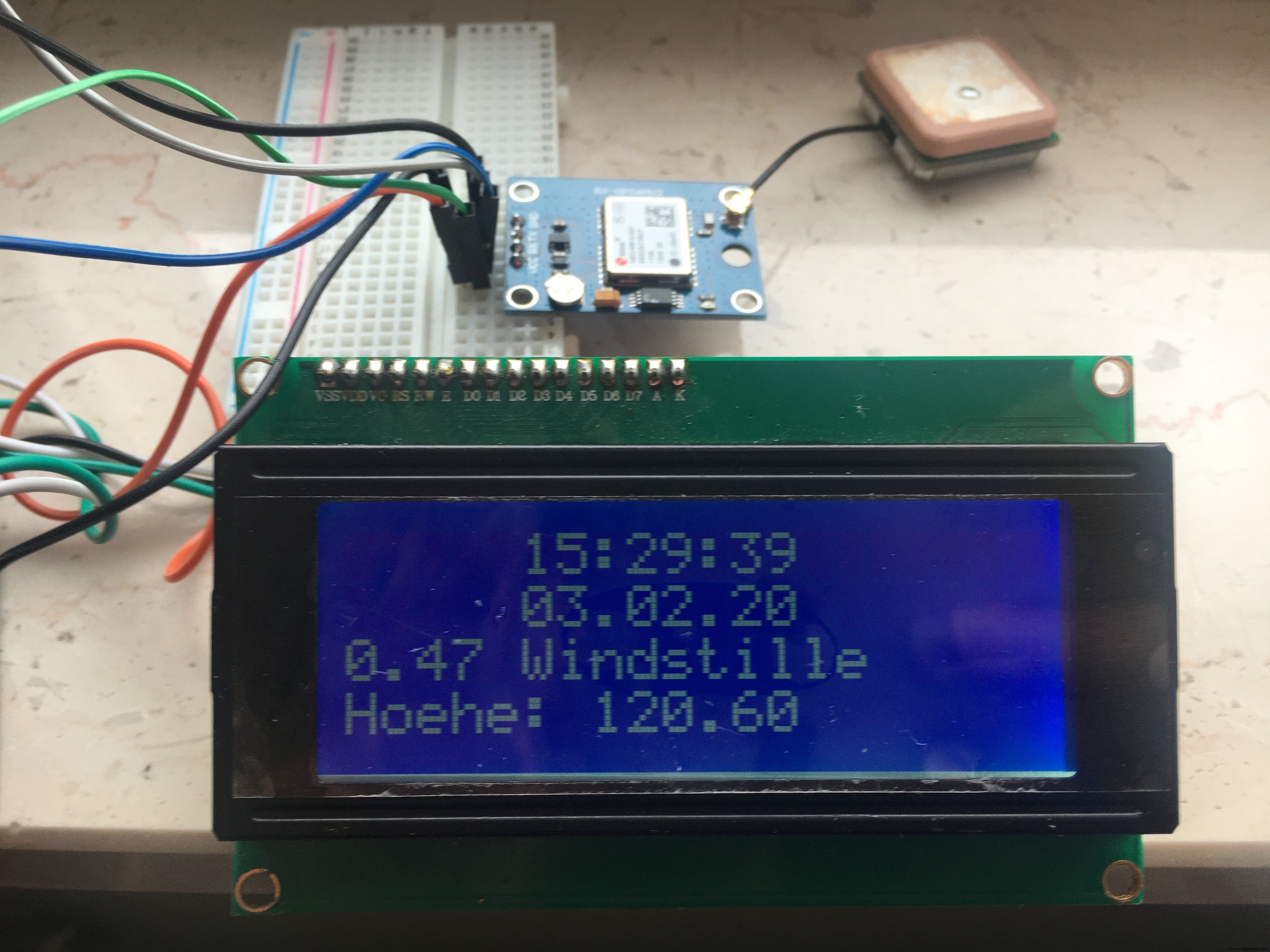
The result is shown on the display as follows and can of course be adapted to your own wishes:
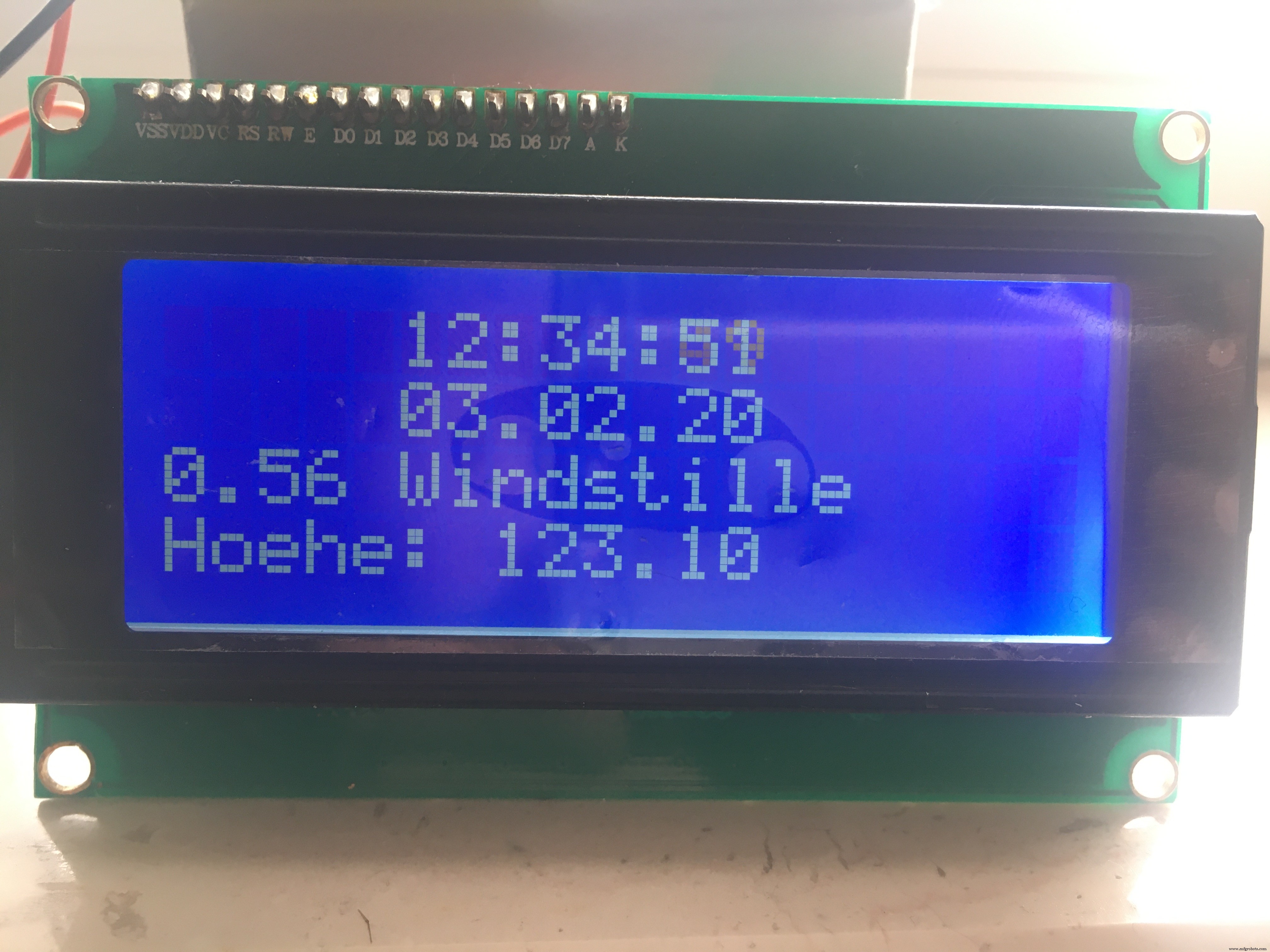
I left the update frequency at 2 seconds within the loop.I even tend to forego the seconds and the heights in favor of a 16x2 display.
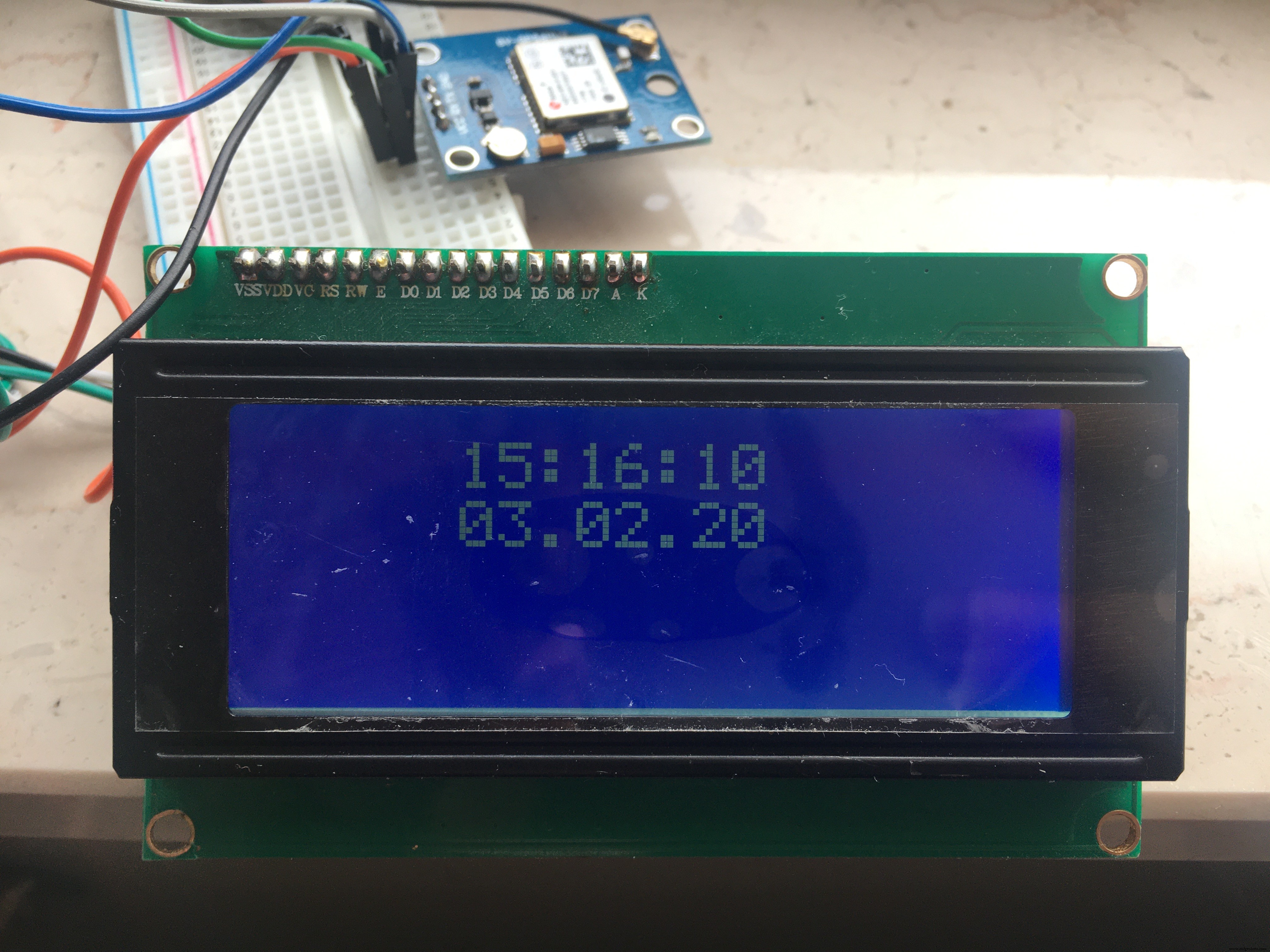
Have fun exploring the diverse GPS options!
In Europe we also have the evaluation of a DCF77 radio signal available. However, this is significantly more expensive and its handling is said to be very sensitive.
Code
- GPS_SoftwareSerial_Parsing_ilo
GPS_SoftwareSerial_Parsing_iloC/C++
Adafruits Example adjusted a little// Test code for Adafruit GPS modules using MTK3329/MTK3339 driver
//
// This code shows how to listen to the GPS module in an interrupt
// which allows the program to have more 'freedom' - just parse
// when a new NMEA sentence is available! Then access data when
// desired.
//
// Tested and works great with the Adafruit Ultimate GPS module
// using MTK33x9 chipset
// ------> http://www.adafruit.com/products/746
// Pick one up today at the Adafruit electronics shop
// and help support open source hardware & software! -ada
// modified 01.02.2020 - Ingo Lohs
// GPRMC & GPGGA decoder: https://rl.se/gprmc
#include <Wire.h>
#include <LiquidCrystal_I2C.h>
LiquidCrystal_I2C lcd(0x3F,20,4); // set the LCD address to 0x27 for a 16 chars and 2 line display > 0x3F in my case for a 2004 lcd display
#include <Adafruit_GPS.h>
#include <SoftwareSerial.h>
// Connect the GPS Power pin to 5V
// Connect the GPS Ground pin to ground
// Connect the GPS TX (transmit) pin to Digital 8
// Connect the GPS RX (receive) pin to Digital 7
// you can change the pin numbers to match your wiring:
SoftwareSerial mySerial(8, 7);
Adafruit_GPS GPS(&mySerial);
// Set GPSECHO to 'false' to turn off echoing the GPS data to the Serial console
// Set to 'true' if you want to debug and listen to the raw GPS sentences
#define GPSECHO true
int timezone = +1; // Europe/Berlin (UTC +0100) > NMEA is UTC oriented
void setup()
{
lcd.init();
lcd.backlight();
// connect at 115200 so we can read the GPS fast enough and echo without dropping chars
// also spit it out
Serial.begin(115200);
delay(5000);
Serial.println("Adafruit GPS library basic test!");
// 9600 NMEA is the default baud rate for Adafruit MTK GPS's- some use 4800
GPS.begin(9600); // > in my case I use UBLOX 6M: GY-GPS6Mv2
// uncomment this line to turn on RMC (recommended minimum) and GGA (fix data) including altitude
GPS.sendCommand(PMTK_SET_NMEA_OUTPUT_RMCGGA);
// uncomment this line to turn on only the "minimum recommended" data
//GPS.sendCommand(PMTK_SET_NMEA_OUTPUT_RMCONLY);
// For parsing data, we don't suggest using anything but either RMC only or RMC+GGA since
// the parser doesn't care about other sentences at this time
// Set the update rate
GPS.sendCommand(PMTK_SET_NMEA_UPDATE_1HZ); // 1 Hz update rate
// For the parsing code to work nicely and have time to sort thru the data, and
// print it out we don't suggest using anything higher than 1 Hz
// Request updates on antenna status, comment out to keep quiet
GPS.sendCommand(PGCMD_ANTENNA);
delay(1000);
// Ask for firmware version
mySerial.println(PMTK_Q_RELEASE);
}
uint32_t timer = millis();
void loop() // run over and over again
{
char c = GPS.read();
// if you want to debug, this is a good time to do it!
if ((c) && (GPSECHO))
Serial.write(c);
// if a sentence is received, we can check the checksum, parse it...
if (GPS.newNMEAreceived()) {
// a tricky thing here is if we print the NMEA sentence, or data
// we end up not listening and catching other sentences!
// so be very wary if using OUTPUT_ALLDATA and trytng to print out data
//Serial.println(GPS.lastNMEA()); // this also sets the newNMEAreceived() flag to false
if (!GPS.parse(GPS.lastNMEA())) // this also sets the newNMEAreceived() flag to false
return; // we can fail to parse a sentence in which case we should just wait for another
}
// if millis() or timer wraps around, we'll just reset it
if (timer > millis()) timer = millis();
// approximately every 2 seconds or so, print out the current stats
if (millis() - timer > 2000) {
timer = millis(); // reset the timer
Serial.print("\nTime: ");
if (GPS.hour < 10) { Serial.print('0'); }
Serial.print(GPS.hour, DEC); Serial.print(':');
if (GPS.minute < 10) { Serial.print('0'); }
Serial.print(GPS.minute, DEC); Serial.print(':');
if (GPS.seconds < 10) { Serial.print('0'); }
Serial.print(GPS.seconds, DEC); Serial.print('.');
if (GPS.milliseconds < 10) {
Serial.print("00");
} else if (GPS.milliseconds > 9 && GPS.milliseconds < 100) {
Serial.print("0");
}
Serial.println(GPS.milliseconds);
Serial.print("Date: ");
Serial.print(GPS.day, DEC); Serial.print('/');
Serial.print(GPS.month, DEC); Serial.print("/20");
Serial.println(GPS.year, DEC);
Serial.print("Fix: "); Serial.print((int)GPS.fix);
Serial.print(" quality: "); Serial.println((int)GPS.fixquality);
// output to LCD Display
lcd.setCursor(5,0); // ,0 = first line
int hour = (GPS.hour) + timezone; // format GPS.hour UTC to your individual timezone
if (hour < 10) { lcd.print('0'); }
lcd.print(hour, DEC); lcd.print(':');
if (GPS.minute < 10) { lcd.print('0'); }
lcd.print(GPS.minute, DEC); lcd.print(':');
if (GPS.seconds < 10) { lcd.print('0'); }
lcd.print(GPS.seconds, DEC);
// output to LCD Display
lcd.setCursor(5,1); // ,0 = second line
if (GPS.day < 10) { lcd.print('0'); }
lcd.print(GPS.day, DEC); lcd.print('.');
if (GPS.month < 10) { lcd.print('0'); }
lcd.print(GPS.month, DEC); lcd.print('.');
lcd.print(GPS.year, DEC);
if (GPS.fix) { // do we have a satelite-connection? if yes, we have more values:
Serial.print("Location: ");
Serial.print(GPS.latitude, 4); Serial.print(GPS.lat);
Serial.print(", ");
Serial.print(GPS.longitude, 4); Serial.println(GPS.lon);
Serial.print("Speed (knots): "); Serial.println(GPS.speed);
Serial.print("Angle: "); Serial.println(GPS.angle);
Serial.print("Altitude: "); Serial.println(GPS.altitude);
Serial.print("Satellites: "); Serial.println((int)GPS.satellites);
lcd.setCursor(0,2); // ,2 = third line
// 1 Knoten = 1,852 Kilometer per hour
float speed = (GPS.speed) * 1.852; // Switch from Speed/Knoten > Speed/km/h
//lcd.print("Speed km/h: ");
lcd.print(speed);
// Bewertung der Windstärke nach https://de.wikipedia.org/wiki/Windgeschwindigkeit
/* Beschreibung - Geschwindigkeit in km/h
* Windstille - 0-1
* leiser Zug - 2-9
* leichte Brise - 10-19
* schwache Brise - 20-28
* mäßige Brise - 29-37
* frische Brise - 38-46
* starker Wind - 47-56
* stürmischer Wind - 57-74
* Sturm - 75-83
* schwerer Sturm - 84-102
* Orkan - > 103
*/
if (speed <= 1) {lcd.print(" Windstille");}
else if ((speed > 1) && (speed <= 9)) {lcd.print(" leiser Zug");}
else if ((speed > 9) && (speed <= 46)) {lcd.print(" Brise");}
else if ((speed > 46) && (speed <= 56)) {lcd.print(" starker Wind");}
else if ((speed > 56) && (speed <= 74)) {lcd.print(" stuerm. Wind");}
else if ((speed > 74) && (speed <= 83)) {lcd.print(" Sturm");}
else if ((speed > 83) && (speed <= 102)) {lcd.print(" schwerer Sturm");}
else if (speed > 102) {lcd.print(" Orkan");}
else {lcd.print(" ohne Bewertung");}
lcd.setCursor(0,3); // ,3 = fourth line
lcd.print("Hoehe: "); lcd.print(GPS.altitude);
}
}
}
Manufacturing process
- Build a GPS Datalogger with Spatial Analysis on Azure IoT Hub
- Arduino Temperature & Humidity Logger Using DHT11 and Ethernet Shield
- Analog-Style LED Persistence‑of‑Vision Clock – DIY Arduino Nano Project
- Build Real-Time Cellular Automata on Arduino with 128x64 OLED Display
- High‑Speed Arduino RPM Counter Using a Novel Algorithm
- eDOT: Precision Arduino Clock & Weather Station with Built‑In IR Remote
- Arduino-Powered Security System: Smart Motion Detection & Alert
- Build a GPS Destination Notifier with Arduino UNO & NEO‑6M Module
- Arduino Nano RTC Clock: Precise Timekeeping with DS1307
- Build a Precise Clock with Arduino Nano and 16x2 LCD