



Arduino Door Sensor: Real‑Time Facebook Messenger Alerts via IFTTT
Components and supplies
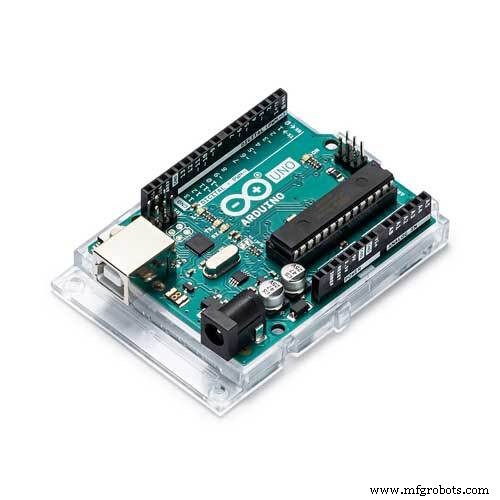 |
| × | 1 | |||
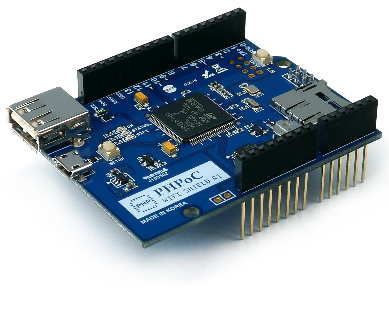 |
| × | 1 | |||
| × | 1 |
Apps and online services
 |
|
About this project
Notice: IFTTT recently discontinued their FB Messenger service because of new policies made by Facebook. Therefore, this project is no longer feasible.
If you are a beginner, you can learn the related topic:
- Arduino - Wifi
- Arduino - Door Sensor.
- Arduino - IFTTT
I made the similar project, but cheaper cost (in total) and can be used for industrial environment here: https://www.hackster.io/phpoc_man/phpoc-monitoring-door-open-via-facebook-messenger-49603e
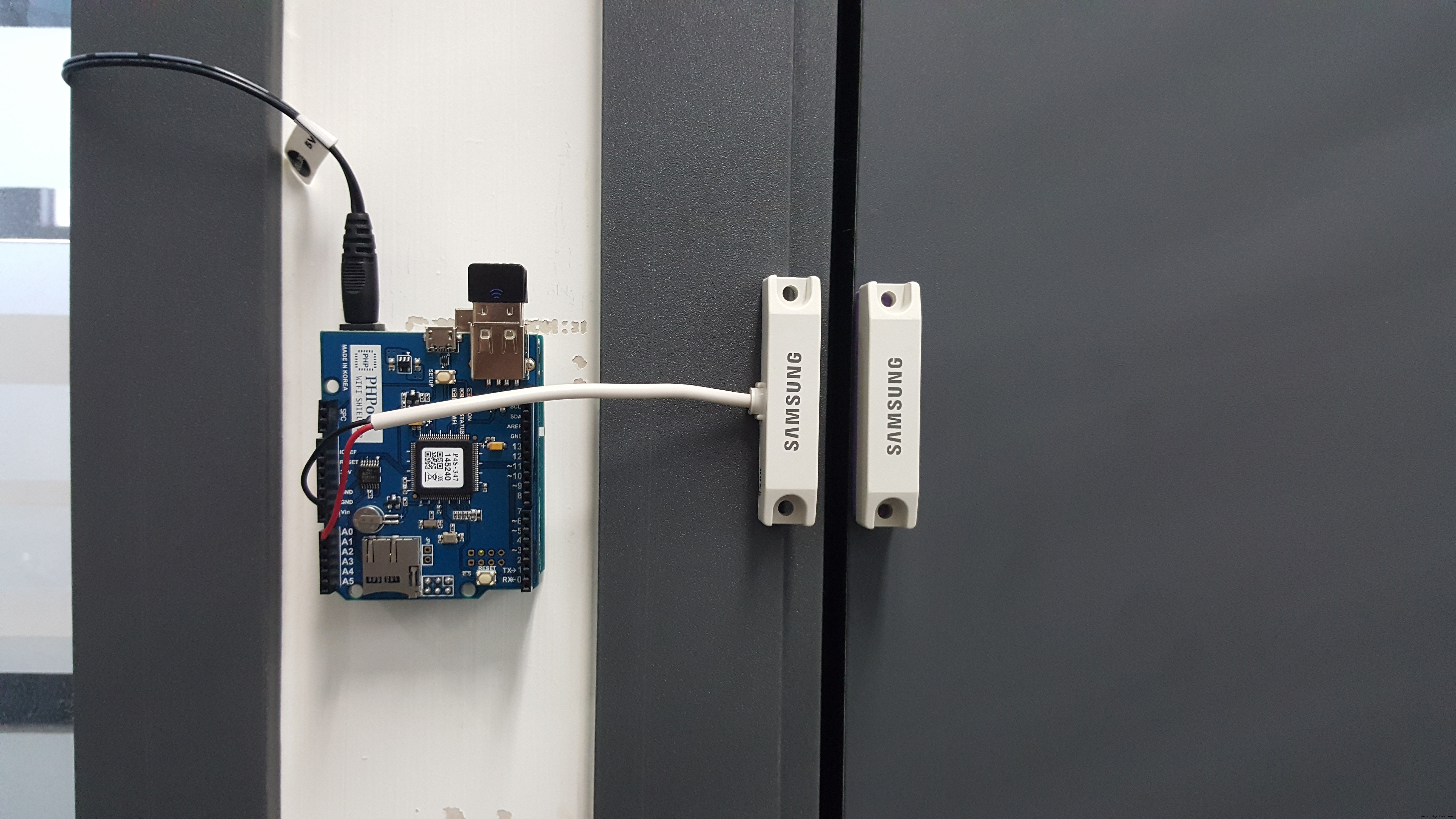
System Architecture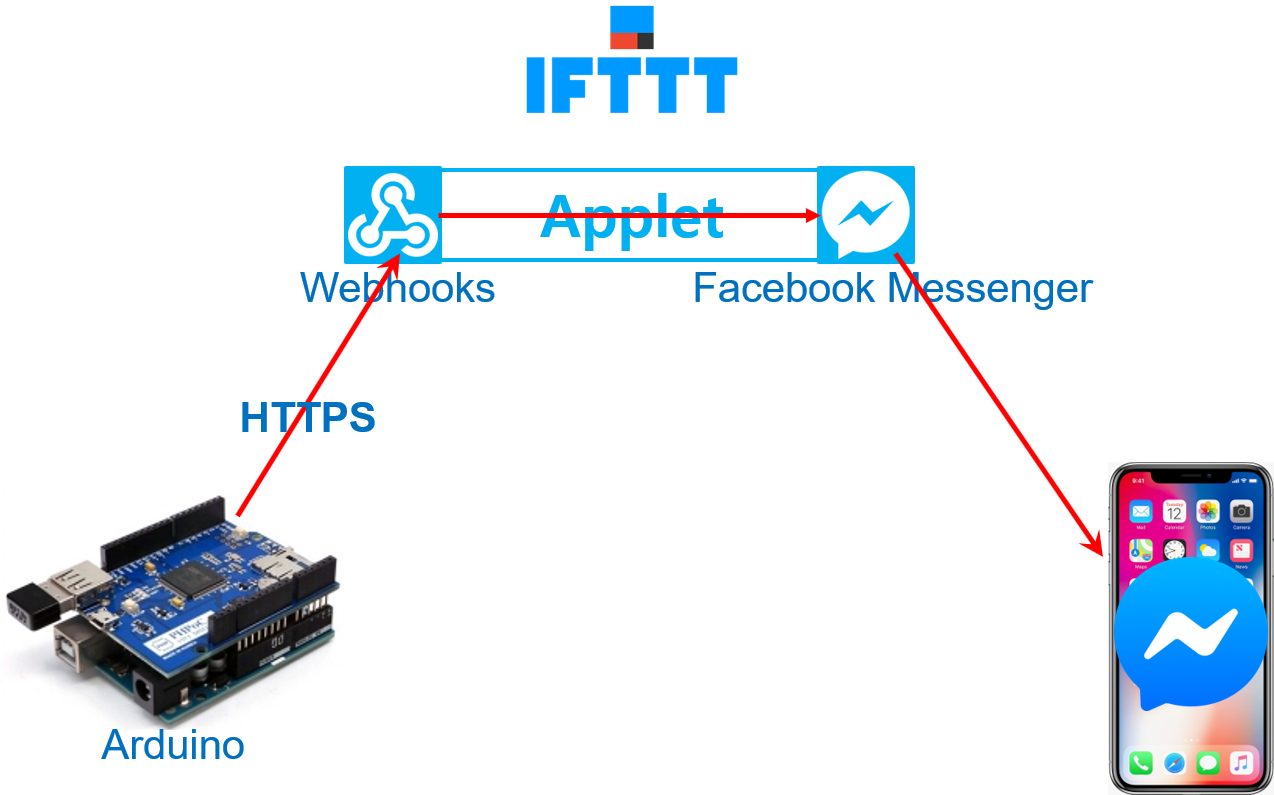
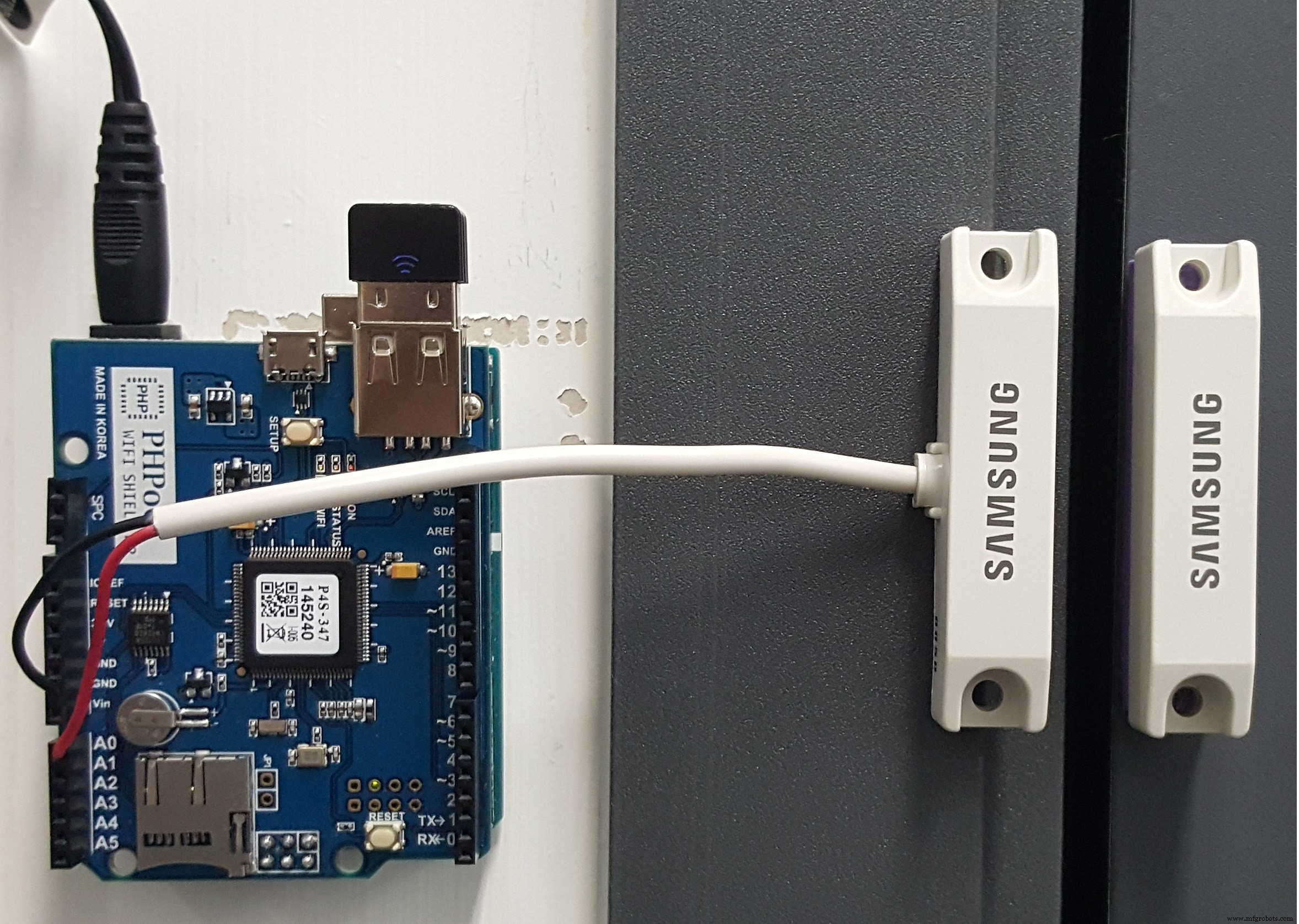
- One pin to GND.
- Another pin to A0.
Follow 12 steps (see red square)
1. Create Applet.
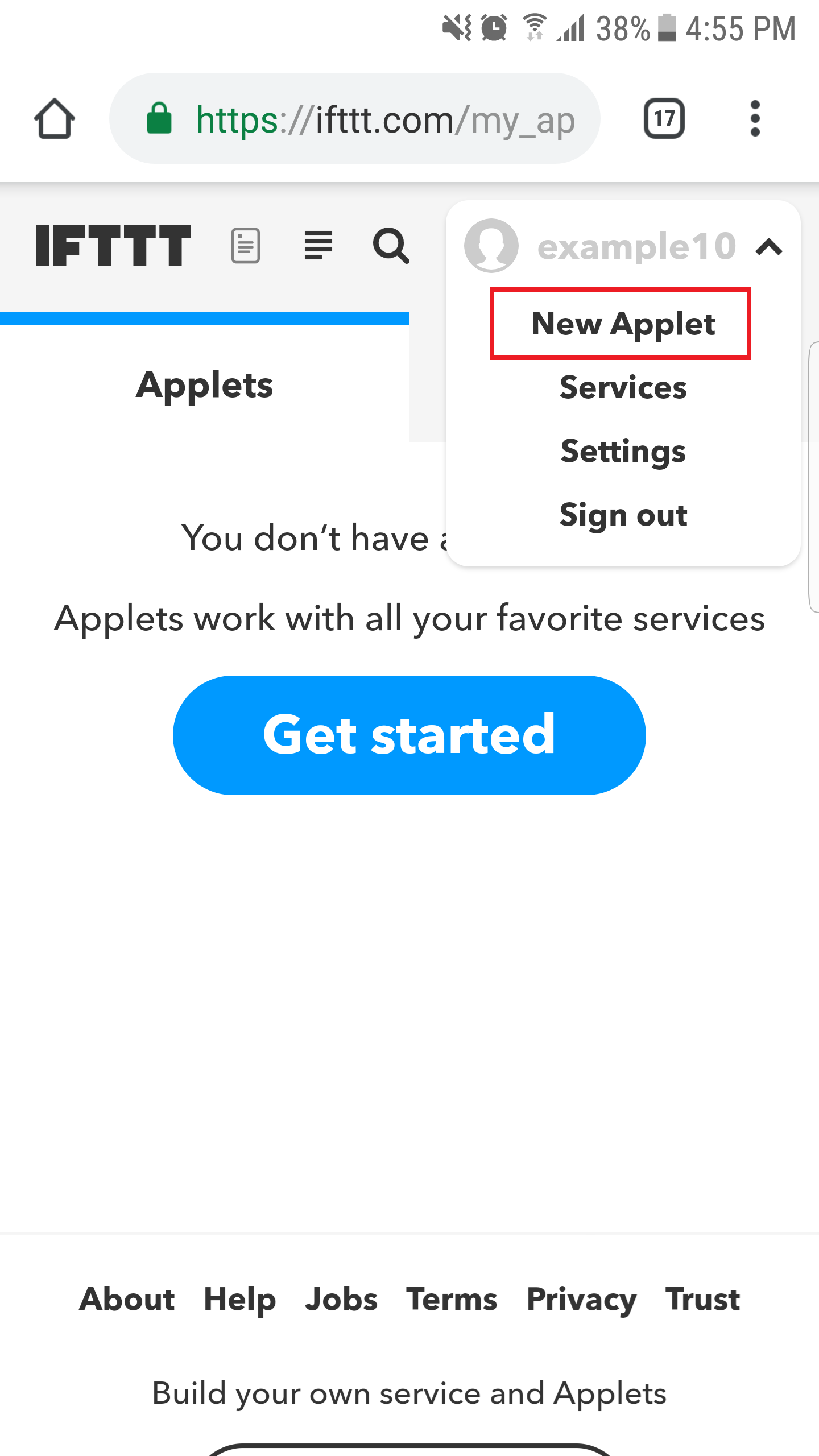
2. Set trigger.

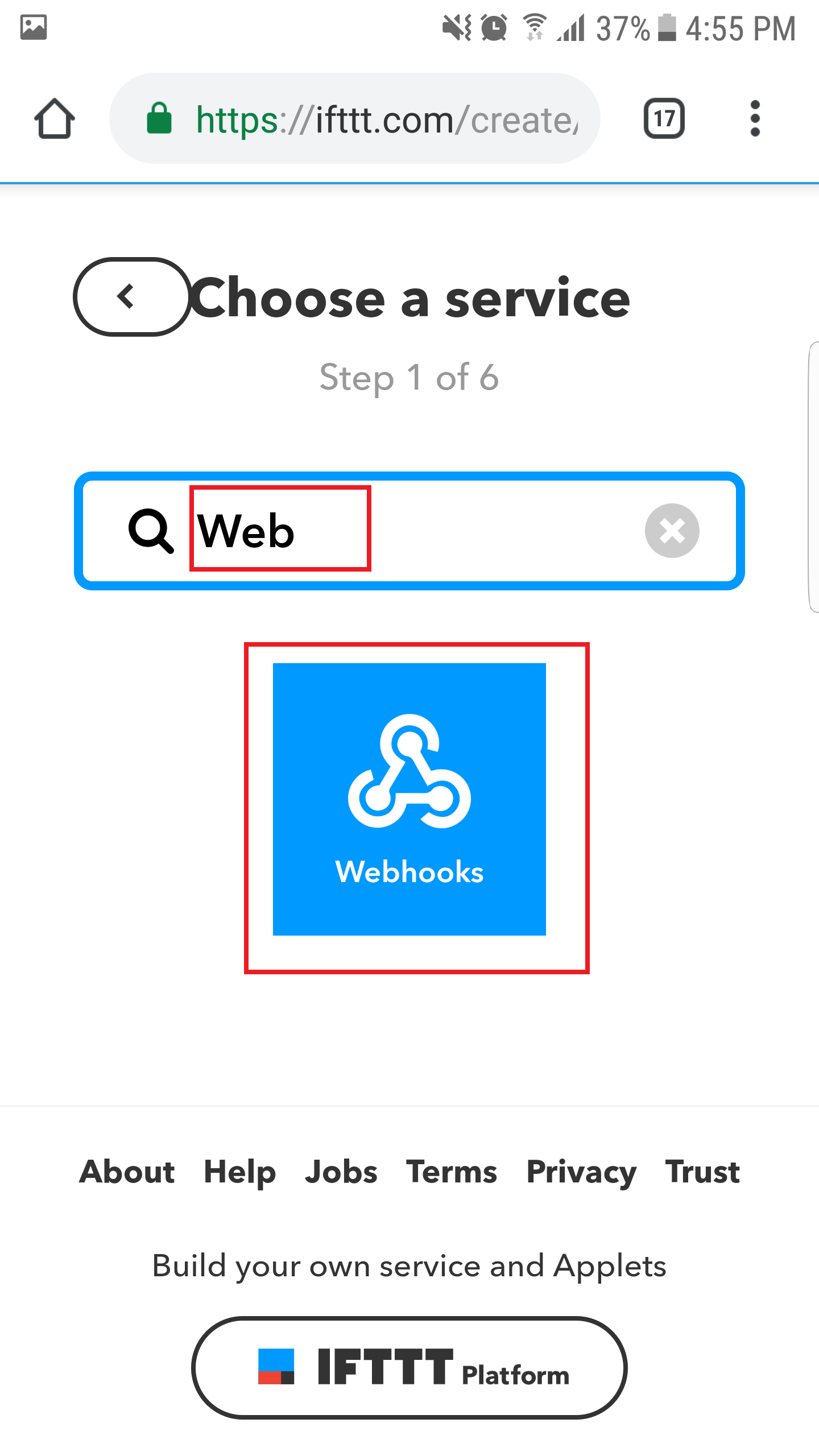
3. Search "Webhooks" and click Webhooks.
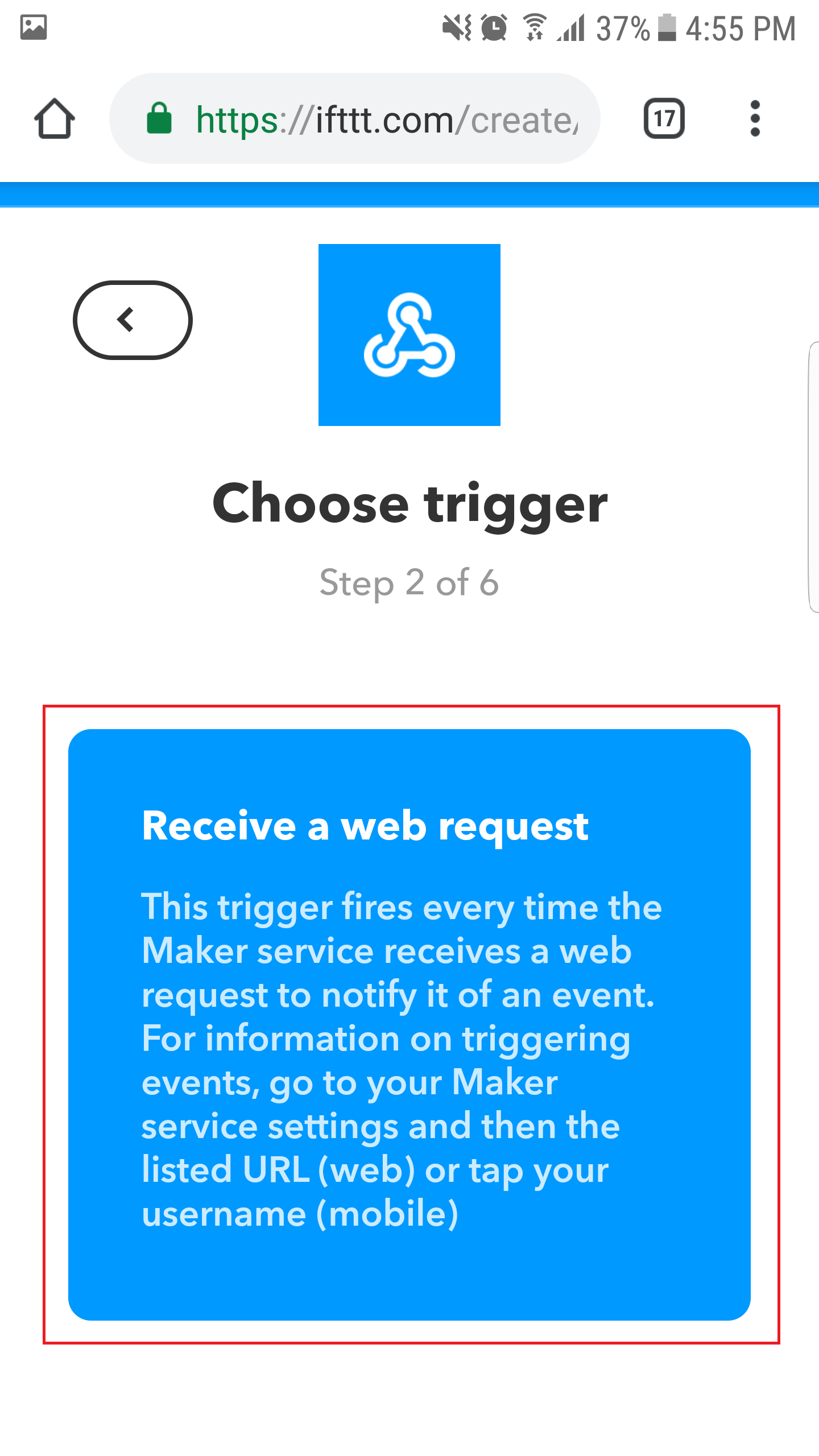
4. Choose "Receive a web request."
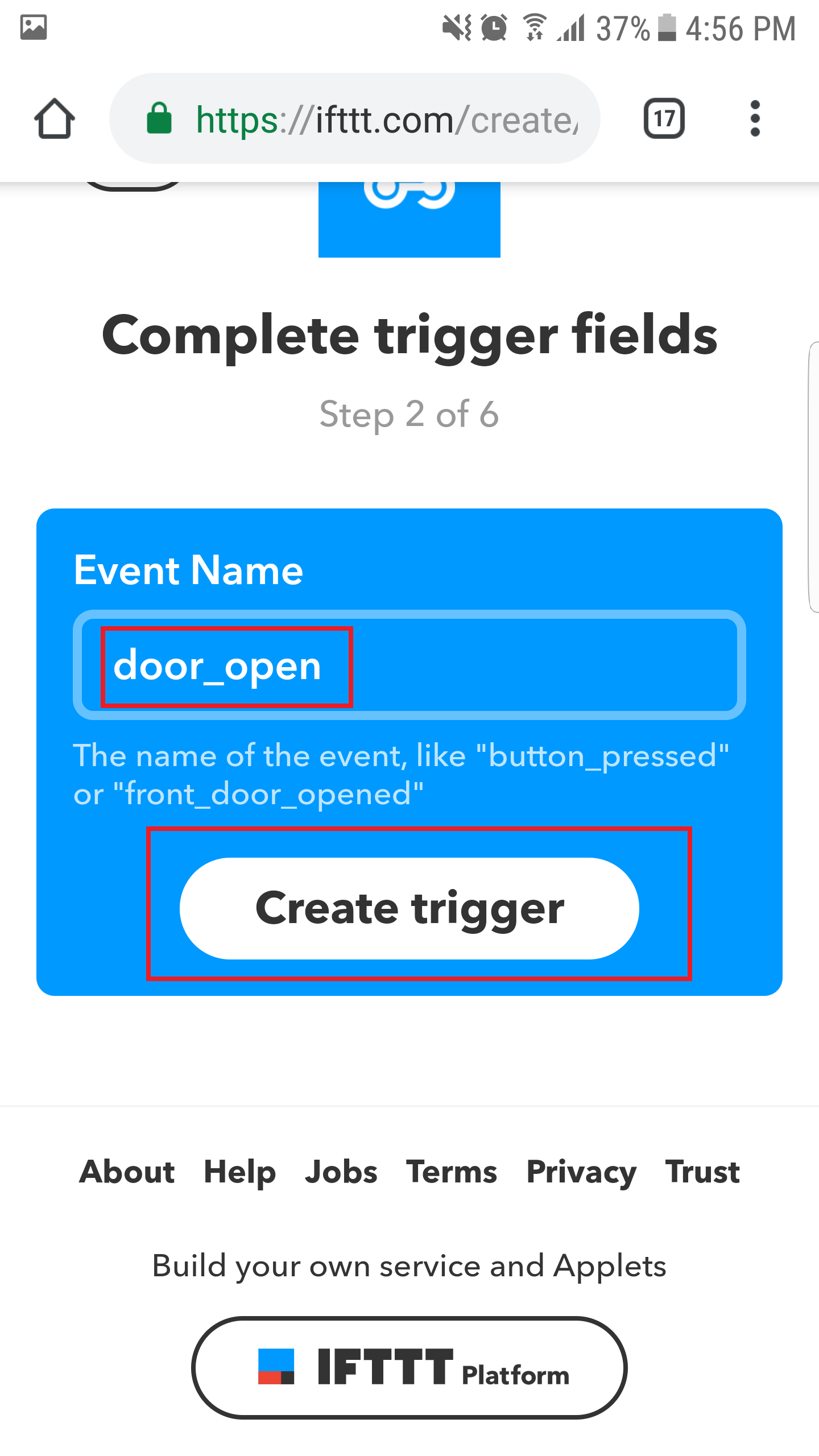
5. set Event Name is "door_open" and click "Create trigger" button.
6. Click "+that" button to create the action.

7. Search "Facebook Messenger" and click.
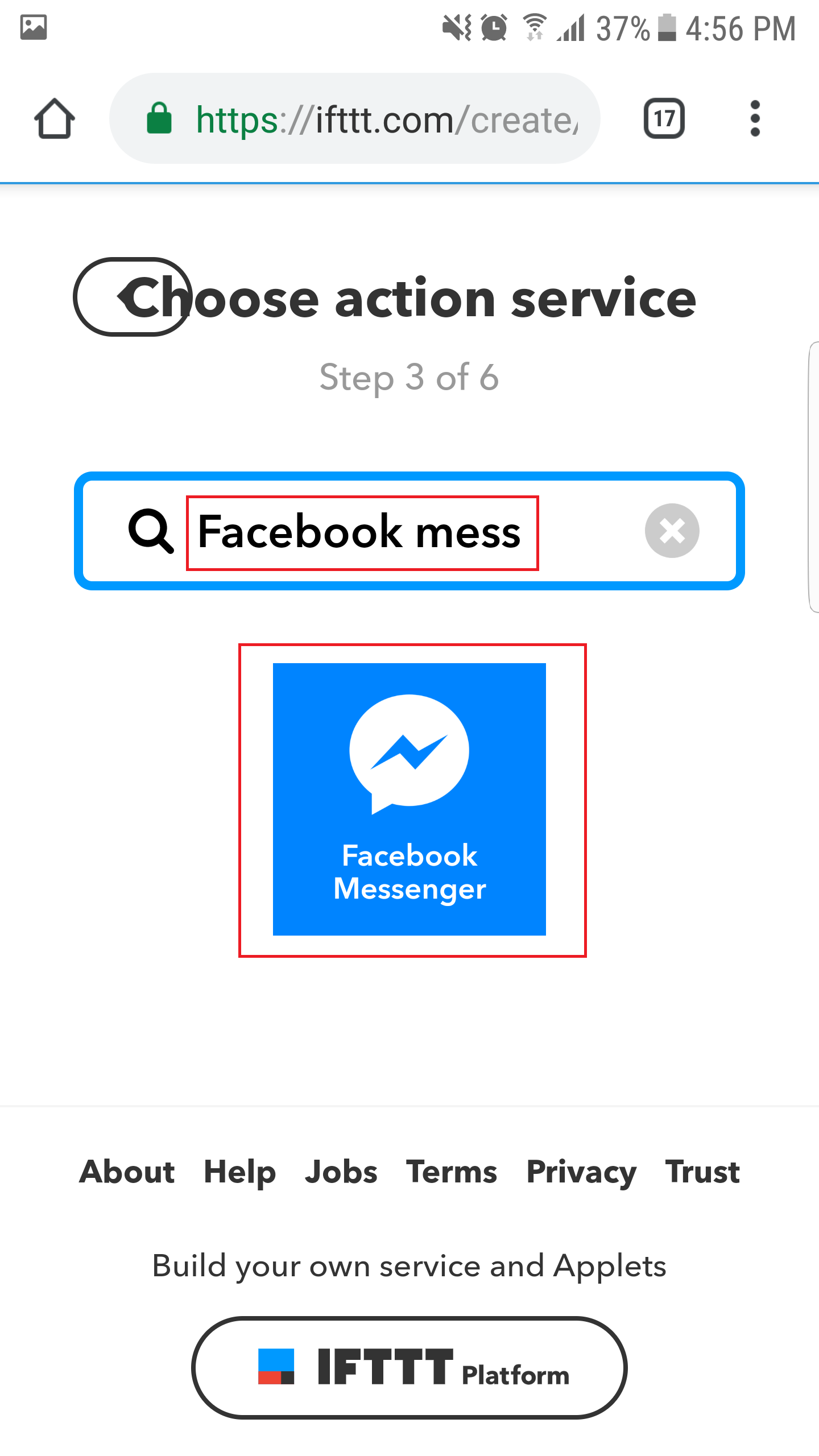
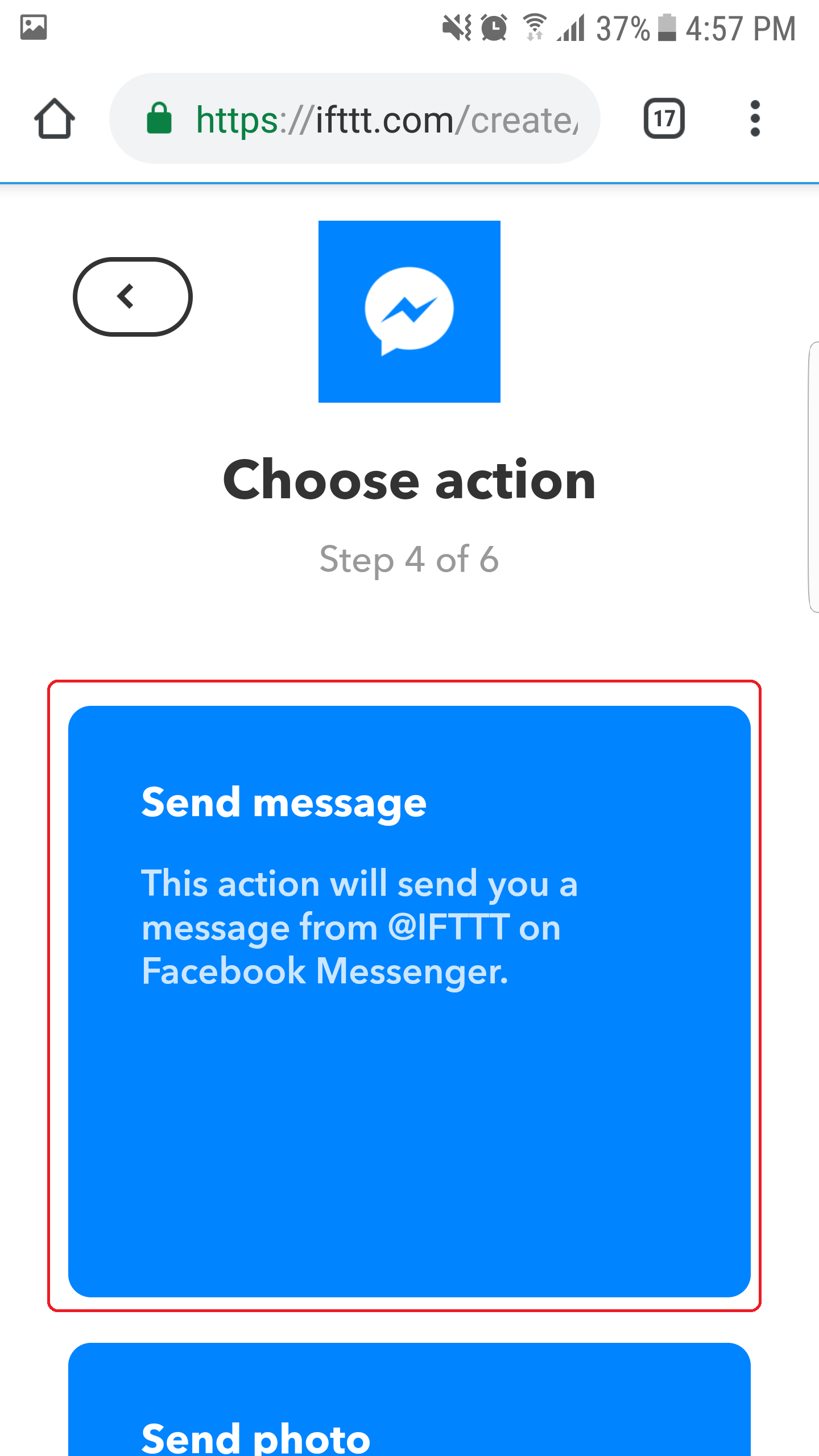
8. Choose Action "Send message". It needs to connect to Facebook for the first time.
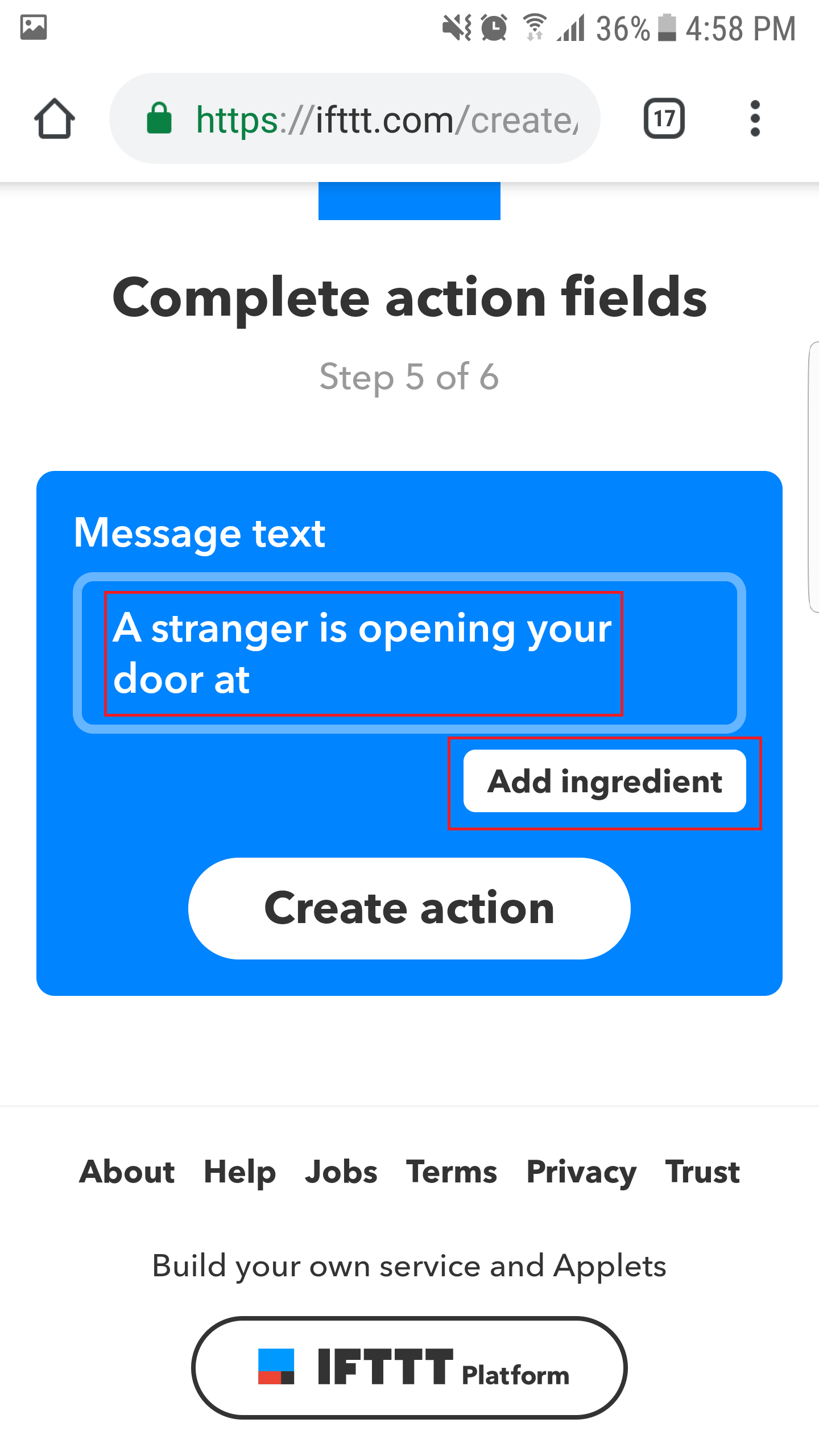
9. Create the content of message and then click "Add ingredient" button.
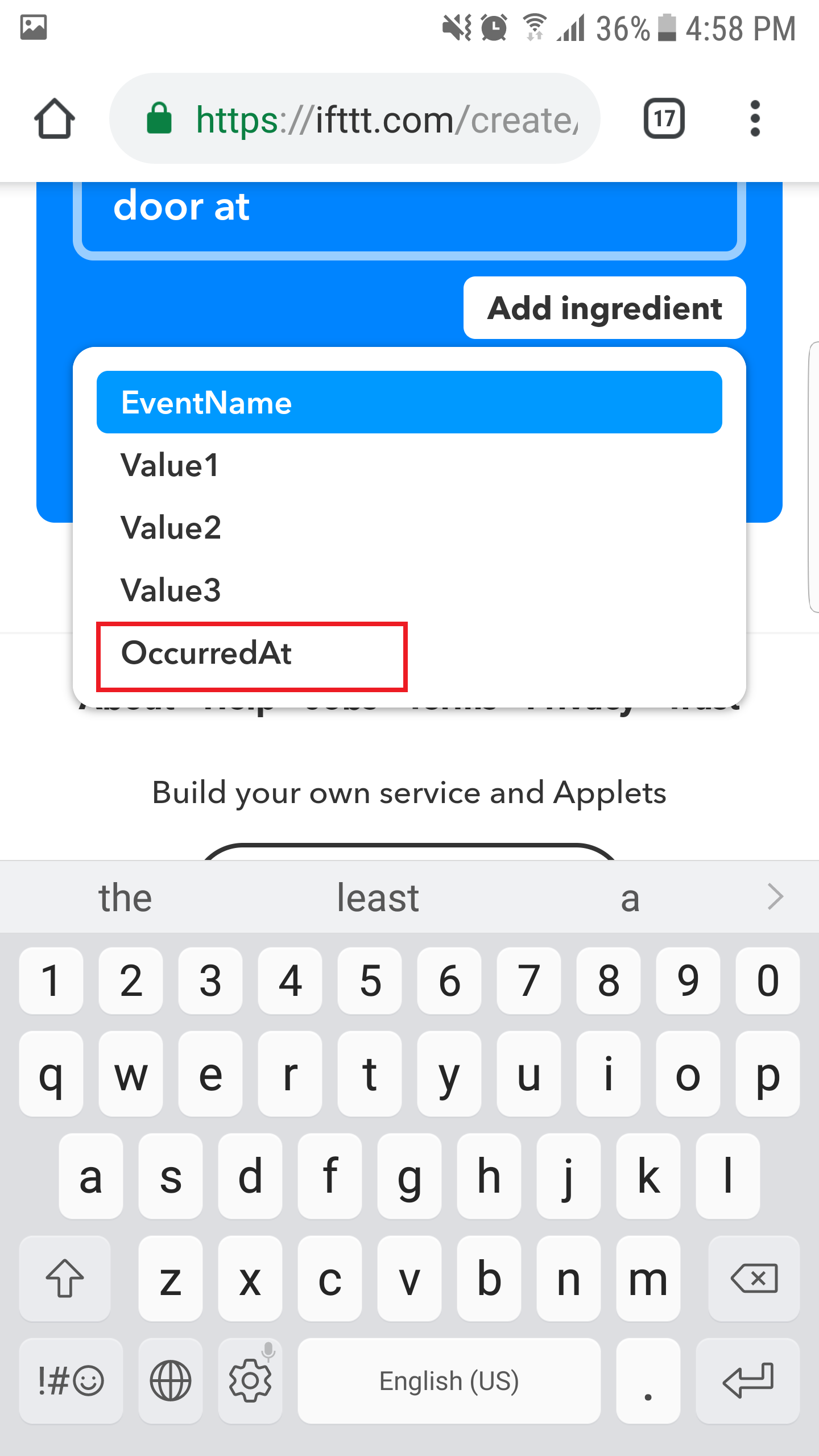
10. Choose "OccurredAt". This is time of door open.
11. Click "Create action" button.
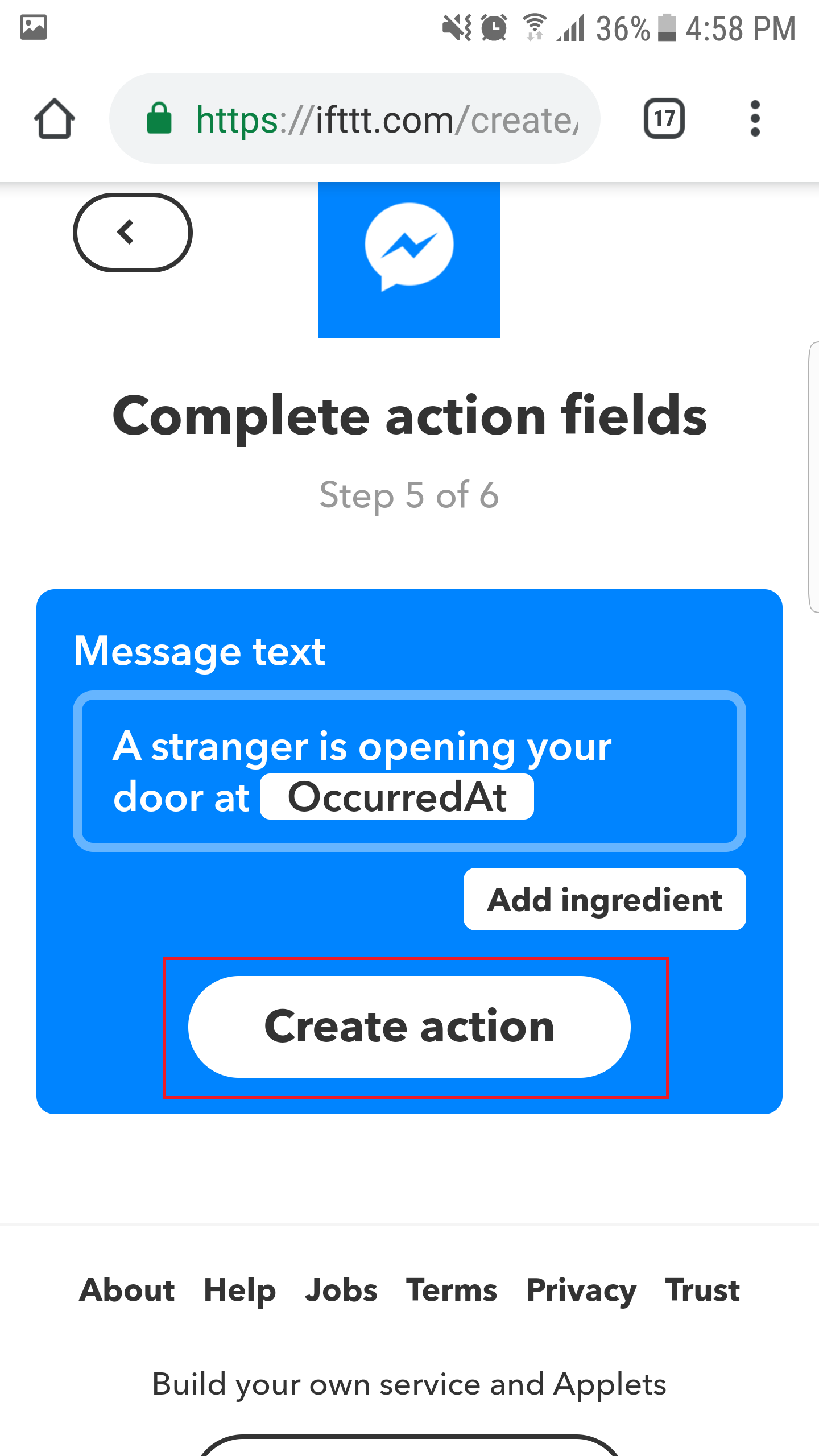
12. Click "Finish" button
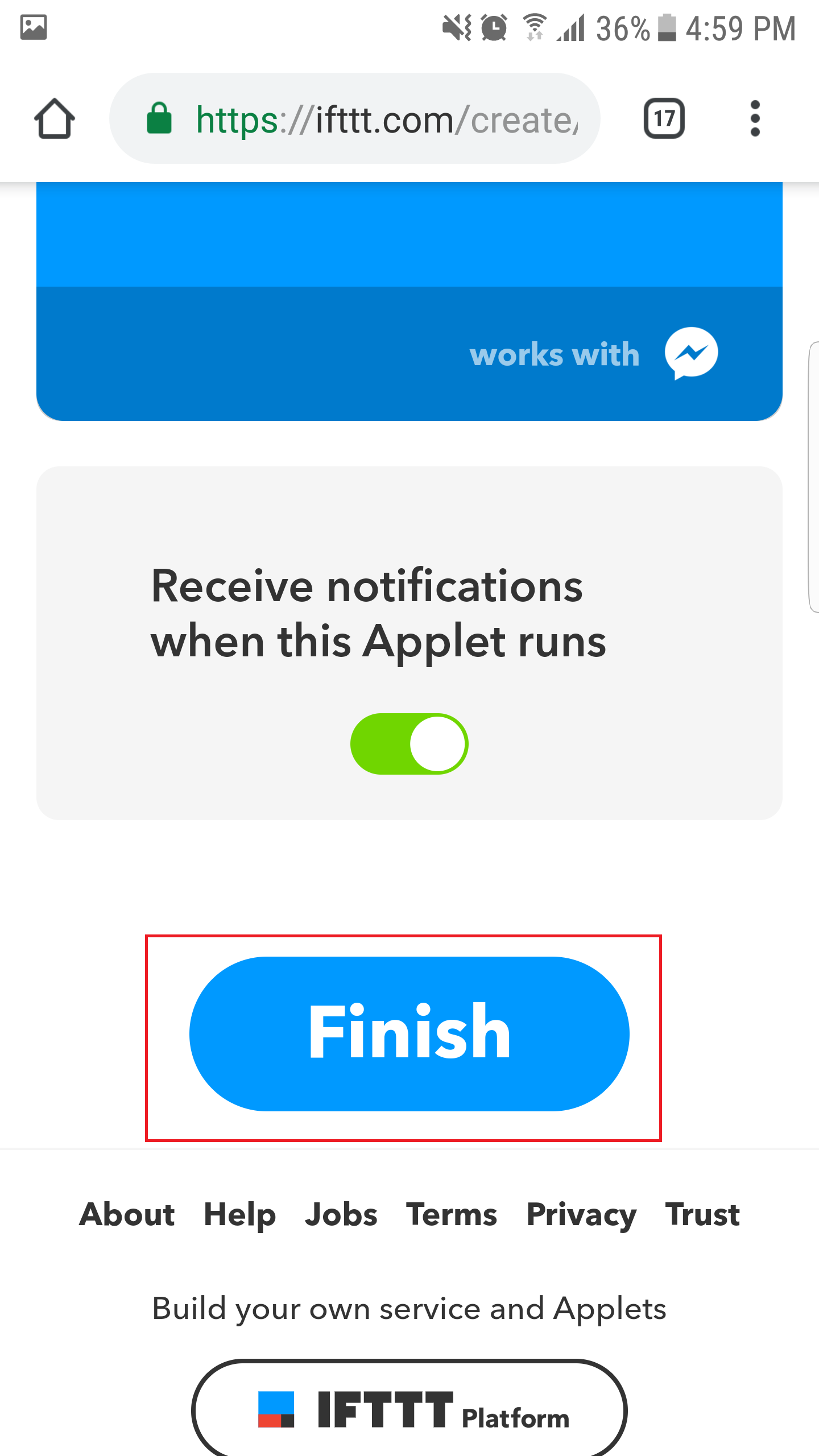
Now Applet is created.
Get Webhooks KeyGo to this link https://ifttt.com/maker_webhooks
Click "Documentation" to see the Webhooks Key.
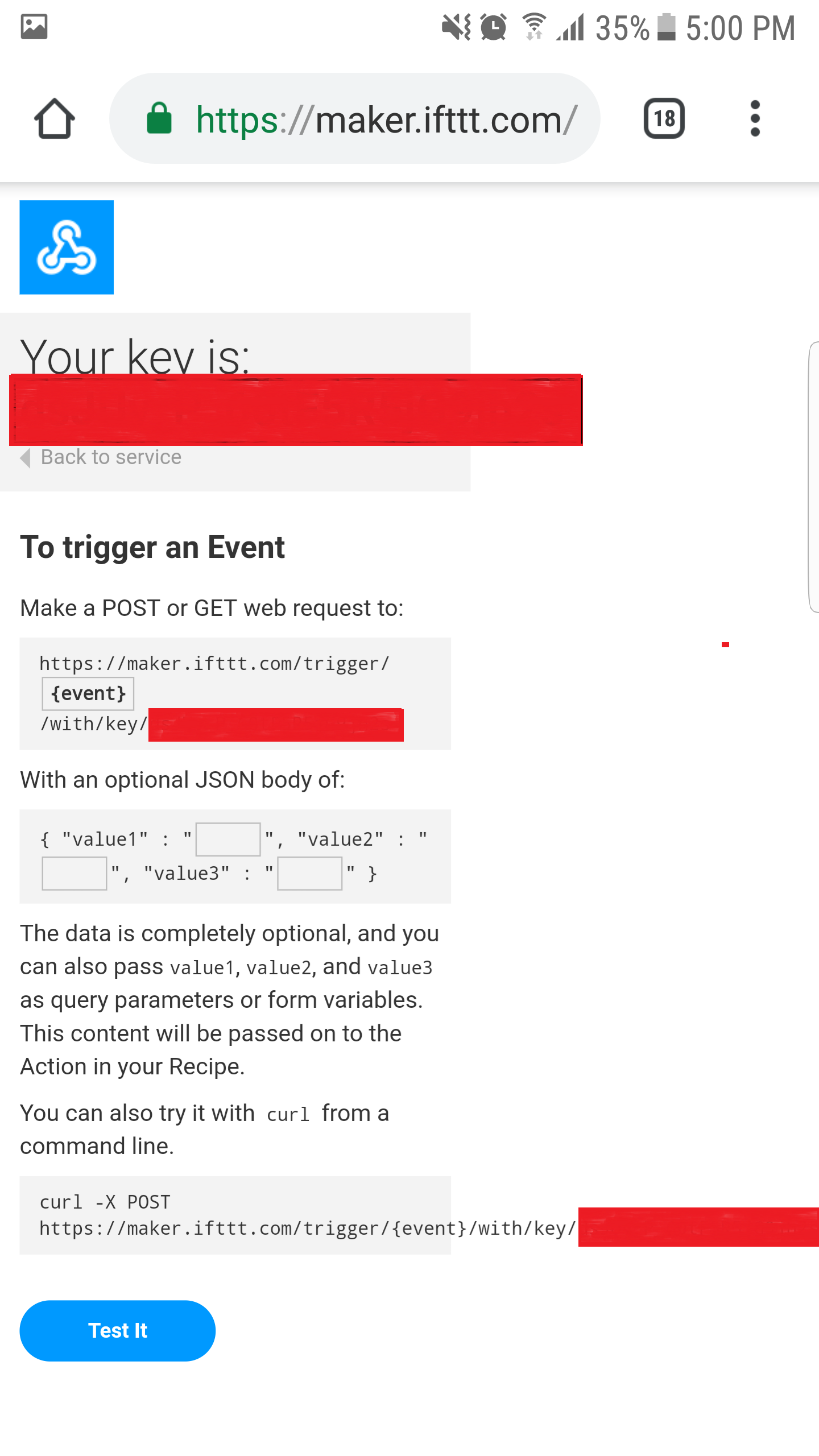
Copy the Webhook Key and put it in Arduino code.
LibraryThe below code uses two library: PHPoC and Button libraries
The Best Arduino Starter Kit for BeginnerIf you are looking for an Arduino kit, see The Best Arduino Kit for Beginners
- Serial.begin()
- Serial.println()
- delay()
- millis()
- for loop
- while loop
- if else
- loop()
- setup()
- String.toInt()
- String.substring()
- String.indexOf()
- String.remove()
- String.equals()
Code
- MonotorDoorMessenger
MonotorDoorMessengerArduino
// Tutorial for the example is available here:
// https://forum.phpoc.com/articles/tutorials/1241-arduino-ssl-web-client

#include <Phpoc.h>
#include <ezButton.h>

String IFTTT_WEBHOOKS_KEY = "xxxxxxxxxxxxxxxxxxxxxx"; // change your webhooks key here
char server_name[] = "maker.ifttt.com";

PhpocClient client;
ezButton button(A0);  // create Button object that attach to pin A0;

void sendNotification()
{
	// connect to web server on port 443:
	if(client.connectSSL(server_name, 443)) {
		// if connected:
		Serial.println("Connected to server");

		// make a HTTP request:
		client.println("GET /trigger/door_open/with/key/" + IFTTT_WEBHOOKS_KEY + " HTTP/1.1");
		client.println("Host: maker.ifttt.com");
		client.println("Connection: close");
		client.println();
	}

	while(client.connected()) {
		if(client.available()) {
			char c = client.read();
			Serial.write(c);
		}
	}

	Serial.println();
	Serial.println("disconnecting from server.");
	client.stop();
}

void setup() {
	Serial.begin(9600);

	// initialize PHPoC [WiFi] Shield:
	Phpoc.begin(PF_LOG_SPI | PF_LOG_NET);

	button.setDebounceTime(100); // set debounce time to 100 milliseconds
}

void loop() {
	button.loop(); // MUST call the loop() function first

	if(button.isPressed()) { // if door is opened...
		Serial.println("door is opened");
		sendNotification();
		delay(100);
	} else if (button.isReleased()) { // if door is closed...
		Serial.println("door is closed");
	}
}
Schematics
Manufacturing process
- K30 CO2 Sensor: Real‑Time Indoor Air Quality Monitoring
- Contactless Temperature Monitoring Gate for Rapid, Accurate Screening
- Arduino UNO & WiFi Shield: Real-Time Temperature Display on the Web via Serial
- Smart Temperature Monitoring System for Schools: Accurate, Real‑Time, and Secure
- Smartphone-Based Temperature Monitoring System with Arduino and Bluetooth
- Arduino Web-Controlled Light Bulb: Step-by-Step Guide
- Real‑Time Environmental Monitoring with Arduino MKR1000 & Environment Click Sensors
- Bluetooth Integration with Arduino & Android: Build Wireless Projects
- Send Door-Opening Alerts via Gmail with Arduino Uno – Beginner’s Step‑by‑Step Guide
- Real‑Time Water Quality Monitoring System with Arduino & GPRS/GPS