Build a Real-Time 360° Radar with Arduino – Step‑by‑Step Guide
Components and supplies
Arduino UNO
×
1
Ultrasonic Sensor - HC-SR04 (Generic)
×
1
RobotGeek 180 Degree Robot Servo
×
2
Jumper wires (generic)
×
1
Necessary tools and machines
pipe
Hot glue gun (generic)
Apps and online services
Arduino IDE
Microsoft Visual Studio 2015
About this project
I'm here and I'm gonna show you how to make a 360 Radar. Send data to computer, and after processing them draw the Radar in real-time and after a revolution (360 turn) save the previous Radar and draw the new one. and after all of these ENCODE the data and hide them into an image. For example if you send just the encode data and someone observed this data transfer he will find out that you transferred a ENCODED data. But, if you hide the Encoded data into an image he will never find out what you did and just think you sent a photo for someone else.
Step 1 (Collect what you need)
In this project you will need:
Arduino (I used Uno R3)
Servo motor (we need 2 of them because we should have 360° of motion available)
Ultrasonic sensor (we use this one to calculate distance)
Wires so you can attach the ultrasonic sensor and the servo.
Step 2 (Assemble them)
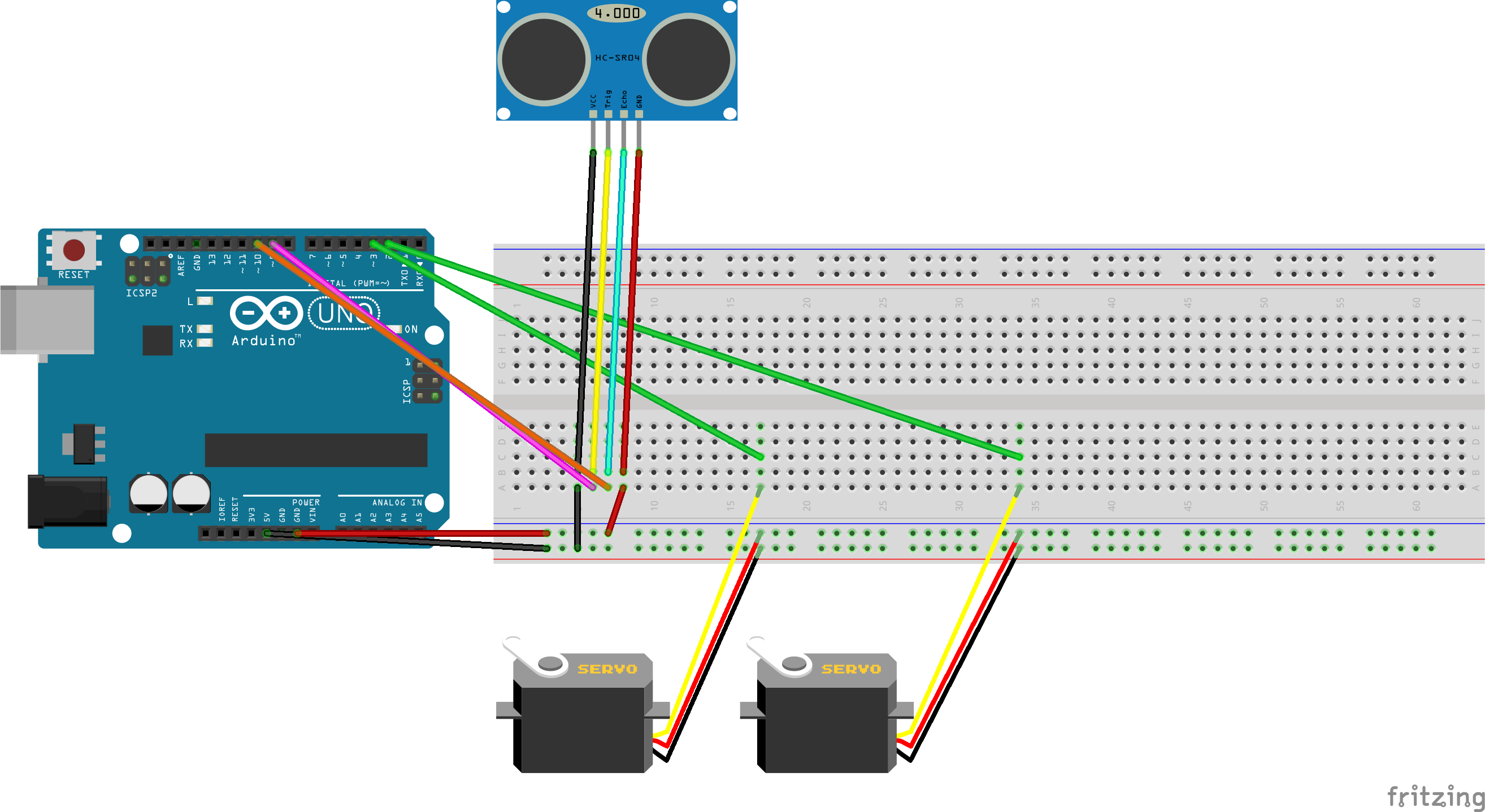
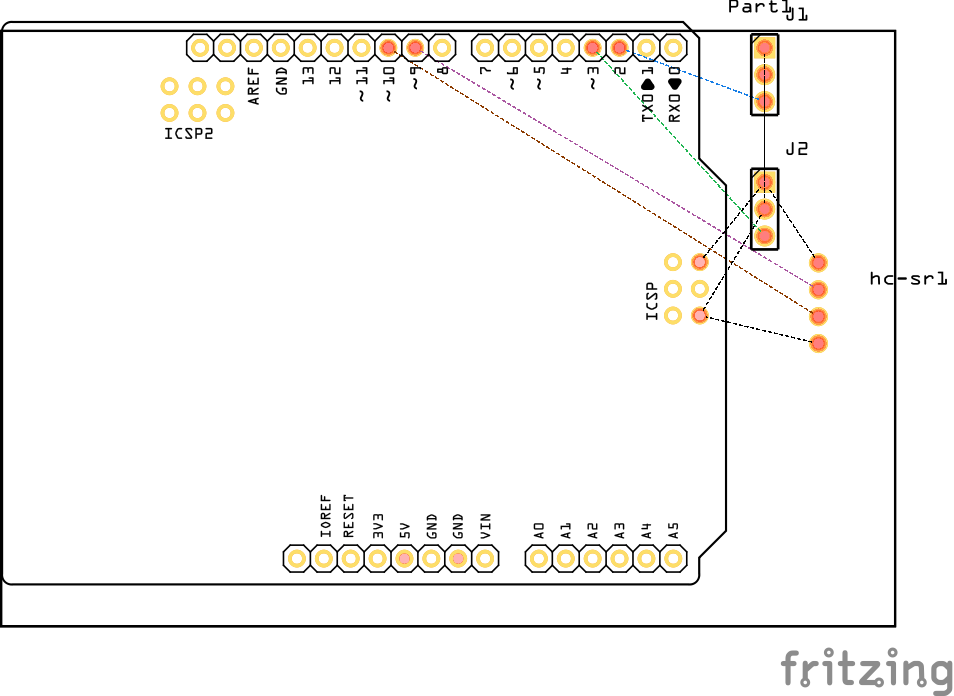
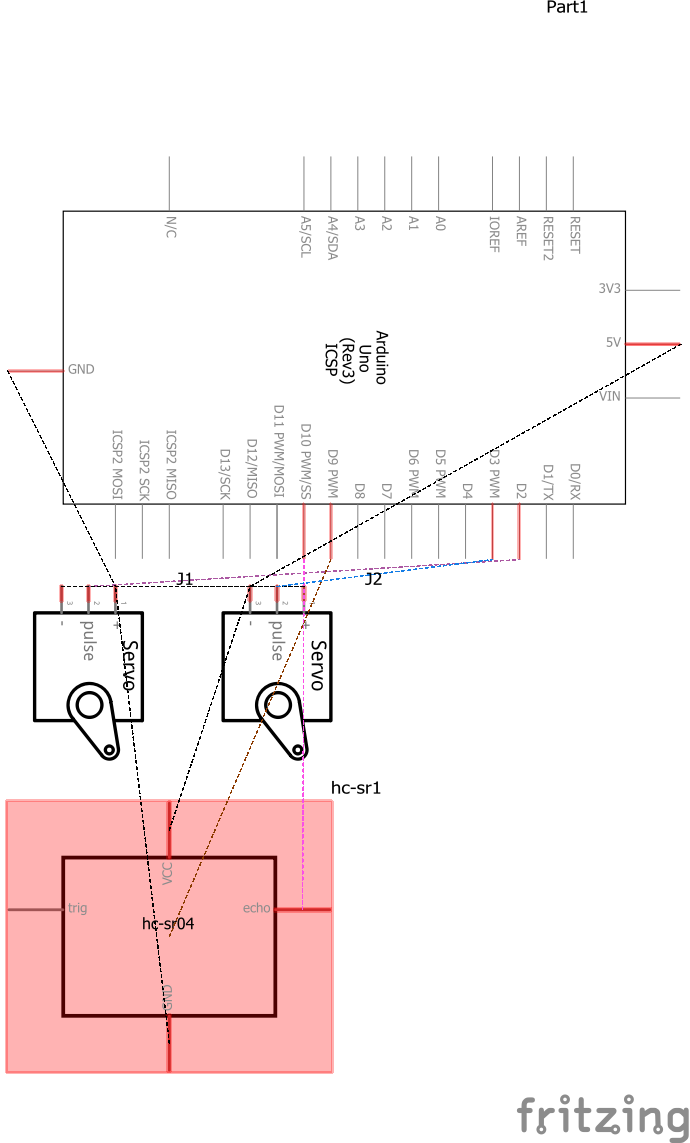
Connect the servo and ultrasonic sensor to the Arduino just like in the schematic below (just above the C++ code). You can upload the code and and see them on the computer.
Attention : If you don't know what is the name of the port go to Device Manager then find Ports. you can see the name there(COM3 or COM5).
If you finish the project, just ask me to send the EXE of Radar Drawer.
*Update* : Download the EXE file in this page.
If you have problem with working with EXE or you want to make your own EXE just ask me and I'm here to help.
When you import a photo to encode the AI choose the best method to make it more scure.
Code
Servo Control
Servo ControlC/C++
This code on C++ is for control the servo and should be upload to Arduino