



Adding Logos and Exporting PDFs in E3.schematic – Step‑by‑Step Guide
In this article you can check how to insert logos and images to the sheets of your projects with E3.schematic. Also, check out the new options to export your project to PDF. Watch the video with full article and optimize your projects!
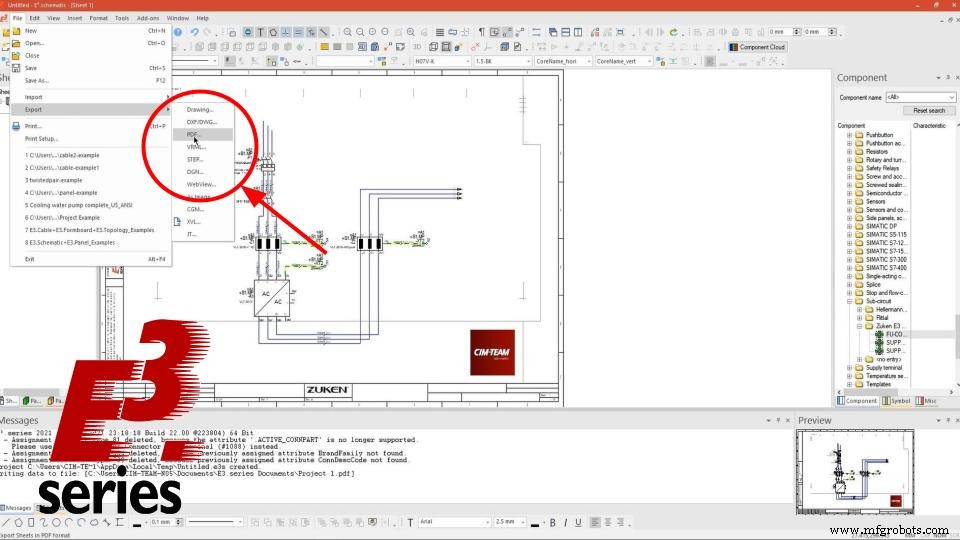
Image Insertion and Sub Circuits
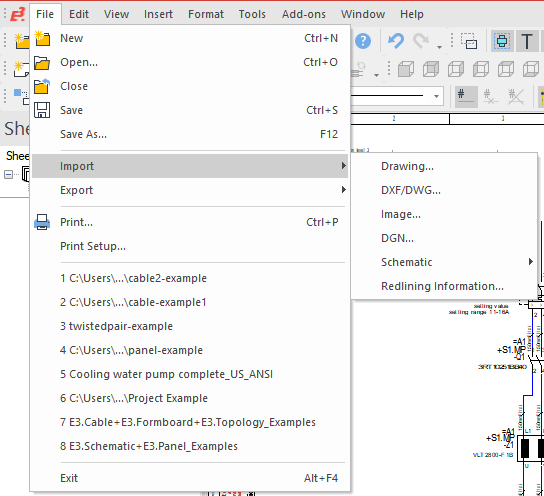
The project starts with the insertion of an image and subcircuit to the sheet. Images can be added via File -> Import -> Image. Then you can select the desired file. Some Import options that E3.series offers are:- Drawing
- DXF/DWG
- Image
- DNG
- Schematic
- Redlining Information
Inserted images can be resized using the squares presented when the object is selected.
The subcircuit can be inserted into the sheet simply by dragging the desired component from the library into the project.
Try NOW the industry-leading E-CAE E3.series tool in the world with technical training courses!
Click on the banner below
Export as PDF
Then the project can be exported as PDF and the export settings can be adjusted.
Exporting a project in E3.series is simple and smart, by selecting the option File -> Export, you have the following options:
- Drawing
- DXF/DWG
- VRML
- STEP
- Among others
E3.series allows you to define the scope of the export, that is, if you want to do it only on specific pages, in page intervals or all project sheets. In addition, pagination and document security settings are also possible.
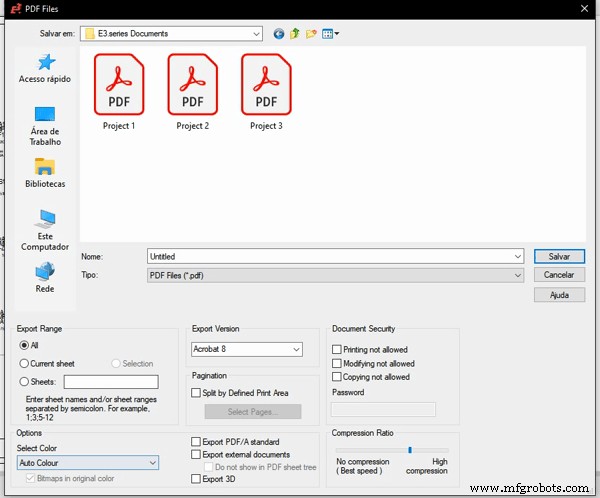
- Auto Color
- Black and White
- Black and White with Bitmaps in original color box selected
Watch the Full Video
Subscribe to our Youtube channel here for more technical videos.
Differences between Parameters
Finally, you can check the difference presented in the documents depending on the configured parameters.
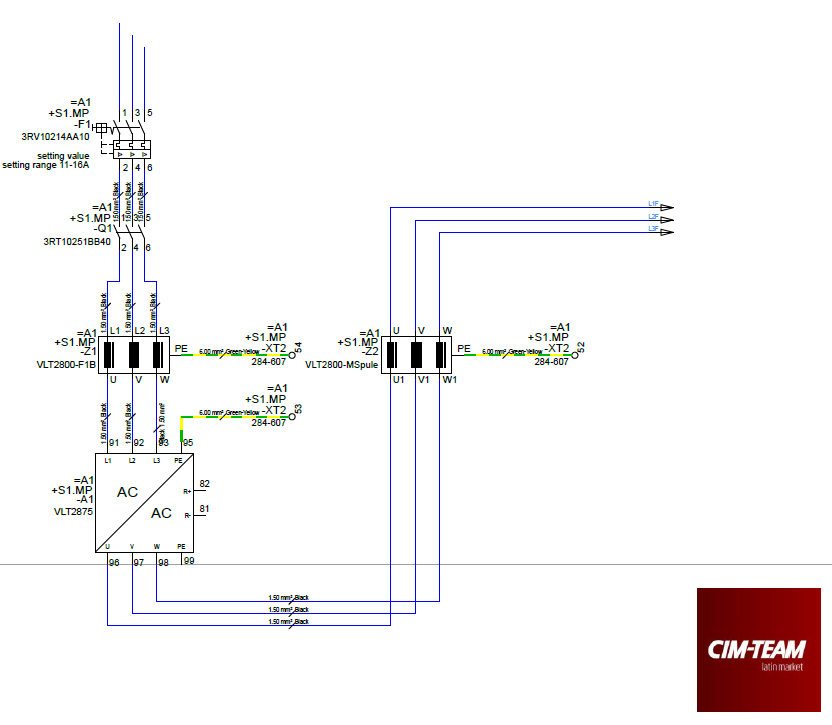 Project 1 - Exported as "Auto Color" shows all original project colors.
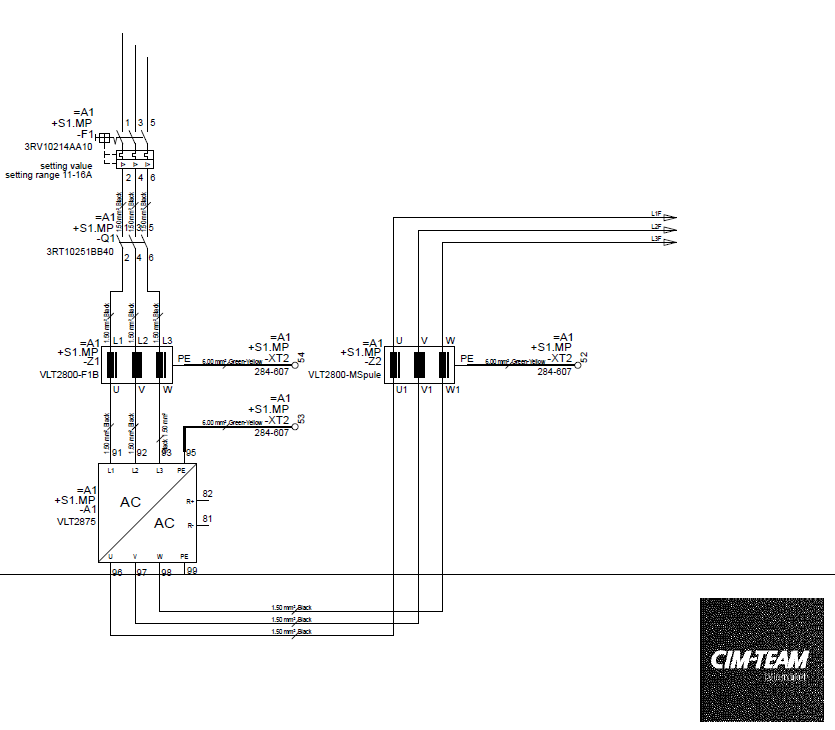
Project 2 - Exported as "Black and White" presents all documentation in black and white.
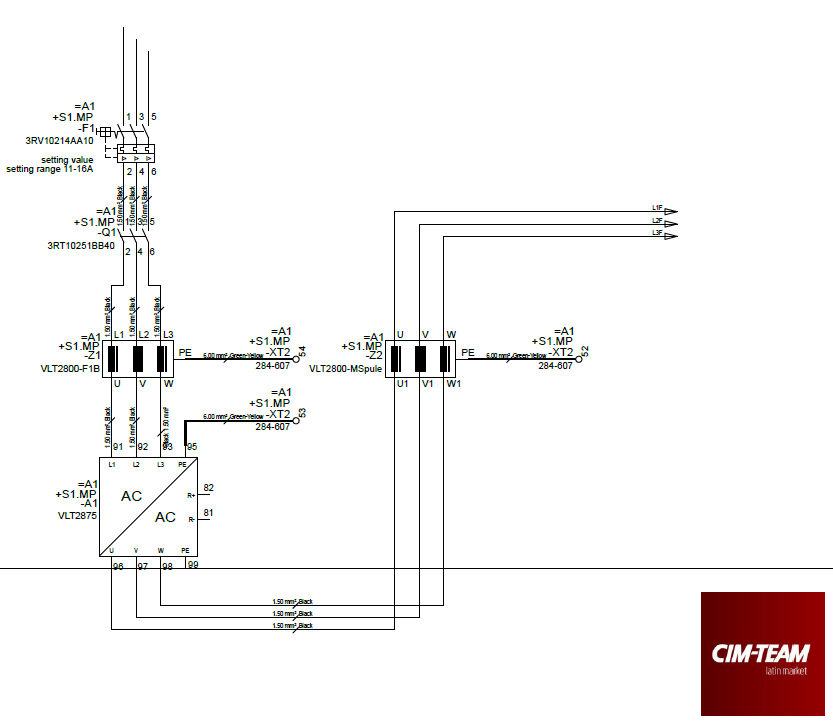
Project 3 - Exported as "Black and White" with "Bitmaps in original color" selected presents images in original colors and connections in shades of black.
Make the E3.series Trial according to your demand using the button below!

Are you a Student?
Download E3.series here for free!
Industrial Technology
- Managing & Storing Project Data in Fusion 360: A Comprehensive Guide
- Master Electrical Design: Optimize Projects with E3.schematic Features
- Create Electrical Schematics Quickly with CAE E3.series: A Step‑by‑Step Guide
- Create Musical Tones with Arduino: A Step‑by‑Step Guide
- Understanding FDM 3D Printers: Construction, Operation, and PDF Guide
- Abrasive Jet Machining: How It Works, Benefits, and Applications
- Comprehensive Guide to CNC G‑Codes & M‑Codes – Downloadable PDF Included
- Strategic Guide to Selecting and Investing in a Modern CAD/CAM System
- Build a Simple AM Radio Receiver: A Step‑by‑Step Guide
- Master the ADS1115: Features, Pinouts, and Arduino Integration Guide