



Arduino MKR1000 + DHT11 Sensor: MQTT IoT Demo on Samsung ARTIK Cloud
Components and supplies
 |
| × | 2 | |||
 |
| × | 1 | |||
 |
| × | 2 |
Apps and online services
 |
| |||
 |
|
About this project
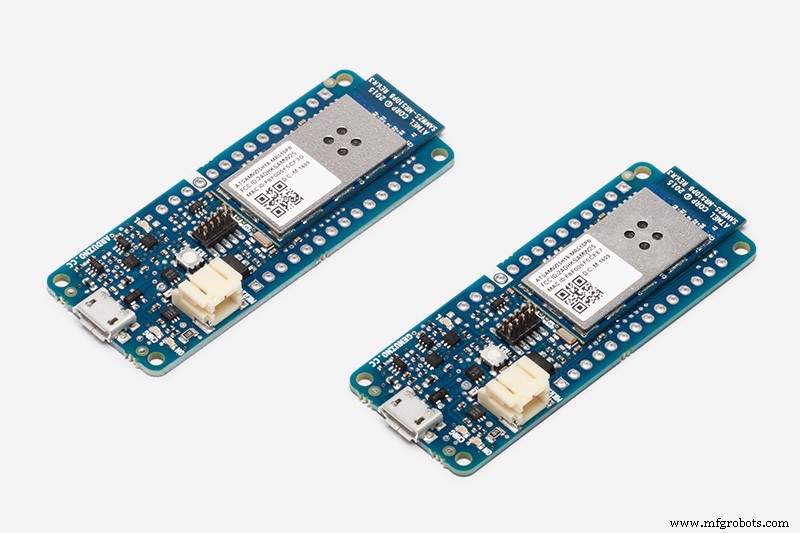
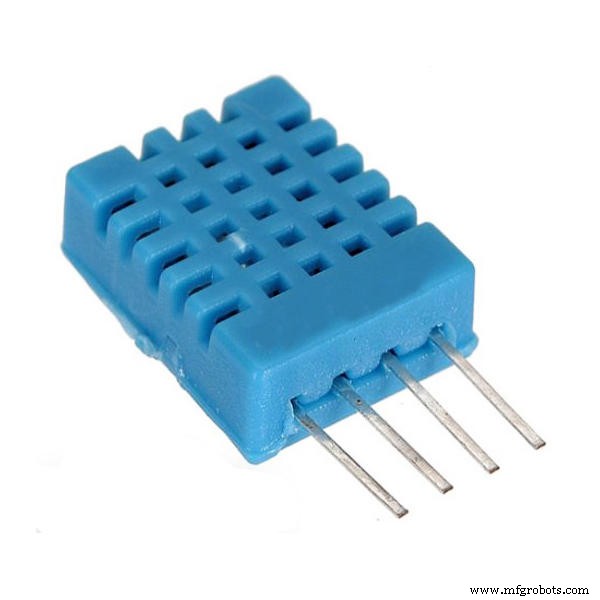
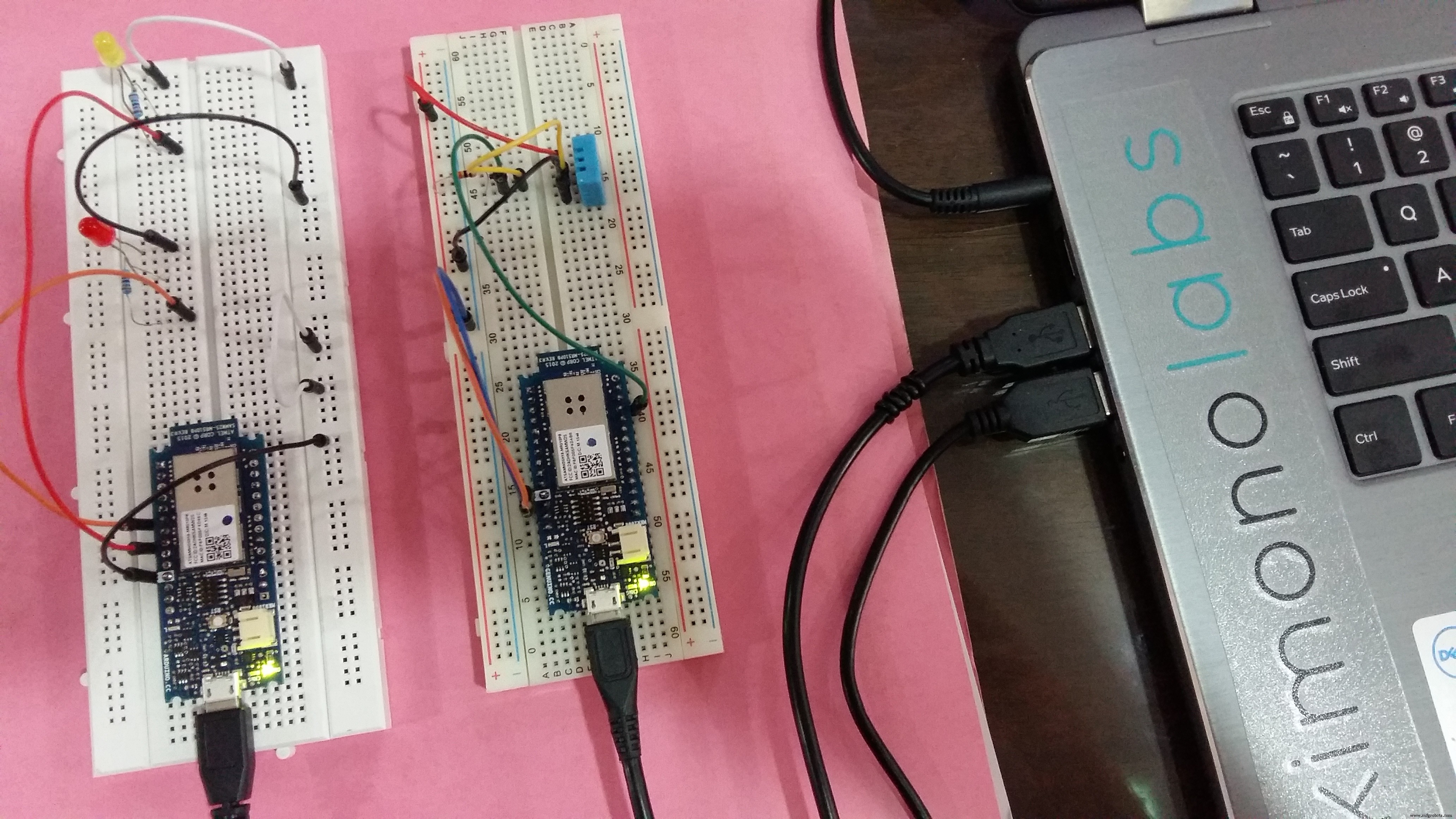
This project makes use of two MKR1000s with DHT11 as sensor and LEDs as metaphor actuators. The real actuators could be the air-conditioner and ceiling fan. The DHT11 temperature and humidity device sends data to ARTIK cloud. Rules have been set to send command to the Red and Yellow LEDs.
Setup Arduino IDEWith Arduino IDE's Library Manager, install the following libraries.
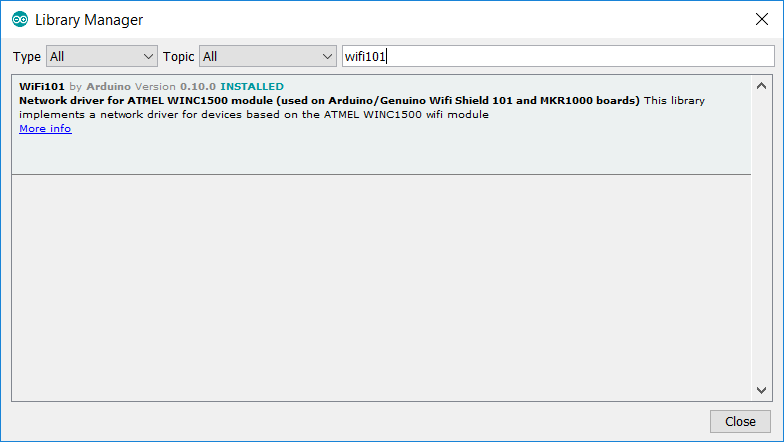
Install WiFi101 (see this guide)
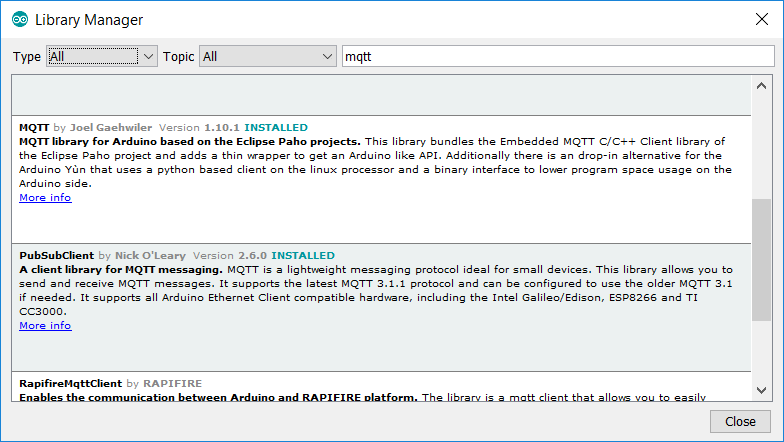
Install MQTT by Joel Gaehwiler
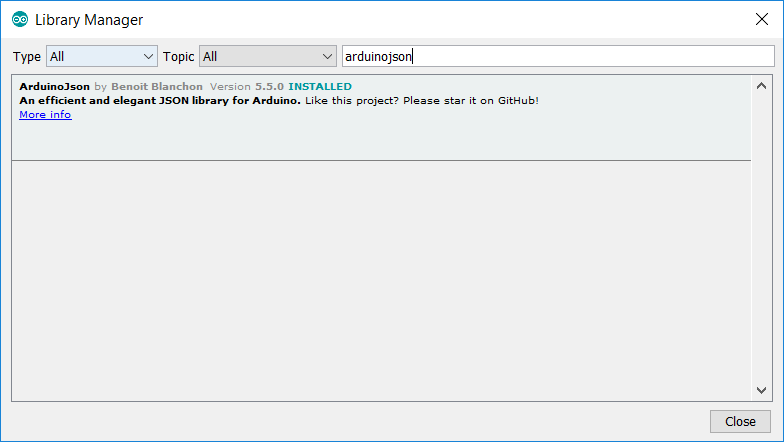
Install ArduinoJson
Note: Refer to my earlier post to find out details about working with ARTIK cloud.
Setup the DHT11 temperature and humidity sensorCreate a device type (DHT11 Sensor)
Connect a device (DHT11 Sensor A1)
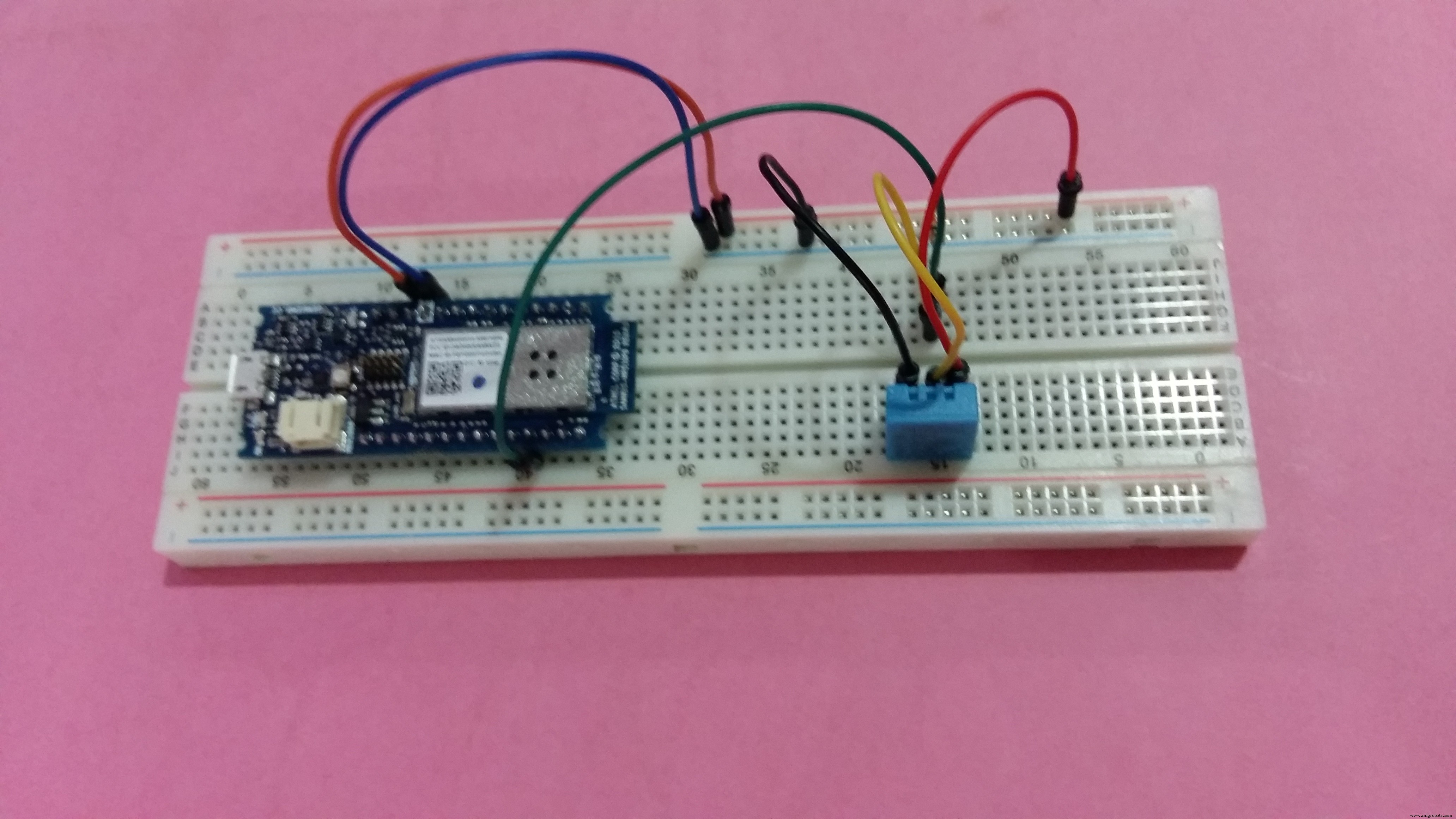
Connect the physical devices
.
Setup the ARTIK cloud MQTT parameters
char mqttCloudServer[]     = "api.artik.cloud";
int  mqttCloudPort         = 8883;
char mqttCloudClientName[] = "ARTIK-Arduino";
char mqttCloudUsername[]   = "[device-id]";
char mqttCloudPassword[]   = "[device-token]";
char mqttCloudDataOut[]    = "/v1.1/messages/[device-id]";
WiFiSSLClient ipCloudStack;
MQTTClient mqttCloudClient;
Sending messages to ARTIK cloud.
void sendToArtikCloud(float temperature, float humidity) {
loadBuffer(temperature, humidity); // load current values into the buffer
mqttCloudClient.publish(mqttCloudDataOut, buf);
}
void loadBuffer(float temperature, float humidity) {
StaticJsonBuffer<200> jsonBuffer;
JsonObject& dataPair = jsonBuffer.createObject();
dataPair["temperature"] = temperature;
dataPair["humidity"] = humidity;
dataPair.printTo(buf, sizeof(buf));
}
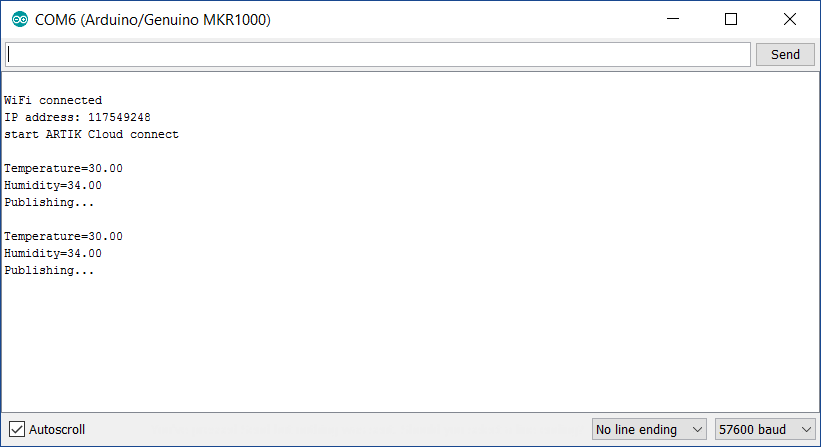
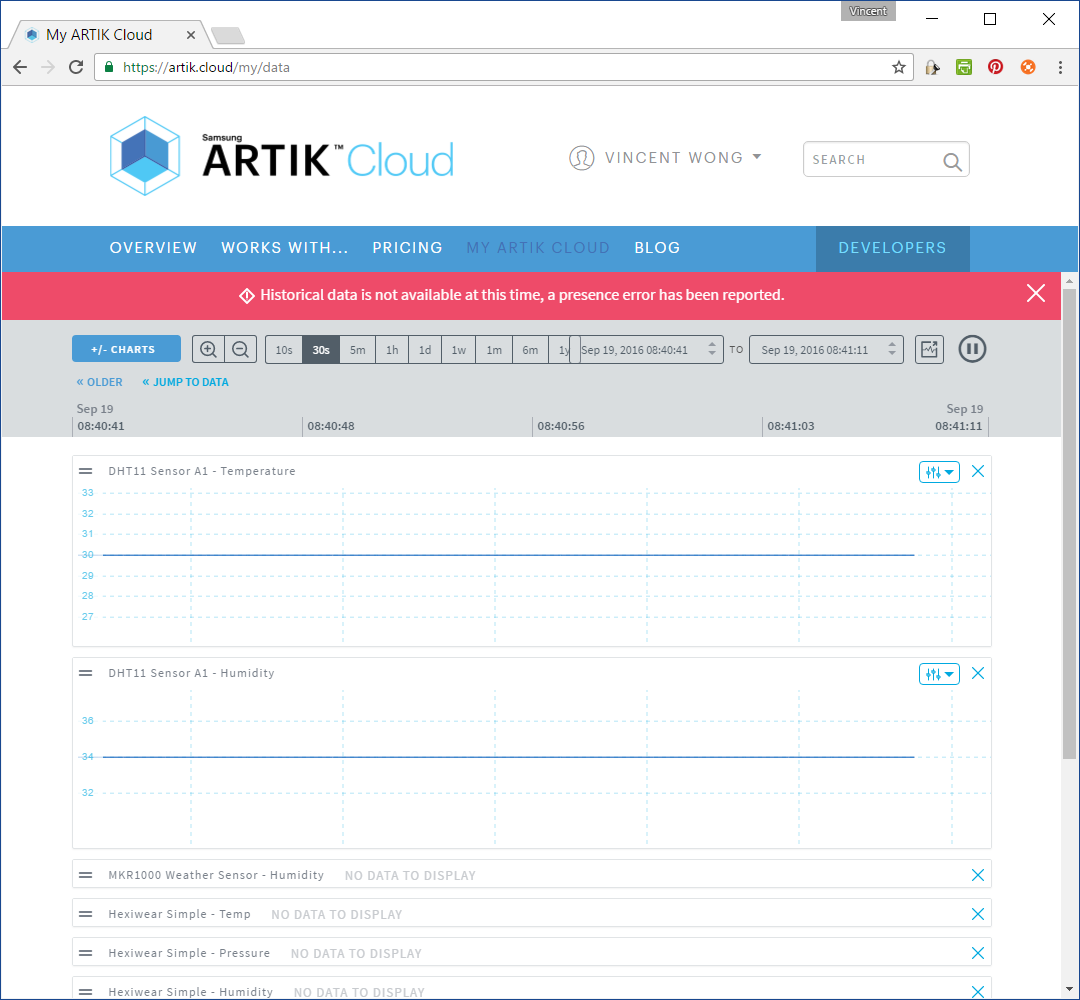
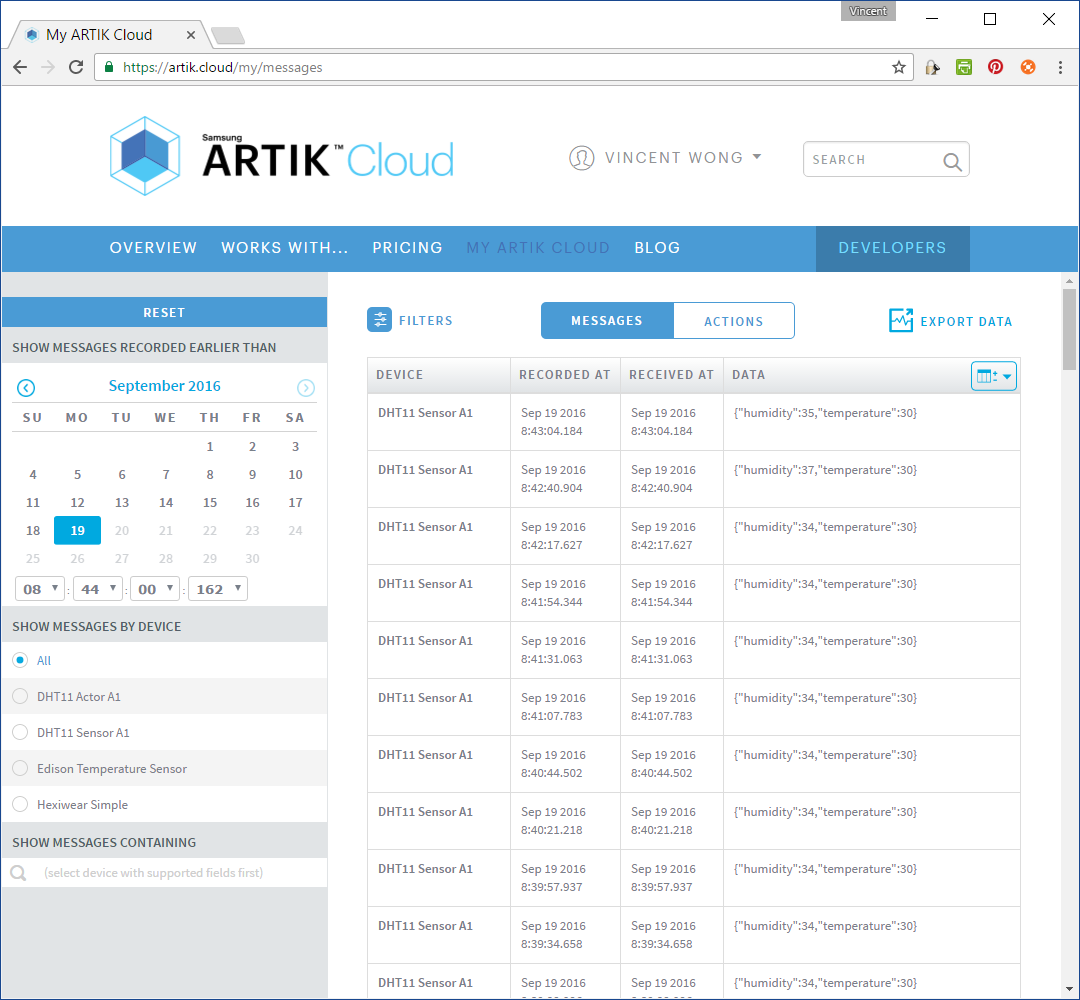
Setup the LED temperature and humidity actuators
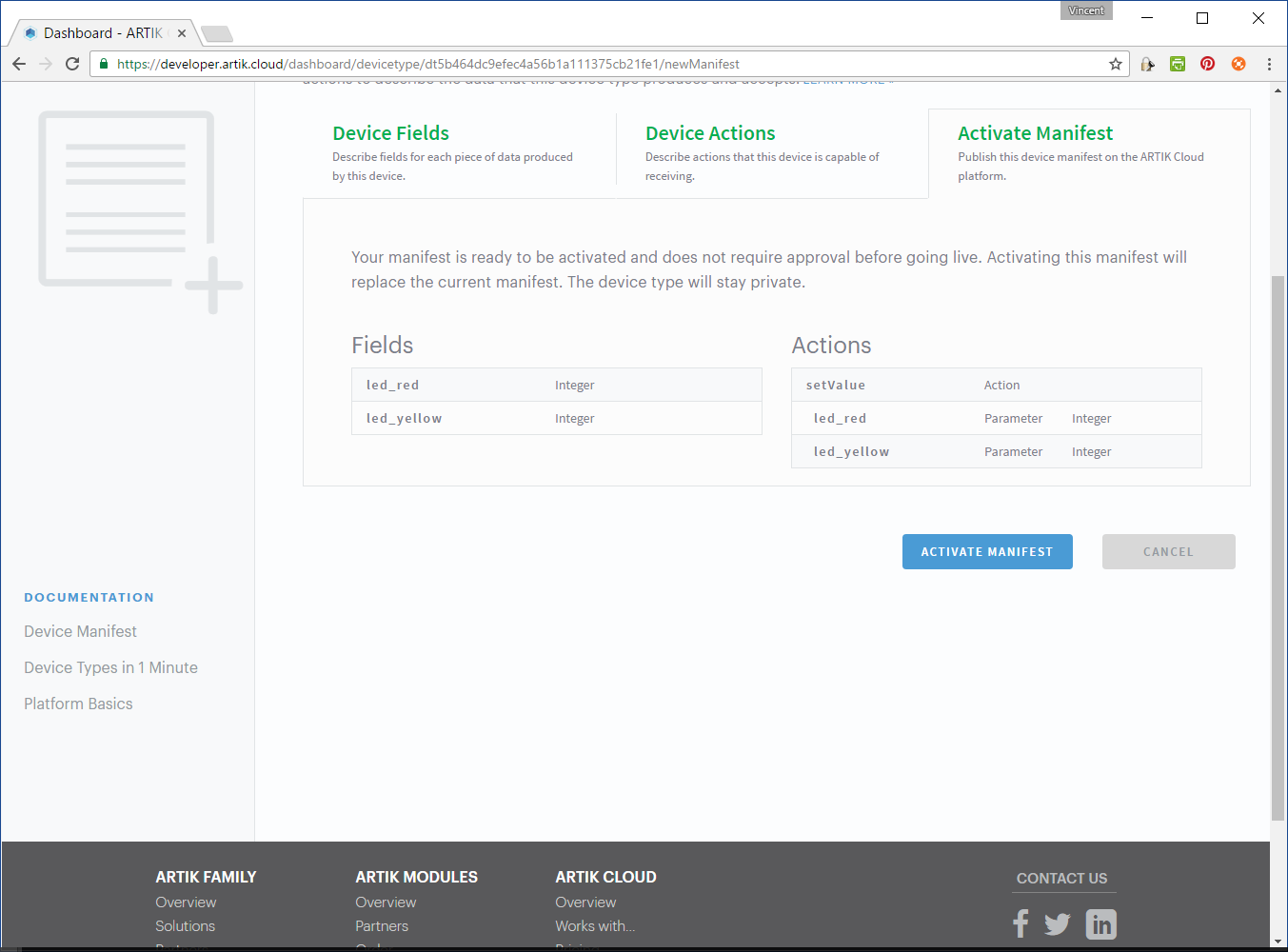
Create a device type (DHT11 Actor)
Connect a device (DHT11 Actor A1)
Connect the physical devices
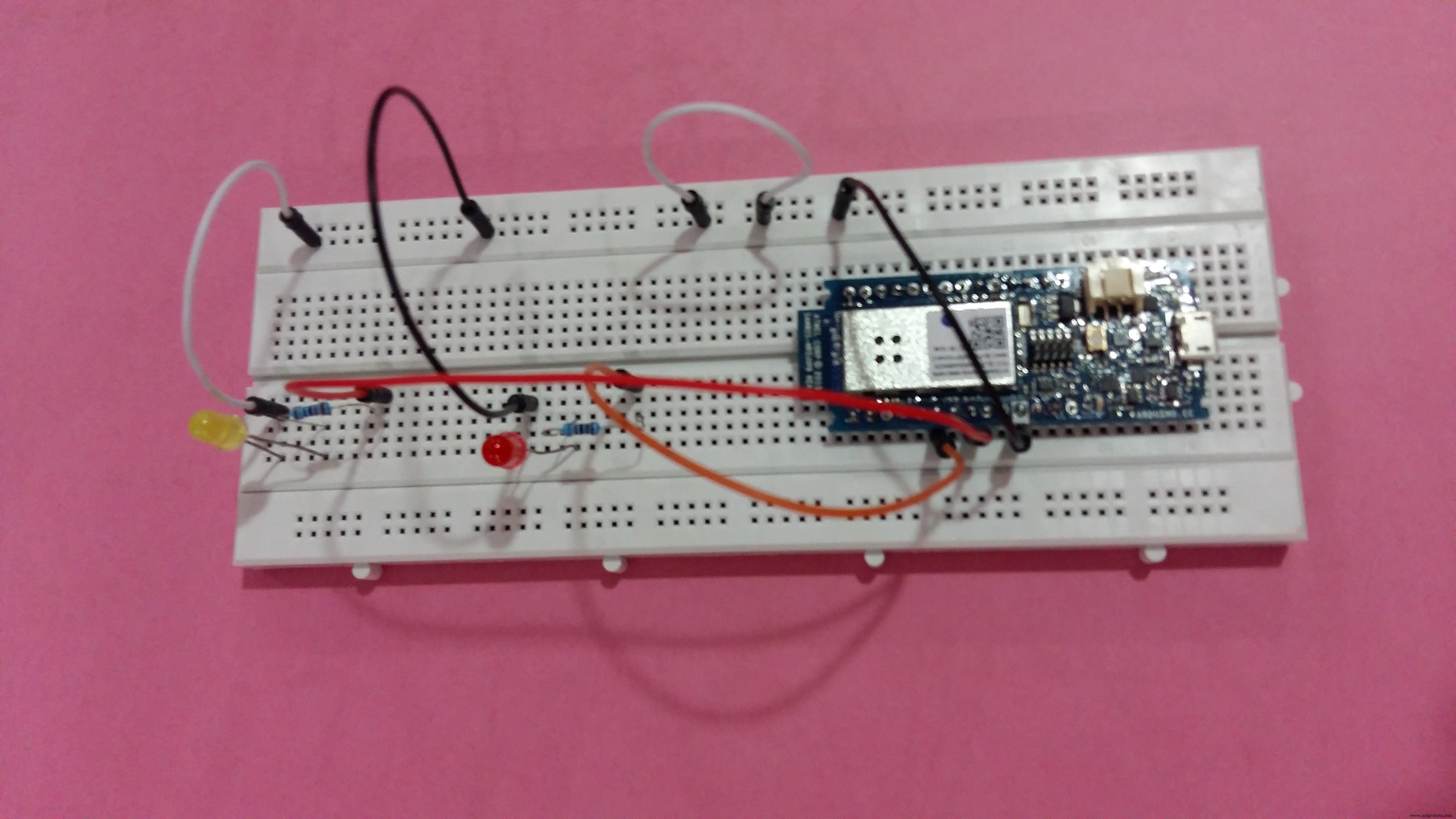
Setup ARTIK cloud MQTT parameters
// ARTIK Cloud MQTT params
char mqttCloudServer[]     = "api.artik.cloud";
int  mqttCloudPort         = 1883;
char mqttCloudClientName[] = "ARTIK-Arduino";
char mqttCloudUsername[]   = "[device-id]";
char mqttCloudPassword[]   = "[device-token]";
char mqttCloudActionsIn[]    = "/v1.1/actions/[device-id]";
WiFiClient ipCloudStack;
MQTTClient mqttCloudClient;
Receiving MQTT actions.
void messageReceived(String topic, String payload, char * bytes, unsigned int length) {
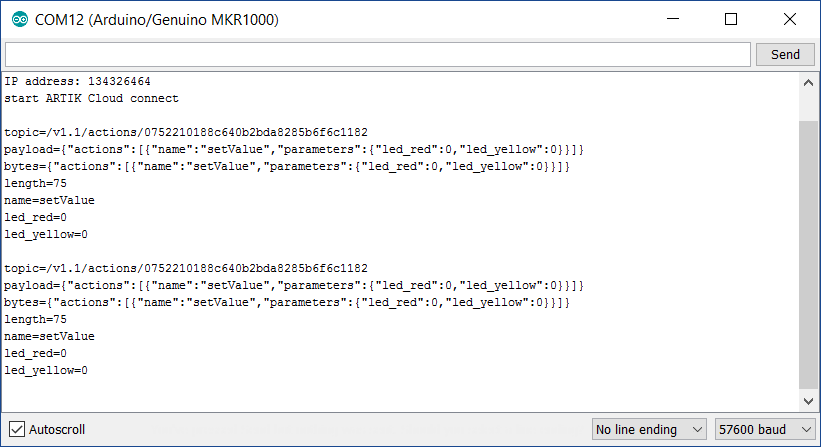
Serial.print("topic="); Serial.println(topic);
Serial.print("payload="); Serial.println(payload);
Serial.print("bytes="); Serial.println(bytes);
Serial.print("length="); Serial.println(length);
parseBuffer(payload);
}
Parse and process the actions from ARTIK cloud.
void parseBuffer(String payload) {
StaticJsonBuffer<200> jsonBuffer;
String json = payload;
JsonObject& root = jsonBuffer.parseObject(json);
const char* nameparam = root["actions"][0]["name"];
const int actionLEDRed = root["actions"][0]["parameters"]["led_red"];
const int actionLEDYellow = root["actions"][0]["parameters"]["led_yellow"];
Serial.print("name="); Serial.println(nameparam);
Serial.print("led_red="); Serial.println(actionLEDRed);
Serial.print("led_yellow="); Serial.println(actionLEDYellow);
Serial.println();
if (actionLEDRed == 1) {
  if (savedRedValue != actionLEDRed) {
    digitalWrite(LED_RED_PIN, HIGH);
    savedRedValue = actionLEDRed;
  }
  savedRedTime = millis();
} else {
  if (savedRedValue != actionLEDRed) {
    if (millis() - savedRedTime > RED_DELAY) {
      digitalWrite(LED_RED_PIN, LOW);
      savedRedValue = actionLEDRed;
    }
  }
}
if (actionLEDYellow == 1) {
  if (savedYellowValue != actionLEDYellow) {
    digitalWrite(LED_YELLOW_PIN, HIGH);
    savedYellowValue = actionLEDYellow;
  }
  savedYellowTime = millis();
} else {
  if (savedYellowValue != actionLEDYellow) {
    if (millis() - savedYellowTime > YELLOW_DELAY) {
      digitalWrite(LED_YELLOW_PIN, LOW);
      savedYellowValue = actionLEDYellow;
    }
  }
}
}
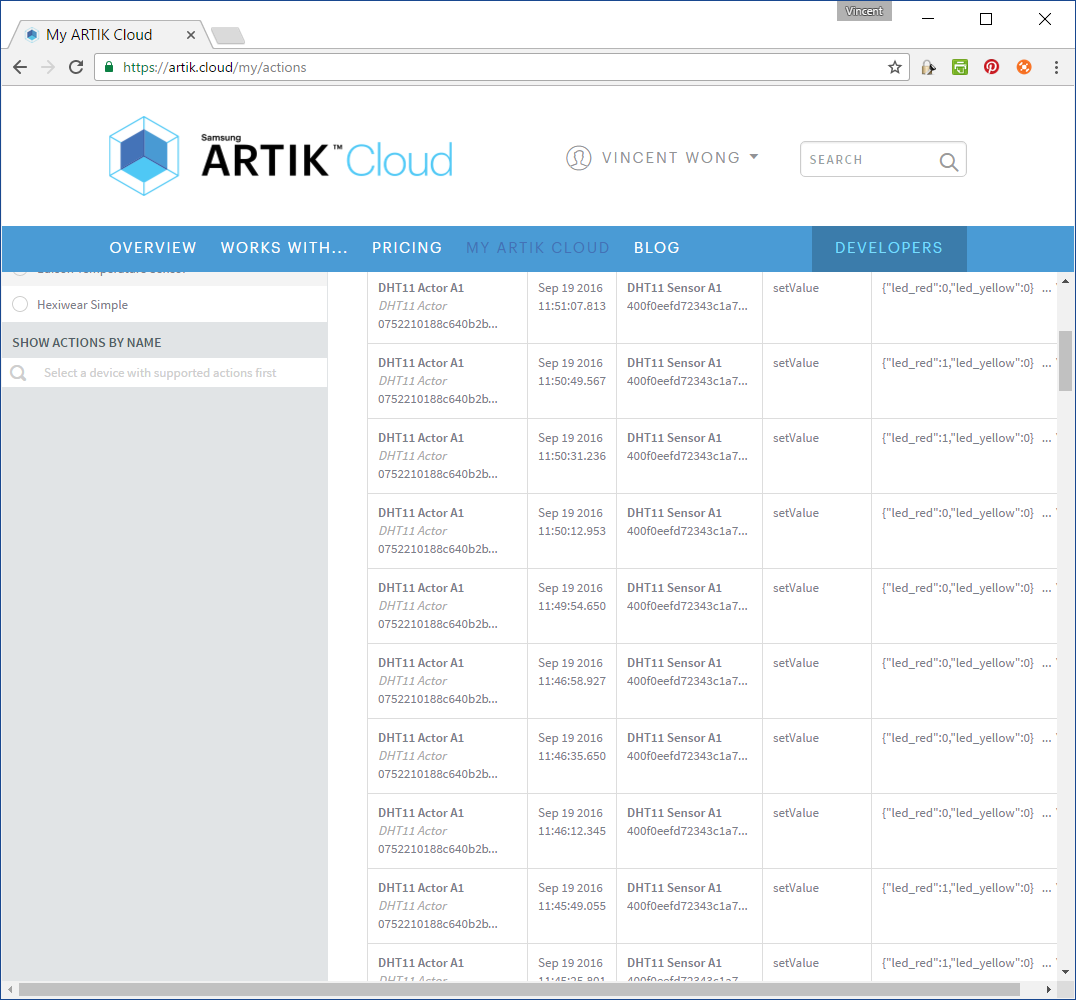
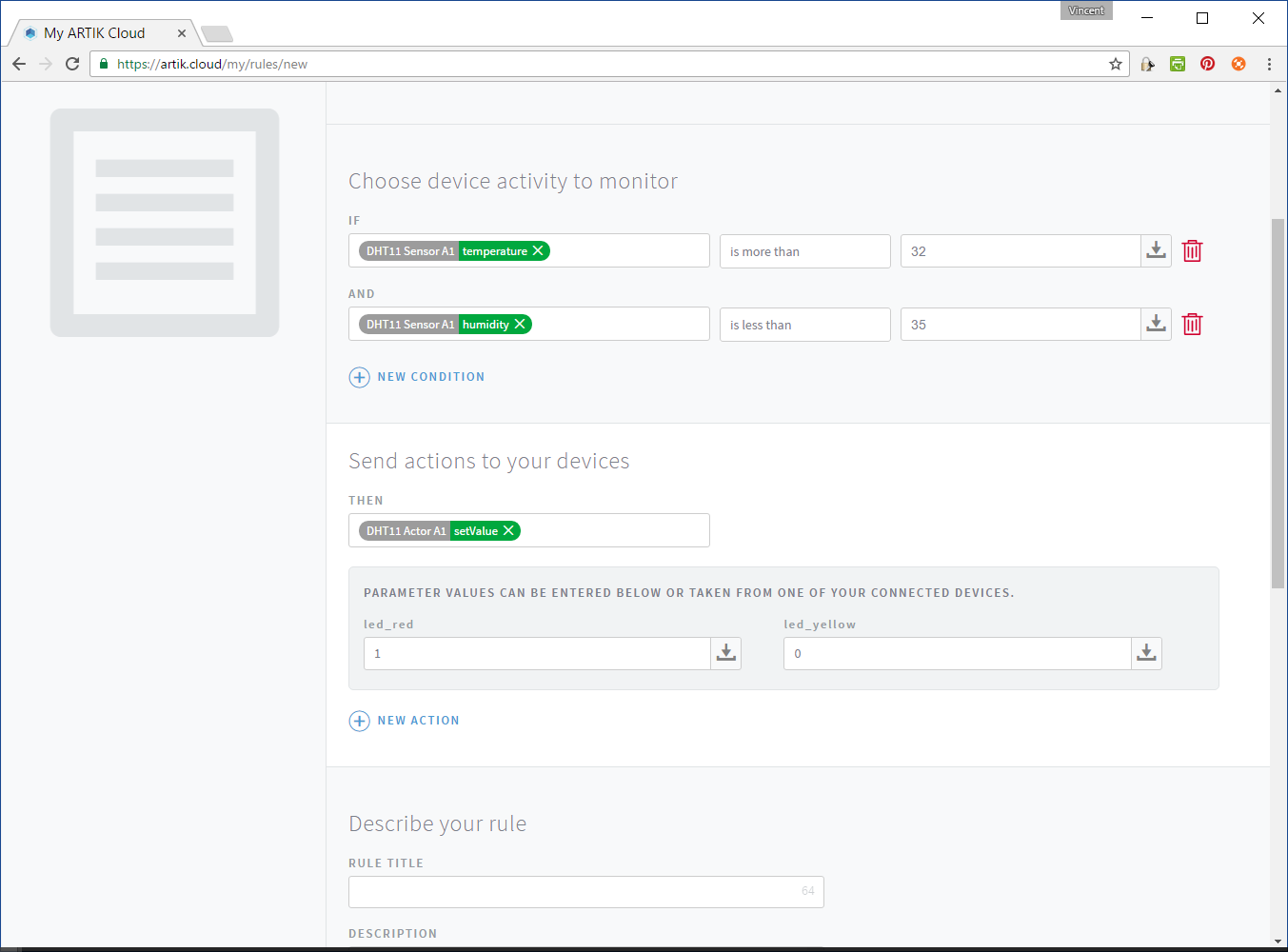
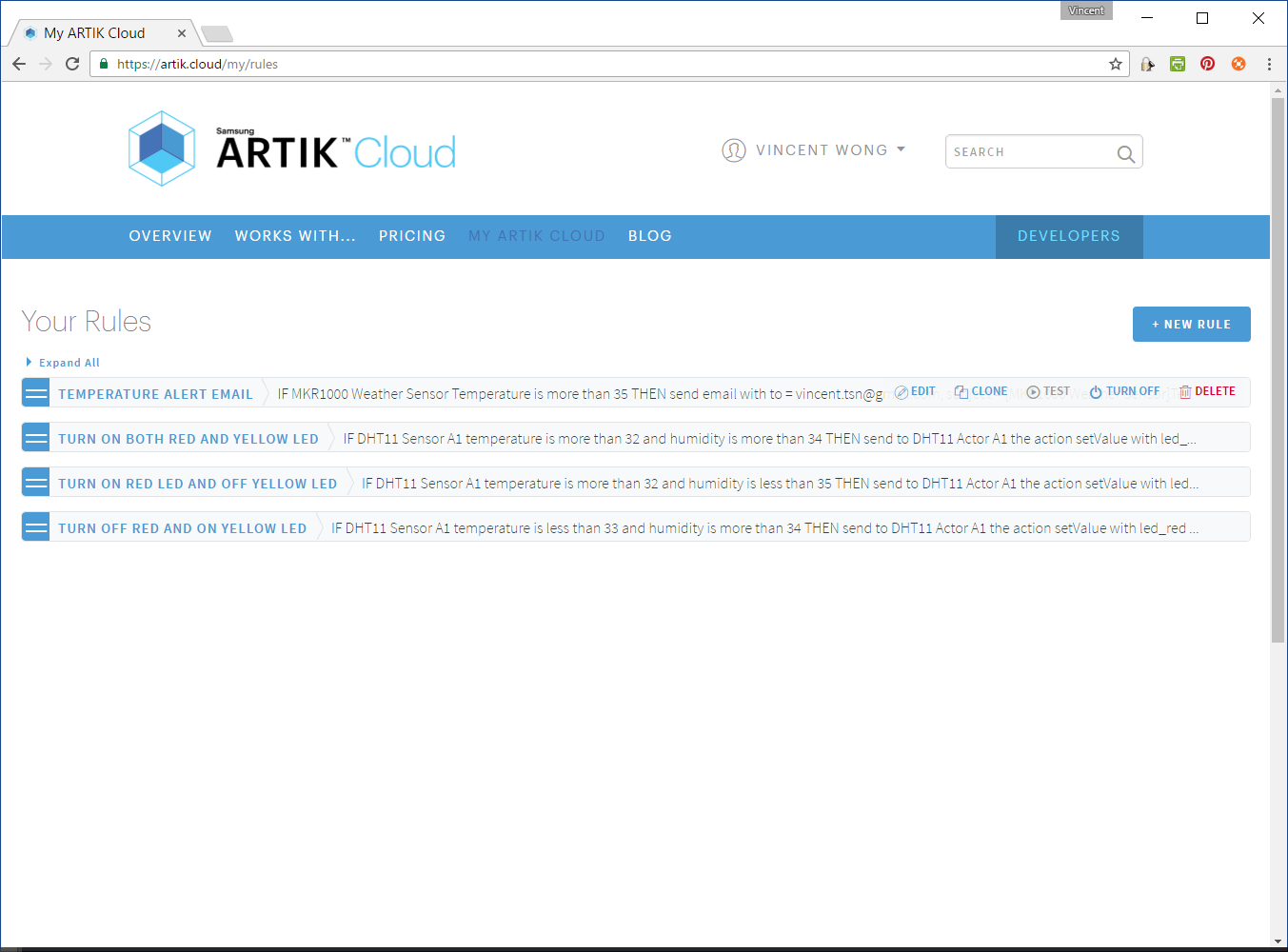
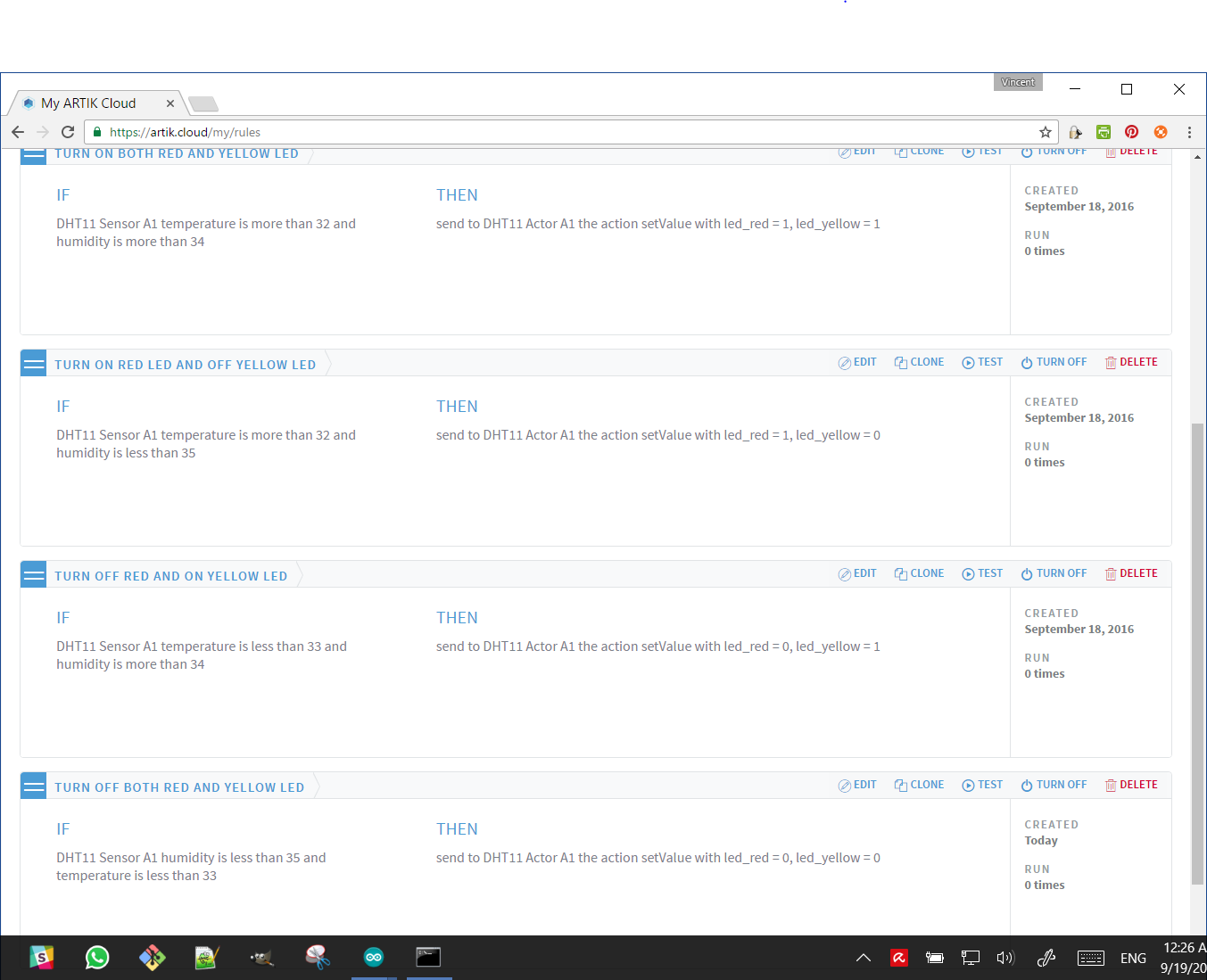
There are 4 rules:
- IF DHT11 Sensor A1 temperature is more than 32 and humidity is more than 34 THEN send to DHT11 Actor A1 the action setValue with led_red = 1, led_yellow = 1
- IF DHT11 Sensor A1 temperature is more than 32 and humidity is less than 35 THEN send to DHT11 Actor A1 the action setValue with led_red = 1, led_yellow = 0
- IF DHT11 Sensor A1 temperature is less than 33 and humidity is more than 34 THEN send to DHT11 Actor A1 the action setValue with led_red = 0, led_yellow = 1
- IF DHT11 Sensor A1 humidity is less than 35 and temperature is less than 33 THEN send to DHT11 Actor A1 the action setValue with led_red = 0, led_yellow = 0
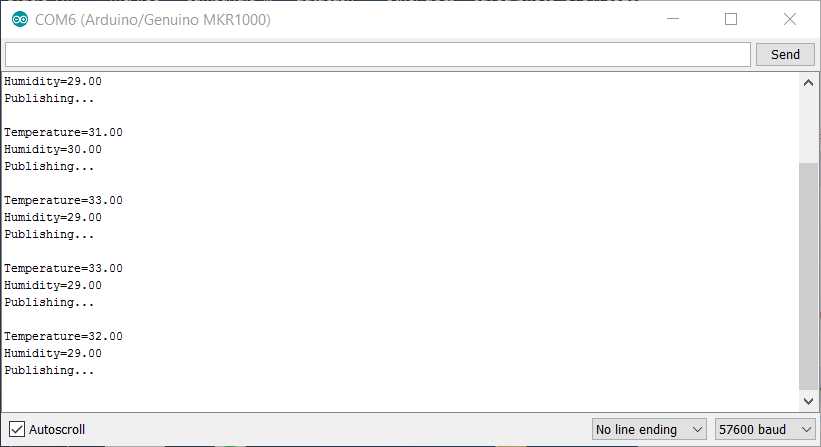
Please note that you will need to wait for the temperature to heat up (LED on) and cool off (LED off). The red LED is turned on at 37 seconds and turned off at 1:13 seconds. The demo video shows only temperature changes. I used a hair dryer to change the temperature around the DHT11 sensor.
.
Code
- artik_dht11_sensor.ino
- artik_led_actor.ino
artik_dht11_sensor.inoC/C++
#include <MQTTClient.h>
#include <ArduinoJson.h>
#include <WiFi101.h>
#include "DHT.h"

#define DHTPIN 2     // what digital pin we're connected to
#define DHTTYPE DHT11   // DHT 11

DHT dht(DHTPIN, DHTTYPE);

const char* _SSID     = "[Wi-Fi SSID]";
const char* _PASSWORD = "[Wi-Fi Password]";

// ARTIK Cloud MQTT params
char mqttCloudServer[]     = "api.artik.cloud";
int  mqttCloudPort         = 8883;
char mqttCloudClientName[] = "ARTIK-Arduino";
char mqttCloudUsername[]   = "[device-id]";
char mqttCloudPassword[]   = "[device-token]";
char mqttCloudDataOut[]    = "/v1.1/messages/[device-id]";

WiFiSSLClient ipCloudStack;
MQTTClient mqttCloudClient;

char buf[128];

float temperature, humidity;

int n = 0;

void getNextSample(float* Temperature, float* Humidity)
{
  // Wait a few seconds between measurements.
  delay(2000);

  // Reading temperature or humidity takes about 250 milliseconds!
  // Sensor readings may also be up to 2 seconds 'old' (its a very slow sensor)
  *Humidity = dht.readHumidity();
  // Read temperature as Celsius (the default)
  *Temperature = dht.readTemperature();
  // Read temperature as Fahrenheit (isFahrenheit = true)
  // float f = dht.readTemperature(true);

  //printf("Temp=%.2f, Pres=%.2f, Humi=%.2f\n", Temp_c__f, Pres_hPa__f, Humi_pct__f);

  Serial.print("Temperature="); Serial.println(*Temperature);
  Serial.print("Humidity="); Serial.println(*Humidity);
}

void setup() {

  Serial.begin(57600);

  dht.begin();

  // Wifi Setting
  WiFi.begin(_SSID, _PASSWORD);
  while (WiFi.status() != WL_CONNECTED) {
    delay(500);
    Serial.print(".");
  }
  Serial.println();
  Serial.println("WiFi connected");
  Serial.print("IP address: ");
  Serial.println(WiFi.localIP());

  mqttCloudClient.begin(mqttCloudServer, mqttCloudPort, ipCloudStack);

  Serial.println("start ARTIK Cloud connect"); Serial.println();

  while (!mqttCloudClient.connect(mqttCloudClientName, mqttCloudUsername, mqttCloudPassword)) {
    Serial.print("*");
    delay(500);
  }

}

void messageReceived(String topic, String payload, char * bytes, unsigned int length) {}

void sendToArtikCloud(float temperature, float humidity) {
  loadBuffer(temperature, humidity); // load current values into the buffer
  mqttCloudClient.publish(mqttCloudDataOut, buf);
}

void loadBuffer(float temperature, float humidity) {
  StaticJsonBuffer<200> jsonBuffer;
  JsonObject& dataPair = jsonBuffer.createObject();

  dataPair["temperature"] = temperature;
  dataPair["humidity"] = humidity;

  dataPair.printTo(buf, sizeof(buf));
}

void loop() {

  if (++n > 10) {
    Serial.println("Stopped.");
    exit(0);
  }

  mqttCloudClient.loop();
  delay(1000);

  getNextSample(&temperature, &humidity);

  Serial.println("Publishing..."); Serial.println();

  sendToArtikCloud(temperature, humidity);

  delay(15000);

}
artik_led_actor.inoC/C++
#include <MQTTClient.h>
#include <ArduinoJson.h>
#include <WiFi101.h>

#define LED_RED_PIN 11
#define LED_YELLOW_PIN 13
#define RED_DELAY 5000
#define YELLOW_DELAY 10000


const char* _SSID     = "[Wi-Fi SSID]";
const char* _PASSWORD = "[Wi-Fi Password]";

// ARTIK Cloud MQTT params
char mqttCloudServer[]     = "api.artik.cloud";
int  mqttCloudPort         = 1883;
char mqttCloudClientName[] = "ARTIK-Arduino";
char mqttCloudUsername[]   = "[device-id]";
char mqttCloudPassword[]   = "[device-token]";
char mqttCloudActionsIn[]    = "/v1.1/actions/[device-id]";

WiFiClient ipCloudStack;
MQTTClient mqttCloudClient;

char buf[128];

int savedRedValue, savedYellowValue;

unsigned long savedRedTime, savedYellowTime;

void setup() {

  Serial.begin(57600);

  pinMode(LED_RED_PIN, OUTPUT);
  pinMode(LED_YELLOW_PIN, OUTPUT);

  savedRedValue = savedYellowValue = 0;

  // Wifi Setting
  WiFi.begin(_SSID, _PASSWORD);
  while (WiFi.status() != WL_CONNECTED) {
    delay(500);
    Serial.print(".");
  }
  Serial.println();
  Serial.println("WiFi connected");
  Serial.print("IP address: ");
  Serial.println(WiFi.localIP());

  mqttCloudClient.begin(mqttCloudServer, mqttCloudPort, ipCloudStack);

  Serial.println("start ARTIK Cloud connect"); Serial.println();

  while (!mqttCloudClient.connect(mqttCloudClientName, mqttCloudUsername, mqttCloudPassword)) {
    Serial.print("*");
    delay(500);
  }

  mqttCloudClient.subscribe(mqttCloudActionsIn);

}

void messageReceived(String topic, String payload, char * bytes, unsigned int length) {
  Serial.print("topic="); Serial.println(topic);
  Serial.print("payload="); Serial.println(payload);
  Serial.print("bytes="); Serial.println(bytes);
  Serial.print("length="); Serial.println(length);

  parseBuffer(payload);
}

void parseBuffer(String payload) {
  StaticJsonBuffer<200> jsonBuffer;
  String json = payload;
  JsonObject& root = jsonBuffer.parseObject(json);
  const char* nameparam = root["actions"][0]["name"];
  const int actionLEDRed = root["actions"][0]["parameters"]["led_red"];
  const int actionLEDYellow = root["actions"][0]["parameters"]["led_yellow"];

  Serial.print("name="); Serial.println(nameparam);
  Serial.print("led_red="); Serial.println(actionLEDRed);
  Serial.print("led_yellow="); Serial.println(actionLEDYellow);
  Serial.println();


  if (actionLEDRed == 1) {
    if (savedRedValue != actionLEDRed) {
      digitalWrite(LED_RED_PIN, HIGH);
      savedRedValue = actionLEDRed;
    }

    savedRedTime = millis();

  } else {
    if (savedRedValue != actionLEDRed) {
      if (millis() - savedRedTime > RED_DELAY) {
        digitalWrite(LED_RED_PIN, LOW);
        savedRedValue = actionLEDRed;
      }
    }
  }


  if (actionLEDYellow == 1) {
    if (savedYellowValue != actionLEDYellow) {
      digitalWrite(LED_YELLOW_PIN, HIGH);
      savedYellowValue = actionLEDYellow;
    }

    savedYellowTime = millis();

  } else {
    if (savedYellowValue != actionLEDYellow) {
      if (millis() - savedYellowTime > YELLOW_DELAY) {
        digitalWrite(LED_YELLOW_PIN, LOW);
        savedYellowValue = actionLEDYellow;
      }
    }
  }


}

void loop() {

  mqttCloudClient.loop();
  delay(500);

}
Manufacturing process
- DHT11 Temperature & Humidity Sensor Project with LED Indicators and Piezo Speaker
- Build a Bluetooth‑controlled Arduino Spybot
- Read Temperature & Humidity with DHT11 on Blynk – Step‑by‑Step Arduino Tutorial
- Arduino MKR1000 + DHT11 Sensor: MQTT IoT Demo on Samsung ARTIK Cloud
- MKR1000 with DHT22: Real‑Time Temperature & Humidity Monitoring to Azure
- Real‑Time Swimming Pool Monitoring with Arduino MKR1000 & Samsung ARTIK Cloud
- Seamless MKR1000 to Google Sheets: Upload Sensor Data Over WiFi
- DHT11 Temperature & Humidity Sensor for Arduino Projects
- Arduino Tutorial: Master Temperature & Humidity with DHT11 & DHT22 Sensors
- MKR1000 Pinout Explained: The Go‑To Board for IoT Development