



Smart Garage Parking Assistant with RGB LED Feedback
Components and supplies
 |
| × | 1 | |||
 |
| × | 1 | |||
 |
| × | 1 | |||
 |
| × | 1 | |||
 |
| × | 1 | |||
| × | 1 |
Necessary tools and machines
|
| |||
 |
|
About this project
This is a garage parking sensor using addressable RGB LED's to provide feedback to vehicle driver as they approach and finally reach stop (park) position. See video in action:
I designed this around some acrylic 1/2" diameter half round material that I had on hand (cut to 20-7/16" long) to use as a lens that also serves to hold dovetail sections together. This can be readily purchased on internet for about $0.66 per foot, however, I have also included a model of a lens that can be printed in segments using clear filament.
STEP 1Prepare LED strip (WS2812b LED strip individually addressable RGB Smart Pixel 30 LED's 1 meter long strip). Cut Strip into two (2) 15 LED segments and solder leads onto each segment at the beginning of each strip. Arrows on strip point 'AWAY' from where leads are needed.
STEP 2Assemble all rail sections (one Outside Rail, and two Inside Rail segments per side) with case in the middle.
STEP 3Feed leads from LED strips into case on each side, and adhere with backing tape. Note LED strips will stop about 1/2" from each Outside rail end
STEP 4Slide Lens into each end all the way into the case to lock all dovetails in place. If using printed lens, there will be 4 required for each side. They are intended to bridge the dovetail areas.
STEP 5Mount the assembly with end caps onto a backer board (I used 1/2" mdf that was cut to 2" wide by 45-1/8" long). Attach assembly using small pan head or flat-head screws (note: do not use round head, otherwise USB cable will not fit into slot later if needed for reprogramming parameters.)
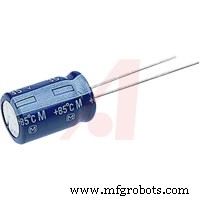
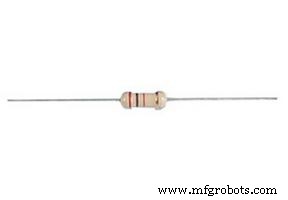
STEP 6Wire up electronics. Note the location of capacitor. Capacitor is needed to prevent voltage spikes from supply. A resistor is used on signal wire (pin 7) for LEDs, and a diode is used on Arduino (V+) to prevent backfeed of voltage in event USB is inserted without the power supply on. Without the diode, Arduino will try to supply voltage to LED's, causing excessive current through the on-board voltage regulated. Diode and resistor are soldered in-line with wiring, and covered with heat shrink tubing. The case will need to be drill from outside near bottom under Arduino to feed wires from power supply. I did not design this into model, as the size will depend what type wire is used. I recommend 18/2 wire be used. I used doorbell wire and put a connector just outside of case.
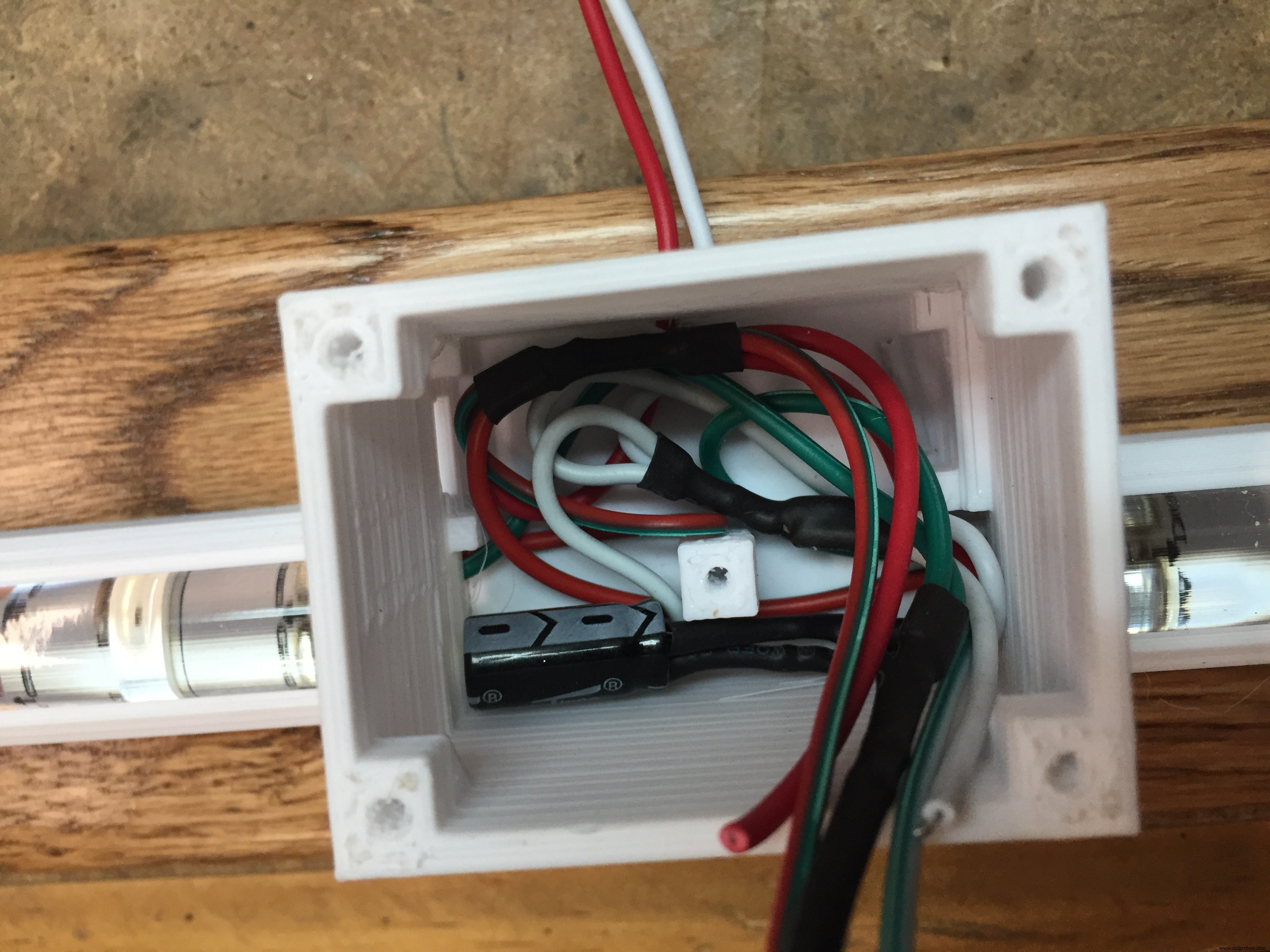
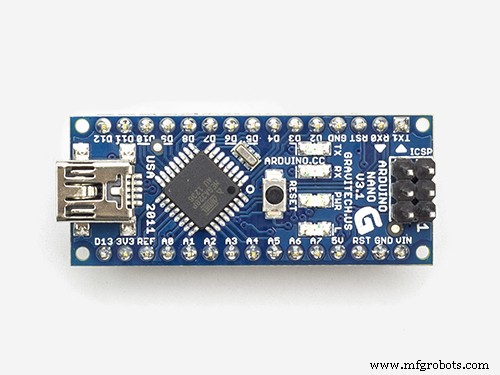
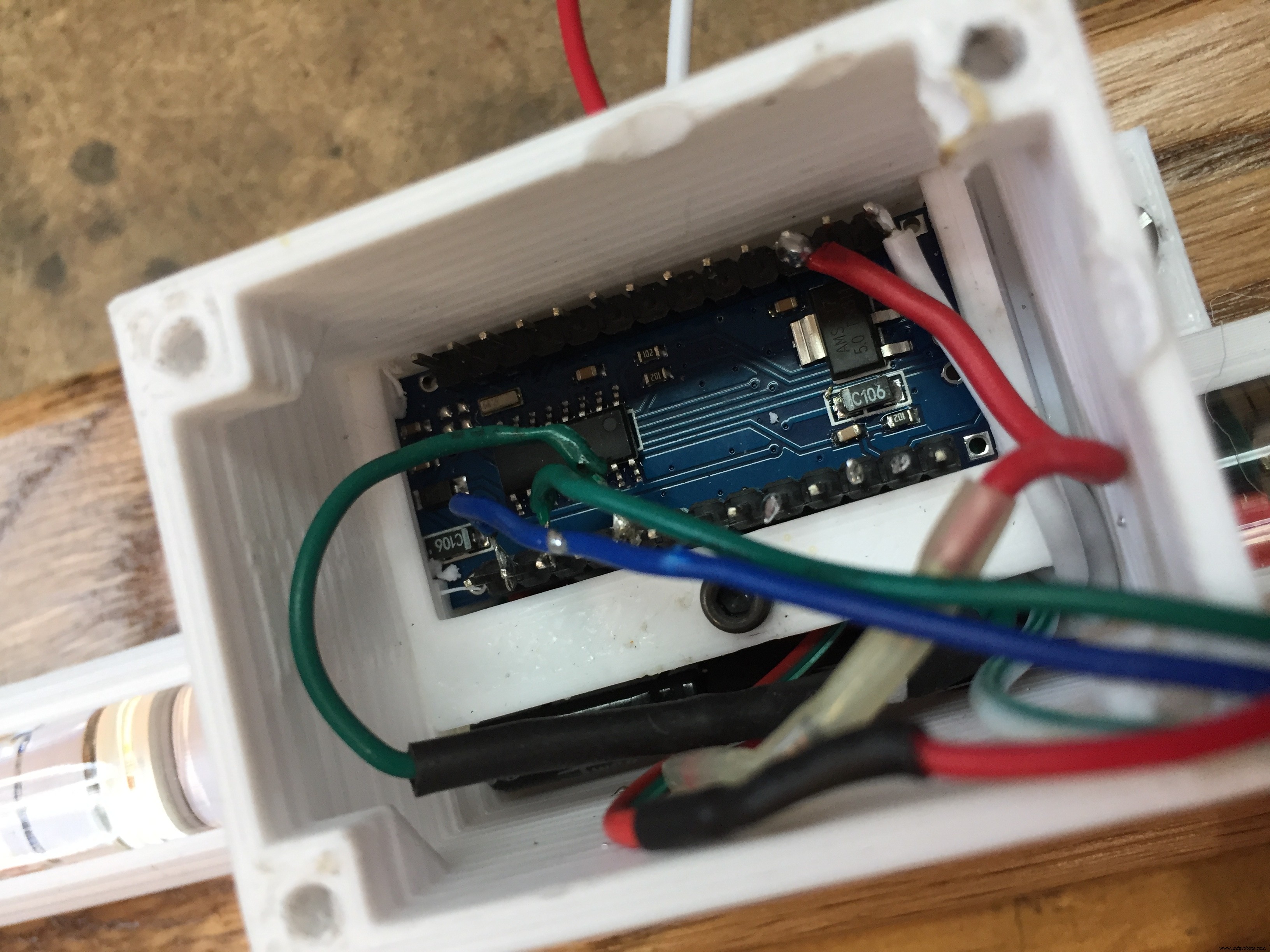
Use 2.5mm screw to hold down the Arduino, and complete wiring connections to Arduino. The holdown ends protrude into square holes on case. I removed the outermost pins on Arduino (unused) to make installation easier.
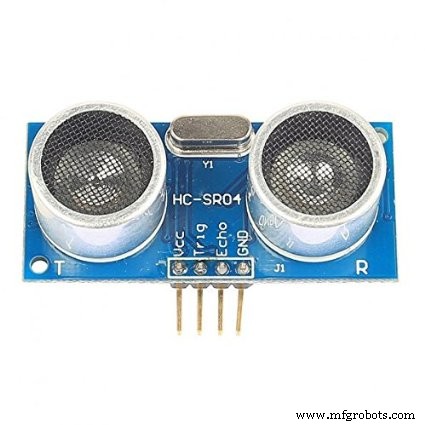
Use 2.5mm screws to attach ultrasonic detector (HC-SR02) to cover with hold down. Complete soldering connections to sensor. NOTE: make sure wires face toward center of sensor so as to not interfere with sidewall when assembling.
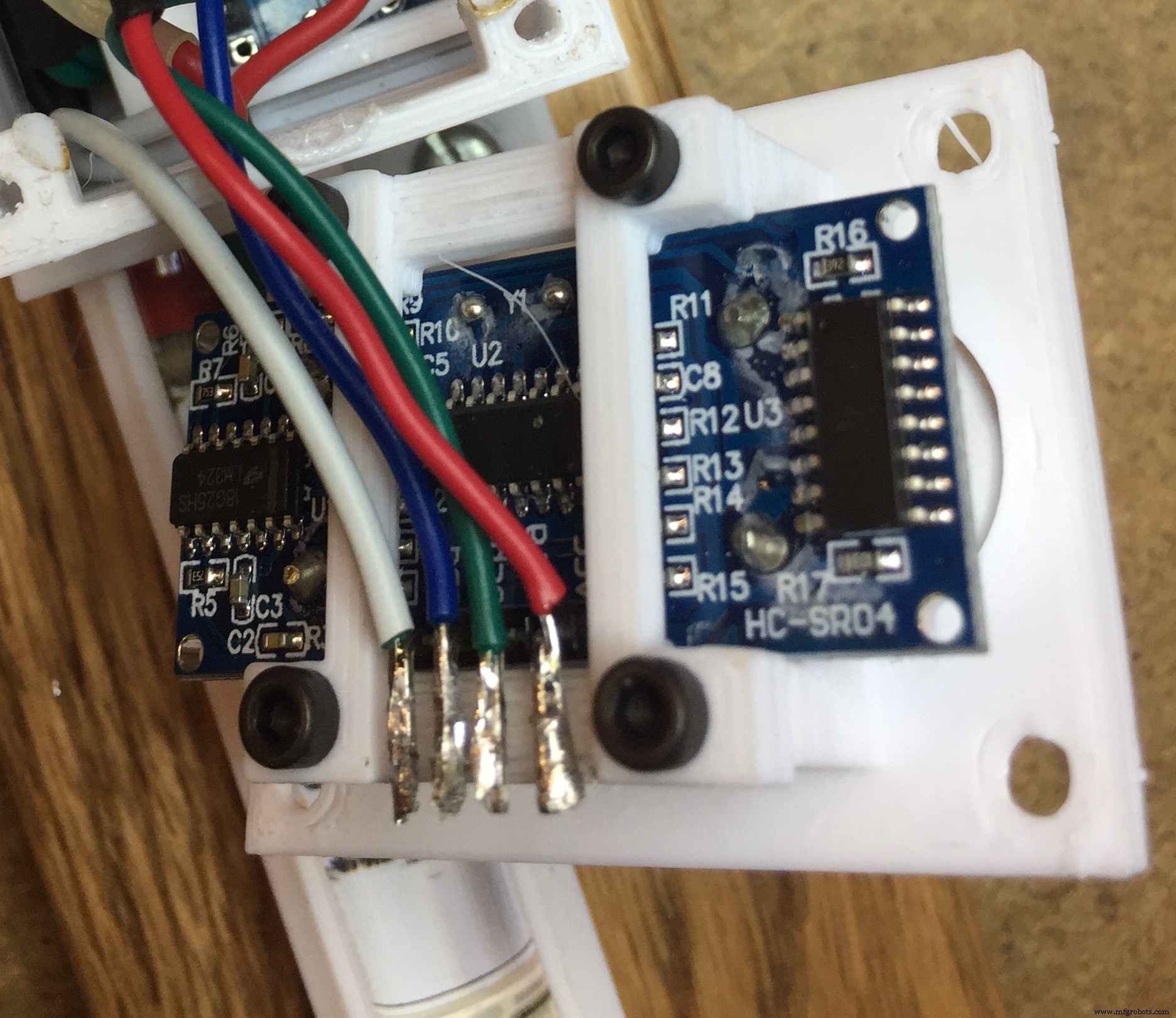
Install cover to case with 3mm screws.
STEP 10Program Arduino using code below. Update your IDE libraries with 'FastLED' and 'QuickStats' prior to compiling your program. Note: Adjust parameters for 'startdistance' (point that sensor will first detect vehicle approach, as well as 'stopdistance' (final park spot of vehicle). Sensor range is 3 cm to 400 centimeters, so start and stop parameters need to be within these limits.
STEP 11On garage door opener, install a lamp socket adapter with outlet built in. Plug in your 5VDC power supply to this line, and run to the light bar unit. The light bar will only be on from time door opens until the door light times out. This prevents light bar from always being on.
Code
- Arduino Code
Arduino CodeArduino
/*
* Garage Parking Sensor - Published By Bob Torrence
*/
#include <FastLED.h>
#include <QuickStats.h>
QuickStats stats; //initialize an instance of this class
// defining the pins
#define LED_PIN     7
#define NUM_LEDS    15
const int trigPin = 9;
const int echoPin = 10;
// defining variables
CRGB leds[NUM_LEDS];
float duration;
float durationarray[15];
int distance;
int stopdistance=115; //parking position from sensor (CENTIMETERS)
int startdistance=400; //distance from sensor to begin scan as car pulls in(CENTIMETERS)
int increment=((startdistance-stopdistance)/15);
void setup() {
pinMode(trigPin, OUTPUT); // Sets the trigPin as an Output
pinMode(echoPin, INPUT); // Sets the echoPin as an Input
FastLED.addLeds<WS2812, LED_PIN, GRB>(leds, NUM_LEDS);
Serial.begin(9600); // Starts the serial communication
}
void loop() {
  for (int i=0;i<=14;i++){
// Clears the trigPin
digitalWrite(trigPin, LOW);
delayMicroseconds(2);
// Sets the trigPin on HIGH state for 10 micro seconds
digitalWrite(trigPin, HIGH);
delayMicroseconds(10);
digitalWrite(trigPin, LOW);
// Reads the echoPin, returns the sound wave travel time in microseconds
durationarray[i] = pulseIn(echoPin, HIGH);
distance= durationarray[i]*0.034/2;
Serial.print(distance);
Serial.print(" ");
  }
 duration = (stats.median(durationarray,15));
// Calculating the distance
distance= duration*0.034/2;
// Prints the distance on the Serial Monitor
Serial.print("Distance: ");
Serial.println(distance);

if (distance<stopdistance){
  for (int i = 0; i <= 14; i++) {
    leds[i] = CRGB ( 255, 0, 0);
    FastLED.show();
     }
}
else
if (distance<stopdistance+increment){
  for (int i = 1; i <= 14; i++) {
    leds[i] = CRGB ( 0, 0, 0);
  }
 for (int i = 0; i <= 0; i++) {
    leds[i] = CRGB ( 255, 255, 0);
  }
  FastLED.show();
  delay(50);
}
else
if (distance<stopdistance+increment*2){
  for (int i = 2; i <= 14; i++) {
    leds[i] = CRGB ( 0, 0, 0);
  }
 for (int i = 0; i <= 1; i++) {
    leds[i] = CRGB ( 255, 255, 0);
  }
  FastLED.show();
  delay(50);
}
else
if (distance<stopdistance+increment*3){
   for (int i = 3; i <= 14; i++) {
    leds[i] = CRGB ( 0, 0, 0);
  }
 for (int i = 0; i <= 2; i++) {
    leds[i] = CRGB ( 255, 255, 0);
  }
  FastLED.show();
  delay(50);
}
else
if (distance<stopdistance+increment*4){
   for (int i = 4; i <= 14; i++) {
    leds[i] = CRGB ( 0, 0, 0);
  }
 for (int i = 0; i <= 3; i++) {
    leds[i] = CRGB ( 0, 255,0);
  }
  FastLED.show();
  delay(50);
}
else
if (distance<stopdistance+increment*5){
   for (int i = 5; i <= 14; i++) {
    leds[i] = CRGB ( 0, 0, 0);
  }
 for (int i = 0; i <= 4; i++) {
  leds[i] = CRGB ( 0, 255,0);
  }
  FastLED.show();
  delay(50);
}
else
if (distance<stopdistance+increment*6){
   for (int i = 6; i <= 14; i++) {
    leds[i] = CRGB ( 0, 0, 0);
  }
 for (int i = 0; i <= 5; i++) {
   leds[i] = CRGB ( 0, 255,0);
  }
  FastLED.show();
  delay(50);
}
else
if (distance<stopdistance+increment*7){
   for (int i = 7; i <= 14; i++) {
    leds[i] = CRGB ( 0, 0, 0);
  }
 for (int i = 0; i <= 6; i++) {
   leds[i] = CRGB ( 0, 255,0);
  }
  FastLED.show();
  delay(50);
}
else
if (distance<stopdistance+increment*8){
   for (int i = 8; i <= 14; i++) {
    leds[i] = CRGB ( 0, 0, 0);
  }
 for (int i = 0; i <= 7; i++) {
    leds[i] = CRGB ( 0, 255,0);
  }
  FastLED.show();
  delay(50);
}
else
if (distance<stopdistance+increment*9){
   for (int i = 9; i <= 14; i++) {
    leds[i] = CRGB ( 0, 0, 0);
  }
 for (int i = 0; i <= 8; i++) {
   leds[i] = CRGB ( 0, 255,0);
  }
  FastLED.show();
  delay(50);
}
else
if (distance<stopdistance+increment*10){
   for (int i = 10; i <= 14; i++) {
    leds[i] = CRGB ( 0, 0, 0);
  }
 for (int i = 0; i <= 9; i++) {
    leds[i] = CRGB ( 0, 255,0);
  }
  FastLED.show();
  delay(50);
}
else
if (distance<stopdistance+increment*11){
   for (int i = 11; i <= 14; i++) {
    leds[i] = CRGB ( 0, 0, 0);
  }
 for (int i = 0; i <= 10; i++) {
    leds[i] = CRGB ( 0, 255,0);
  }
  FastLED.show();
  delay(50);
}
else
if (distance<stopdistance+increment*12){
   for (int i = 12; i <= 14; i++) {
    leds[i] = CRGB ( 0, 0, 0);
  }
 for (int i = 0; i <= 11; i++) {
    leds[i] = CRGB ( 0, 255,0);
  }
  FastLED.show();
  delay(50);
}
else

if (distance<stopdistance+increment*13){
   for (int i = 13; i <= 14; i++) {
    leds[i] = CRGB ( 0, 0, 0);
  }
 for (int i = 0; i <= 12; i++) {
   leds[i] = CRGB ( 0, 255,0);
  }
  FastLED.show();
  delay(50);
}
else
if (distance<stopdistance+increment*14){
   for (int i = 14; i <= 14; i++) {
    leds[i] = CRGB ( 0, 0, 0);
  }
 for (int i = 0; i <= 13; i++) {
   leds[i] = CRGB ( 0, 255,0);
  }
  FastLED.show();
  delay(50);
}
else
if (distance>=stopdistance+increment*14){
 for (int i = 0; i <= 14; i++) {
   leds[i] = CRGB ( 0, 255,0);
  }
  FastLED.show();
  delay(50);
}
}
Custom parts and enclosures
Schematics
- Updated 4-21-19 to correct Diode direction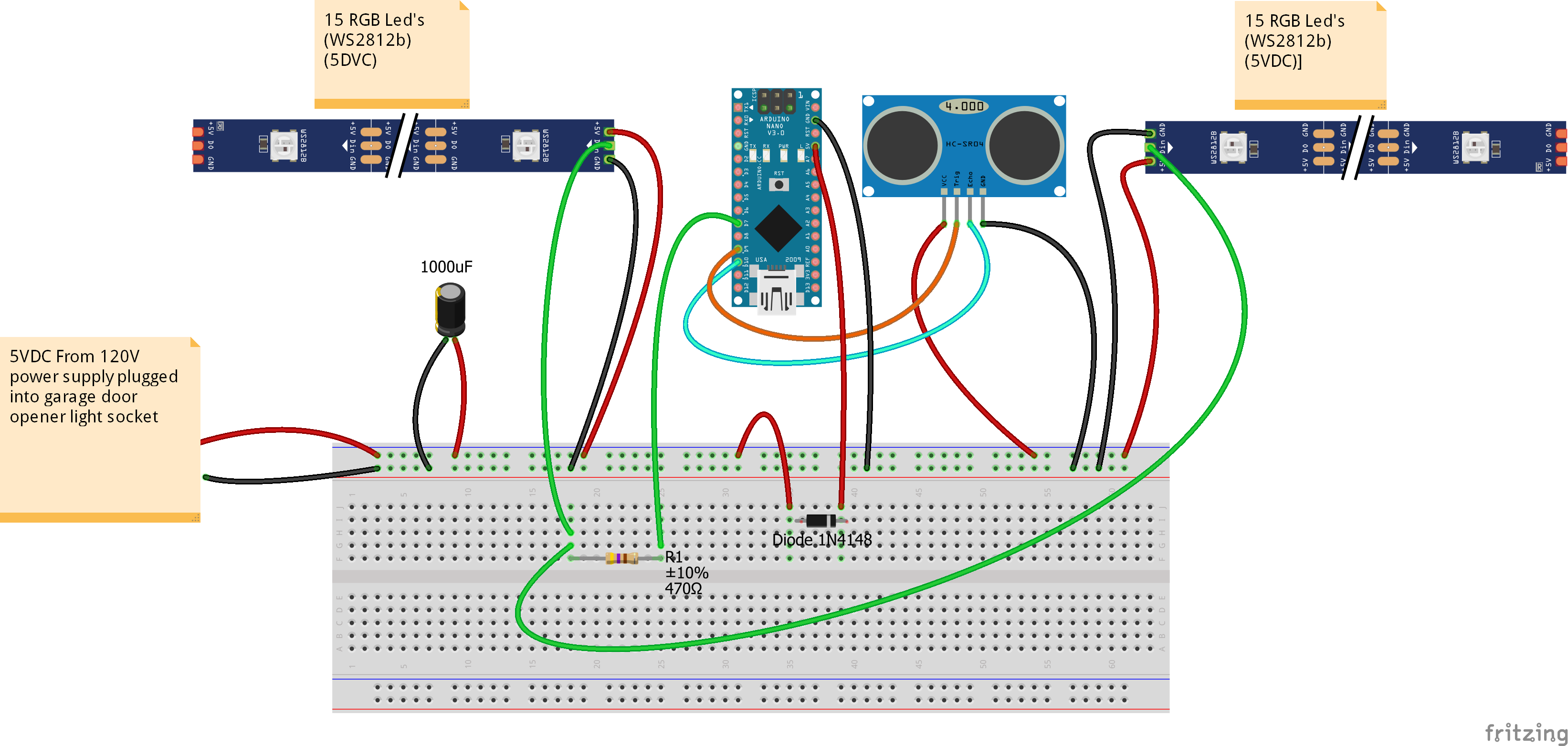
Manufacturing process
- Arduino Digital Dice Project: Build Your Own LCD-based Random Number Generator
- Portable Range Detector – Arduino Nano DIY Kit with HC‑SR04, 18650 Power, and 3D‑Printed Enclosure
- Copper Electroplating Project: Build a Smart System with Arduino UNO
- NeoPixel Matrix Pong on Arduino Nano: Build a Neon Pong Game
- Create Stunning Light Sequences with Arduino Shift Register
- Smart Plug: 120V Arduino‑Based Smart Outlet with Real‑Time Clock
- Smart Arduino-Powered Automated Parking Garage System
- Arduino Tennis Game – Build a Virtual Racquet Experience with NeoPixel, Sensors, and Bluetooth
- Blind Stick Navigator – An Arduino-Based Assistive Device for Visually Impaired
- Smart Alzheimer’s Companion: Arduino-Based Alert System