



Mastering Java Date & Time: SimpleDateFormat, Current Date Retrieval, and Date Comparison
This tutorial covers the essentials of working with dates and times in Java, including:
- Displaying the current date and time
- Formatting and parsing dates with
SimpleDateFormat - Comparing two dates
A Java Date object represents the following components:
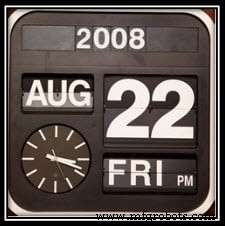
- The year (2 or 4 digits)
- The month (numeric, three‑letter abbreviation, or full name)
- The day of month
- The day of week (e.g., Sun, Mon, Tue)
Computers support many additional date‑related parameters, which we’ll discuss in later sections.
Display Current Date in Java
Java’s java.util.Date class provides a simple way to obtain the current system date and time. Below is a minimal example:
import java.util.Date;
class DateExample {
    public static void main(String[] args) {
        Date current = new Date();
        System.out.println(current.toString());
    }
}
Output:
Wed Nov 29 06:36:22 UTC 2017
The output uses the default toString() format. To present the date in a custom layout, you need to format it explicitly.
SimpleDateFormat: Parse and Format Dates
Java formats dates using pattern strings that map letters to specific date components. Below is a reference table:
| Letter | Date or Time Component | Example |
|---|---|---|
| G | Era designator | AD |
| y | Year | 2018 |
| M | Month in year | July, Jul, 07 |
| w | Week in year | 27 |
| W | Week in month | 2 |
| D | Day in year | 189 |
| d | Day in month | 10 |
| F | Day of week in month | 2 |
| E | Day name in week | Tuesday, Tue |
| u | Day number of week (1=Mon … 7=Sun) | 1 |
| a | AM/PM marker | PM |
| H | Hour in day (0‑23) | 0 |
| k | Hour in day (1‑24) | 24 |
| K | Hour in am/pm (0‑11) | 0 |
| h | Hour in am/pm (1‑12) | 12 |
| m | Minute in hour | 30 |
| s | Second in minute | 55 |
| S | Millisecond | 978 |
| z | Time zone | Pacific Standard Time; PST; GMT-08:00 |
| Z | Time zone offset | -0800 |
| X | Time zone | -08, -0800, -08:00 |
Refer to this table whenever you need to construct a specific format string.
Using SimpleDateFormat
The SimpleDateFormat class lets you define a pattern to format or parse dates. For example:
- Desired format: 2012.10.23 20:20:45 PST → pattern
yyyy.MM.dd HH:mm:ss zzz - Desired format: 09:30:00 AM 23-May-2012 → pattern
hh:mm:ss a dd-MMM-yyyy
Tip: Pay careful attention to capitalization—using M for months and m for minutes is essential.
import java.text.SimpleDateFormat;
import java.util.Date;
class TestDatesFormat {
    public static void main(String[] args) {
        Date now = new Date();
        System.out.println(now);
        String pattern = "hh:mm:ss a dd-MMM-yyyy";
        SimpleDateFormat sdf = new SimpleDateFormat(pattern);
        System.out.println(sdf.format(now));
    }
}
Output:
Wed Nov 29 06:31:41 UTC 2017
06:31:41 AM 29-Nov-2017
Comparing Dates
The most reliable method for date comparison in Java is compareTo(), which returns a negative value if the first date is earlier, zero if equal, and a positive value if later.
import java.text.SimpleDateFormat;
import java.text.ParseException;
import java.util.Date;
class TestDatesCompare {
    public static void main(String[] args) throws ParseException {
        SimpleDateFormat sdf = new SimpleDateFormat("dd-MM-yyyy");
        Date date1 = sdf.parse("20-08-1981");
        Date date2 = sdf.parse("12-10-2012");
        System.out.println("Date1 : " + sdf.format(date1));
        System.out.println("Date2 : " + sdf.format(date2));
        if (date1.compareTo(date2) > 0) {
            System.out.println("Date 1 occurs after Date 2");
        } else if (date1.compareTo(date2) < 0) {
            System.out.println("Date 1 occurs before Date 2");
        } else {
            System.out.println("Both dates are the same");
        }
    }
}
Output:
Date1 : 20-08-1981
Date2 : 12-10-2012
Date 1 occurs before Date 2
Java
- Calculating Voltage and Current in Reactive DC Circuits
- Retrieve Current Date and Time in Python: A Practical Guide
- Python: Retrieve Current Time and Timezone Data with Ease
- Mastering Python’s datetime Module: Dates, Times, Timedelta & Strftime Explained
- Mastering Java Date and Time: Constructors, Methods & Best Practices
- Comprehensive Guide to Date and Time in C++
- Java 10 Launches Time-Based Release Versioning for Predictable Biannual Updates
- Java 8: Introducing the Robust New Date/Time API
- Mastering Dates & Times in Python: A Practical Guide
- Arduino Weather Clock – Real-Time Date, Time, Temperature & Humidity Display