



Replaying ROS2 LiDAR Data with RTI Recording Service and DDS
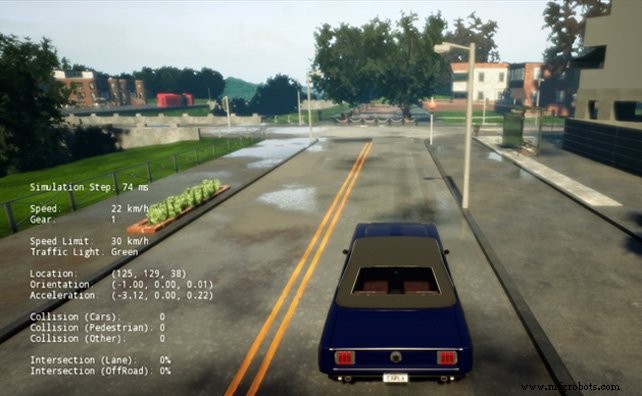
Real‑world testing is indispensable for distributed and autonomous systems, yet it can be prohibitively expensive. By capturing and replaying sensor data, teams can generate lasting value from each test session.
Imagine a semi‑autonomous vehicle equipped with GPS, cameras, LiDAR, RADAR, inertial sensors, and a full suite of control signals. The volume of data generated during a single run is staggering, and the cost of repeated on‑road trials is high. Recording that data for later replay—essentially creating a digital library of test sessions—would dramatically improve test repeatability and flexibility.
For years, DDS users have had access to high‑bandwidth recording and playback through RTI Recording Service. It supports continuous, 24/7 capture of all system data during extended deployments, such as at‑sea trials of naval vessels. Thanks to DDS’s distributed architecture, multiple Recording Service instances can be launched to keep pace with massive data streams.
ROS2, which relies on DDS for inter‑process communication, can leverage the same field‑tested Recording Service to capture high‑bandwidth ROS2 topics like LiDAR point clouds. In the following example, we’ll set up a moderate‑bandwidth topic (ROS2 LiDAR data) and replay it back into ROS2 using only DDS tools.
Recorder Configuration
RTI Recording Service is driven by an XML configuration file that specifies which topics to record, the desired QoS settings, and storage options. In this setup, we instruct the recorder to treat the ROS2 PointCloud2 data as a single column, avoiding costly deserialization for this large data type.
Below is the XML file we use, named ros2_record.xml:
<dds xmlns:xsi="https://www.w3.org/2001/XMLSchema-instance"
    xsi:noNamespaceSchemaLocation="https://community.rti.com/schema/5.3.1/rti_record.xsd">

    <recorder name="simple_example">
        <!-- Enable remote access to RTI Recorder. The Recorder creates one
             DataReader and one DataWriter in the specified domain. -->
        <remote_access>
            <enabled>true</enabled>
            <remote_access_domain>0</remote_access_domain>
        </remote_access>

        <!-- Base name for the set of files that will store recorded data -->
        <recorder_database>
            <database_name>ros2_replay_example.dat</database_name>
            <overwrite>true</overwrite>
        </recorder_database>

        <!-- Record data from one domain -->
        <domain name="domain0">
            <domain_id>0</domain_id>
            <!-- Turn off deserialization for ROS2 ‘PointCloud2’ data type (over 5k elements) -->
            <deserialize_mode>RTIDDS_DESERIALIZEMODE_NEVER</deserialize_mode>
        </domain>

        <!-- Create a TopicGroup that only records rt/velodyne_points topics -->
        <topic_group name="ros-rt">
            <topics><topic_expr>rt/velodyne_points</topic_expr></topics>
            <field_expr>*</field_expr>
        </topic_group>

        <!-- Create a RecordGroup -->
        <record_group name="RecordAll">
            <!-- Specify which domains to record from -->
            <domain_ref><element>domain0</element></domain_ref>
            <!-- Specify which TopicGroups to record -->
            <topic_ref><element>ros-rt</element></topic_ref>
        </record_group>

        <!-- Add domain and typecode info to record ROS2 ‘PointCloud2’ type -->
        <domain_type_config>
            <domain_group>
                <element>
                    <domain_filter>
                        <element>domain0</element>
                    </domain_filter>
                    <type_config>
                        <xml>
                            <file_group>
                                <element>
                                    <file_name>
                                        <element>PointCloud2.xml</element>
                                    </file_name>
                                    <type>
                                        <element>
                                            <register_top_level>false</register_top_level>
                                            <type_name>sensor_msgs::msg::dds_::PointCloud2_</type_name>
                                            <registered_type_name>
                                                <element>sensor_msgs::msg::dds_::PointCloud2_</element>
                                            </registered_type_name>
                                            <topics><element>rt/velodyne_points</element></topics>
                                        </element>
                                    </type>
                                    <max_sequence>2147483647</max_sequence>
                                </element>
                            </file_group>
                            <path>
                                <element>.</element>
                            </path>
                        </xml>
                    </type_config>
                </element>
            </domain_group>
        </domain_type_config>
    </recorder>
</dds>
To start the Recording Service with this configuration, run the following command from the directory containing ros2_record.xml:
rtirecord -cfgFile ros2_record.xml -cfgName simple_example
The service subscribes to the LiDAR topic and records continuously until you stop it. The output is an SQLite database named ros2_replay_example.dat_0_0. Subsequent recording sessions append numeric suffixes to the filename, ensuring each file remains within a user‑defined size limit.
Replayer Configuration
With the data recorded, we can now replay it into a ROS2 environment. Earlier blog posts highlighted that ROS2 requires a few QoS tweaks for seamless interoperability. In this example, we suppress type‑code transmission to match the default configuration of ROS2 “Bouncy Bolson” (or any ROS2 release using rmw_connext_cpp).
The following XML file, ros2_replay.xml, drives the RTI Replay Service:
<?xml version="1.0"?>
<dds xmlns:xsi="https://www.w3.org/2001/XMLSchema-instance"
xsi:noNamespaceSchemaLocation="https://community.rti.com/schema/5.3.1/rti_replay.xsd">
<!-- Example configuration for RTI Replay Service 2.0, tailored for ROS2 rt/* topics (PointCloud2) -->
<replay_service name="simple_example">
<annotation>
<documentation>Replay service example</documentation>
</annotation>
<time_control>
<rate>1</rate> <!-- Optional rate multiplier -->
<start_mode>AUTO</start_mode>
<start_offset><sec>5</sec></start_offset>
</time_control>
<!-- Source Database, Required -->
<replay_database name="simple_config">
<filename>ros2_replay_example.dat_0_0</filename>
<readonly>false</readonly>
<!-- Participant configuration. Suppress sending typeCode info (for ROS2) -->
<participant>
<domain_id>0</domain_id>
<participant_qos>
<resource_limits>
<type_code_max_serialized_length>0</type_code_max_serialized_length>
<type_object_max_serialized_length>0</type_object_max_serialized_length>
</resource_limits>
</participant_qos>
</participant>
<!-- Get typeCode info for playback (PointCloud2 type) -->
<type_config>
<xml>
<file_group>
<element>
<file_name>
<element>PointCloud2.xml</element>
</file_name>
<type>
<element>
<register_top_level>false</register_top_level>
<type_name>sensor_msgs::msg::dds_::PointCloud2_</type_name>
<registered_type_name>IIC and OpenFog Unite to Lead Distributed Computing for Industrial IoT Top Industrial IoT Resources 2019 & Beyond – Expert Podcasts, Webinars & Blogs
Internet of Things Technology
- MQTT vs. DDS: Choosing the Right M2M Protocol for IoT
- Connext DDS in Industrial IoT: 5 Key Insights for Reliability, Security, and Scalability
- ROS 2 and DDS Interoperability: A Practical Guide for Seamless Integration
- ROS2 Bouncy Bolson Adds Free RTI Connext DDS: Boosting Connectivity & Diagnostics
- Connext DDS 5.3 Now Live: The First Connectivity Platform for Industrial IoT Systems of Systems
- Leverage Live IoT Data in MATLAB with RTI Connext DDS Integration
- Visualizing Sensor Data with RTI Connext DDS Micro and Admin Console
- Accelerate Time‑to‑Market with RTI Connext DDS Professional Tools
- Industrial‑Grade Connectivity Architecture for the IoT
- Connext DDS on Android: Empowering Industrial IoT with Reliable Publish/Subscribe