



MCP9808 Temperature Sensor: A Complete Arduino I2C Integration Guide
Finding an accurate temperature sensor with high precision temperature measurements and a wide voltage range can be a hustle. Often, beginners think of DS18B20 as an ideal option. However, they tend to overlook the easy-to-use sensor with exemplary features MCP9808 sensor.
https://depositphotos.com/325693808/stock-photo-digital-thermometer-temperature-sensor-ds18b20.html (digital temperature sensor DS18B20)
So, what makes the MCP9808 sensor stand out among other sensors? Stick around as we unfold the pinout, features, and interfacing capability with an Arduino.
What is MCP9808?
MCP9808 is an I2C digital temperature sensor that has a maximum of ±0.5°C accuracy and +0.0625°C precision and converts temperatures ranging from -20°C to 100°C.
Besides having features like a wide operating range, it also interfaces perfectly with Arduino via the I2C communication protocol.
MCP9808 Pinout
The I2C temperature sensor has eight pins; we have summarized their functions in the table below.
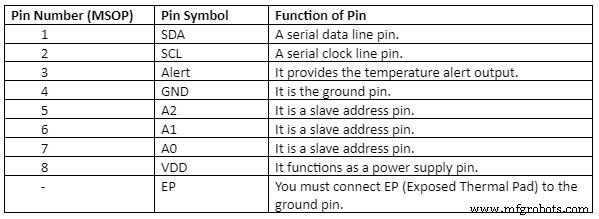
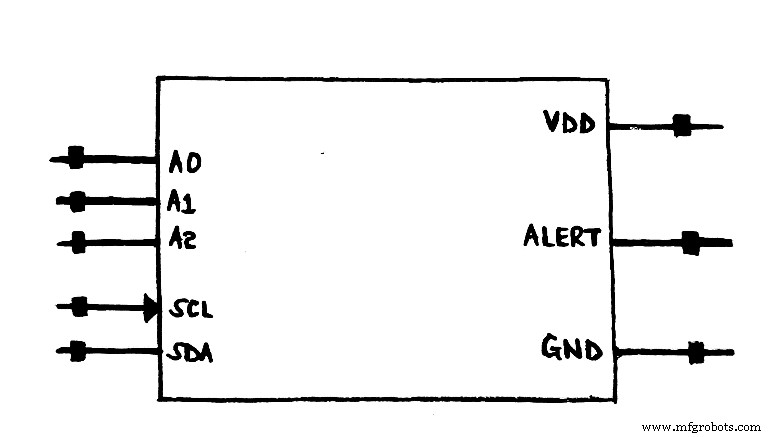
MCP9808 Symbol and pinout diagram
MCP 9808 Features
The features and specifications of MCP9808 can be as listed below;
- First, it has an operating current of 200µA (typical) and a power and logic voltage range of 2.7V to 5.5V. Moreover, its shutdown current is 0.1µA (typical).
- Then, its user-selectable measurement resolution includes +0.5°C, +0.25°C, +0.125°C, and +0.0625°C.
- Furthermore, its user-programmable temperature limits are critical temperature and temperature window limits.
- Also, it guarantees a reading accuracy/typical precision of the following;
- ±1°C (maximum) from -40°C to +125°C,
- ±0.5°C (maximum) from -20°C to 100°C, and
- ±0.25°C (typical) from -40°C to 125°C.
- It can incorporate shutdown mode, programmable resolution, limit, and output switch. Consequently, the user programable registers help in providing flexibility in I2C temperature sensing applications.
- In addition, there is approximately eight simple I2C control on every single I2C bus that contains adjustable address pins.
- The 8-pinned temperature sensor is a surface mount type packaged in 8-MSOP, 2×3 DFN-8, or 8-TSSOP.
Interfacing mcp9808 with Arduino
We will now go through a stepwise means by which you can pair your MCP9808 sensor with an Arduino.
Components needed (Software and Hardware)
- Grove I2C high accuracy temperature sensor (MCP9808) or any microchip MCP9808 sensor,
- Grove-base shield,
- MCP9808 software library,
- Sample sketch,
- USB cable to suit Arduino,
- Breadboard hookup wires, and
- Arduino boards such as Arduino Mega, Arduino UNO, etc.
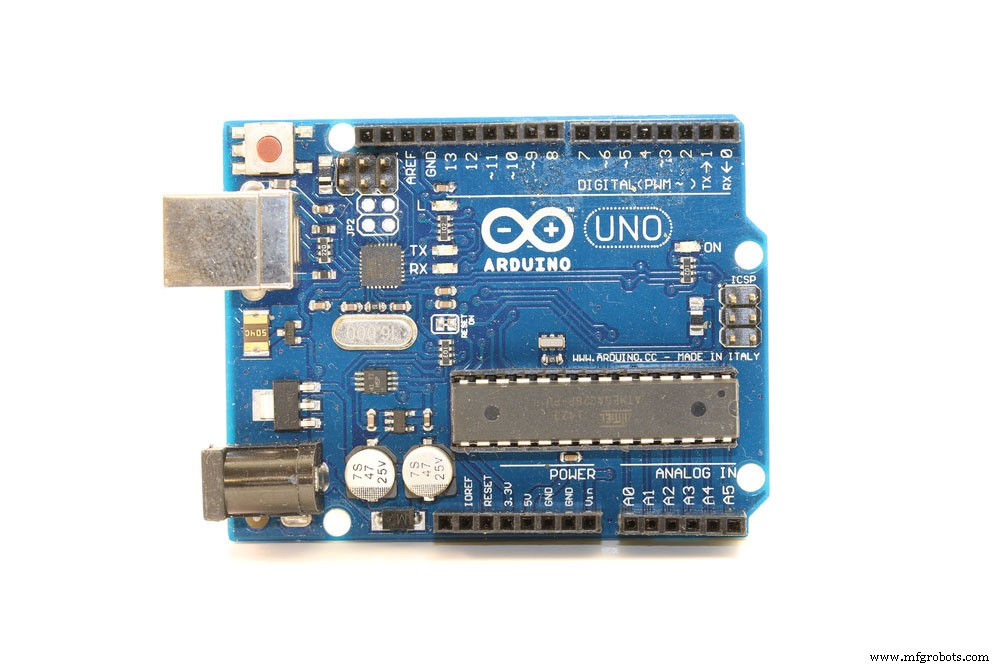
(Arduino UNO)
Configuring the hardware
An MCP 9808 sensor requires two wires, one for ground, the other for I2C bus plus power. You’ll also provide a power supply voltage ranging from 3.3V to 5V.
Further, connect the clock and data wires to analog ports A5 and A4 (I2C pins on Arduino board).
- Begin by connecting the MCP9808 to the I2C port on the grove-base shield.
- Next, plug your grove-base shield into the Arduino board.
- Finally, use a USB cable to connect the Arduino to a computer/PC.
Configuring the software using an Arduino Code
- Go to GitHub and download a grove MCP 9808.
- Afterward, install an Arduino library from the library manager on the website.
- Then, use the path from the file, for example, grove temperature sensor MCP9808, to MCP9808_demo_with_limit to restart your Arduino IDE.
- Next, upload your configured demo.
- Click on the tool, then serial monitor to open Arduino IDE’s serial monitor. Alternatively, you can simultaneously press CTRL+Shift+M keys to perform a similar function.
The results should be as follows;
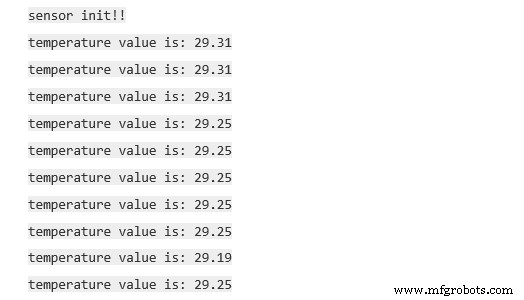
Conclusion
The MCP 9808 temperature sensor has a high precision temperature measurement that suits Microcontroller projects. Additionally, you can pair up the sensor’s breakout board with an I2C interface protocol.
Do not hesitate to contact us for more information on the MCP 9808 I2C temperature sensor. We are at your service.
Industrial Technology
- Connecting Arduino Mega to a NEO‑6M GPS Module: A Step‑by‑Step Guide
- Read Temperature & Humidity with DHT11 on Blynk – Step‑by‑Step Arduino Tutorial
- Integrating the MAX30100 Pulse Sensor with Arduino: A Step-by-Step Guide
- Step-by-Step Guide: Connecting YL-39/YL-69 Soil Moisture Sensor to Arduino UNO
- Build an IR Sensor Project with Arduino UNO – Simple Guide
- LM35 Temperature Sensor: Complete Guide to Pinouts, Features & Applications
- Master the ADS1115: Features, Pinouts, and Arduino Integration Guide
- Connecting the DS1307 Real‑Time Clock to Arduino: A Step‑by‑Step Guide
- Light Intensity Sensors: Features, Uses, and Arduino Integration Guide
- HC-SR04 Ultrasonic Sensor Explained: Working Principles and Arduino Integration