



Arduino‑Powered Snack Vending Machine – Design & Build Guide
Components and supplies
 |
| × | 1 | |||
| × | 1 | ||||
| × | 3 | ||||
| × | 3 | ||||
| × | 1 | ||||
| × | 1 | ||||
| × | 1 | ||||
| × | 1 | ||||
| × | 1 | ||||
 |
| × | 2 | |||
| × | 3 |
Apps and online services
 |
| |||
|
About this project
IntroHello, greetings from Indonesia.
This snack vending machine is my final project. This project was actually finished in end of 2015.
The aim of this project is to create a vending machine, powered by arduino microcontroller, using "any cheap and easy to get" components available in local store.
This video below is Snack Vending Machine final test video, from payment/coin test, product selection, and product delivery.
So, this is what i did to achieve that goals:
Step 1: Sketch the conceptFirst think first, the concept.
This sketch is my very first idea of what i might build. Its gonna be a snack vending machine, accepting coin as a payment, and using Acrylic case.
Pick and mature your concept, try to think about anything, any scenario, any condition.
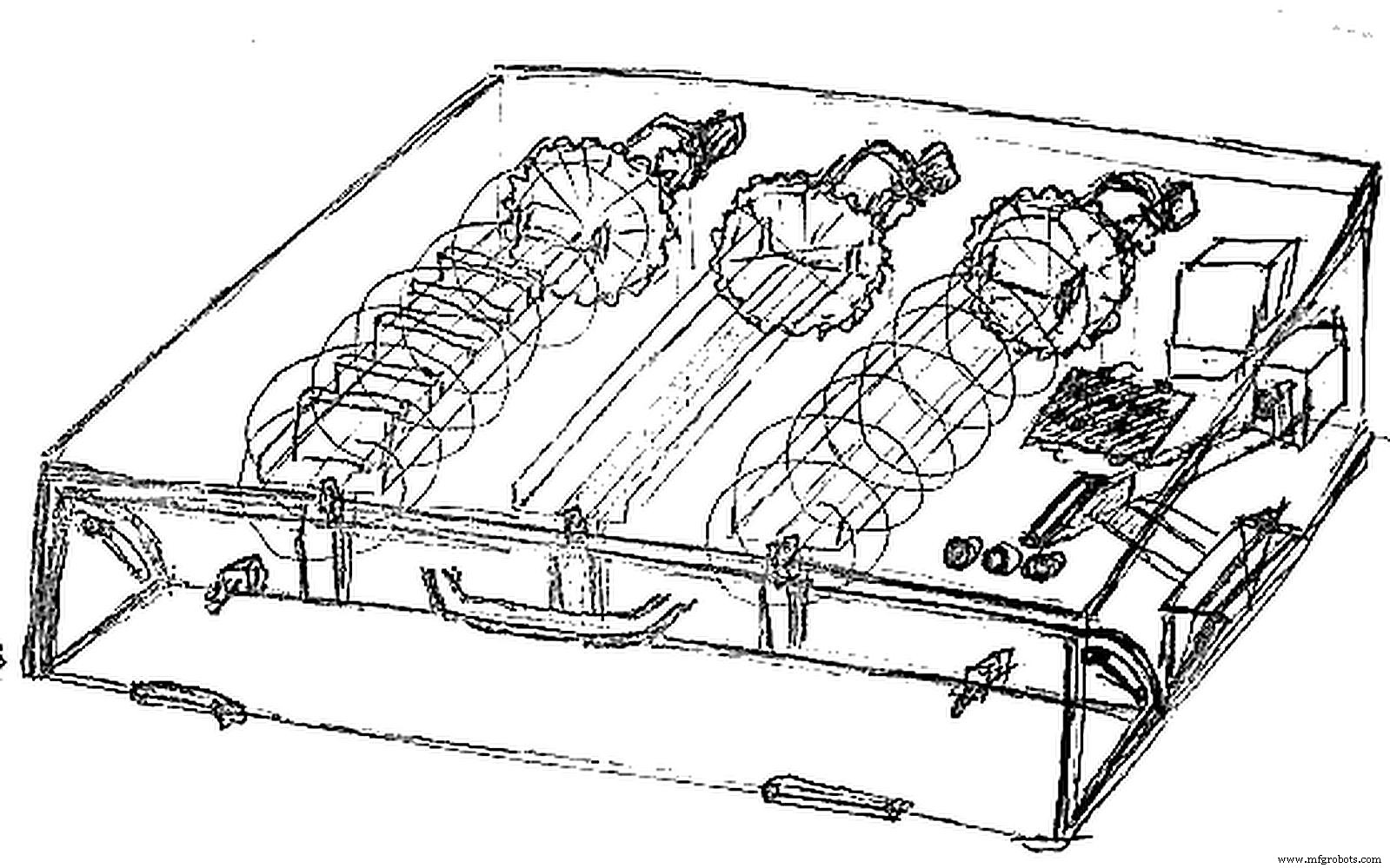
Try to sketch everything, dont worry if your drawing is ugly, seriously look at my drawing. :D
The right time to think about the un-thinkable is before the project even started.
Step 2: Create 3D ModelMaybe this step is not necessary for every people, but for me, and for this project, its crucial.
I create solidworks model. And i mean really fully completed model. I need to determine the dimensions of the product, in this case, a snack packages. The size of accepted coins, the size of rejected coins, size of coin slot, size of coin ramp, size of push button, sizes of almost everything. This step include compare, pick, and measure the size of Arduino Microcontroller used. What sensor used, or will possibly use in the future, where to placed, whats the dimension and sizes, where accepted coins goes to, I also think about where I should put a monochrome LCD (its not necessary but I insist).
And finally, still in solidworks model creation, dont forget to create holes for screw, for every parts.
The case are made from Acrylic material, and cut using laser cutting method. That's why I create model as detailed and accurate as I can, because the more accurate my model, more precision case I will get.
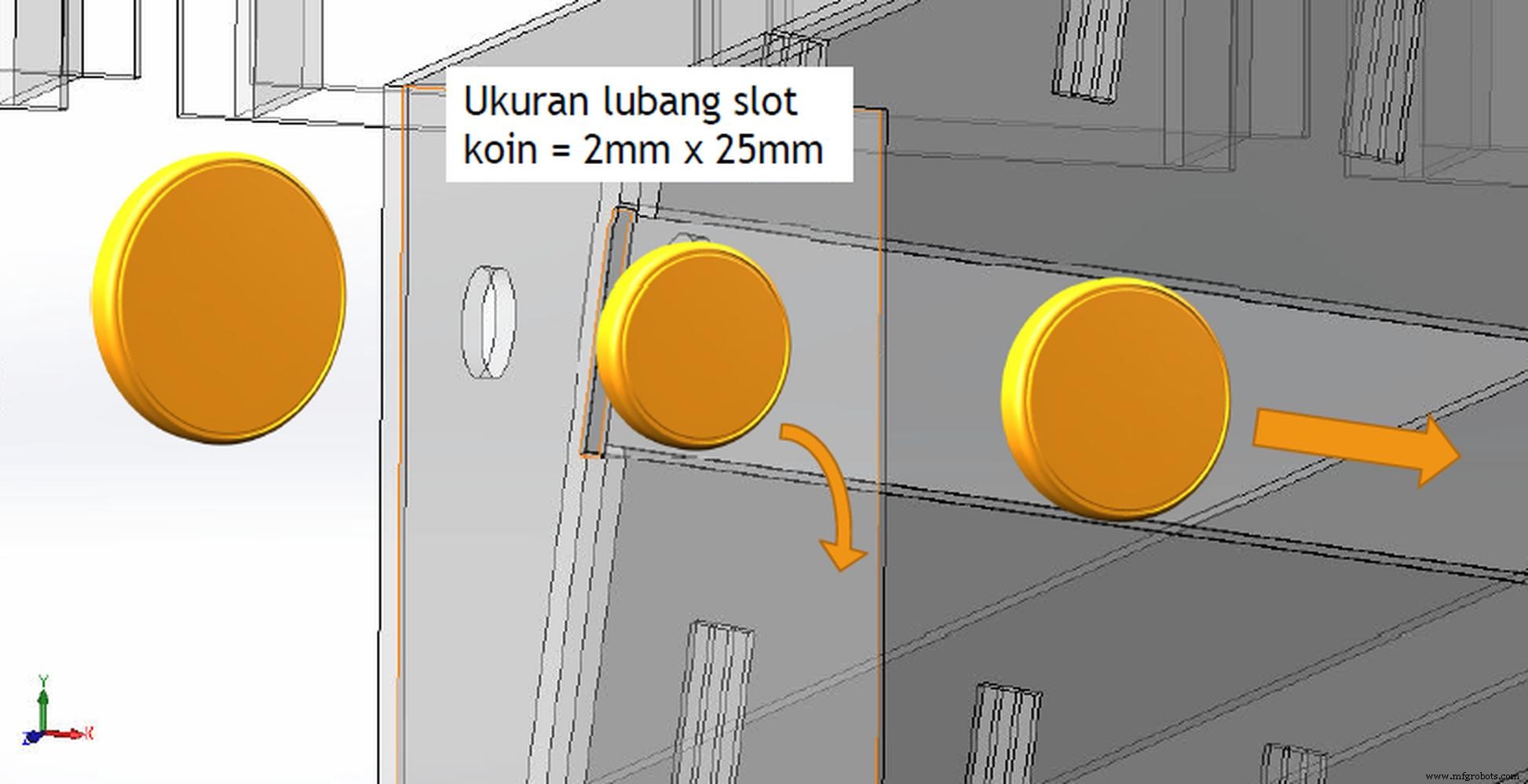
Step 3: Design a Coin SlotTo filtering coins, first I am using coin dimension. By designing slot coin, I can determine what coins size are allowed to enter the machine.
Then second filter, I determine what coin size are allowed to accepted and rolling down to the coin holder.
Because by using gravity force, if coin sizes (diameter) are smaller than the length of coin ramp/track, then it will falling down and rejected.
- On the pic above, coin on the left wont enter slot coin.
- Coin on the middle will fall and rejected.
- Coin on the right is accepted coin, goes down to coin holder.
This is video when i am doing some coin testing, it will show you how this method working.
Step 4: Prepare and test every component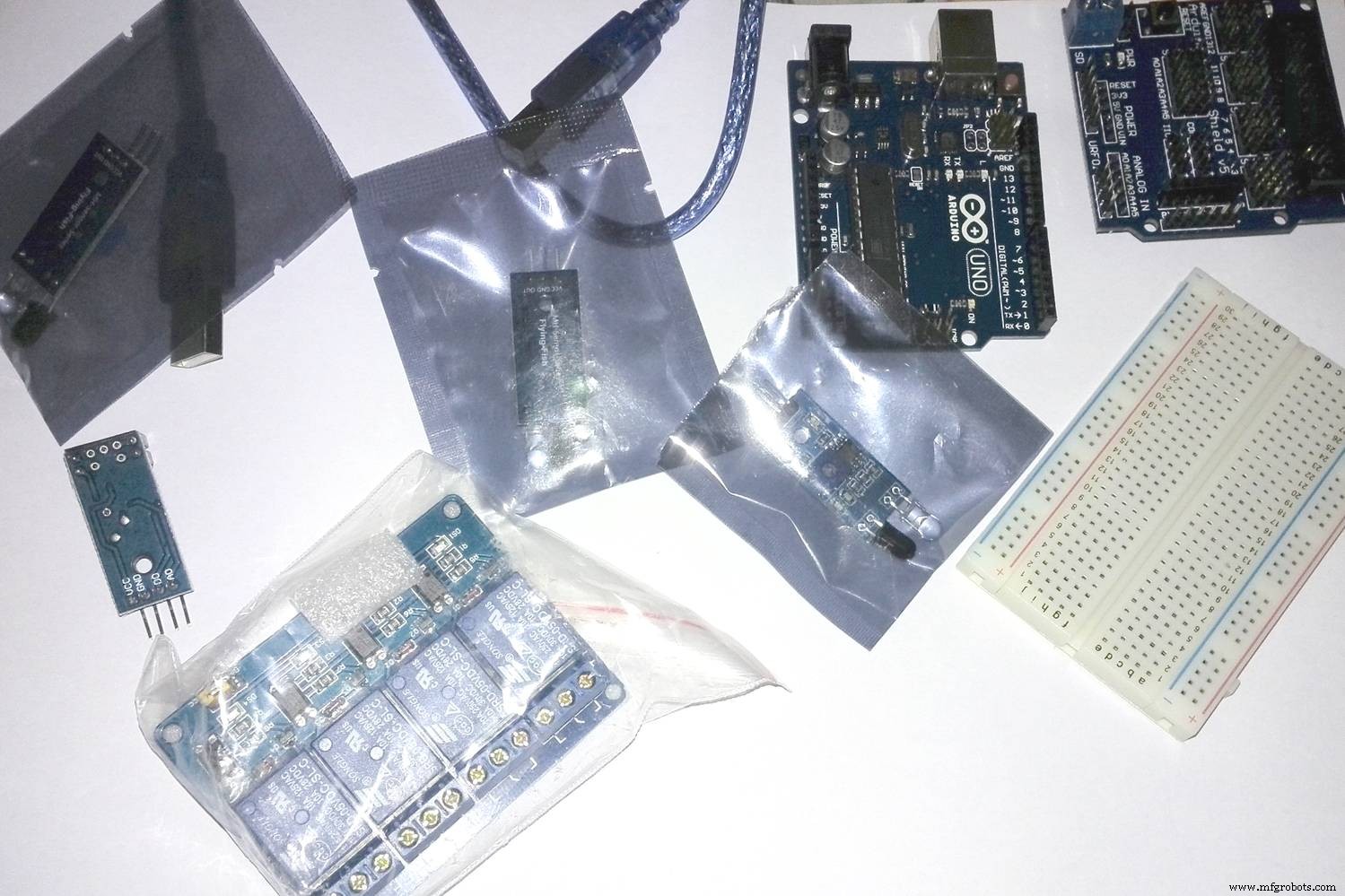
Get your arduino ready, prepare every things needed.
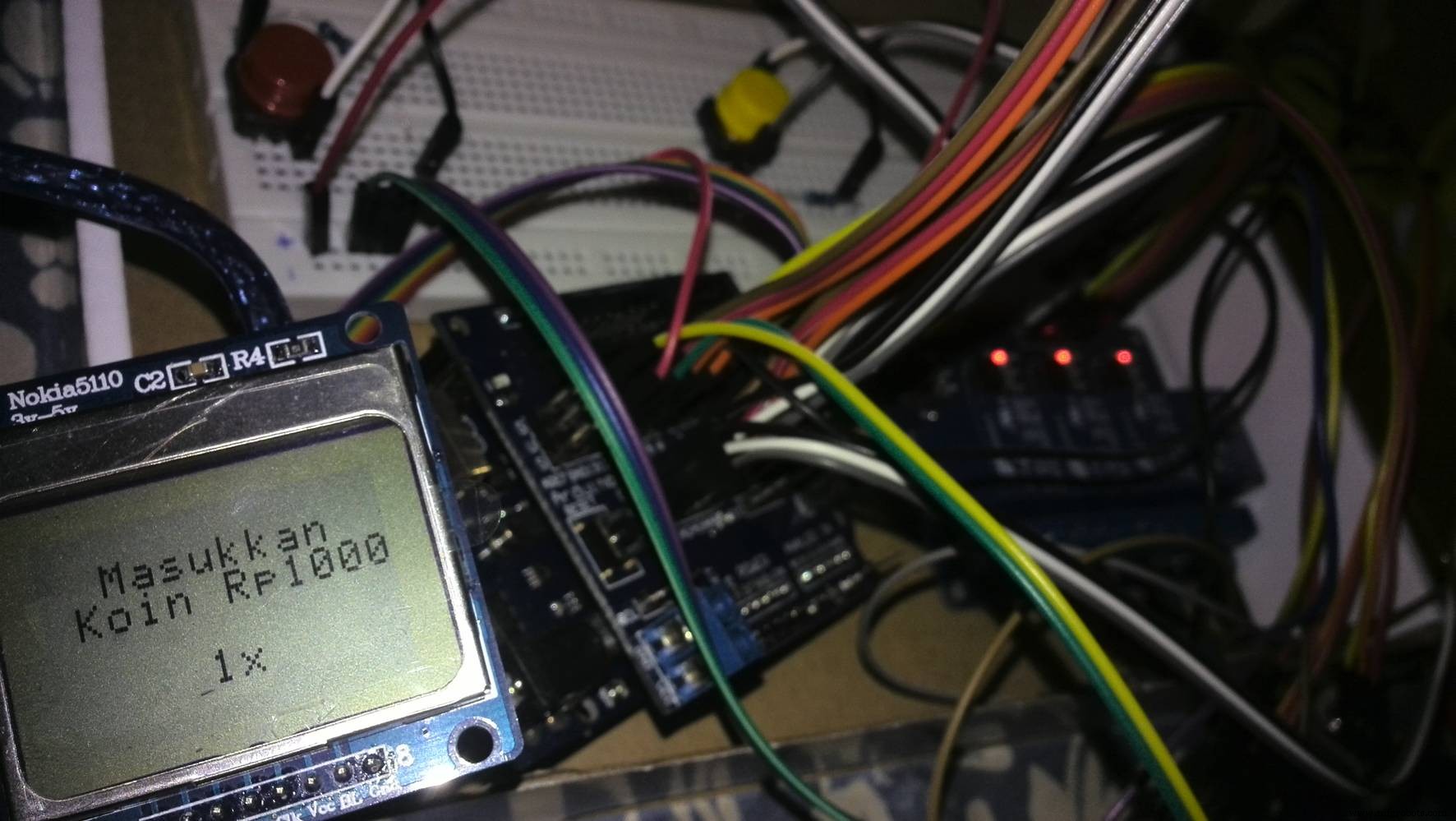
Test every component, LCD push button, relay, LED, just try to combine everything and learn different logic and coding. Make sure you know about what you do. Try to test to the limit, find the limit, but don't break it.
Why use resistor, what happen when this, or that, why sensor reading are not stable, what value actually read by sensor, etc. I did the test and found that proximity sensor reading are "not clean", need to add a resistor to calm it down.
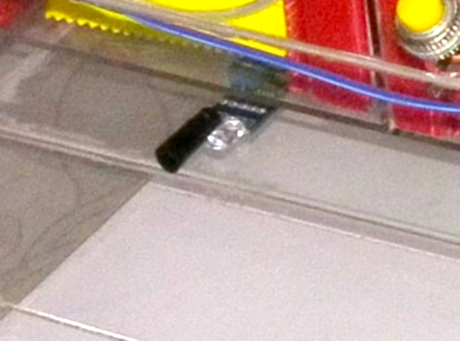
Infrared sensor perform very bad and not normal under direct sun (I know about this before, but never actually feel the impact, until now). The solution is using some duct-tape to isolate around the receiver part of infrared sensor, as show on the pic.
Step 5: Build a Spiral mechanismThis is one of the most important part on vending machine, delivering mechanism.
I am using spiral mechanism, with aluminium wire (2mm wire diameter), manually shaped into spiral with the help of 9cm diameter PVC Pipe.
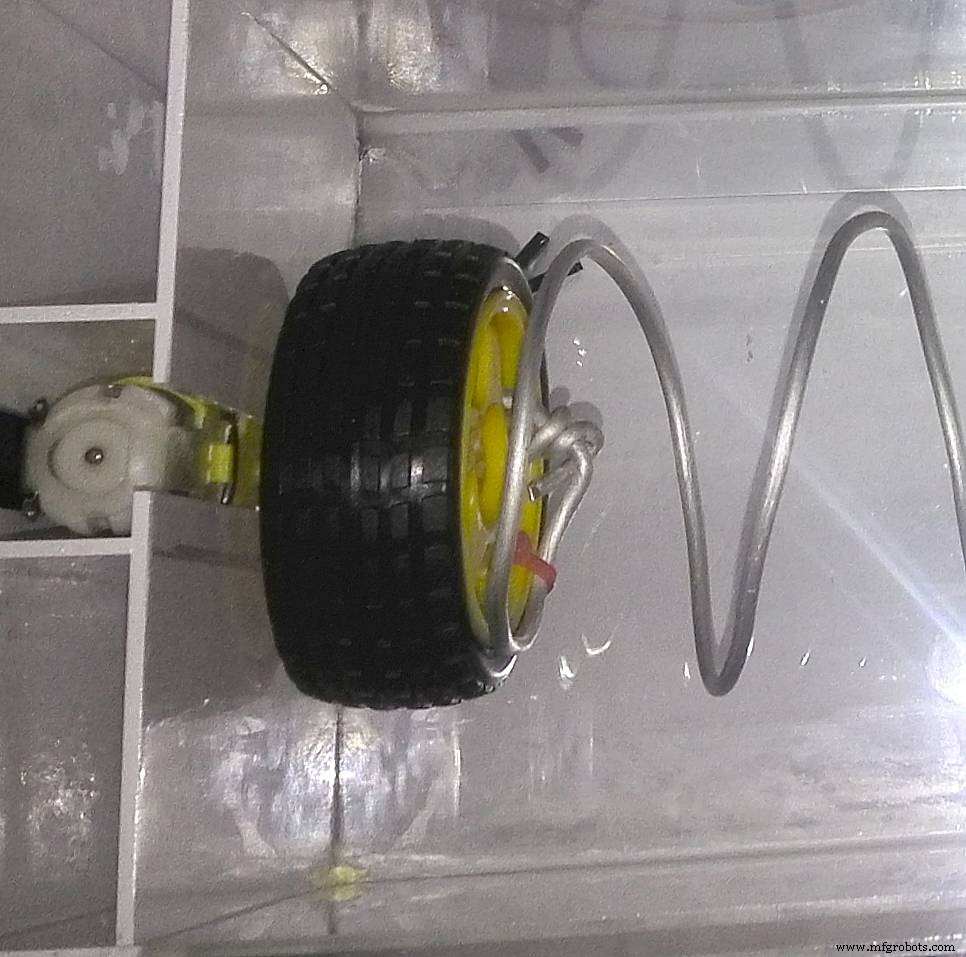
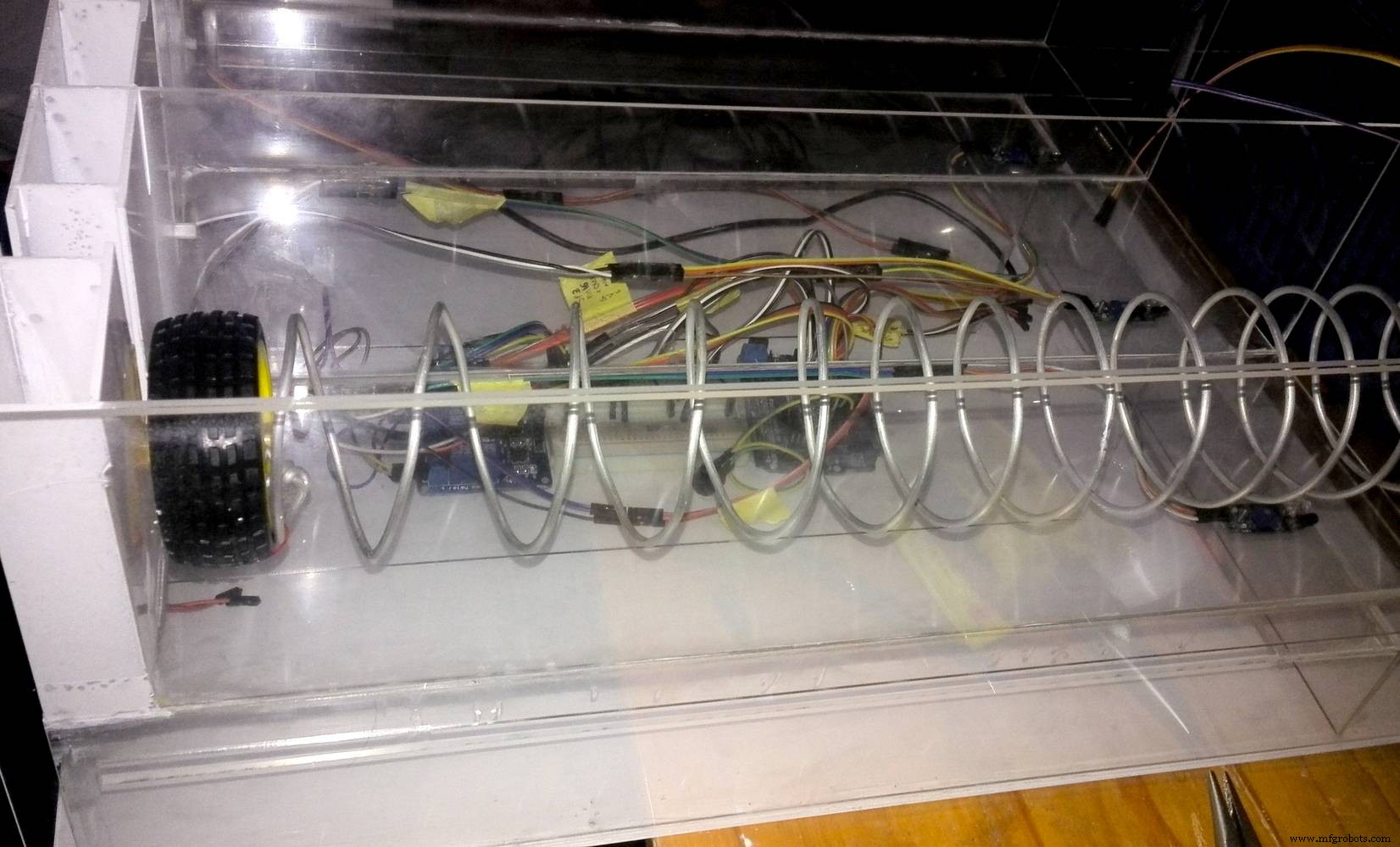
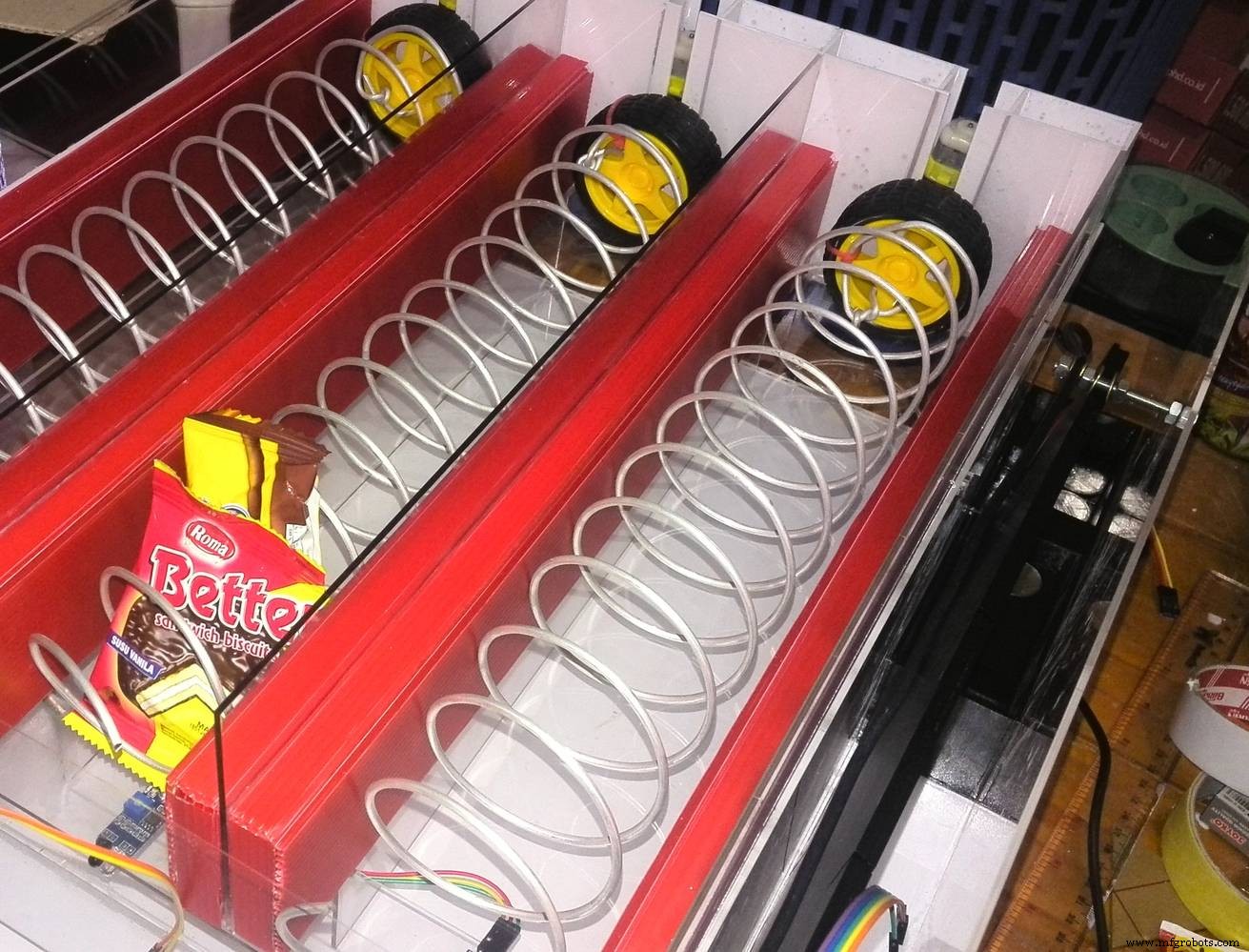
Spiral wire are tied to a wheel using cable ties. When DC motor ON, wheel rotating, and spiral wire will rotate.
Rotating spiral are actually converting rotational into linear movement of product.
Step 6: Build a coin identifying mechanism
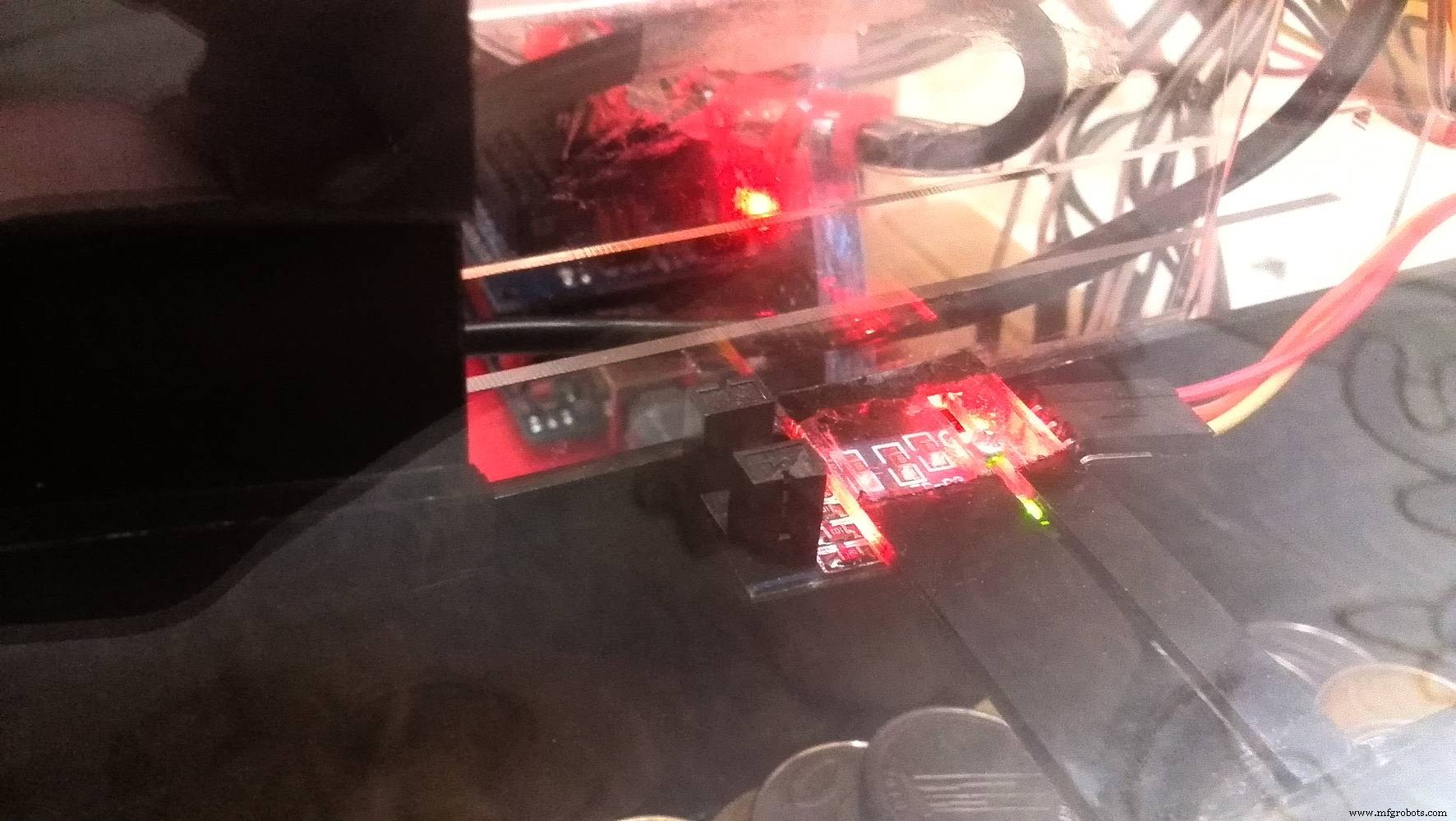
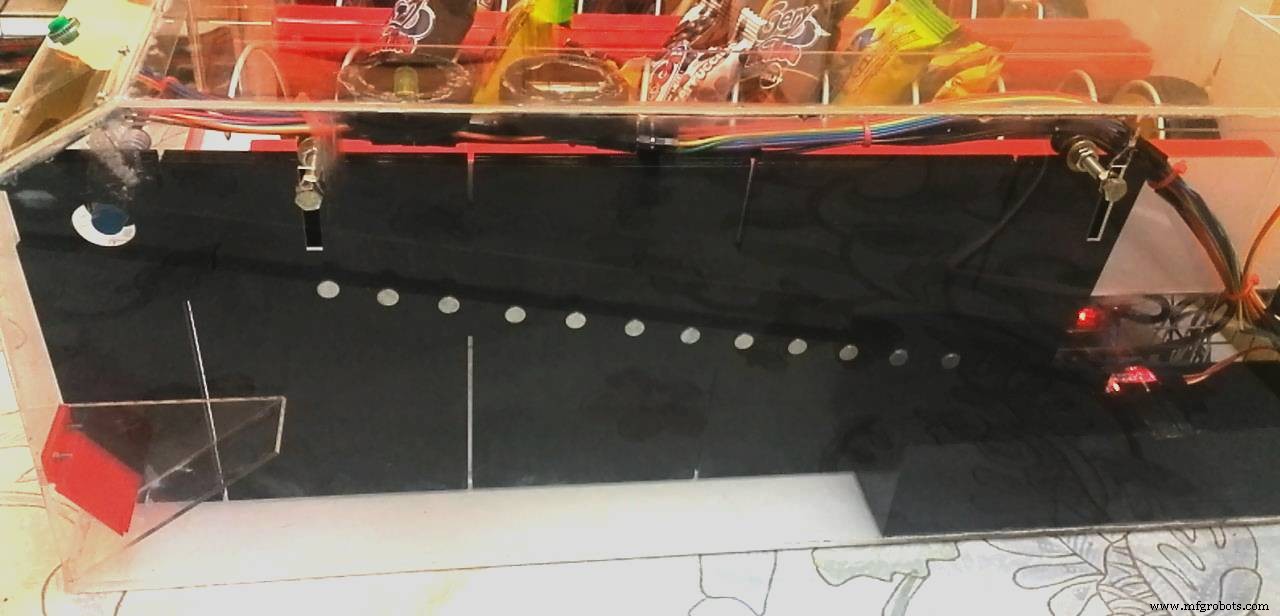
First pic is coin sensor number 1, it using proximity sensor, or induction electromagnet sensor.When accepted coin pass this sensor, it will trigger arduino to start counting time (in millisecond).
if sensor1 triggered then start counting time in millisecond
And when accepted coin pass coin sensor number 2, a distance interupter sensor, arduino will stop counting time, and get the time required for that particular coin, to travel from sensor number 1 to sensor number 2.
if sensor2 triggered then stop counting time in millisecond. "travel times" is xxx millisecond
Dont use too many magnet as it will jam and make coin stop in the middle of coin ramp. We dont want that to happen, because we need to counting time for every coin, to get "travel times" between sensor number 1 and number 2. This "travel times" (in millisecond), are used for arduino to determine the value of accepted coin.
if "travel times" more than or equal to "yyy" millisecond, then its "aaa" coin, else it is "bbb"
This is a video when I testing this method, identifying coins using magnet.
Step 7: Build a product detection mechanismI am using 3 infared sensor for product detection when its fall from being pushed/moved by spiral mechanism.
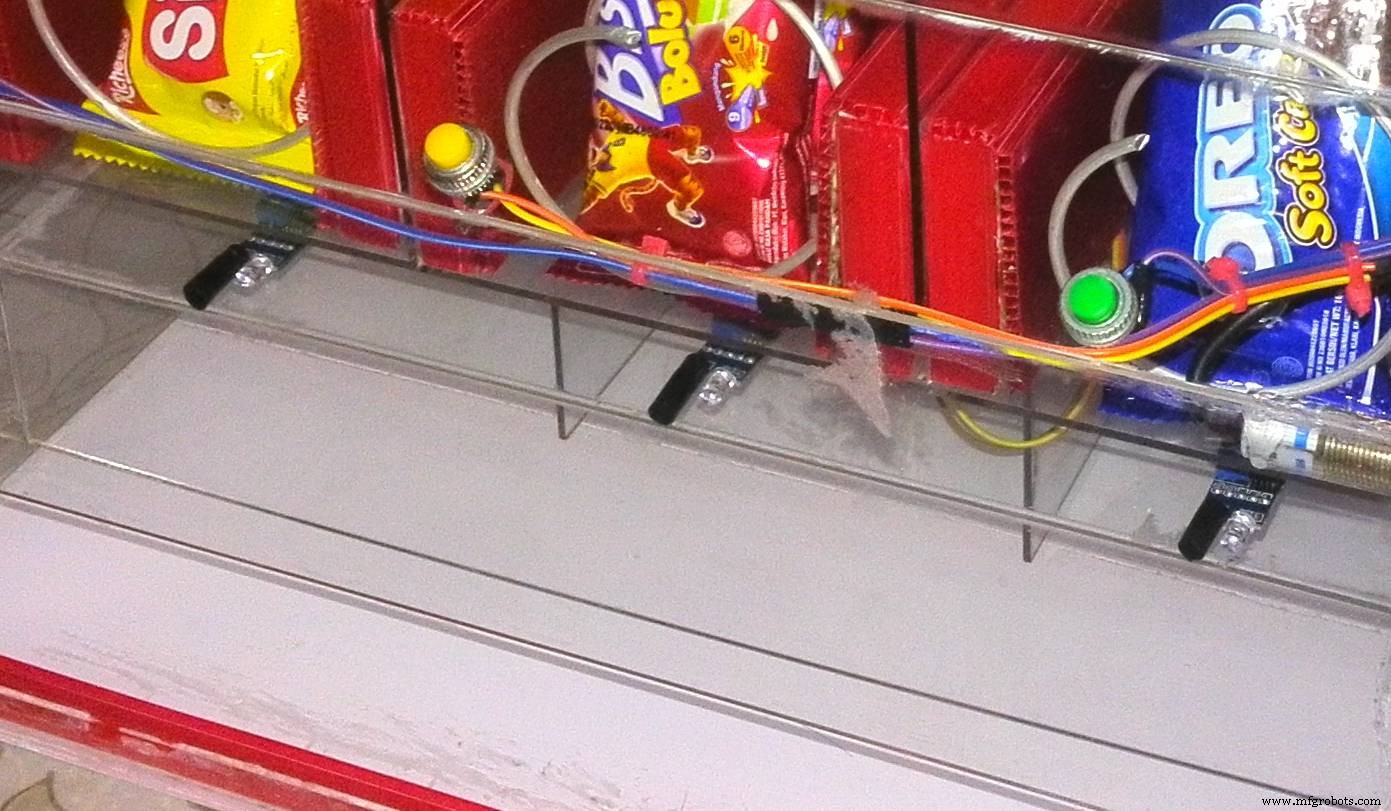
When product fall, it will trigger infrared sensor, sending OFF signal to DC Motor (via relay).
This video show how product detection working in this vending machine.
Step 8: Using LCD for information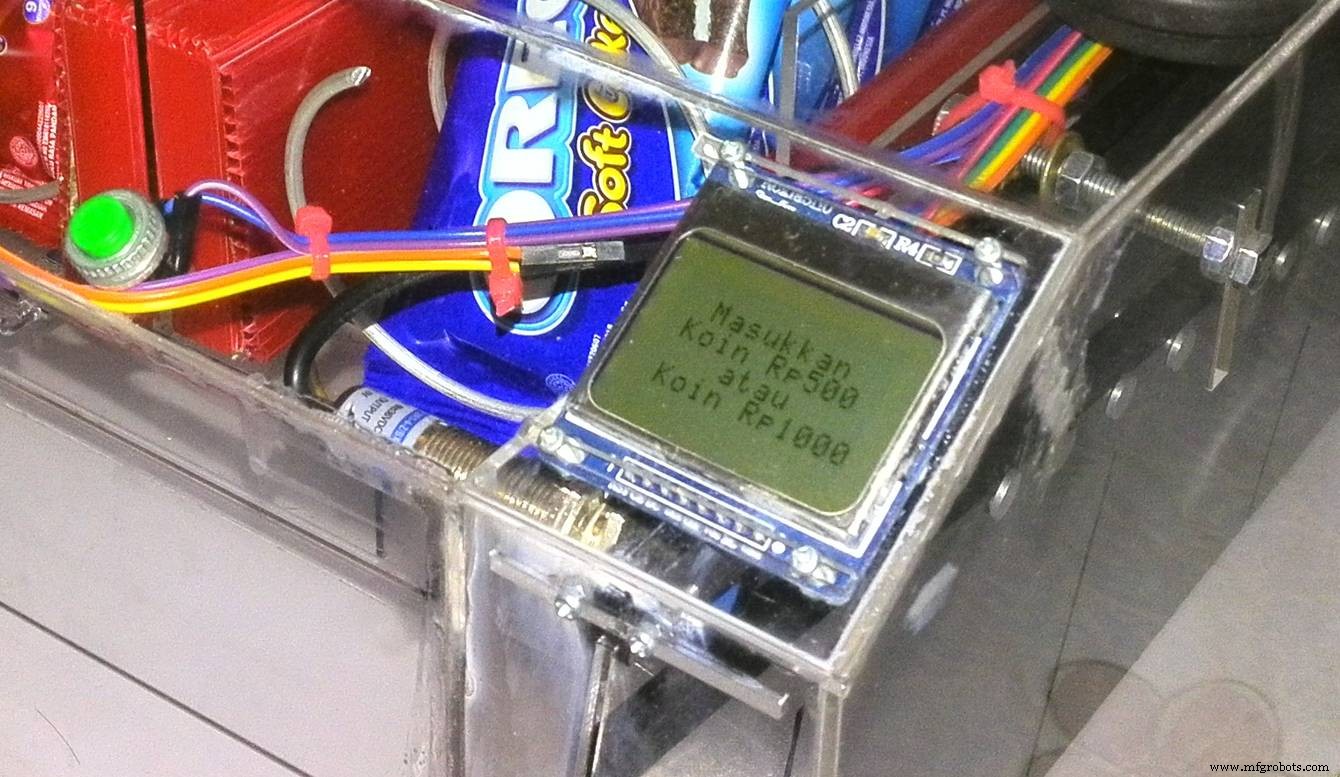
In this project, i make the LCD showing information (in Indonesian currency) about accepted coin value, everytime customer enter a coin. It also will show how much total balance from accepted coin, and other general instruction about step by step to operate this machine.
When machine turned ON
- MAIN display = "Please enter coin".
- IF coin entered = "Display coin value, and total balance".
- IF coin did not entered = keep MAIN display.
After coin successfully identified
- IF total balance more or equal than product's price = "Please select product".
- IF total balace less than product's price = "Please enter more coin".
After spiral mechanism turn ON (delivery occur)
- IF Product detection mechanism triggered = "Thank you", Transaction done.
- Delay, and back to MAIN display.
Finally, finished Snack Vending Machine. ;)
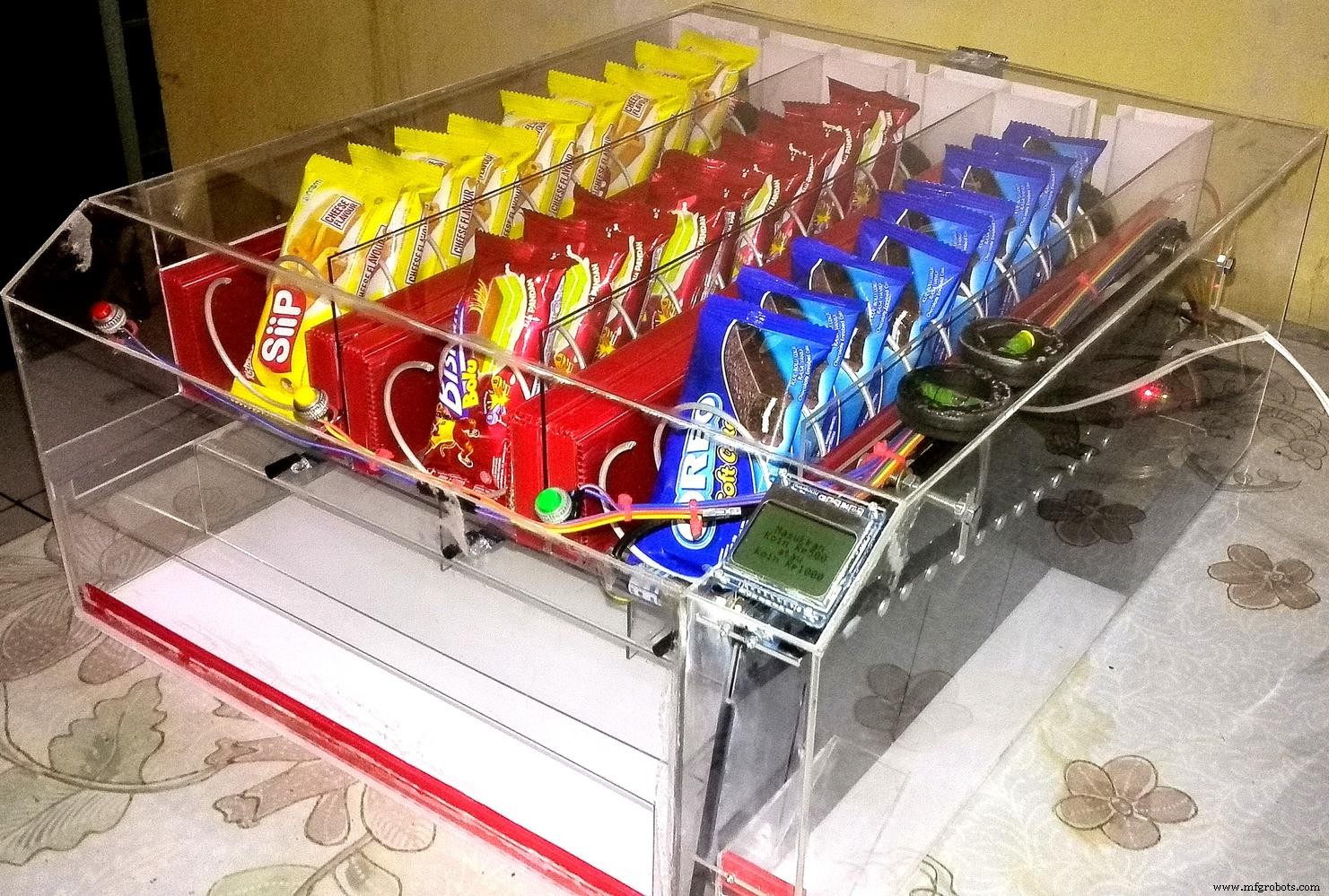
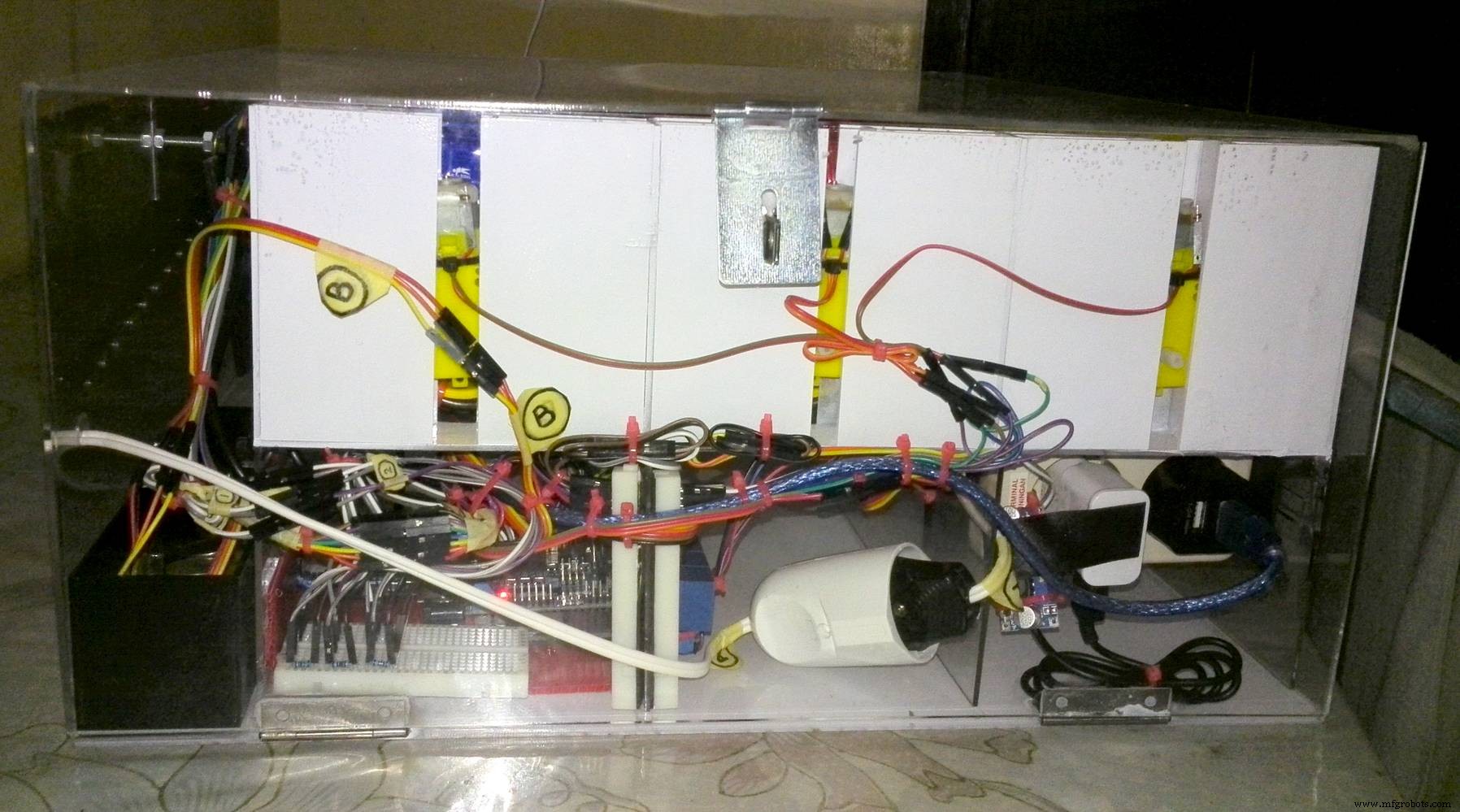
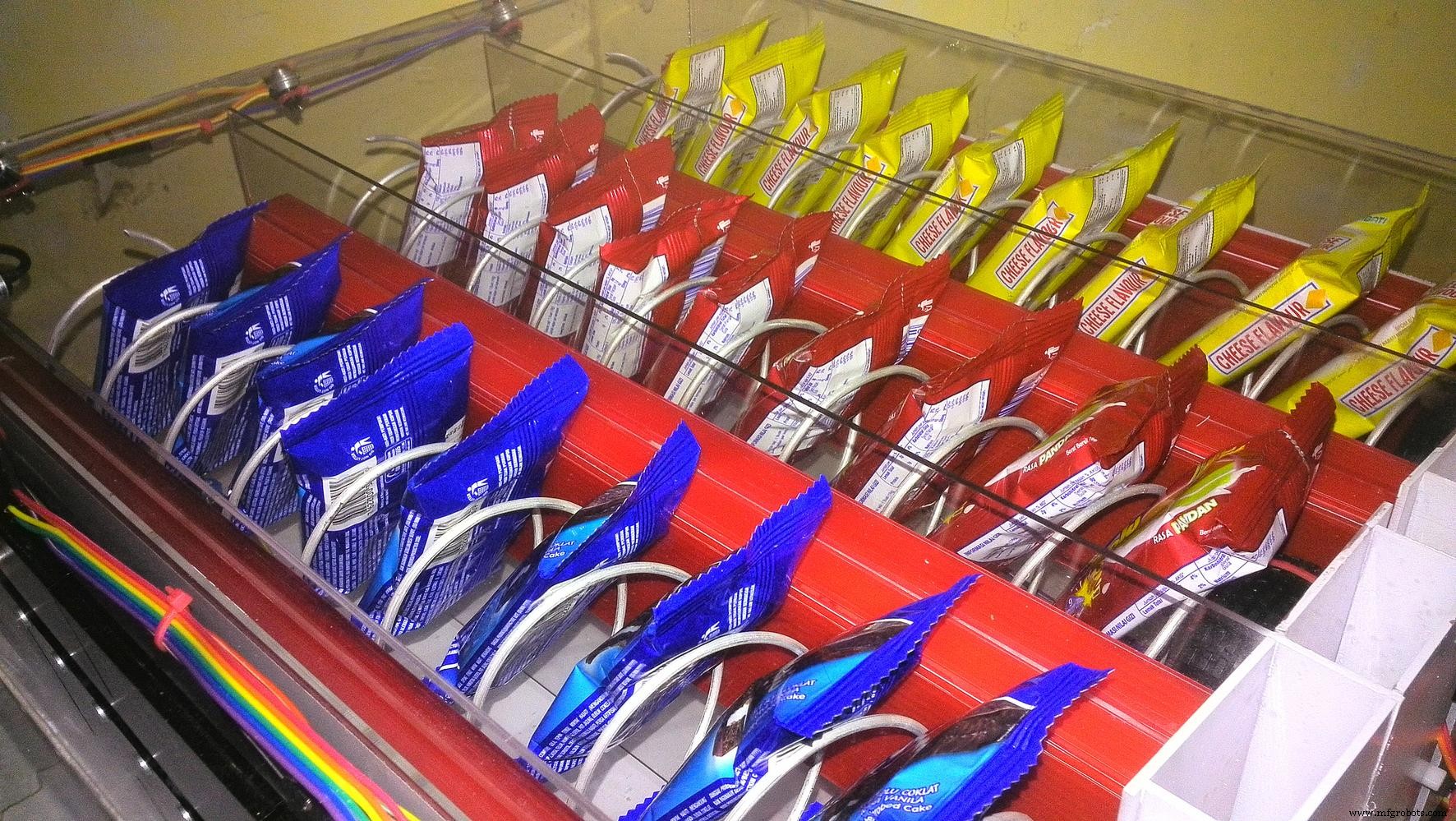
After 3 months, or so, i am ready to do some final test to this machine, from payment/coin test, product selection, and product delivery.
This is Snack Vending Machine final test video:
I hope this project help some of you, maybe give you some inspiration or idea, about building and creating the next Arduino powered vending machine.
Step 10: Room for improvementSome ideas to improve this Snacks Vending Machine:
- Add some coin changer mechanism.
- Accept paper money.
- Accept bitcoin and/or digital payment.
- Show product stock on LCD.
- IoT: Notify via internet every time transaction happen.
- IoT: Notify when product stock empty or low and etc.
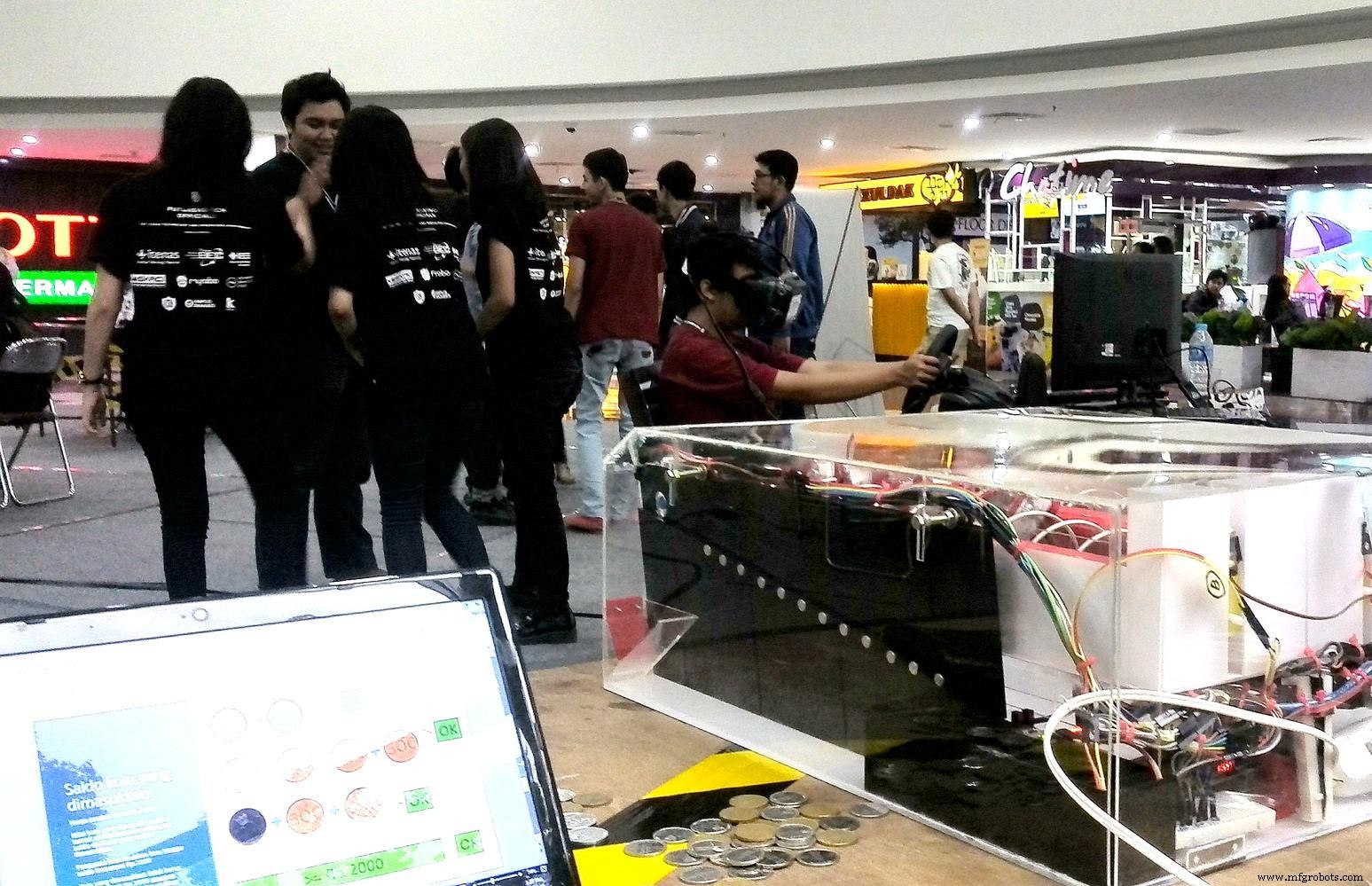
Special thanks: ITENAS Bandung, Department of Mechanical Engineering.
Code
- Source code for Snacks Vending Machine
Source code for Snacks Vending MachineArduino
This is source code i used for this vending machine projectconst byte SIAP = 0;
const byte KOIN_MASUK1 = 1;
const byte KOIN_MASUK2 = 2;
const byte KOIN_MASUK3 = 3;
const byte KOIN_MASUK4 = 4;
const byte KOIN_MASUK5 = 5;
const byte KOIN_MASUK6 = 6;
const byte KOIN_MASUK7 = 7;
const byte SALDO_500 = 8;
const byte SALDO_500500 = 9;
const byte SALDO_500500500 = 10;
const byte SALDO_500500500500 = 11;
const byte SALDO_5005005001000 = 12;
const byte SALDO_5001000 = 13;
const byte SALDO_5001000500 = 14;
const byte SALDO_50010001000 = 15;
const byte SALDO_5005001000 = 16;
const byte SALDO_1000 = 17;
const byte SALDO_10001000 = 18;
const byte SALDO_1000500 = 19;
const byte SALDO_1000500500 = 20;
const byte SALDO_10005001000 = 21;
const byte KOIN_KELUAR = 22;
byte state = SIAP;
const float jeda_waktu = 876;
unsigned long time1;
unsigned long time2;
unsigned long time3;
unsigned long time4;
unsigned long time5;
unsigned long time6;
unsigned long time7;
#define PIN_SCE 7
#define PIN_RESET 6
#define PIN_DC 5
#define PIN_SDIN 4
#define PIN_SCLK 3
#define LCD_C LOW
#define LCD_D HIGH
#define LCD_X 84
#define LCD_Y 48
static const byte ASCII[][5] =
{
{0x00, 0x00, 0x00, 0x00, 0x00} // 20
, {0x00, 0x00, 0x5f, 0x00, 0x00} // 21 !
, {0x00, 0x07, 0x00, 0x07, 0x00} // 22 "
, {0x14, 0x7f, 0x14, 0x7f, 0x14} // 23 #
, {0x24, 0x2a, 0x7f, 0x2a, 0x12} // 24 $
, {0x23, 0x13, 0x08, 0x64, 0x62} // 25 %
, {0x36, 0x49, 0x55, 0x22, 0x50} // 26 &
, {0x00, 0x05, 0x03, 0x00, 0x00} // 27 '
, {0x00, 0x1c, 0x22, 0x41, 0x00} // 28 (
, {0x00, 0x41, 0x22, 0x1c, 0x00} // 29 )
, {0x14, 0x08, 0x3e, 0x08, 0x14} // 2a *
, {0x08, 0x08, 0x3e, 0x08, 0x08} // 2b +
, {0x00, 0x50, 0x30, 0x00, 0x00} // 2c ,
, {0x08, 0x08, 0x08, 0x08, 0x08} // 2d -
, {0x00, 0x60, 0x60, 0x00, 0x00} // 2e .
, {0x20, 0x10, 0x08, 0x04, 0x02} // 2f /
, {0x3e, 0x51, 0x49, 0x45, 0x3e} // 30 0
, {0x00, 0x42, 0x7f, 0x40, 0x00} // 31 1
, {0x42, 0x61, 0x51, 0x49, 0x46} // 32 2
, {0x21, 0x41, 0x45, 0x4b, 0x31} // 33 3
, {0x18, 0x14, 0x12, 0x7f, 0x10} // 34 4
, {0x27, 0x45, 0x45, 0x45, 0x39} // 35 5
, {0x3c, 0x4a, 0x49, 0x49, 0x30} // 36 6
, {0x01, 0x71, 0x09, 0x05, 0x03} // 37 7
, {0x36, 0x49, 0x49, 0x49, 0x36} // 38 8
, {0x06, 0x49, 0x49, 0x29, 0x1e} // 39 9
, {0x00, 0x36, 0x36, 0x00, 0x00} // 3a :
, {0x00, 0x56, 0x36, 0x00, 0x00} // 3b ;
, {0x08, 0x14, 0x22, 0x41, 0x00} // 3c <
, {0x14, 0x14, 0x14, 0x14, 0x14} // 3d =
, {0x00, 0x41, 0x22, 0x14, 0x08} // 3e >
, {0x02, 0x01, 0x51, 0x09, 0x06} // 3f ?
, {0x32, 0x49, 0x79, 0x41, 0x3e} // 40 @
, {0x7e, 0x11, 0x11, 0x11, 0x7e} // 41 A
, {0x7f, 0x49, 0x49, 0x49, 0x36} // 42 B
, {0x3e, 0x41, 0x41, 0x41, 0x22} // 43 C
, {0x7f, 0x41, 0x41, 0x22, 0x1c} // 44 D
, {0x7f, 0x49, 0x49, 0x49, 0x41} // 45 E
, {0x7f, 0x09, 0x09, 0x09, 0x01} // 46 F
, {0x3e, 0x41, 0x49, 0x49, 0x7a} // 47 G
, {0x7f, 0x08, 0x08, 0x08, 0x7f} // 48 H
, {0x00, 0x41, 0x7f, 0x41, 0x00} // 49 I
, {0x20, 0x40, 0x41, 0x3f, 0x01} // 4a J
, {0x7f, 0x08, 0x14, 0x22, 0x41} // 4b K
, {0x7f, 0x40, 0x40, 0x40, 0x40} // 4c L
, {0x7f, 0x02, 0x0c, 0x02, 0x7f} // 4d M
, {0x7f, 0x04, 0x08, 0x10, 0x7f} // 4e N
, {0x3e, 0x41, 0x41, 0x41, 0x3e} // 4f O
, {0x7f, 0x09, 0x09, 0x09, 0x06} // 50 P
, {0x3e, 0x41, 0x51, 0x21, 0x5e} // 51 Q
, {0x7f, 0x09, 0x19, 0x29, 0x46} // 52 R
, {0x46, 0x49, 0x49, 0x49, 0x31} // 53 S
, {0x01, 0x01, 0x7f, 0x01, 0x01} // 54 T
, {0x3f, 0x40, 0x40, 0x40, 0x3f} // 55 U
, {0x1f, 0x20, 0x40, 0x20, 0x1f} // 56 V
, {0x3f, 0x40, 0x38, 0x40, 0x3f} // 57 W
, {0x63, 0x14, 0x08, 0x14, 0x63} // 58 X
, {0x07, 0x08, 0x70, 0x08, 0x07} // 59 Y
, {0x61, 0x51, 0x49, 0x45, 0x43} // 5a Z
, {0x00, 0x7f, 0x41, 0x41, 0x00} // 5b [
, {0x02, 0x04, 0x08, 0x10, 0x20} // 5c ¥
, {0x00, 0x41, 0x41, 0x7f, 0x00} // 5d ]
, {0x04, 0x02, 0x01, 0x02, 0x04} // 5e ^
, {0x40, 0x40, 0x40, 0x40, 0x40} // 5f _
, {0x00, 0x01, 0x02, 0x04, 0x00} // 60 `
, {0x20, 0x54, 0x54, 0x54, 0x78} // 61 a
, {0x7f, 0x48, 0x44, 0x44, 0x38} // 62 b
, {0x38, 0x44, 0x44, 0x44, 0x20} // 63 c
, {0x38, 0x44, 0x44, 0x48, 0x7f} // 64 d
, {0x38, 0x54, 0x54, 0x54, 0x18} // 65 e
, {0x08, 0x7e, 0x09, 0x01, 0x02} // 66 f
, {0x0c, 0x52, 0x52, 0x52, 0x3e} // 67 g
, {0x7f, 0x08, 0x04, 0x04, 0x78} // 68 h
, {0x00, 0x44, 0x7d, 0x40, 0x00} // 69 i
, {0x20, 0x40, 0x44, 0x3d, 0x00} // 6a j
, {0x7f, 0x10, 0x28, 0x44, 0x00} // 6b k
, {0x00, 0x41, 0x7f, 0x40, 0x00} // 6c l
, {0x7c, 0x04, 0x18, 0x04, 0x78} // 6d m
, {0x7c, 0x08, 0x04, 0x04, 0x78} // 6e n
, {0x38, 0x44, 0x44, 0x44, 0x38} // 6f o
, {0x7c, 0x14, 0x14, 0x14, 0x08} // 70 p
, {0x08, 0x14, 0x14, 0x18, 0x7c} // 71 q
, {0x7c, 0x08, 0x04, 0x04, 0x08} // 72 r
, {0x48, 0x54, 0x54, 0x54, 0x20} // 73 s
, {0x04, 0x3f, 0x44, 0x40, 0x20} // 74 t
, {0x3c, 0x40, 0x40, 0x20, 0x7c} // 75 u
, {0x1c, 0x20, 0x40, 0x20, 0x1c} // 76 v
, {0x3c, 0x40, 0x30, 0x40, 0x3c} // 77 w
, {0x44, 0x28, 0x10, 0x28, 0x44} // 78 x
, {0x0c, 0x50, 0x50, 0x50, 0x3c} // 79 y
, {0x44, 0x64, 0x54, 0x4c, 0x44} // 7a z
, {0x00, 0x08, 0x36, 0x41, 0x00} // 7b {
, {0x00, 0x00, 0x7f, 0x00, 0x00} // 7c |
, {0x00, 0x41, 0x36, 0x08, 0x00} // 7d }
, {0x10, 0x08, 0x08, 0x10, 0x08} // 7e �
, {0x78, 0x46, 0x41, 0x46, 0x78} // 7f →
};
void LcdWrite(byte dc, byte data)
{
digitalWrite(PIN_DC, dc);
digitalWrite(PIN_SCE, LOW);
shiftOut(PIN_SDIN, PIN_SCLK, MSBFIRST, data);
digitalWrite(PIN_SCE, HIGH);
}
void LcdCharacter(char character)
{
LcdWrite(LCD_D, 0x00);
for (int index = 0; index < 5; index++)
{
LcdWrite(LCD_D, ASCII[character - 0x20][index]);
}
LcdWrite(LCD_D, 0x00);
}
void LcdClear(void)
{
for (int index = 0; index < LCD_X * LCD_Y / 8; index++)
{
LcdWrite(LCD_D, 0x00);
}
}
void LcdInitialise(void)
{
pinMode(PIN_SCE, OUTPUT);
pinMode(PIN_RESET, OUTPUT);
pinMode(PIN_DC, OUTPUT);
pinMode(PIN_SDIN, OUTPUT);
pinMode(PIN_SCLK, OUTPUT);
digitalWrite(PIN_RESET, LOW);
digitalWrite(PIN_RESET, HIGH);
LcdWrite(LCD_C, 0x21 );
LcdWrite(LCD_C, 0xB1 );
LcdWrite(LCD_C, 0x04 );
LcdWrite(LCD_C, 0x14 );
LcdWrite(LCD_C, 0x20 );
LcdWrite(LCD_C, 0x0C );
}
void LcdString(char *characters)
{
while (*characters)
{
LcdCharacter(*characters++);
}
}
void setup() {
//enable output on the digital pins
pinMode( 11, INPUT);
pinMode( 12, INPUT);
pinMode( 14, INPUT);
pinMode( 15, INPUT);
pinMode( 16, INPUT);
pinMode( 17, INPUT);
pinMode( 18, INPUT);
pinMode( 19, INPUT);
pinMode( 13 , OUTPUT);
pinMode( 8 , OUTPUT);
pinMode( 9 , OUTPUT);
pinMode( 10 , OUTPUT);
pinMode( 2 , OUTPUT);
digitalWrite(8, HIGH);
digitalWrite(9, HIGH);
digitalWrite(10, HIGH);
digitalWrite(13, LOW);
Serial.begin(9600);
Serial.println("=> Siap");
LcdInitialise();
LcdClear();
LcdString(" Masukkan Koin Rp500 atau Koin Rp1000 @ Rp2000");
delay(500);
}
void loop() {
int x = analogRead(14);
if (state == SIAP) {
if (x >= 33) {
state = KOIN_MASUK1;
time1 = millis();
tone(2, 4200, 40);
Serial.println("snsr1,");
Serial.println("start wkt");
}
}
else if ((state == KOIN_MASUK1) && (!(digitalRead(13)))) {
if ((digitalRead(12)) && (state == KOIN_MASUK1)) {
unsigned long diff1 = (millis() - time1);
Serial.println("snsr2,");
Serial.println("stop wkt");
Serial.print("jeda wkt: ");
Serial.print(diff1);
Serial.println(" ms");
if (diff1 > jeda_waktu) {
state = SALDO_1000;
LcdInitialise();
LcdClear();
LcdString(" diterima Saldo=Rp1000 Tambah Koin Koin Rp1000");
digitalWrite (13, HIGH);
Serial.println("koin=Rp 1000, Saldo: Rp1000");
tone(2, 4200, 299);
}
else if (diff1 < jeda_waktu) {
state = SALDO_500;
digitalWrite (13, HIGH);
LcdInitialise();
LcdClear();
LcdString(" diterima Saldo= Rp500 Tambah Koin Koin Rp500");
Serial.println("koin=Rp 500, Saldo: Rp500");
tone(2, 4200, 299);
}
}
}
if (state == SALDO_500) {
if (x >= 33) {
state = KOIN_MASUK2;
time2 = millis();
tone(2, 4200, 40);
Serial.println("snsr1,");
Serial.println("start wkt");
}
}
else if ((state == KOIN_MASUK2) && ((digitalRead(13)))) {
if ((digitalRead(12)) && (state == KOIN_MASUK2)) {
unsigned long diff2 = (millis() - time2);
Serial.println("snsr2,");
Serial.println("stop wkt");
Serial.print("jeda wkt: ");
Serial.print(diff2);
Serial.println(" ms");
if (diff2 > jeda_waktu) {
state = SALDO_5001000;
LcdInitialise();
LcdClear();
LcdString(" diterima Saldo=Rp1500 Tambah Koin Koin Rp1000");
tone(2, 4200, 299);
Serial.println("koin=Rp 1000, Saldo: Rp1500");
}
else if (diff2 < jeda_waktu) {
state = SALDO_500500;
LcdInitialise();
LcdClear();
LcdString(" diterima Saldo=Rp1000 Tambah Koin Koin Rp500");
tone(2, 4200, 299);
Serial.println("koin=Rp 500, Saldo: Rp1000");
}
}
}
if (state == SALDO_500500) {
if (x >= 33) {
state = KOIN_MASUK3;
time3 = millis();
tone(2, 4200, 40);
Serial.println("snsr1,");
Serial.println("start wkt");
}
}
else if ((state == KOIN_MASUK3) && ((digitalRead(13)))) {
if ((digitalRead(12)) && (state == KOIN_MASUK3)) {
unsigned long diff3 = (millis() - time3);
Serial.println("snsr2,");
Serial.println("stop wkt");
Serial.print("jeda wkt: ");
Serial.print(diff3);
Serial.println(" ms");
if (diff3 > jeda_waktu) {
state = SALDO_5005001000;
LcdInitialise();
LcdClear();
LcdString(" diterima Saldo=Rp2000 Pilih Produk Koin Rp1000");
Serial.println("koin=Rp 1000, Saldo: Rp2000");
tone(2, 4200, 799);
}
else if (diff3 < jeda_waktu) {
state = SALDO_500500500;
LcdInitialise();
LcdClear();
LcdString(" diterima Saldo=Rp1500 Tambah Koin Koin Rp500");
Serial.println("koin=Rp 500, Saldo: Rp1500");
tone(2, 4200, 299);
}
}
}
if (state == SALDO_500500500) {
if (x >= 33) {
state = KOIN_MASUK4;
time4 = millis();
tone(2, 4200, 40);
Serial.println("snsr1,");
Serial.println("start wkt");
}
}
else if ((state == KOIN_MASUK4) && ((digitalRead(13)))) {
if ((digitalRead(12)) && (state == KOIN_MASUK4)) {
unsigned long diff4 = (millis() - time4);
Serial.println("snsr2,");
Serial.println("stop wkt");
Serial.print("jeda wkt: ");
Serial.print(diff4);
Serial.println(" ms");
if (diff4 > jeda_waktu) {
state = SALDO_5005005001000;
LcdInitialise();
LcdClear();
LcdString(" diterima Saldo=Rp2500 Pilih Produk Koin Rp1000");
Serial.println("koin=Rp 1000, Saldo: Rp2500");
tone(2, 4200, 799);
}
else if (diff4 < jeda_waktu) {
state = SALDO_500500500500;
LcdInitialise();
LcdClear();
LcdString(" diterima Saldo=Rp2000 Pilih Produk Koin Rp500");
Serial.println("koin=Rp 500, Saldo: Rp2000");
tone(2, 4200, 799);
}
}
}
if (state == SALDO_5001000) {
if (x >= 33) {
state = KOIN_MASUK5;
time5 = millis();
tone(2, 4200, 40);
Serial.println("snsr1,");
Serial.println("start wkt");
}
}
else if ((state == KOIN_MASUK5) && ((digitalRead(13)))) {
if ((digitalRead(12)) && (state == KOIN_MASUK5)) {
unsigned long diff5 = (millis() - time5);
Serial.println("snsr2,");
Serial.println("stop wkt");
Serial.print("jeda wkt: ");
Serial.print(diff5);
Serial.println(" ms");
if (diff5 > jeda_waktu) {
state = SALDO_50010001000;
LcdInitialise();
LcdClear();
LcdString(" diterima Saldo=Rp2500 Pilih Produk Koin Rp1000");
Serial.println("koin=Rp 1000, Saldo: Rp2500");
tone(2, 4200, 799);
}
else if (diff5 < jeda_waktu) {
state = SALDO_5001000500;
LcdInitialise();
LcdClear();
LcdString(" diterima Saldo=Rp2000 Pilih Produk Koin Rp500");
Serial.println("koin=Rp 500, Saldo: Rp2000");
tone(2, 4200, 799);
}
}
}
if (state == SALDO_1000) {
if (x >= 33) {
state = KOIN_MASUK6;
time6 = millis();
tone(2, 4200, 40);
Serial.println("snsr1,");
Serial.println("start wkt");
}
}
else if ((state == KOIN_MASUK6) && ((digitalRead(13)))) {
if ((digitalRead(12)) && (state == KOIN_MASUK6)) {
unsigned long diff6 = (millis() - time6);
Serial.println("snsr2,");
Serial.println("stop wkt");
Serial.print("jeda wkt: ");
Serial.print(diff6);
Serial.println(" ms");
if (diff6 > jeda_waktu) {
state = SALDO_10001000;
LcdInitialise();
LcdClear();
LcdString(" diterima Saldo=Rp2000 Pilih Produk Koin Rp1000");
Serial.println("koin=Rp 1000, Saldo: Rp2000");
tone(2, 4200, 799);
}
else if (diff6 < jeda_waktu) {
state = SALDO_1000500;
LcdInitialise();
LcdClear();
LcdString(" diterima Saldo=Rp1500 Tambah Koin Koin Rp500");
Serial.println("koin=Rp 500, Saldo: Rp1500");
tone(2, 4200, 299);
}
}
}
if (state == SALDO_1000500) {
if (x >= 33) {
state = KOIN_MASUK7;
time7 = millis();
tone(2, 4200, 40);
Serial.println("snsr1,");
Serial.println("start wkt");
}
}
else if ((state == KOIN_MASUK7) && ((digitalRead(13)))) {
if ((digitalRead(12)) && (state == KOIN_MASUK7)) {
unsigned long diff7 = (millis() - time7);
Serial.println("snsr2,");
Serial.println("stop wkt");
Serial.print("jeda wkt: ");
Serial.print(diff7);
Serial.println(" ms");
if (diff7 > jeda_waktu) {
state = SALDO_10005001000;
LcdInitialise();
LcdClear();
LcdString(" diterima Saldo=Rp2500 Pilih Produk Koin Rp1000");
Serial.println("koin=Rp 1000, Saldo: Rp2500");
tone(2, 4200, 799);
}
else if (diff7 < jeda_waktu) {
state = SALDO_1000500500;
LcdInitialise();
LcdClear();
LcdString(" diterima Saldo=Rp2000 Pilih Produk Koin Rp500");
Serial.println("koin=Rp 500, Saldo: Rp2000");
tone(2, 4200, 799);
}
}
}
else if ((state == SALDO_500500500500)||(state == SALDO_5005005001000)||(state == SALDO_5001000500)||(state == SALDO_50010001000)||(state == SALDO_5005001000)||(state == SALDO_10001000)||(state == SALDO_1000500500)||(state == SALDO_10005001000)) {
if (((( digitalRead(13) && ( ( digitalRead(9) ) && ( digitalRead(10) ) ) ) && digitalRead(17) )) && ((digitalRead(8)))) {
LcdInitialise();
LcdClear();
LcdString(" Mohon Menunggu");
Serial.println("pb1");
tone(2, 4200, 200);
delay( 2500 );
digitalWrite( 8 , LOW );
Serial.println("motor1");
}
else {
if ( (!(digitalRead(8)) && (!(digitalRead(11)) ))) {
digitalWrite( 8 , HIGH );
LcdInitialise();
LcdClear();
LcdString(" Terima Kasih");
tone(2, 4200, 100);
delay( 150 );
tone(2, 4200, 100);
Serial.println("produk1 jatuh");
delay( 4000 );
digitalWrite( 13 , LOW );
state = KOIN_KELUAR;
}
else {
}
}
if (((( ( digitalRead(13) && ( ( digitalRead(8) ) && ( digitalRead(10) ) ) ) && digitalRead(18) )) && ((digitalRead(9))))) {
LcdInitialise();
LcdClear();
LcdString(" Mohon Menunggu");
Serial.println("pb2");
tone(2, 4200, 200);
delay( 2500 );
digitalWrite( 9 , LOW );
Serial.println("motor2");
}
else {
if ( (!(digitalRead(9)) && (!(digitalRead(15)) ))) {
digitalWrite( 9 , HIGH );
LcdInitialise();
LcdClear();
LcdString(" Terima Kasih");
tone(2, 4200, 100);
delay( 150 );
tone(2, 4200, 100);
Serial.println("produk2 jatuh");
delay( 4000 );
digitalWrite( 13 , LOW );
state = KOIN_KELUAR;
}
else {
}
}
if (((( ( digitalRead(13) && ( ( digitalRead(8) ) && ( digitalRead(9) ) ) ) && digitalRead(19) )) && ((digitalRead(10))))) {
LcdInitialise();
LcdClear();
LcdString(" Mohon Menunggu");
Serial.println("pb3");
tone(2, 4200, 200);
delay( 2500 );
digitalWrite( 10 , LOW );
Serial.println("motor3");
}
else {
if ( (!(digitalRead(10)) && (!(digitalRead(16)) ))) {
digitalWrite( 10 , HIGH );
LcdInitialise();
LcdClear();
LcdString(" Terima Kasih");
tone(2, 4200, 100);
delay( 150 );
tone(2, 4200, 100);
Serial.println("produk3 jatuh");
delay( 4000 );
digitalWrite( 13 , LOW );
state = KOIN_KELUAR;
}
else {
}
}
}
else if ((state == KOIN_KELUAR)) {
if (((x <= 33) && !digitalRead(12)) && (!digitalRead(13))) {
state = SIAP;
LcdInitialise();
LcdClear();
LcdString(" Masukkan Koin Rp500 atau Koin Rp1000 @ Rp2000");
Serial.println("=> Siap");
}
}
}
Custom parts and enclosures
This is printscreen of my solidworks 3d model for this project.Manufacturing process
- Vending Machines: A $36.6B U.S. Industry Powerhouse
- Build a Sensor Tower with Arduino Cloud: Temperature, Motion & Gas Monitoring
- Reverse Vending Machine (RVM): DIY Smart Recycling System Kit
- Build a Fully Functional CNC Machine with Arduino Nano R3
- Arduino Nano Fingerprint Sensor Project – Step‑by‑Step Tutorial
- DIY Arduino Claw Machine – Build Your Own Arcade Toy
- Build an IR Sensor Project with Arduino UNO – Simple Guide
- SmartAgro: Advanced IoT Solutions for Precision Farming
- Build Your Own Monster in a Box: Arduino Robotics Project
- Build a Smart Arduino Vending Machine: A Complete DIY Mechatronics Guide