



C++ Hello World Tutorial: Step‑by‑Step Code, Setup & Explanation
C++ Hello World Tutorial
Writing your first program is an essential milestone for any budding developer. This guide walks you through the entire process – from setting up your development environment to writing, compiling, and running a classic “Hello World” program in C++.
Prerequisites
- A C++ compiler (e.g., GCC, Clang, MSVC)
- A text editor or IDE (Visual Studio Code, Code::Blocks, Eclipse, or any editor you prefer)
- Basic familiarity with command‑line navigation (optional but helpful)
Step 1: Configure Your Development Environment
On the configuration page of your IDE, enable the “Create cache now” option to pre‑load necessary libraries. This ensures the compiler can locate all required headers during the build.
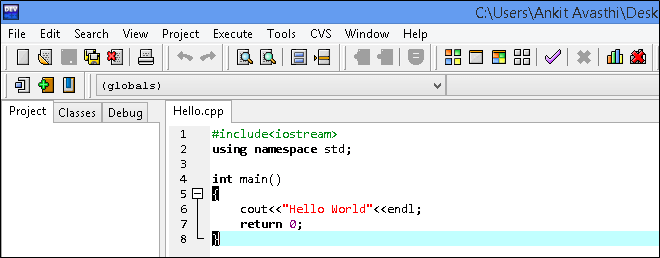
Some systems prompt you to include all libraries. Selecting this option installs the full standard library set.
Step 2: Create a New Source File
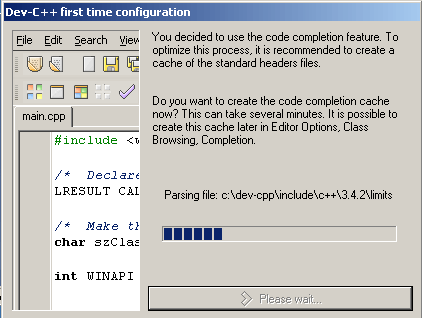
Open a new file via File > New > Source File. This opens a clean editor where you can write your code.
Step 3: Write the C++ Code
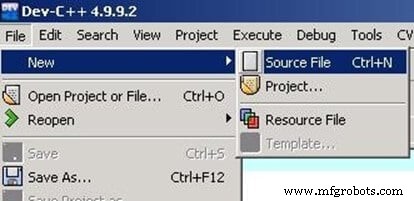
Enter the following code into the editor:
#include <iostream>
using namespace std;

int main()
{
    cout << "Hello World" << endl;
    return 0;
}
Step 4: Compile and Run
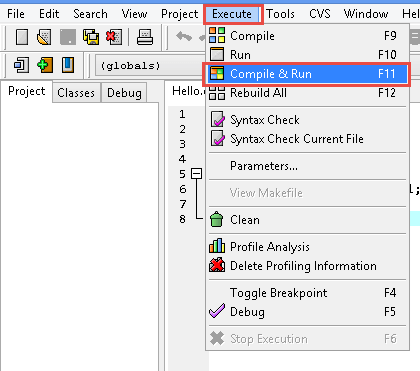
Use Execute > Compile & Run (or the equivalent build command in your IDE) to compile the program. The IDE will generate an executable.
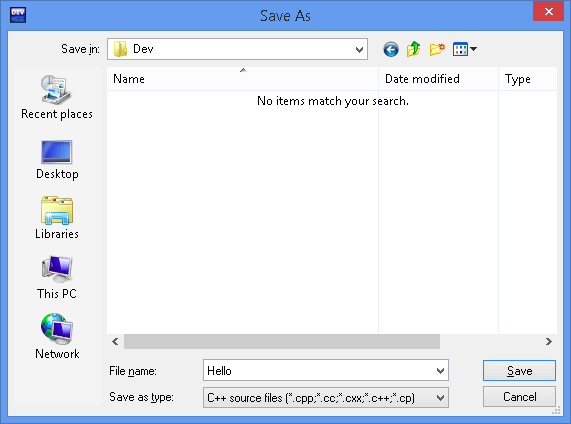
Step 5: Save and View Output
After saving, the program will run and display:
Understanding the Code
#include <iostream> tells the compiler to link the standard input/output library, providing access to cout and endl.
int main() is the entry point of every C++ application. It returns an integer status code: 0 indicates success, while a non‑zero value signals failure.
cout << "Hello World" << endl; streams the string to the standard output followed by a newline.
return 0; explicitly signals that the program terminated successfully.
Key Takeaways
- Setting up the compiler and IDE correctly is crucial for a smooth development experience.
- The first line,
#include <iostream>, brings in essential I/O functionality. - The
mainfunction is the sole global function that starts program execution. - Streaming operators (
<<) are used to output data to streams likecout. - A
return 0;statement marks a successful program exit.
Next Steps
With this foundation, you can experiment by modifying the output string, adding new variables, or exploring additional standard library features. Happy coding!
C Language
- C# Hello World – Building Your First C# Application
- C++ Comments: Best Practices for Readable, Maintainable Code
- Java Hello World: Your First Program
- C++ Functions Explained with Practical Code Examples
- C# Hello World: Building Your First Console Application
- C Hello World: Your First Program – A Step‑by‑Step Guide
- Java Hello World: Step‑by‑Step Guide to Writing Your First Java Program
- Hello World: Building Your First Python Application
- Understanding C++: Core Syntax and Object‑Oriented Foundations
- Mastering Comments in C++: Best Practices & Syntax