



Java Hello World: Step‑by‑Step Guide to Writing Your First Java Program
Java Hello World: Step‑by‑Step Guide to Writing Your First Java Program
Ready to dive into Java? This tutorial walks you through every step of creating, compiling, and running your first Java program, from installing the Java Development Kit (JDK) to executing a simple Hello World application.
What You’ll Need
- Java SE Development Kit (JDK) – The JDK provides the compiler, runtime, and essential tools. Download and install the JDK here (refer to our previous tutorial for detailed instructions).
- A Text Editor – For this example we’ll use Windows Notepad, a lightweight editor that comes pre‑installed. You can also choose Notepad++ or an online compiler like Repl.it if you prefer a browser‑based workflow.
Watch the Introduction Video
For a visual walkthrough, check out our Java Hello World video below. If the video doesn’t load, click here to view an alternative version.
Step‑by‑Step: Compile and Run Your First Program
Follow these steps to write, compile, and execute a simple Java program that prints Hello World to the console.
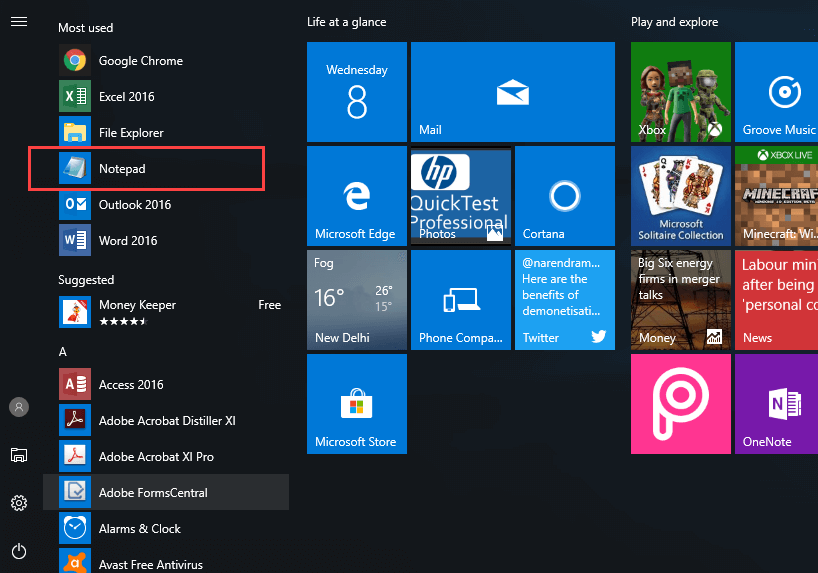
- Open Notepad – Start Menu > Accessories > Notepad.
- Write the Source Code – Create a file named
FirstProgram.javawith the following content:class A { public static void main(String[] args) { System.out.println("Hello World"); } }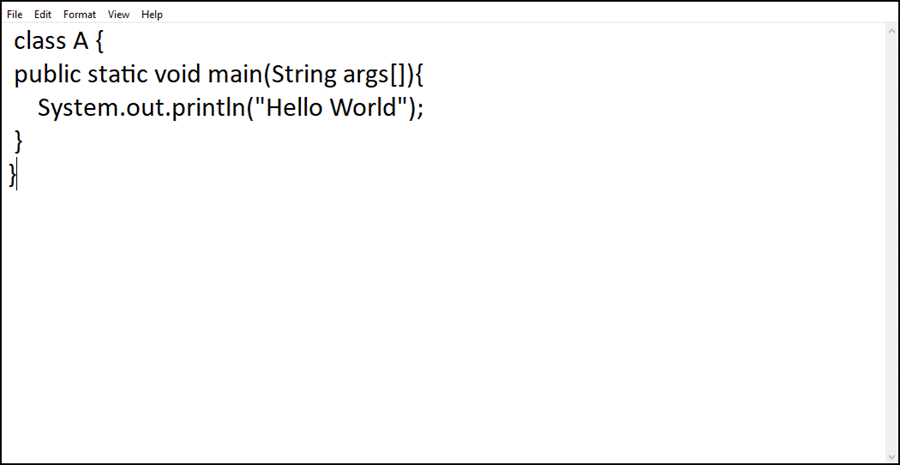
- Save the File – Save as
FirstProgram.javain your working directory (e.g.,C:\workspace) and choose "All Files" in the file type dropdown.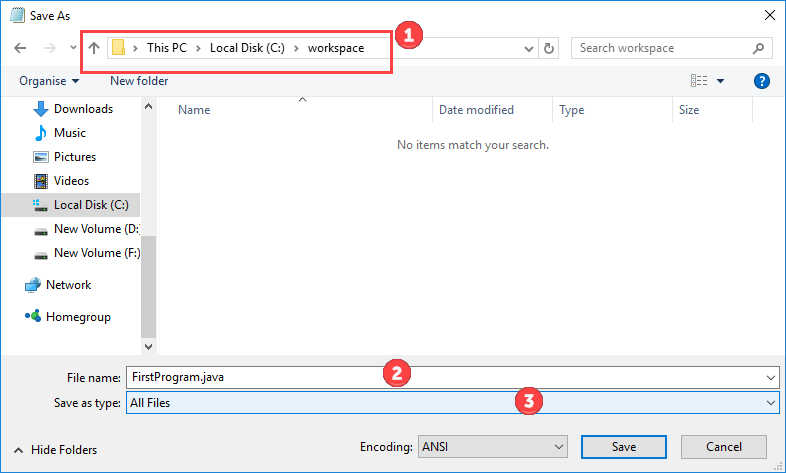
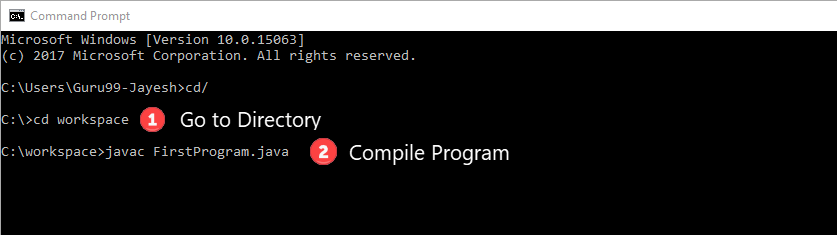
- Open Command Prompt – Navigate to
C:\workspace.Compile the program with:
javac FirstProgram.java
- Check the Output – After compilation, an
A.classfile appears in the folder.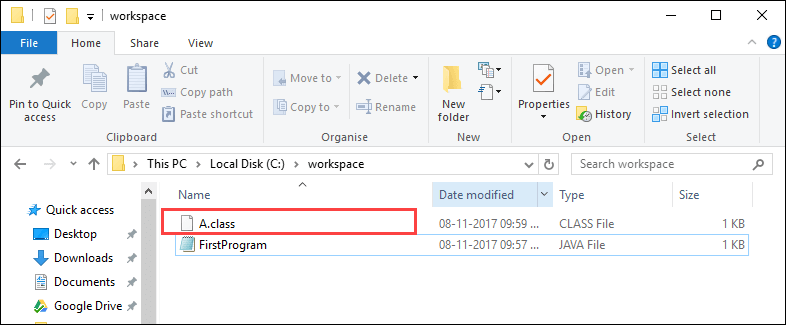
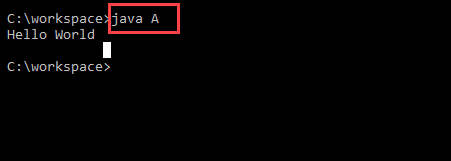
- Run the Program – Execute with:
java A
The console should display:
Hello World
- Key Reminder – Java is case‑sensitive.
FirstProgramandfirstprogramare distinct identifiers. - Next Steps – Once comfortable, try an Integrated Development Environment (IDE) like Eclipse or IntelliJ IDEA. IDEs streamline compiling and running but stick to a simple editor for foundational learning.
Congratulations! You’ve just written, compiled, and run your first Java program. From here, explore more complex constructs like variables, loops, and object‑oriented concepts to deepen your Java expertise.
Java
- C# Hello World – Building Your First C# Application
- Java Hello World: Your First Program
- Your First VHDL Program: A Step‑by‑Step Hello World Tutorial
- C# Hello World: Building Your First Console Application
- C Hello World: Your First Program – A Step‑by‑Step Guide
- Java String length() Method: How to Get a String’s Size (Example)
- Mastering Java's split() Method: A Practical Guide with Code Examples
- Reading Files in Java with BufferedReader – A Practical Guide with Examples
- Insertion Sort Algorithm in Java: A Clear Example & Step‑by‑Step Guide
- Hello World: Building Your First Python Application