



Java Switch‑Case Statement Explained: Syntax, Examples, and Best Practices
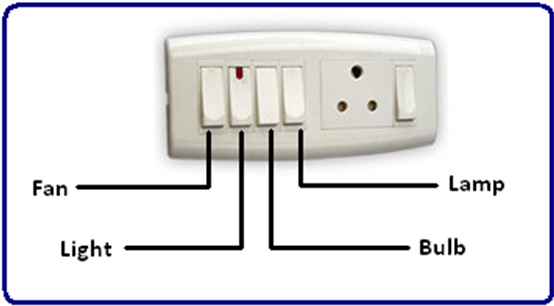
Switch statements are a staple in everyday electronics—think of a light switch turning on a lamp. In Java, a switch performs a similar role: it evaluates a single value and executes only the matching block.
What Is a Switch‑Case in Java?
A switch is a type of conditional that tests an expression against multiple case labels. When the expression matches a label, the corresponding block runs until a break or the end of the switch is reached. If no label matches, the default block executes.
Below is a concise example that maps a single‑digit number to its word representation.
class SwitchBoard {
    public static void main(String[] args) {
        int iSwitch = 4;
        switch (iSwitch) {
            case 0:
                System.out.println("ZERO");
                break;
            case 1:
                System.out.println("ONE");
                break;
            case 2:
                System.out.println("TWO");
                break;
            case 3:
                System.out.println("THREE");
                break;
            case 4:
                System.out.println("FOUR");
                break;
            default:
                System.out.println("Not in the list");
                break;
        }
    }
}
Output: FOUR
Why Use a Switch Instead of If‑Else?
- Readability: A single switch statement is easier to scan than a chain of
if‑elseblocks. - Maintainability: Adding or removing cases requires minimal edits.
- Performance: For many distinct values, switches can be faster, especially when the compiler optimizes a lookup table or a jump table.
However, if‑else remains appropriate for range checks or complex boolean logic.
Understanding break and default
breakexits the switch block, preventing fall‑through to subsequent cases.defaultprovides a safety net, executing when no case matches.
Omitting break leads to fall‑through, which can be intentional (e.g., grouping multiple cases) but often causes bugs if forgotten.
Supported Types and Java 8 Enhancements
- Prior to Java 8, switches accepted
byte,short,int,char,enum, andString(Java 7). - Java 8 added full
Stringsupport, allowing direct comparison of textual values. - No limit exists on the number of
caselabels; they must, however, be compile‑time constants.
For authoritative details, refer to Oracle’s official Java tutorial.
Practical Tips
- Place the most frequently matched case at the top for marginal performance gains.
- Use
defaultto handle unexpected values and improve robustness. - When multiple cases should trigger the same logic, list them consecutively without intervening
breakstatements.
Ready to build your own switchboard? Start by defining clear, distinct cases and remember the power of break to keep logic tidy.
Illustration
Java
- Mastering the C++ Switch‑Case Statement: Syntax, Workflow, and Practical Examples
- Mastering the Java Switch Statement: Syntax, Usage, and Best Practices
- Mastering C++ Switch‑Case: Syntax, Usage, and Practical Examples
- Understanding Switch‑Case in C: Syntax, Examples, and Best Practices
- Encapsulation in Java: A Comprehensive Guide with Practical Example
- Understanding Java String.charAt(): Syntax, Return Type, Exceptions, and a Practical Example
- Mastering Java’s String.endsWith(): How to Check String Suffixes with Examples
- Java HashMap: A Comprehensive Guide
- Command‑Line Arguments in Java: A Practical Guide with Code Examples
- Understanding Java's throws Keyword: Examples & Best Practices