



C# Hello World: Building Your First Console Application
C# is a powerful, object‑oriented language built on Microsoft’s .NET framework, enabling developers to create a wide range of applications from desktop to web services.
This tutorial walks you through building your very first console program – a classic “Hello World” – using Visual Studio. By the end, you’ll understand the project structure, key C# concepts, and how to run a console app.
Creating the Console Application
A console application runs directly in the Windows command prompt, making it an ideal starting point for .NET beginners.
We’ll use Visual Studio to scaffold a new project, then add a simple Console.Write statement to output text. Follow these steps:
Step 1: Create a New Project
Open Visual Studio and choose New → Project….
Step 2: Select the Project Type
In the dialog, pick Windows → Console App, give the project a name (e.g., DemoApplication), choose a location, and click OK.
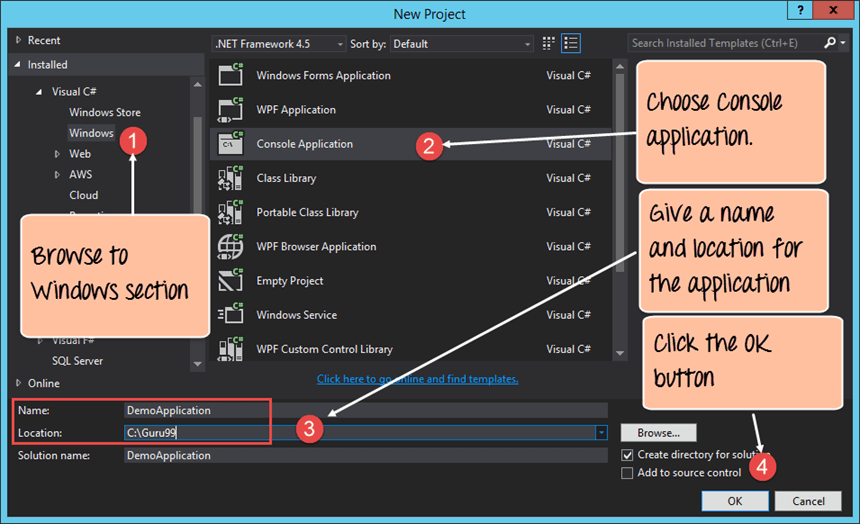
- Navigate the left pane to Windows.
- Select Console App.
- Enter a project name and location.
- Confirm with OK.
Visual Studio will create the project structure. You’ll see a file called Program.cs – the default entry point for the app.
Step 3: Add Your First Code
Replace the content of Program.cs with the following snippet:
C# Hello World Program
using System;
using System.Collections.Generic;
using System.Linq;
using System.Text;
using System.Threading.Tasks;

namespace DemoApplication
{
    class Program
    {
        static void Main(string[] args)
        {
            Console.Write("Hello World");
            Console.ReadKey();
        }
    }
}
Explanation
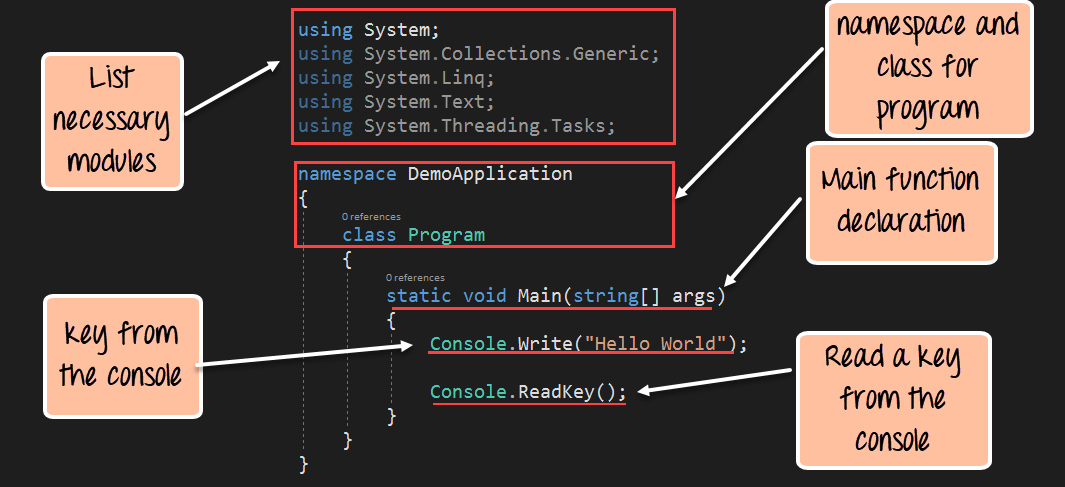
usingdirectives import essential .NET namespaces.- All executable code lives inside a class – here
Program– which itself is grouped into theDemoApplicationnamespace. - The
Mainmethod is the entry point that runs automatically when the application starts. -
Console.Writeoutputs text to the console window. -
Console.ReadKeypauses execution until the user presses a key, preventing the window from closing immediately.
Step 4: Build and Run
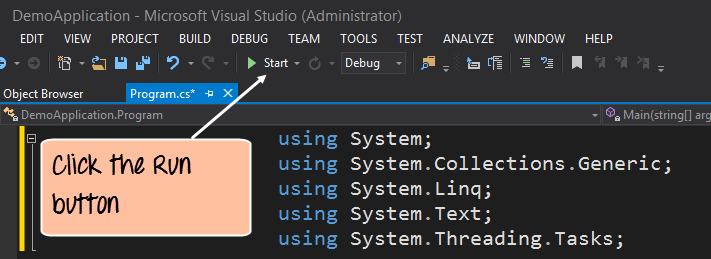
Click the Start button (or press F5) to build and launch the program. You should see the following output:
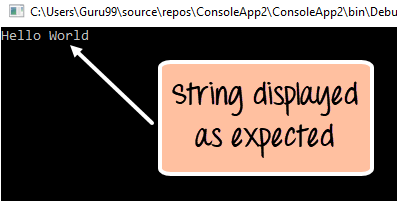
The console displays “Hello World”, confirming that your first C# console application is working.
Summary
- A console app runs in the Windows command prompt.
- The
Console.Writemethod outputs text;Console.ReadKeykeeps the window open. - Visual Studio provides a streamlined workflow for creating, building, and running .NET projects.
C Language
- C# Hello World – Building Your First C# Application
- Java Hello World: Your First Program
- How Acid Dyes Transform Fabrics: Applications & Benefits
- Your First VHDL Program: A Step‑by‑Step Hello World Tutorial
- C++ Hello World Tutorial: Step‑by‑Step Code, Setup & Explanation
- C Hello World: Your First Program – A Step‑by‑Step Guide
- Java Hello World: Step‑by‑Step Guide to Writing Your First Java Program
- Hello World: Building Your First Python Application
- Beginner’s Guide to Verilog: Hello World Example
- First CNC Program: Step-by-Step CNC Machining Guide