Industrial manufacturing
CNC Machine

1. Establishing the workpiece coordinate system 2. Automatic tool setting and measuring tool length 3. How to put two spindles into one program and run 4. Handwheel movement 5. Start processing 6. USB port input program 7. Horizontal spindle machining 8. Move manually 9. MDIchange
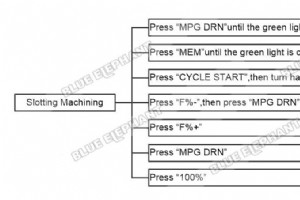
The steps are as follows. Part1 Slotting Machining Press “MPG DRN”until the green light is on Press “MEM”until the green light is on Press “CYCLE START”,then turn handwheel Press “F%-”,then press “MPG DRN” Press “F%+” Press “MPG DRN” Press “100%” Part2 Side Hole Machining Press “MEM”,then press
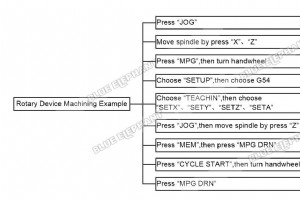
The steps are as follows. Press “JOG” Move spindle by press “X”、“Z” Press “MPG”,then turn handwheel Choose “SETUP”,then choose G54 Choose “TEACHIN”,then choose “SETX”、“SETY”、“SETZ”、“SETA” Press “JOG”,then move spindle by press “Z” Press “MEM”,then press “MPG DRN” Press “CYCLE START”,then turn han
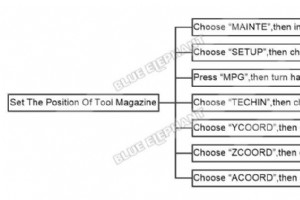
The steps are as follows. Choose “MAINTE”,then input “5”to User and“2222” to Password Choose “SETUP”,then choose “ROW TOOL” Please notice “XCOORD、YCOORD、ZCOORD” Press “MPG”,then turn handwheel Choose “TECHIN”,then choose “SETX” Choose “YCOORD”,then choose “SETY” Choose “ZCOORD”,then choose “SETZ”
The steps are as follows. Choose “MAINTE”,then input “5”to User and “2222” to Password Choose “SETUP”,then choose “ATM” Press “MPG”,then turn the handwheel Choose “TEACH IN YX” The video is as follows.
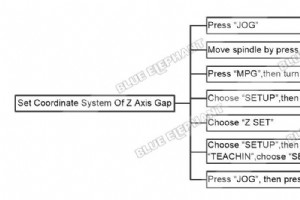
The steps are as follows. Press “JOG” Move spindle by press “X”、“Y”、“Z” Press “MPG”,then turn handwheel Choose “SETUP”,then choose “ATM” Choose “Z SET” Choose “SETUP”,then choose “TEACHIN”,choose “SETX”、“SETY” Press “JOG” Press “Z” The video is as follows.
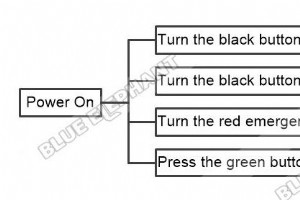
The steps are as follows. Part1 Power On Machine Turn the black button to I-ON Turn the black button to ON Turn the red emergency button Press the green button Part2 Back To Home(Rotary Device) Press “ZRN” Press “Z”for move up the z axis Press “X”for move the X axis to the left Press “Y”for mov

Home » Blog » How To Move Fourth Axis In LNC MW5800A Jack Zhang | Founder at Blue Elephant Hi, Im Jack Zhang, here to share my expertise in CNC Machines with you. February 22, 2025 Linkedin Facebook Youtube X-t
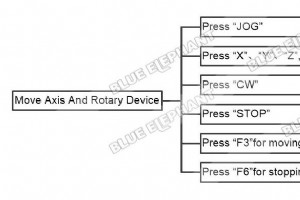
The steps are as follows. Press “JOG” Press “X”、“Y”、“Z”,for move the spindle Press “CW” Press “STOP” Press “F3”for moving rotary device Press “F6”for stopping rotary device The video is as follows.
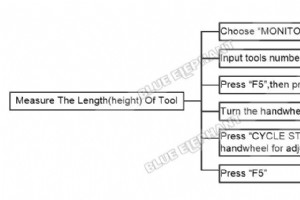
The steps are as follows. Choose “MONITOR”, then choose “MDI” Input tools number, then choose “LOGIN” Press “F5”, then press “MPG DRN” Turn the handwheel for adjusting “FO” and “RTO” Press “CYCLE START”, then turn the handwheel for adjusting X axis and Y axis values Press “F5”
Connect With Us Name Phone Email Country Message For any inquiries, don’t hesitate to contact us at: manager@elephant-cnc.com +86 191 0640 1832
Connect With Us Name Phone Email Country Message For any inquiries, don’t hesitate to contact us at: manager@elephant-cnc.com +86 191 0640 1832
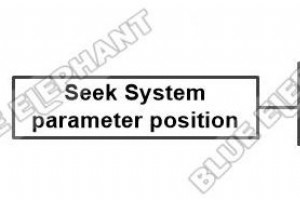
The steps are as follows. Press “Parameter” If you want change parameter4505, press “F2”Manufacturer,input system password “FYRQ” The video is as follows.
Connect With Us Name Phone Email Country Message For any inquiries, don’t hesitate to contact us at: manager@elephant-cnc.com +86 191 0640 1832
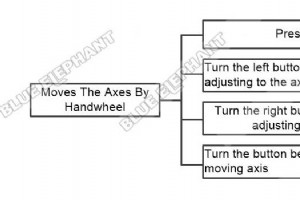
The steps are as follows. Press “Handle” Turn the left button of handwheel,for adjusting to the axis you want to change Turn the right button of handwheel,for adjusting moving speed Turn the button below of handwheel,for moving axis The video is as follows.

Home » Blog » How To Power On Machine In FangLing 2300A Jack Zhang | Founder at Blue Elephant Hi, Im Jack Zhang, here to share my expertise in CNC Machines with you. February 22, 2025 Linkedin Facebook Youtube
The steps are as follows. Press “START” Press “Enter” Press “F5”to increasing CutSpeed Press “F4”to decreasing CutSpeed The video is as follows.
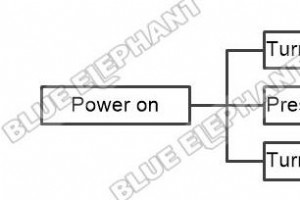
The steps are as follows. Turn the red emergency button on the right Press the green button Turn the red emergency button on the left The video is as follows.
Jack Zhang | Founder at Blue Elephant Hi, Im Jack Zhang, here to share my expertise in CNC Machines with you.
Connect With Us Name Phone Email Country Message For any inquiries, don’t hesitate to contact us at: manager@elephant-cnc.com +86 191 0640 1832
CNC Machine