



Creating Frictionless User Experiences: A UX Design Blueprint
The last thing you want to hear from a user is “I’m breaking up with you.” At our UX design firm, we specialize in identifying and eliminating the subtle friction points that erode user loyalty.
Even when everything seems smooth, unseen usability gaps can quietly erode satisfaction. History is full of examples—think of MySpace’s decline or the search‑engine wars before Google’s dominance—where a lack of external perspective allowed friction to accumulate unnoticed.
Consider a scenario where a user initially struggles with a feature but eventually learns a workaround. They return knowing how to bypass the issue, so the problem goes unaddressed. Then a competitor launches a delightfully intuitive product. The user realizes they never truly enjoyed your solution; they merely tolerated it. Those accumulated irritations push them toward the competitor.
1. Your product is a podium for the user.
Before tackling usability, ensure desirability is first. A great product that users don’t want won’t keep them, no matter how flawless its interactions. Conversely, a highly desired product can survive minor usability hiccups.
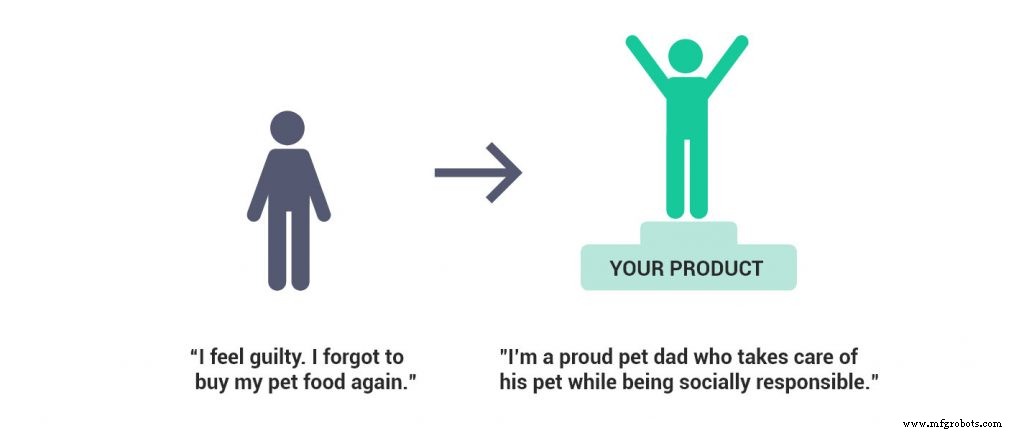
Desirability means your users care about the outcomes, not the mechanics. For example, a pet‑owner app should focus on enabling owners to become the best caregivers and responsible community members.
2. Timing is everything.
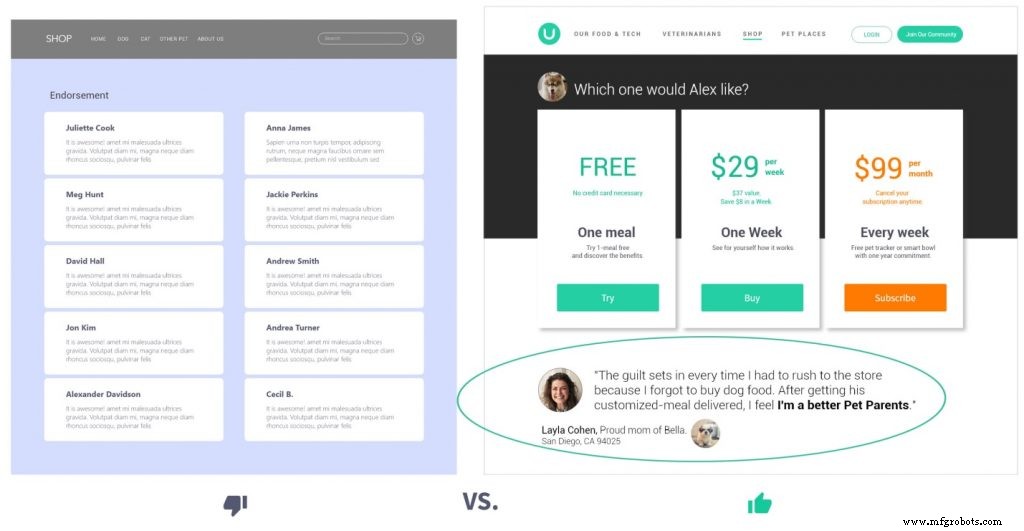
In purchase decisions, the right information at the right moment is decisive. Endorsements, when presented strategically—such as right after a hesitation point—can tip the scale toward conversion.
3. Communication is key in any relationship.
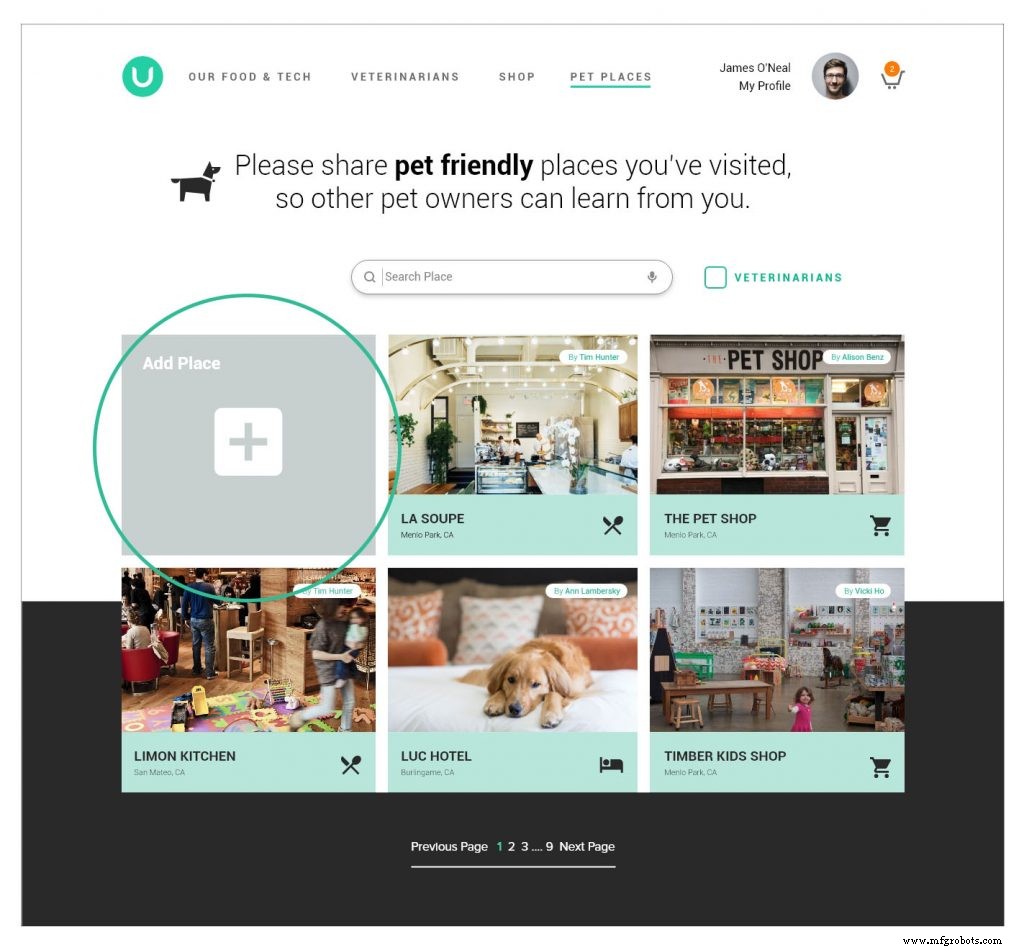
UX is a dialogue. When users hesitate, uncover the root cause—whether it’s a perceived security risk or a missing “no credit card necessary” notice. Tailored messaging, like inviting users to share pet‑friendly locations, turns data collection into a community benefit.
Visual cues also reduce cognitive load. A simple “+” icon guides users to add a place, and a clear shipping timeline (e.g., “Your order will arrive 2–3 business days”) focuses on the information that matters.
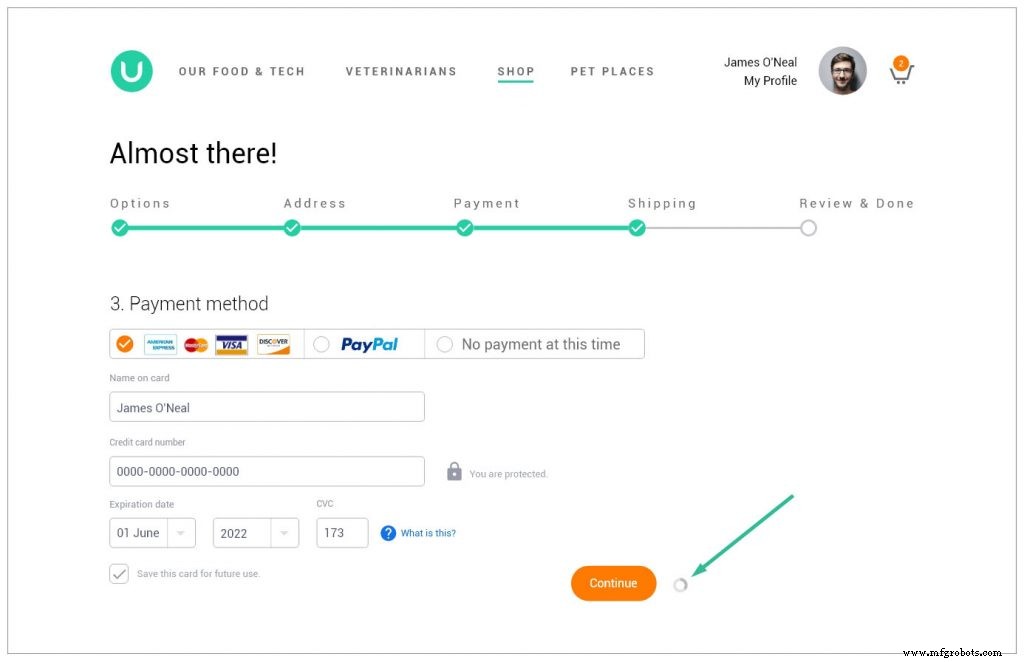
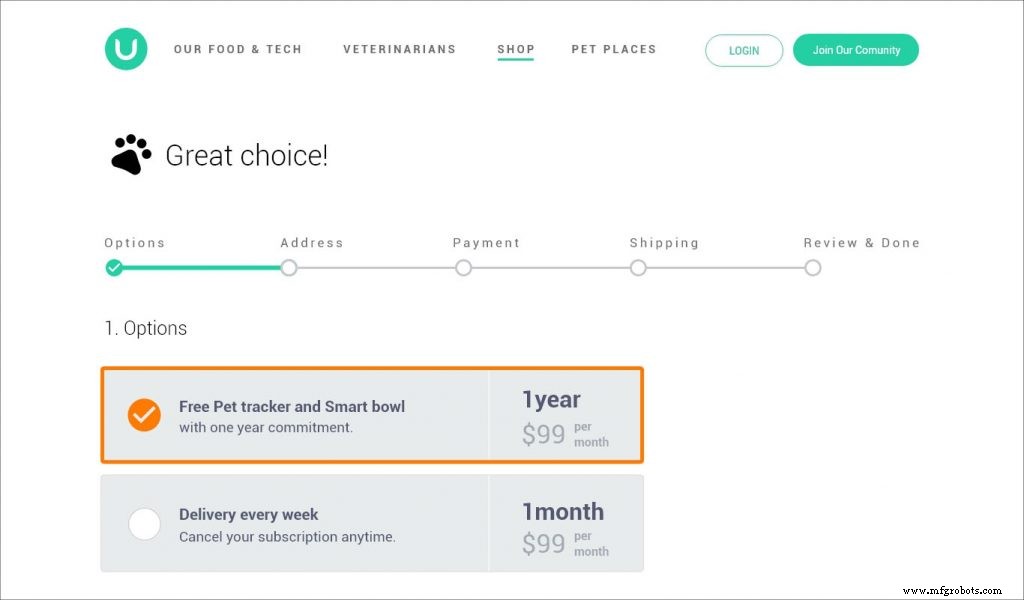
Providing users with a sense of progress keeps the journey engaging and boosts completion rates.
4. What comes first?
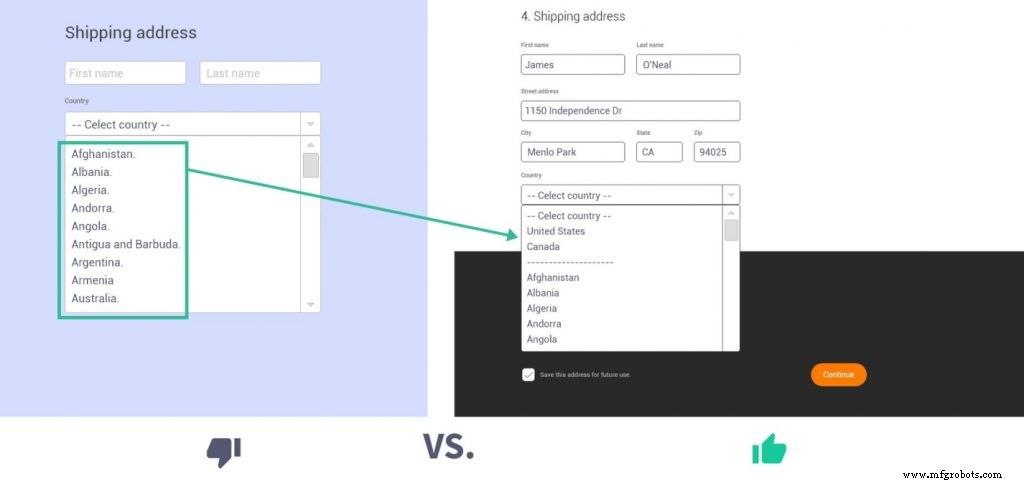
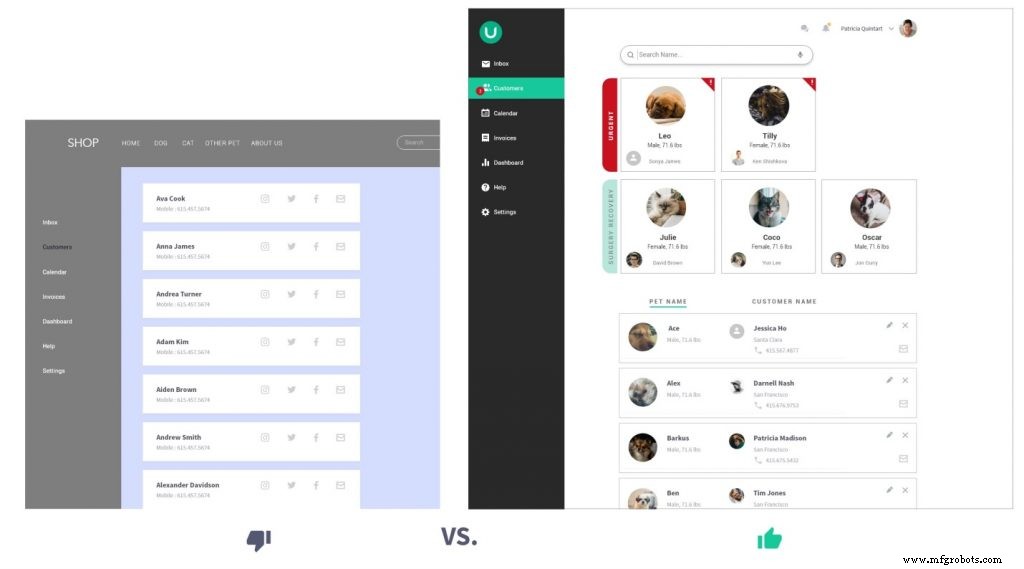
Prioritize the most critical or frequently used information. For a US/Canada audience, list those regions first. If veterinarians need to see urgent patients, display “needs attention” and “recent surgery” entries before alphabetically sorted lists.
5. Micro user experience matters.
Micro interactions—those small, often overlooked moments—collectively shape the overall experience. A misplaced button or an unresponsive input can erode trust faster than a major flaw.
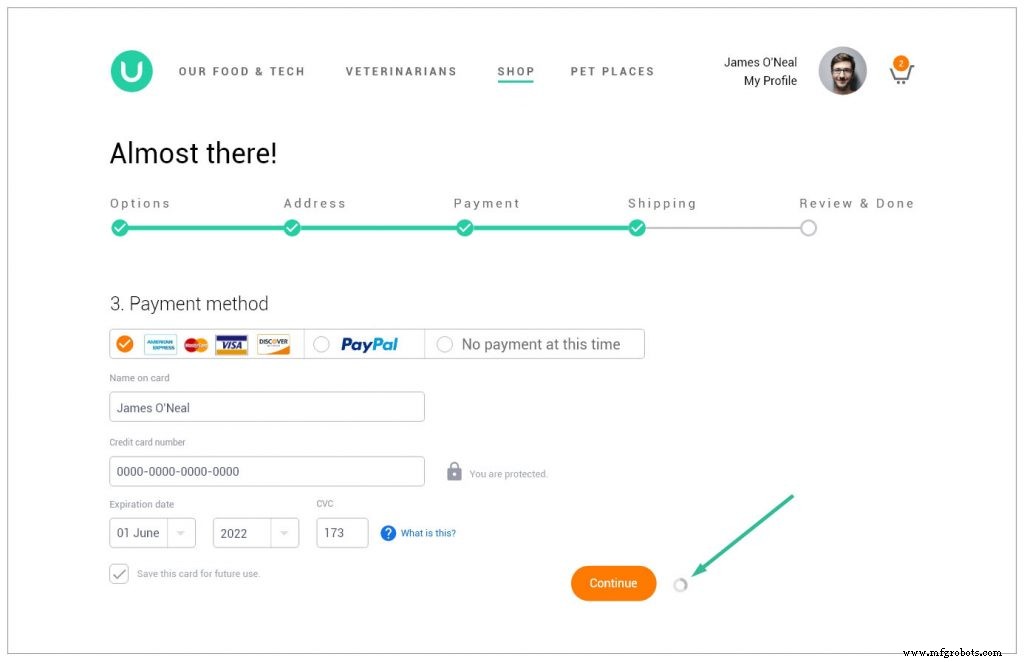
For instance, a subtle visual cue after a credit‑card entry tells users the input was accepted, eliminating uncertainty. Early validation messages during form completion reduce frustration and encourage users to finish the process.
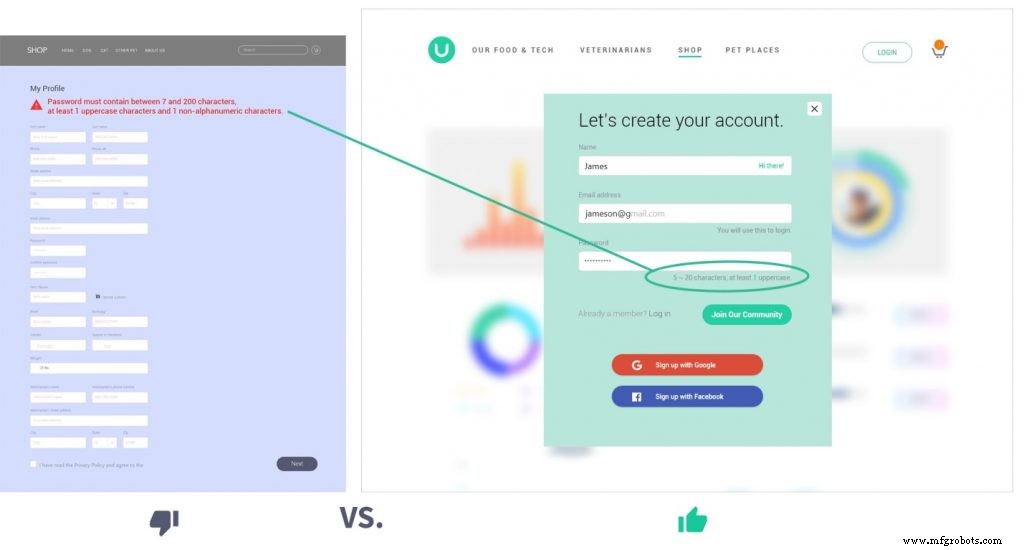
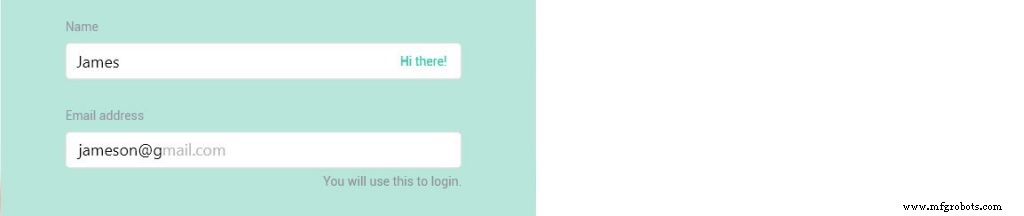
Micro‑contextual writing—such as a warm “Hi there” after a name entry or an “Auto‑suggesting gmail.com” after typing “jameson@g”—makes the interface feel responsive and human.
By weaving micro‑interactions into every touchpoint, you build trust and transform a tolerable product into one that users love. If you lack internal resources, partner with a seasoned UX design firm to guide you.
Explore the DesignRush list of the top 20 digital design companies to find the right partner.
Additional UX Design Firm Resources:
Senior UX Design, Millennial UX Design, Startup UX, UX Design Tips
Manufacturing process
- Mastering the Product Requirements Document (PRD): A Step‑by‑Step Guide
- Creating String Lists in VHDL: Best Practices & Example
- How to Build a Self‑Checking Testbench in VHDL – A Practical Guide
- Build a Reliable Timer in VHDL: Counting Clock Cycles to Hours
- Building a Clock‑Triggered Process in VHDL: A Practical Guide
- Creating Effective Maintenance Work Orders: A Complete Guide
- Creating a Stakeholder‑Focused IoT Product Roadmap
- Creating an Array of Objects in Java: A Step‑by‑Step Guide
- Creating Custom Exceptions in Java: A Step‑by‑Step Guide
- Create a 3D Printing Profile: A Step-by-Step Guide to FDM Success