



Create a Web-Operated Joystick with Arduino UNO & WiFi Shield
Components and supplies
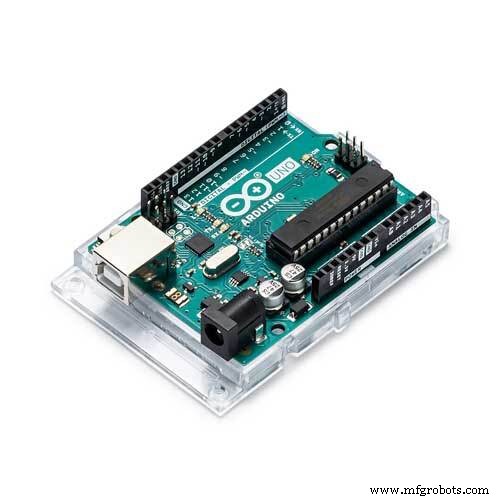 |
| × | 1 | |||
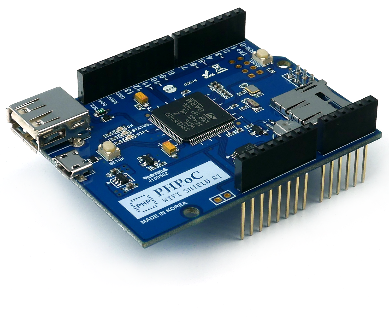 |
| × | 1 | |||
| × | 2 | ||||
| × | 1 |
About this project
If you are a beginner, you can learn:
- Arduino - Servo Motor.
- Arduino - Joystick
We can control everything with this project, but I took the servo motors as an example.
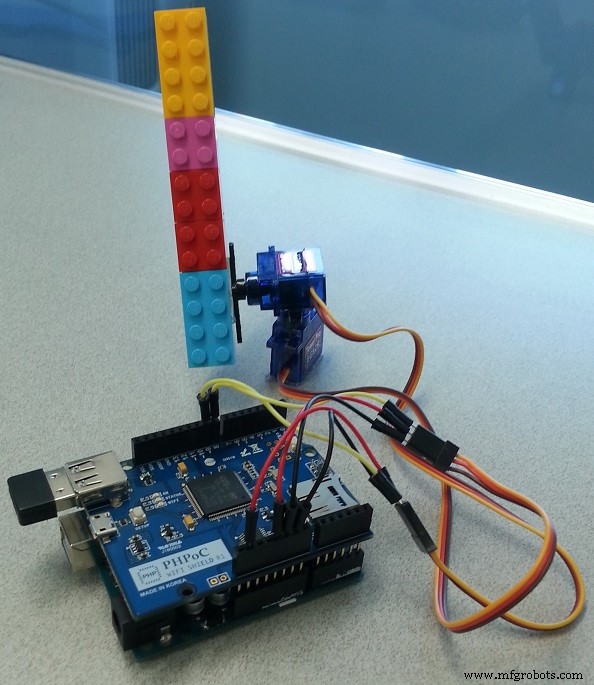
DemoWiring- Stack PHPoC WiFi shield or PHPoC Shield on Arduino
- Connect pin GND and VCC of two servo motors to GND and 5V of Arduino, respectively. (pin IOREF of arduino can be used like 5V pin)
- Connect pin signals of two servo motors to pin 8 and pin 9 of Arduino, respectively.
Web browser ---> PHPoC WiFi Shield ---> Arduino
Web app on web browser will send the coordinate (after scaling) of touch or click event to PHPoC shield via WebSocket. When receiving the data, PHPoC shield automatically passes it to Arduino. Arduino controls two servo motors according to the data received from PHPoC Shield.
Note that: PHPoC shield has a built-in program to pass data from web browser to Arduino. Therefore, we don't need to care about it.
What We Need to Do- Set Wifi information for PHPoC shield (SSID and password)
- Upload new UI to PHPoC shield
- Write Arduino code
Setting Wifi Information for PHPoC Shield
See this instruction.
Upload new Web UI to PHPoC Shield
- Download PHPoC source code remote_joystick.php (on code section).
- Upload it to PHPoC shield using PHPoC debugger according to this instruction.
Write Arduino Code
- Install PHPoC library for Arduino on Arduino IDE (see the instruction )
- See source code in code section.
- Click serial button on Arduino IDE to see the IP address.
- Open web browser, type
http://replace_ip_address/remote_joystick.php - Click connect button and test it.
This project does the same works but it used other hardware platform
The Best Arduino Starter Kit for BeginnerSee The Best Arduino Kit for Beginners
Function References- Arduino - Servo Library
- Servo.attach()
- Servo.write()
- Servo.writeMicroseconds()
- Servo.read()
- Servo.attached()
- Servo.detach()
- Serial.begin()
- Serial.println()
Code
- Arduino Code
- Web User Interface (remote_joystick.php)
Arduino CodeArduino
#include "SPI.h"
#include "Phpoc.h"
#include <Servo.h>

PhpocServer server(80);
Servo servo_x;
Servo servo_y;

void setup() {
	Serial.begin(9600);
	while(!Serial)
		;

	Phpoc.begin(PF_LOG_SPI | PF_LOG_NET);
	//Phpoc.begin();

	server.beginWebSocket("web_joystick");

	Serial.print("WebSocket server address : ");
	Serial.println(Phpoc.localIP());

	servo_x.attach(8);  // attaches the servo on pin 8 to the servo object
	servo_y.attach(9);  // attaches the servo on pin 9 to the servo object

	servo_x.write(90);
	servo_y.write(90);

}

void loop() {
	// wait for a new client:
	PhpocClient client = server.available();

	if (client) {
		String data = client.readLine();

		if(data){
			int pos = data.indexOf(':');
			long x = data.substring(0, pos).toInt();
			long y = data.substring(pos+1).toInt();

			Serial.print("x:");
			Serial.print(x);
			Serial.print(", y:");
			Serial.println(y);

			// scale  from [-100; 100] to [0; 180]
			long angle_x = (x + 100) * 180 /200;
			long angle_y = (y + 100) * 180 /200;

			servo_x.write(angle_x);
			servo_y.write(angle_y);
		}
	}
}
Web User Interface (remote_joystick.php)PHP
<!DOCTYPE html>
<html>
<head>
<title>Arduino - PHPoC Shield</title>
<meta name="viewport" content="width=device-width, initial-scale=0.7, maximum-scale=0.7">
<meta charset="utf-8">
<style>
body { text-align: center; font-size: width/2pt; }
h1 { font-weight: bold; font-size: width/2pt; }
h2 { font-weight: bold; font-size: width/2pt; }
button { font-weight: bold; font-size: width/2pt; }
</style>
<script>
var canvas_width = 500, canvas_height = 500;
var radius_base = 150;
var radius_handle = 72;
var radius_shaft = 120;
var range = canvas_width/2 - 10;
var step = 18;
var ws;
var joystick = {x:0, y:0};
var click_state = 0;

var ratio = 1;

function init()
{
	var width = window.innerWidth;
	var height = window.innerHeight;

	if(width < height)
		ratio = (width - 50) / canvas_width;
	else
		ratio = (height - 50) / canvas_width;

	canvas_width = Math.round(canvas_width*ratio);
	canvas_height = Math.round(canvas_height*ratio);
	radius_base = Math.round(radius_base*ratio);
	radius_handle = Math.round(radius_handle*ratio);
	radius_shaft = Math.round(radius_shaft*ratio);
	range = Math.round(range*ratio);
	step = Math.round(step*ratio);

	var canvas = document.getElementById("remote");
	//canvas.style.backgroundColor = "#999999";
	canvas.width = canvas_width;
	canvas.height = canvas_height;

	canvas.addEventListener("touchstart", mouse_down);
	canvas.addEventListener("touchend", mouse_up);
	canvas.addEventListener("touchmove", mouse_move);
	canvas.addEventListener("mousedown", mouse_down);
	canvas.addEventListener("mouseup", mouse_up);
	canvas.addEventListener("mousemove", mouse_move);

	var ctx = canvas.getContext("2d");
	ctx.translate(canvas_width/2, canvas_height/2);
	ctx.shadowBlur = 20;
	ctx.shadowColor = "LightGray";
	ctx.lineCap="round";
	ctx.lineJoin="round";

	update_view();
}
function connect_onclick()
{
	if(ws == null)
	{
		var ws_host_addr = "<?echo _SERVER("HTTP_HOST")?>";
		if((navigator.platform.indexOf("Win") != -1) && (ws_host_addr.charAt(0) == "["))
		{
			// network resource identifier to UNC path name conversion
			ws_host_addr = ws_host_addr.replace(/[\[\]]/g, '');
			ws_host_addr = ws_host_addr.replace(/:/g, "-");
			ws_host_addr += ".ipv6-literal.net";
		}

		ws = new WebSocket("ws://" + ws_host_addr + "/web_joystick", "text.phpoc");
		document.getElementById("ws_state").innerHTML = "CONNECTING";
		ws.onopen = ws_onopen;
		ws.onclose = ws_onclose;
		ws.onmessage = ws_onmessage;
	}
	else
		ws.close();
}
function ws_onopen()
{
	document.getElementById("ws_state").innerHTML = "<font color='blue'>CONNECTED</font>";
	document.getElementById("bt_connect").innerHTML = "Disconnect";
	update_view();
}
function ws_onclose()
{
	document.getElementById("ws_state").innerHTML = "<font color='gray'>CLOSED</font>";
	document.getElementById("bt_connect").innerHTML = "Connect";
	ws.onopen = null;
	ws.onclose = null;
	ws.onmessage = null;
	ws = null;
	update_view();
}
function ws_onmessage(e_msg)
{
	e_msg = e_msg || window.event; // MessageEvent

}
function send_data()
{
	var x = joystick.x, y = joystick.y;
	var joystick_range = range - radius_handle;
	x = Math.round(x*100/joystick_range);
	y = Math.round(-(y*100/joystick_range));

	if(ws != null)
		ws.send(x + ":" + y + "\r\n");
}
function update_view()
{
	var x = joystick.x, y = joystick.y;

	var canvas = document.getElementById("remote");
	var ctx = canvas.getContext("2d");

	ctx.clearRect(-canvas_width/2, -canvas_height/2, canvas_width, canvas_height);

	ctx.lineWidth = 3;
	ctx.strokeStyle="gray";
	ctx.fillStyle = "LightGray";
	ctx.beginPath();
	ctx.arc(0, 0, range, 0, 2 * Math.PI);
	ctx.stroke();
	ctx.fill();

	ctx.strokeStyle="black";
	ctx.fillStyle = "hsl(0, 0%, 35%)";
	ctx.beginPath();
	ctx.arc(0, 0, radius_base, 0, 2 * Math.PI);
	ctx.stroke();
	ctx.fill();

	ctx.strokeStyle="red";

	var lineWidth = radius_shaft;
	var pre_x = pre_y = 0;
	var x_end = x/5;
	var y_end = y/5;
	var max_count  = (radius_shaft - 10)/step;
	var count = 1;

	while(lineWidth >= 10)
	{
		var cur_x = Math.round(count * x_end / max_count);
		var cur_y = Math.round(count * y_end / max_count);
		console.log(cur_x);
		ctx.lineWidth = lineWidth;
		ctx.beginPath();
		ctx.lineTo(pre_x, pre_y);
		ctx.lineTo(cur_x, cur_y);
		ctx.stroke();

		lineWidth -= step;
		pre_x = cur_x;
		pre_y = cur_y;
		count++;
	}

	var x_start = Math.round(x / 3);
	var y_start = Math.round(y / 3);
	lineWidth += step;

	ctx.beginPath();
	ctx.lineTo(pre_x, pre_y);
	ctx.lineTo(x_start, y_start);
	ctx.stroke();

	count = 1;
	pre_x = x_start;
	pre_y = y_start;

	while(lineWidth < radius_shaft)
	{
		var cur_x = Math.round(x_start + count * (x - x_start) / max_count);
		var cur_y = Math.round(y_start + count * (y - y_start) / max_count);
		ctx.lineWidth = lineWidth;
		ctx.beginPath();
		ctx.lineTo(pre_x, pre_y);
		ctx.lineTo(cur_x, cur_y);
		ctx.stroke();

		lineWidth += step;
		pre_x = cur_x;
		pre_y = cur_y;
		count++;
	}

	var grd = ctx.createRadialGradient(x, y, 0, x, y, radius_handle);
	for(var i = 85; i >= 50; i-=5)
		grd.addColorStop((85 - i)/35, "hsl(0, 100%, "+ i + "%)");

	ctx.fillStyle = grd;
	ctx.beginPath();
	ctx.arc(x, y, radius_handle, 0, 2 * Math.PI);
	ctx.fill();
}
function process_event(event)
{
	var pos_x, pos_y;
	if(event.offsetX)
	{
		pos_x = event.offsetX - canvas_width/2;
		pos_y = event.offsetY - canvas_height/2;
	}
	else if(event.layerX)
	{
		pos_x = event.layerX - canvas_width/2;
		pos_y = event.layerY - canvas_height/2;
	}
	else
	{
		pos_x = (Math.round(event.touches[0].pageX - event.touches[0].target.offsetLeft)) - canvas_width/2;
		pos_y = (Math.round(event.touches[0].pageY - event.touches[0].target.offsetTop)) - canvas_height/2;
	}

	return {x:pos_x, y:pos_y}
}
function mouse_down()
{
	if(ws == null)
		return;

	event.preventDefault();

	var pos = process_event(event);

	var delta_x = pos.x - joystick.x;
	var delta_y = pos.y - joystick.y;

	var dist = Math.sqrt(delta_x*delta_x + delta_y*delta_y);

	if(dist > radius_handle)
		return;

	click_state = 1;

	var radius = Math.sqrt(pos.x*pos.x + pos.y*pos.y);

	if(radius <(range - radius_handle))
	{
		joystick = pos;
		send_data();
		update_view();
	}
}
function mouse_up()
{
	event.preventDefault();
	click_state = 0;
}
function mouse_move()
{
	if(ws == null)
		return;

	event.preventDefault();

	if(!click_state)
		return;

	var pos = process_event(event);

	var radius = Math.sqrt(pos.x*pos.x + pos.y*pos.y);

	if(radius <(range - radius_handle))
	{
		joystick = pos;
		send_data();
		update_view();
	}
}
window.onload = init;
</script>
</head>

<body>

<p>
<h1>Arduino - Web-based Joystick</h1>
</p>

<canvas id="remote"></canvas>

<h2>
<p>
WebSocket : <span id="ws_state">null</span>
</p>
<button id="bt_connect" type="button" onclick="connect_onclick();">Connect</button>
</h2>

</body>
</html>
Schematics
Manufacturing process
- Transform an Old RC Car into a Joystick‑Controlled Vehicle with Arduino
- Control Two Stepper Motors with Arduino Nano & Joystick – Simple Tutorial
- Arduino Web‑Controlled MP3 Player: Easy Audio Playback via Browser
- Secure Your Arduino with Web Pattern Unlock – Easy Setup & Remote Control
- Build a Custom Arduino Joystick Steering Wheel for Gaming
- Create a Web-Operated Joystick with Arduino UNO & WiFi Shield
- Build a Web-Enabled Arduino Thermometer with DS18B20 Sensor
- Build a Web-Enabled Arduino Car Race Brick Game
- Build a Web-Based Two-Player Game with Arduino UNO & PHPoC WiFi Shield
- Build an Arduino Joystick Module: A Step-by-Step Guide