



BeeMonitor: Smart Beekeeping Management App
Components and supplies
 |
| × | 1 | |||
 |
| × | 1 |
Apps and online services
 |
| |||
 |
| |||
 |
|
About this project
IntroductionWe will present the development of a bee control application that helps the beekeeper in the efficient production of honey and other products. The application covers the field of beekeeping. We see the motivation in helping the beekeeper to control the bees and be as effective as possible. This would make it easier for the beekeeper to work long hours on individual hives. The idea is that based on temperature and humidity, the app offers insight into the state of the bee family in a particular hive and detection of a special event called swarming. This is an event in which the bee family is divided into two parts. One part stays in the hive and the other leaves the hive and finds a new home. The first part remains in the hive and waits for the new queen to hatch, while the second half leaves the hive together with the old queen. Here it is important that the beekeeper takes timely action. He would be helped in this by a bee control application, which recognizes such an event on the basis of the sound processing of bee buzzing.
SolutionSince an individual beekeeper usually has large quantities of hives and consequently also many beehives, manual inspection of an individual hive requires a lot of time. With the help of our application, the beekeeper connects to individual hives via a mobile terminal and Bluetooth connection, where he can view the health of the bee family. In addition, the application will warn the beekeeper in cases of swarms that he will be able to take timely action and the bees will not escape into nature, which would reduce honey production.
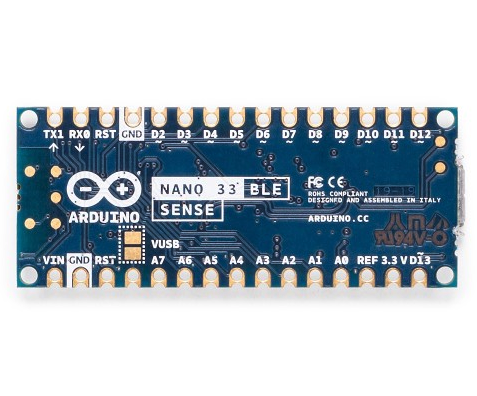
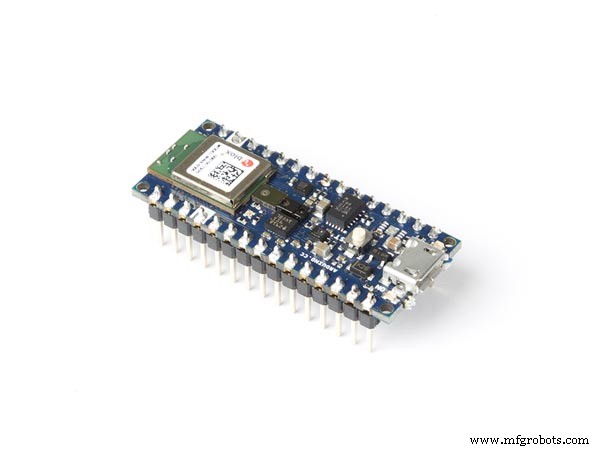
DescriptionThe system consists of an Arduino Nano BLE 33 Sense microcontroller, which also contains a microphone on its printed circuit board. With the help of an algorithm running on a micro-controller, the controller listens to the buzzing of bees and, with the help of a learned model, recognizes the difference in the buzzing of bees, when the queen is present in the hive and when it is not. In addition to birth detection, the Arduino also includes a temperature and humidity sensor. With the help of this data we can determine the condition or the health of the bee family located in the hive. Since the goal was low energy consumption, the system measures the condition only a few times a day, or in the time periods between 10 a.m. and 1 p.m., where the chance of swarning is greatest. The rest of the day, the device is mostly idle and does not consume energy.
Machine learning modelDescription EdgeImpulse procedure
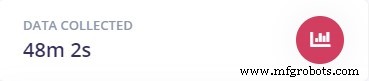
- Capture data using a microphone
First, we captured the buzzing of the bees using a microphone to collect data that formed the basis for a learning model.
- Spectral analysis of sounds
The data were then processed using a spectrogram.
- Building a model using a neural network
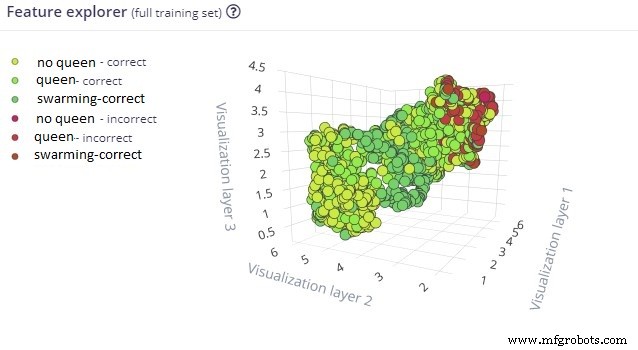
The spectrogram was the input to the neural network, which was used to train the model. After a long recalculation, we got the results, which were given in a matrix showing the recognition performance of the model.
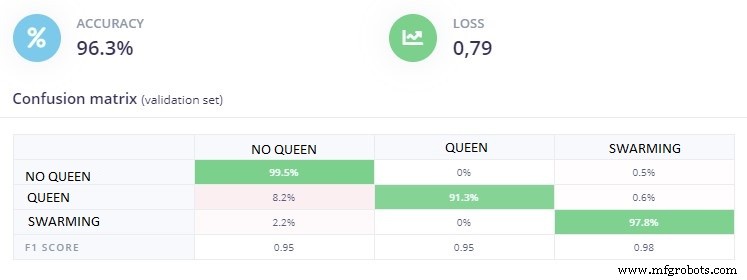
The graph below shows how the model performs based on the data captured.
- Create a library and upload to the Arduino
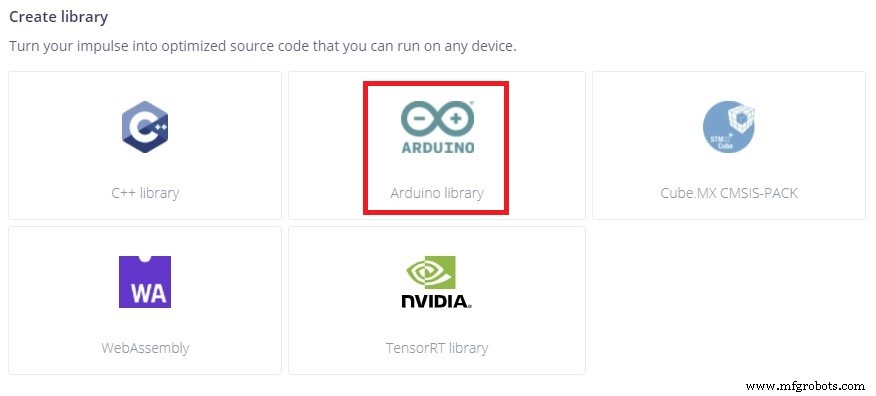
Finally, we created a library to be uploaded to the Arduino board.
- Arduino Nano BLE 33 Sense
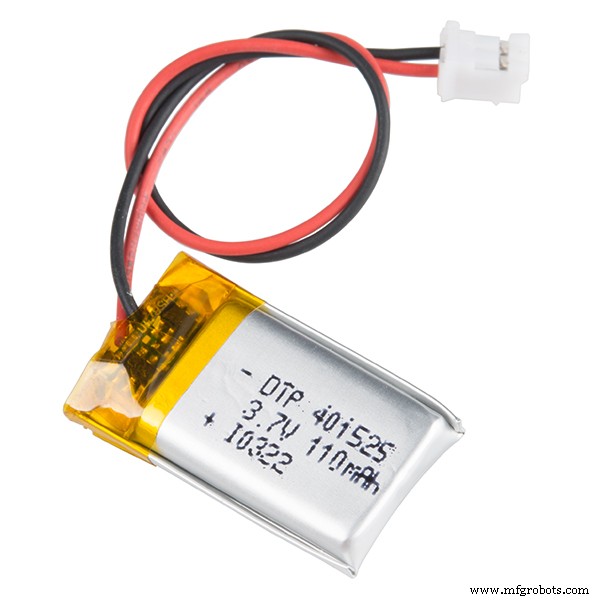
- Battery power
- Android mobile terminal
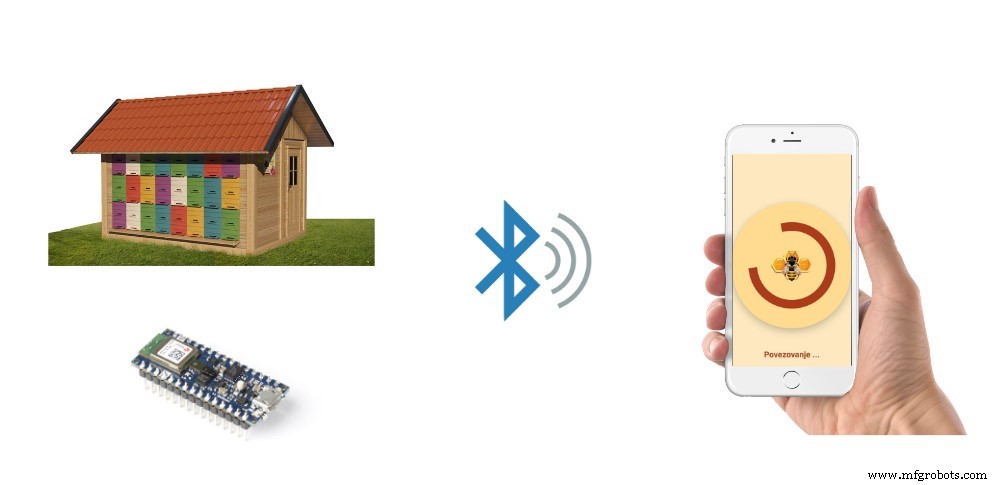
For receiving data from Arduino to application on Android phone we used bluetooth connectivity option. Arduino Nano BLE 33 Sense offers bluetooth module on his circuit board. This communication allows you to connect to the Arduino inside the hive and have distance from hive where is no risk of bee stings.

Next, we have designed the Android app we need to connect to the Arduino Nano BLE 33 Sense and start downloading data and alerts about the status of the bee family.
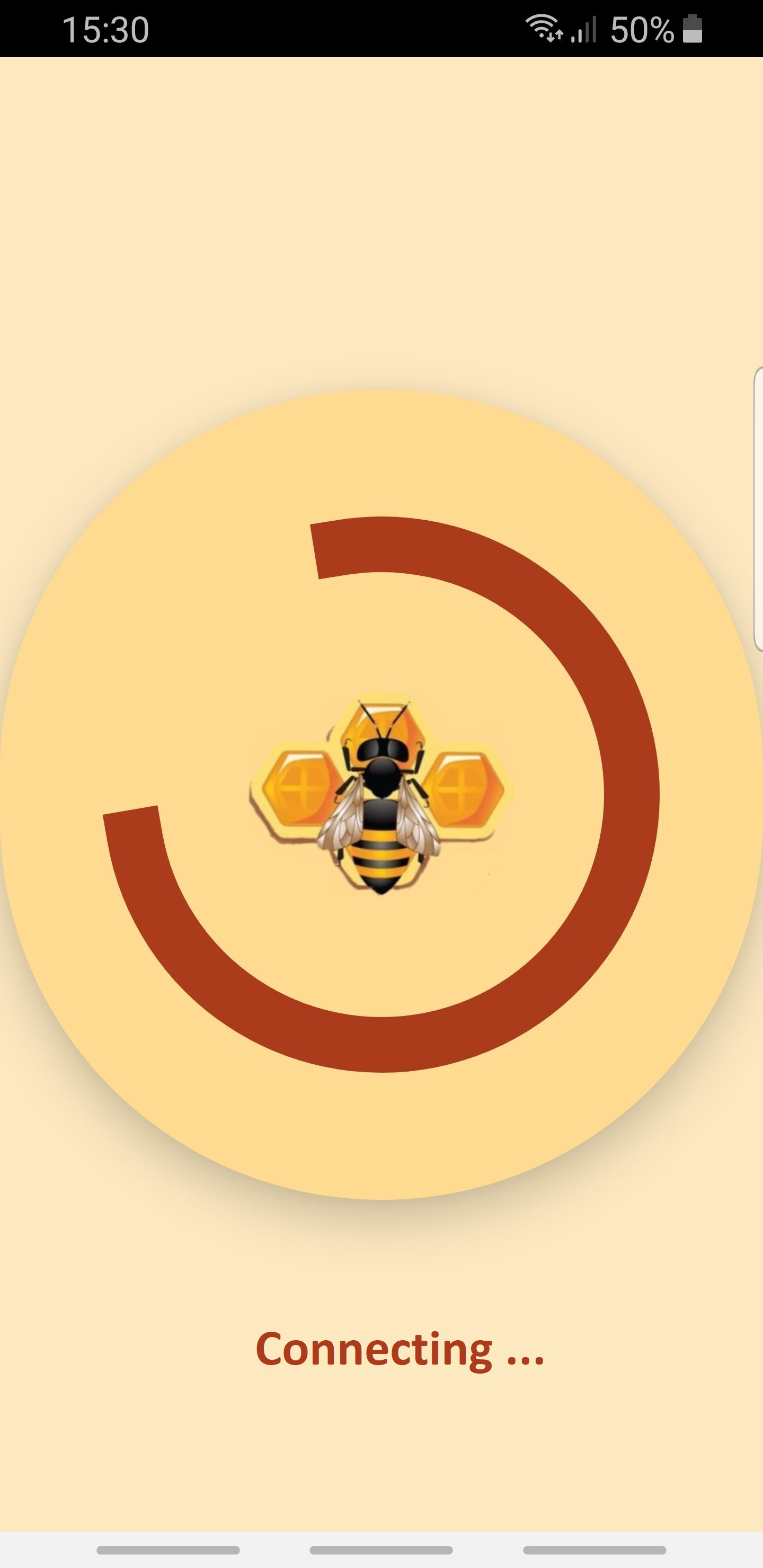
1. Connecting to the device in the hive
2. Main screen with temperature and humidity data and event alerts.
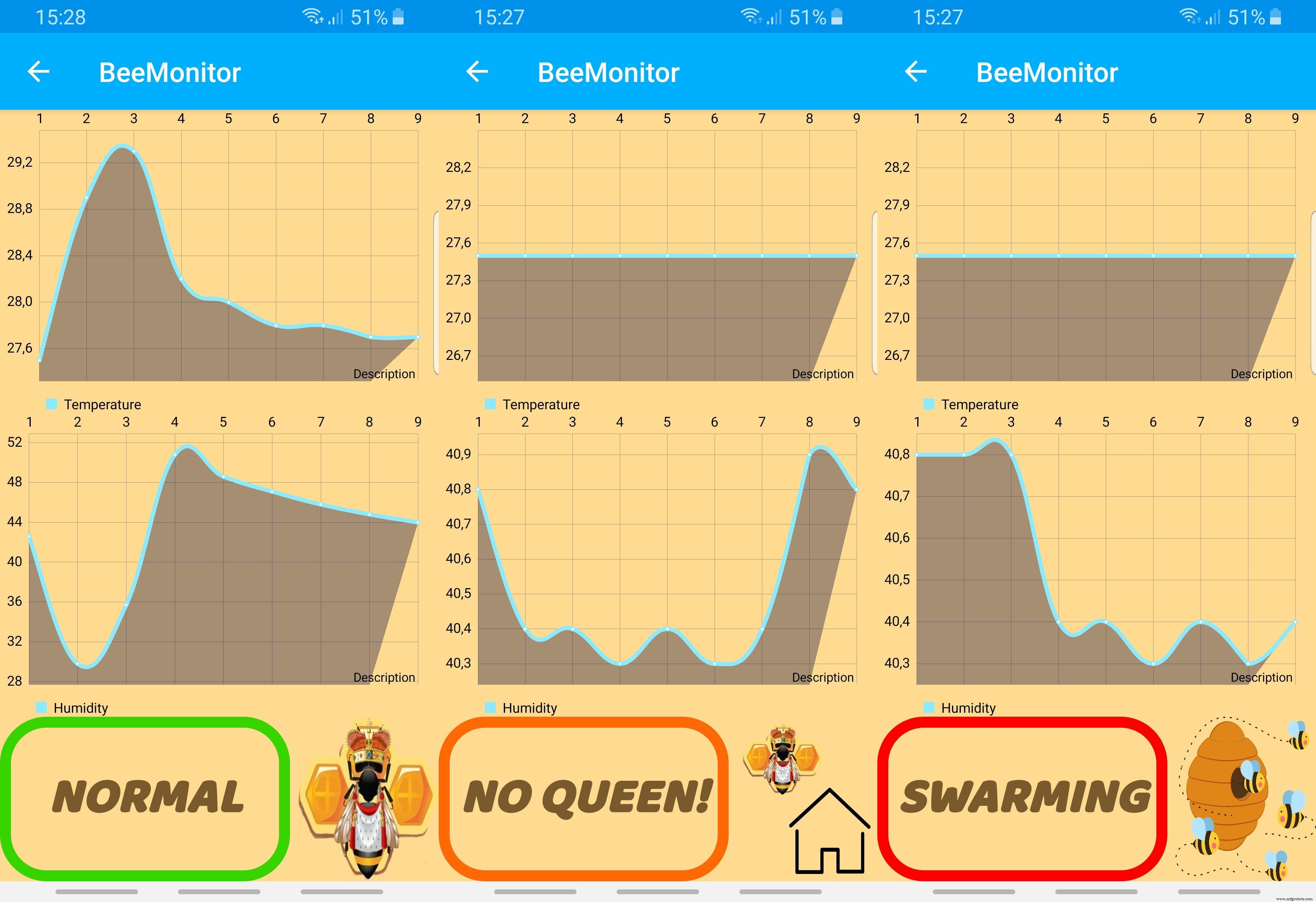
Below you can see alerts that Arduino device send to the Android aplication.

Instructions for testing our system.
Step 1Downloading the.ino program environment for programming the Arduino ble 33 sense. Compile code and send it to the Arduino board.

https://www.arduino.cc/en/software
Step 2Download the app to your Android device (.apk file in attachment)
Step 3Install Arduino device in the hive.
Step 4Connecting to the device with bluetooth connection
- Improving the machine learning model by increasing the database of bee buzzing.
- Add extra features to the Android app
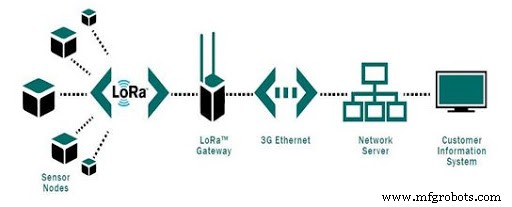
- We see improvements in building a database of hive information on the LoraWan network, where data could be sent to a server and accessed anywhere, anytime.
We are happy to present our idea and share with you a project that you can try in your own environment. We believe that we are on the right track to making beekeeper's work easier with further improvements. You can also contribute to improving the model by increasing the database of bee buzz recordings. This will make the system more accurate and less sensitive to interference. Thank you!
Code
- Arduino Nano ble 33 sense
- ei-smartbees-arduino-1.0.6.zip
Arduino Nano ble 33 senseC/C++
/* Edge Impulse Arduino examples
Copyright (c) 2021 EdgeImpulse Inc.
Permission is hereby granted, free of charge, to any person obtaining a copy
of this software and associated documentation files (the "Software"), to deal
in the Software without restriction, including without limitation the rights
to use, copy, modify, merge, publish, distribute, sublicense, and/or sell
copies of the Software, and to permit persons to whom the Software is
furnished to do so, subject to the following conditions:
The above copyright notice and this permission notice shall be included in
all copies or substantial portions of the Software.
THE SOFTWARE IS PROVIDED "AS IS", WITHOUT WARRANTY OF ANY KIND, EXPRESS OR
IMPLIED, INCLUDING BUT NOT LIMITED TO THE WARRANTIES OF MERCHANTABILITY,
FITNESS FOR A PARTICULAR PURPOSE AND NONINFRINGEMENT. IN NO EVENT SHALL THE
AUTHORS OR COPYRIGHT HOLDERS BE LIABLE FOR ANY CLAIM, DAMAGES OR OTHER
LIABILITY, WHETHER IN AN ACTION OF CONTRACT, TORT OR OTHERWISE, ARISING FROM,
OUT OF OR IN CONNECTION WITH THE SOFTWARE OR THE USE OR OTHER DEALINGS IN THE
SOFTWARE.
*/
// If your target is limited in memory remove this macro to save 10K RAM
#define EIDSP_QUANTIZE_FILTERBANK 0
/* Includes ---------------------------------------------------------------- */
#include <PDM.h>
#include <smartbees_inference.h>
#include <ArduinoBLE.h>
#include <ArduinoJson.h>
#include <Arduino_HTS221.h>
#define BLE_UUID_STRING "1A3AC131-31EF-758B-BC51-54A61958EF82"
#define BLE_UUID_TEST_SERVICE "9A48ECBA-2E92-082F-C079-9E75AAE428B1"
/** Audio buffers, pointers and selectors */
typedef struct {
int16_t *buffer;
uint8_t buf_ready;
uint32_t buf_count;
uint32_t n_samples;
} inference_t;
static inference_t inference;
static signed short sampleBuffer[2048];
static bool debug_nn = false; // Set this to true to see e.g. features generated from the raw signal
BLEDevice central;
BLEService service(BLE_UUID_TEST_SERVICE);
BLEStringCharacteristic serviceOutput(BLE_UUID_STRING, BLERead | BLENotify, 200);
/**
@brief Arduino setup function
*/
void setup()
{
// put your setup code here, to run once:
Serial.begin(115200);
while (!Serial);
pinMode(LED_BUILTIN, OUTPUT);
if (!BLE.begin()) {
Serial.println("starting BLE failed!");
while (1);
}
BLE.setLocalName("BeeHive");
BLE.setAdvertisedService(service);
service.addCharacteristic(serviceOutput);
BLE.addService(service);
BLE.advertise();
Serial.println("Bluetooth device active, waiting for connections...");
if (!HTS.begin()) {
Serial.println("Failed to initialize humidity temperature sensor!");
while (1);
}
if (microphone_inference_start(EI_CLASSIFIER_RAW_SAMPLE_COUNT) == false) {
ei_printf("ERR: Failed to setup audio sampling\r\n");
return;
}
}
/**
@brief Arduino main function. Runs the inferencing loop.
*/
void loop()
{
central = BLE.central();
if (central) {
Serial.print("Connected to central: ");
Serial.println(central.address());
digitalWrite(LED_BUILTIN, HIGH);
while (central.connected()) {
ei_printf("Starting inferencing in 2 seconds...\n");
delay(2000);
ei_printf("Recording...\n");
bool m = microphone_inference_record();
if (!m) {
ei_printf("ERR: Failed to record audio...\n");
return;
}
float temperature = HTS.readTemperature();
float humidity = HTS.readHumidity();
StaticJsonDocument<600> doc;
doc["temperature"] = (round(temperature*10)/10.0);
doc["humidity"] = (round(humidity*10)/10.0);
doc["event"] = "";
ei_printf("Recording done\n");
signal_t signal;
signal.total_length = EI_CLASSIFIER_RAW_SAMPLE_COUNT;
signal.get_data = µphone_audio_signal_get_data;
ei_impulse_result_t result = { 0 };
EI_IMPULSE_ERROR r = run_classifier(&signal, &result, debug_nn);
if (r != EI_IMPULSE_OK) {
ei_printf("ERR: Failed to run classifier (%d)\n", r);
return;
}
// print the predictions
ei_printf("Predictions ");
ei_printf("(DSP: %d ms., Classification: %d ms., Anomaly: %d ms.)",
result.timing.dsp, result.timing.classification, result.timing.anomaly);
ei_printf(": \n");
float predictions[3];
for (size_t ix = 0; ix < EI_CLASSIFIER_LABEL_COUNT; ix++) {
predictions[ix] = (round(result.classification[ix].value * 10) / 10.0);
//data.add((round(result.classification[ix].value*10)/10.0));
}
int maximal = 0, index = 0;
for (int i = 0; i < 3; i++) {
if (maximal < predictions[i]) {
maximal = predictions[i];
index = i;
}
}
switch (index) {
case (0): doc["event"] = "MATICA"; break;
case (1): doc["event"] = "NIMATICE"; break;
case (2): doc["event"] = "ROJENJE"; break;
default: doc["event"] = "ERROR"; break;
}
String json;
serializeJson(doc, json);
if (central.connected()) serviceOutput.writeValue(json);
#if EI_CLASSIFIER_HAS_ANOMALY == 1
ei_printf(" anomaly score: %.3f\n", result.anomaly);
#endif
Serial.print("Temperature = ");
Serial.print(temperature);
Serial.println(" °C");
Serial.print("Humidity = ");
Serial.print(humidity);
Serial.println(" %");
}
digitalWrite(LED_BUILTIN, LOW);
Serial.print("Disconnected from central: ");
Serial.println(central.address());
}
}
/**
@brief Printf function uses vsnprintf and output using Arduino Serial
@param[in] format Variable argument list
*/
void ei_printf(const char *format, ...) {
static char print_buf[1024] = { 0 };
va_list args;
va_start(args, format);
int r = vsnprintf(print_buf, sizeof(print_buf), format, args);
va_end(args);
if (r > 0) {
Serial.write(print_buf);
}
}
/**
@brief PDM buffer full callback
Get data and call audio thread callback
*/
static void pdm_data_ready_inference_callback(void)
{
int bytesAvailable = PDM.available();
// read into the sample buffer
int bytesRead = PDM.read((char *)&sampleBuffer[0], bytesAvailable);
if (inference.buf_ready == 0) {
for (int i = 0; i < bytesRead >> 1; i++) {
inference.buffer[inference.buf_count++] = sampleBuffer[i];
if (inference.buf_count >= inference.n_samples) {
inference.buf_count = 0;
inference.buf_ready = 1;
break;
}
}
}
}
/**
@brief Init inferencing struct and setup/start PDM
@param[in] n_samples The n samples
@return { description_of_the_return_value }
*/
static bool microphone_inference_start(uint32_t n_samples)
{
inference.buffer = (int16_t *)malloc(n_samples * sizeof(int16_t));
if (inference.buffer == NULL) {
return false;
}
inference.buf_count = 0;
inference.n_samples = n_samples;
inference.buf_ready = 0;
// configure the data receive callback
PDM.onReceive(&pdm_data_ready_inference_callback);
// optionally set the gain, defaults to 20
PDM.setGain(80);
PDM.setBufferSize(4096);
// initialize PDM with:
// - one channel (mono mode)
// - a 16 kHz sample rate
if (!PDM.begin(1, EI_CLASSIFIER_FREQUENCY)) {
ei_printf("Failed to start PDM!");
microphone_inference_end();
return false;
}
return true;
}
/**
@brief Wait on new data
@return True when finished
*/
static bool microphone_inference_record(void)
{
inference.buf_ready = 0;
inference.buf_count = 0;
while (inference.buf_ready == 0) {
//delay(10);
delay(2000);
}
return true;
}
/**
Get raw audio signal data
*/
static int microphone_audio_signal_get_data(size_t offset, size_t length, float *out_ptr)
{
numpy::int16_to_float(&inference.buffer[offset], out_ptr, length);
return 0;
}
/**
@brief Stop PDM and release buffers
*/
static void microphone_inference_end(void)
{
PDM.end();
free(inference.buffer);
}
#if !defined(EI_CLASSIFIER_SENSOR) || EI_CLASSIFIER_SENSOR != EI_CLASSIFIER_SENSOR_MICROPHONE
#error "Invalid model for current sensor."
#endif
ei-smartbees-arduino-1.0.6.zipC/C++
Library with machine learning modelNo preview (download only).
Andorid application
https://github.com/TCodingB/BeeMonitor.gitApk file for Android device
https://github.com/TCodingB/BeeMonitor/tree/main/apk/debugManufacturing process
- What is VMC Machining? An Expert Overview of Vertical Machining Centers
- Expert Guide to Aluminum Laser Marking: Precision, Durability, and Industry Applications
- MIG vs. TIG Welding: Selecting the Right Arc Welding Technique for Your Project
- Comprehensive Guide to Laser Marking: Types, Benefits, and Applications
- Key Considerations for High‑Volume Swiss Machining
- CNC Prototyping Guide: Precision, Speed, and Cost‑Effective Production
- Expert Shaft Manufacturing: Precision Processes & Custom Solutions
- Fiber Laser Marking: Precision, Speed, and Versatility for Modern Industries
- Electropolishing vs. Passivation: Choosing the Right Stainless Steel Finishing
- BeeMonitor: Smart Beekeeping Management App