



Mastering the C++ break Statement
Mastering the C++ break Statement
Discover how the break keyword stops loop execution in C++, complete with step‑by‑step examples.
In C++, the break keyword immediately exits the innermost loop or switch block in which it appears.
The syntax is straightforward:
break;Before diving into break, be comfortable with:
How break Works in C++
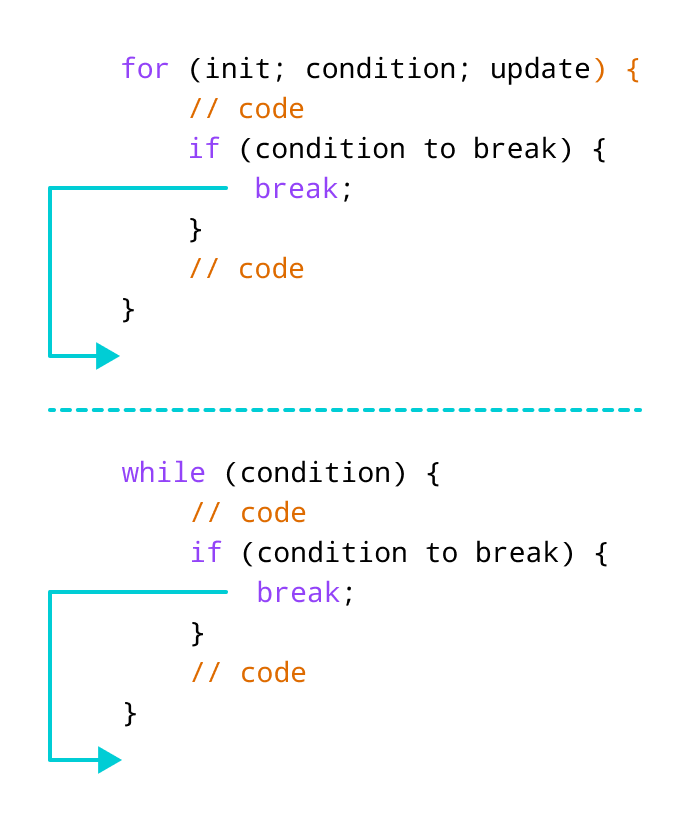
Example 1: break Inside a for Loop
#include <iostream>
using namespace std;

int main() {
    for (int i = 1; i <= 5; ++i) {
        if (i == 3) {
            break;
        }
        cout << i << endl;
    }
    return 0;
}
Output
1
2
Here, the loop prints values of i until i equals 3. When the condition i == 3 is met, break terminates the loop, preventing any further output.
Tip: Use break inside conditional statements to exit loops early when a specific state is reached.
Example 2: break Inside a while Loop
#include <iostream>
using namespace std;

int main() {
    int number, sum = 0;

    while (true) {
        cout << "Enter a number: ";
        cin >> number;

        if (number < 0) {
            break;
        }
        sum += number;
    }

    cout << "The sum is " << sum << endl;
    return 0;
}
Output
Enter a number: 1
Enter a number: 2
Enter a number: 3
Enter a number: -5
The sum is 6.
In this example, the infinite while loop terminates as soon as the user enters a negative number. Only positive values are added to sum.
Using break with Nested Loops
When placed inside nested loops, break exits only the innermost loop. The outer loop continues normally.
#include <iostream>
using namespace std;

int main() {
    for (int i = 1; i <= 3; ++i) {
        for (int j = 1; j <= 3; ++j) {
            if (i == 2) {
                break;  // exits inner loop
            }
            cout << "i = " << i << ", j = " << j << endl;
        }
    }
    return 0;
}
Output
i = 1, j = 1
i = 1, j = 2
i = 1, j = 3
i = 3, j = 1
i = 3, j = 2
i = 3, j = 3
The statement if (i == 2) triggers a break that stops only the inner loop, so all iterations where i equals 2 are omitted from the output.
The break keyword also plays a vital role in switch statements to prevent fall‑through. For more on that, see C++ switch statement.
C Language
- Mastering the C# Switch Statement: Syntax, Examples & Best Practices
- C# Break Statement: How & When to Use It
- Mastering the C# Continue Statement: How to Skip Loop Iterations Effectively
- Master C++ Conditional Statements: if, if...else, and Nested if...else Explained
- Mastering C++ Continue Statement: Practical Examples & Loop Control
- Mastering the C++ Switch‑Case Statement: Syntax, Workflow, and Practical Examples
- Java Break Statement: How, When, and Labeled Breaks Explained
- Mastering C++ Switch‑Case: Syntax, Usage, and Practical Examples
- Understanding C++ Loop Types: For, While, Do-While Explained
- Mastering Decision-Making in C++: If, Switch, and More