



Master Java LinkedHashMap: Creation, Operations, and Performance Comparison
Master Java LinkedHashMap: Creation, Operations, and Performance Comparison
Discover how to create, manipulate, and compare Java’s LinkedHashMap with real-world examples and best practices.
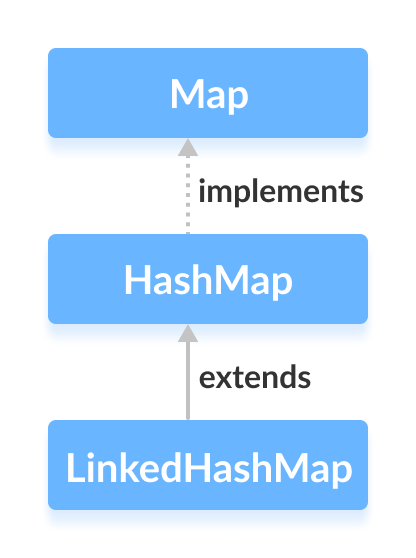
The LinkedHashMap class in Java’s collections framework combines the fast lookups of a hash table with a predictable iteration order, thanks to an internal doubly-linked list that preserves insertion or access order.
Creating a LinkedHashMap
To use a LinkedHashMap, import java.util.LinkedHashMap and instantiate it. The constructor accepts initial capacity, load factor, and an optional accessOrder flag.
// LinkedHashMap with initial capacity 8 and load factor 0.6
LinkedHashMap<Key, Value> numbers = new LinkedHashMap<>(8, 0.6f);
Parameters:
- capacity – the number of buckets; default is 16.
- loadFactor – triggers resizing when the table is 60% full; default is 0.75.
- accessOrder –
falsefor insertion order,truefor least‑to‑most recent access order.
Example with default settings:
LinkedHashMap<Key, Value> defaultMap = new LinkedHashMap<>();
Creating a LinkedHashMap from Existing Maps
Copy an existing map into a LinkedHashMap to preserve order:
LinkedHashMap<String, Integer> evenNumbers = new LinkedHashMap<>();
evenNumbers.put("Two", 2);
evenNumbers.put("Four", 4);

LinkedHashMap<String, Integer> numbers = new LinkedHashMap<>(evenNumbers);
numbers.put("Three", 3);
Output:
LinkedHashMap1: {Two=2, Four=4}
LinkedHashMap2: {Two=2, Four=4, Three=3}
Key Operations
Insert Elements
put(key, value)– add or replace a mapping.putIfAbsent(key, value)– add only if the key is missing.putAll(map)– merge another map.
LinkedHashMap<String, Integer> numbers = new LinkedHashMap<>();
numbers.put("One", 1);
numbers.putIfAbsent("Two", 2);
numbers.putAll(evenNumbers);
Access Elements
Retrieve keys, values, or entries:
entrySet()– all key/value pairs.keySet()– all keys.values()– all values.get(key)– value ornullif missing.getOrDefault(key, default)– safe retrieval with a fallback.
int val = numbers.get("Three");
int def = numbers.getOrDefault("Five", 5);
Remove Elements
remove(key)– delete by key.remove(key, value)– delete only if the value matches.clear()– wipe the map.containsKey(key)– existence check.containsValue(value)– existence check.size()– number of entries.isEmpty()– emptiness check.
LinkedHashMap vs. HashMap
- LinkedHashMap preserves insertion or access order; HashMap does not.
- LinkedHashMap uses extra memory for node links.
- LinkedHashMap’s iteration is slightly slower but offers predictable ordering.
Mastering Java HashMap: Operations, Examples, and Best Practices
Java WeakHashMap – Understanding, Usage, and Key Differences
Java
- Master Java Operators: Types, Syntax, & Practical Examples
- Java Comments: Types, Usage, and Best Practices
- Mastering Java if…else: Control Flow Explained
- Mastering the Java Enhanced For Loop: Syntax, Examples, and Best Practices
- Java Break Statement: How, When, and Labeled Breaks Explained
- Mastering Java's super Keyword: Advanced Usage & Practical Examples
- Mastering Java Interfaces: Concepts, Implementation, and Best Practices
- Mastering Java Try‑with‑Resources: Automatic Resource Management Explained
- Java Annotations Explained: Types, Placement, and Practical Examples
- Master Java LinkedHashMap: Creation, Operations, and Performance Comparison