



Java SortedMap Interface: Overview, Methods, and TreeMap Implementation
Java SortedMap Interface
In this tutorial, we explore the Java SortedMap interface, its key methods, and how to use it with the TreeMap class.
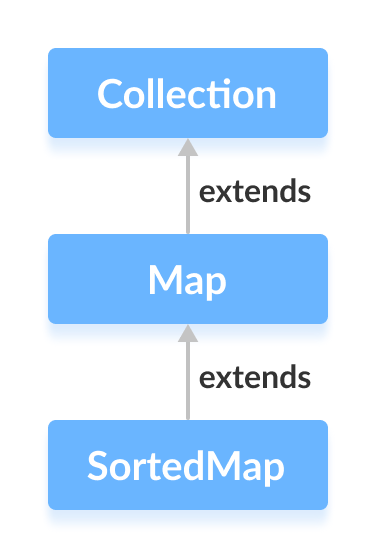
The Java SortedMap interface, part of the collections framework, guarantees that map keys are stored in a sorted order. It extends the base Map interface.
Class that Implements SortedMap
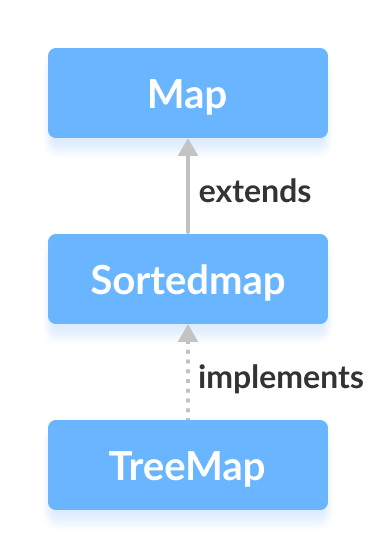
Because SortedMap is an interface, you cannot instantiate it directly. The concrete implementation provided by the JDK is the TreeMap class, which maintains entries in ascending key order by default.
How to Use SortedMap
To work with SortedMap, first import the interface:
import java.util.SortedMap;
import java.util.TreeMap;
Then create an instance using TreeMap:
SortedMap<Key, Value> numbers = new TreeMap<>();
In this example, numbers will store keys in natural ascending order. You can also supply a custom Comparator if you need a different ordering.
Definitions:
- Key – a unique identifier that maps to a value.
- Value – the data associated with a key.
Using the no‑argument constructor means the map will be sorted according to the natural ordering of the key type.
Key Methods of SortedMap
Besides all methods inherited from Map, SortedMap adds the following operations:
- comparator() – returns the
Comparatorused for key ordering, ornullif natural ordering applies. - firstKey() – retrieves the smallest key in the map.
- lastKey() – retrieves the largest key.
- headMap(K toKey) – returns a view of the map whose keys are strictly less than
toKey. - tailMap(K fromKey) – returns a view of the map whose keys are greater than or equal to
fromKey. - subMap(K fromKey, K toKey) – returns a view of the map whose keys range from
fromKey(inclusive) totoKey(exclusive).
For deeper details, refer to the Java SortedMap documentation.
TreeMap: Concrete Implementation of SortedMap
import java.util.SortedMap;
import java.util.TreeMap;

public class Main {
    public static void main(String[] args) {
        // Creating a SortedMap using TreeMap
        SortedMap<String, Integer> numbers = new TreeMap<>();

        // Insert elements into the map
        numbers.put("Two", 2);
        numbers.put("One", 1);
        System.out.println("SortedMap: " + numbers);

        // Retrieve the first and last keys
        System.out.println("First Key: " + numbers.firstKey());
        System.out.println("Last Key: " + numbers.lastKey());

        // Remove an entry by key
        int removed = numbers.remove("One");
        System.out.println("Removed Value: " + removed);
    }
}
Output
SortedMap: {One=1, Two=2}
First Key: One
Last Key: Two
Removed Value: 1
This example demonstrates how SortedMap behaves when used with TreeMap. For more on TreeMap, see the Java TreeMap documentation.
Java
- Mastering Java Interfaces: Concepts, Implementation, and Best Practices
- Java Collections Framework: Core Interfaces, Implementations, and Practical Usage
- Java Collection Interface: Core Concepts & Essential Methods
- Mastering Java’s Queue Interface: Methods, Implementations, and Practical Use
- Mastering Java's Deque Interface: Features, Methods, and Practical Examples
- Java Map Interface – Comprehensive Guide to Map, Its Implementations, and Key Methods
- Mastering Java NavigableMap: Features, Methods, and TreeMap Implementation
- Mastering Java’s ConcurrentMap: Thread‑Safe Maps Explained
- Mastering Java’s Set Interface: Concepts, Methods, and Practical Examples
- Mastering Java SortedSet: A Practical Guide to TreeSet and Its Methods