



Java Map Interface – Comprehensive Guide to Map, Its Implementations, and Key Methods
Java Map Interface
This tutorial delves into Java’s Map interface, covering its structure, implementations, key methods, and real‑world usage.
The Map interface, part of the java.util package, provides the backbone for key/value pair collections in Java’s collections framework.
How Map Works
In Java, a Map stores data as unique key/value pairs. Each key is distinct and maps to a single value, ensuring no duplicate keys exist.
We can retrieve or update a value by referencing its key.
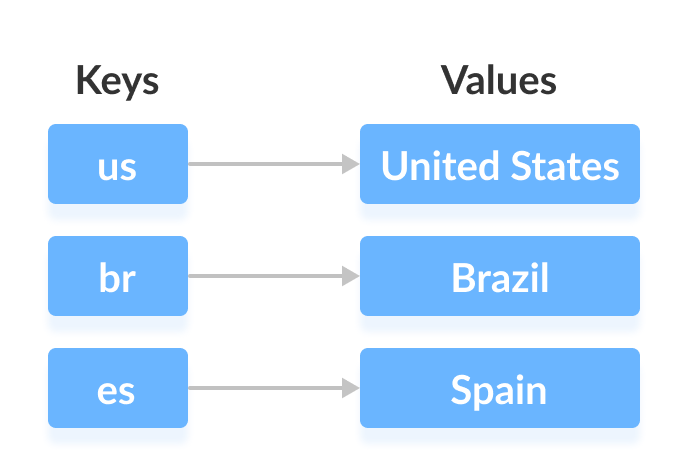
For example, the keys us, br, and es map to the values United States, Brazil, and Spain, respectively.
Notably, the Map interface manages three distinct collections:
- A set of all keys
- A set of all values
- A set of all key/value associations (entries)
These sets allow you to access keys, values, or entries independently.
Classes that Implement Map
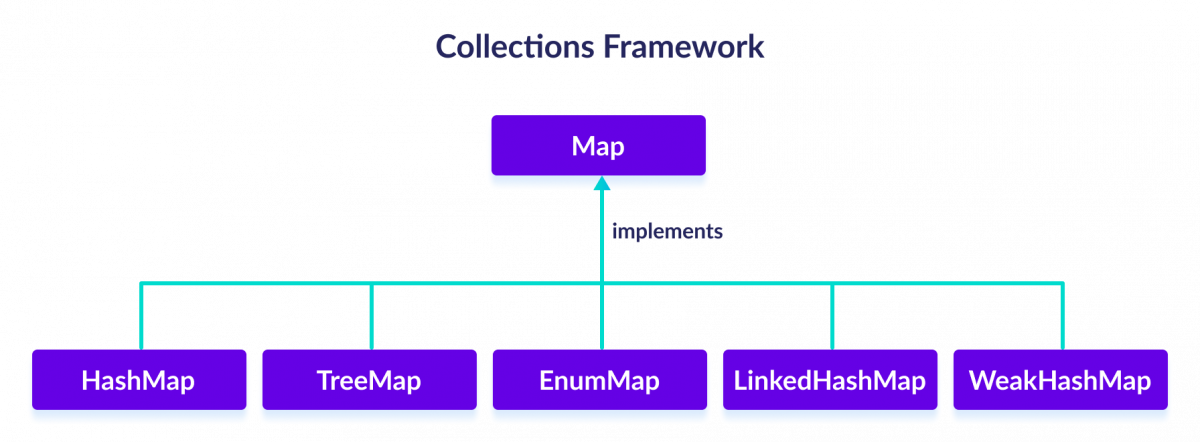
Because Map is an interface, you cannot instantiate it directly. Instead, use one of the following concrete classes, all of which reside in the java.util package:
HashMapEnumMapLinkedHashMapWeakHashMapTreeMap
Subinterfaces Extending Map
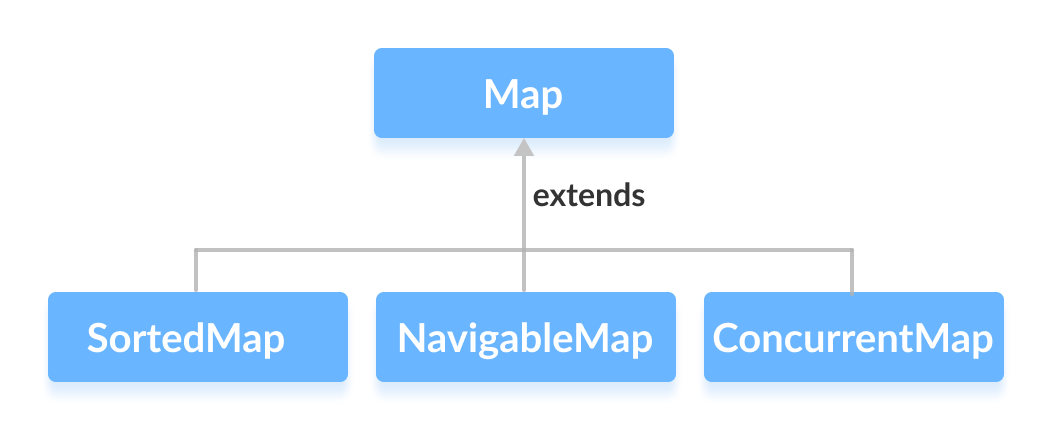
The Map interface is extended by several specialized subinterfaces that add ordering or concurrency guarantees:
SortedMap– Maintains entries sorted by keys.NavigableMap– ExtendsSortedMapwith navigation methods.ConcurrentMap– Provides thread‑safe operations.
Using Map in Your Code
First, import the interface:
import java.util.Map;
Then create a concrete instance. For example, using HashMap:
// Map implementation using HashMap
Map<Key, Value> numbers = new HashMap<>();
Here, Key represents a unique identifier, while Value holds the associated data.
Core Methods of Map
Beyond the Collection interface’s methods, Map offers specialized operations:
- put(K, V) – Adds a key/value pair; replaces the value if the key already exists.
- putAll() – Merges another map’s entries into this one.
- putIfAbsent(K, V) – Inserts only when the key is not already mapped.
- get(K) – Retrieves the value for a given key, or
nullif absent. - getOrDefault(K, defaultValue) – Returns the mapped value or a specified default.
- containsKey(K) – Checks for a key’s presence.
- containsValue(V) – Checks for a value’s presence.
- replace(K, V) – Updates the value for a key.
- replace(K, oldValue, newValue) – Conditional replace when the current value matches.
- remove(K) – Deletes the entry for a key.
- remove(K, V) – Deletes the entry only if the key maps to the specified value.
- keySet() – Returns a
Setof all keys. - values() – Returns a
Collectionof all values. - entrySet() – Returns a
Setof all key/value mappings.
Examples of Map Implementations
1. HashMap Example
import java.util.Map;
import java.util.HashMap;

class Main {
    public static void main(String[] args) {
        // Creating a map using the HashMap
        Map<String, Integer> numbers = new HashMap<>();

        // Insert elements into the map
        numbers.put("One", 1);
        numbers.put("Two", 2);
        System.out.println("Map: " + numbers);

        // Access keys of the map
        System.out.println("Keys: " + numbers.keySet());

        // Access values of the map
        System.out.println("Values: " + numbers.values());

        // Access entries of the map
        System.out.println("Entries: " + numbers.entrySet());

        // Remove an element from the map
        int value = numbers.remove("Two");
        System.out.println("Removed Value: " + value);
    }
}
Output
Map: {One=1, Two=2}
Keys: [One, Two]
Values: [1, 2]
Entries: [One=1, Two=2]
Removed Value: 2
For more details on HashMap, visit Java HashMap.
2. TreeMap Example
import java.util.Map;
import java.util.TreeMap;

class Main {
    public static void main(String[] args) {
        // Creating Map using TreeMap
        Map<String, Integer> values = new TreeMap<>();

        // Insert elements into the map
        values.put("Second", 2);
        values.put("First", 1);
        System.out.println("Map using TreeMap: " + values);

        // Replacing the values
        values.replace("First", 11);
        values.replace("Second", 22);
        System.out.println("New Map: " + values);

        // Remove elements from the map
        int removedValue = values.remove("First");
        System.out.println("Removed Value: " + removedValue);
    }
}
Output
Map using TreeMap: {First=1, Second=2}
New Map: {First=11, Second=22}
Removed Value: 11
For more details on TreeMap, visit Java TreeMap.
Java
- Mastering Java Interfaces: Concepts, Implementation, and Best Practices
- Java Collections Framework: Core Interfaces, Implementations, and Practical Usage
- Java Collection Interface: Core Concepts & Essential Methods
- Mastering Java’s Queue Interface: Methods, Implementations, and Practical Use
- Mastering Java's Deque Interface: Features, Methods, and Practical Examples
- Java SortedMap Interface: Overview, Methods, and TreeMap Implementation
- Mastering Java NavigableMap: Features, Methods, and TreeMap Implementation
- Mastering Java’s ConcurrentMap: Thread‑Safe Maps Explained
- Mastering Java’s Set Interface: Concepts, Methods, and Practical Examples
- Mastering Java SortedSet: A Practical Guide to TreeSet and Its Methods