



Mastering Java's ListIterator Interface: A Practical Guide
Java ListIterator Interface
This tutorial provides a comprehensive look at Java’s ListIterator interface, complete with real‑world examples and clear explanations.
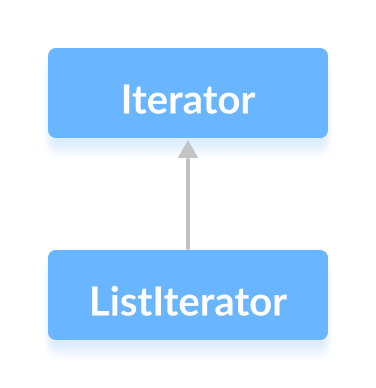
The ListIterator interface extends Iterator and offers bidirectional traversal, allowing you to move forward and backward through a List while performing modifications on the fly.
Key features include the ability to navigate, remove, and replace elements, making it an essential tool for any Java developer working with lists.
Core Methods of ListIterator
hasNext()– Returnstrueif another element exists ahead.next()– Moves to and returns the next element.nextIndex()– Provides the index of the element thatnext()will return.previous()– Moves backward and returns the preceding element.previousIndex()– Provides the index of the element thatprevious()will return.remove()– Deletes the last element returned bynext()orprevious().set(E e)– Replaces the last returned element with the specified value.
Example 1: Navigating Forward
Below is a concise example demonstrating next(), nextIndex(), and hasNext() on an ArrayList:
import java.util.ArrayList;
import java.util.ListIterator;

class Main {
    public static void main(String[] args) {
        ArrayList<Integer> numbers = new ArrayList<>();
        numbers.add(1);
        numbers.add(3);
        numbers.add(2);
        System.out.println("ArrayList: " + numbers);

        ListIterator<Integer> iterator = numbers.listIterator();

        int first = iterator.next();
        System.out.println("Next Element: " + first);

        int nextIndex = iterator.nextIndex();
        System.out.println("Position of Next Element: " + nextIndex);

        System.out.println("Is there any next element? " + iterator.hasNext());
    }
}
Output
ArrayList: [1, 3, 2]
Next Element: 1
Position of Next Element: 1
Is there any next element? true
Example 2: Navigating Backward
This example showcases previous() and previousIndex() after advancing the iterator twice:
import java.util.ArrayList;
import java.util.ListIterator;

class Main {
    public static void main(String[] args) {
        ArrayList<Integer> numbers = new ArrayList<>();
        numbers.add(1);
        numbers.add(3);
        numbers.add(2);
        System.out.println("ArrayList: " + numbers);

        ListIterator<Integer> iterator = numbers.listIterator();
        iterator.next();
        iterator.next();

        int prev = iterator.previous();
        System.out.println("Previous Element: " + prev);

        int prevIndex = iterator.previousIndex();
        System.out.println("Position of the Previous element: " + prevIndex);
    }
}
Output
ArrayList: [1, 3, 2]
Previous Element: 3
Position of the Previous Element: 0
Initially, the iterator is positioned before the first element, so calling previous() would throw an exception. After two next() calls, the iterator sits between 3 and 2, making previous() return 3.
Java
- Mastering Java Interfaces: Concepts, Implementation, and Best Practices
- Java Collections Framework: Core Interfaces, Implementations, and Practical Usage
- Java Collection Interface: Core Concepts & Essential Methods
- Mastering Java’s Queue Interface: Methods, Implementations, and Practical Use
- Mastering Java's Deque Interface: Features, Methods, and Practical Examples
- Java Map Interface – Comprehensive Guide to Map, Its Implementations, and Key Methods
- Java SortedMap Interface: Overview, Methods, and TreeMap Implementation
- Mastering Java NavigableMap: Features, Methods, and TreeMap Implementation
- Mastering Java’s Set Interface: Concepts, Methods, and Practical Examples
- Mastering Java's NavigableSet Interface: Navigation, Sorting, and Practical Examples