



Build a Portable Persistence of Vision Display with Arduino UNO and ATtiny85
Components and supplies
 |
| × | 1 | |||
 |
| × | 1 | |||
|
| × | 5 | |||
| × | 1 | ||||
| × | 1 | ||||
| × | 1 |
Necessary tools and machines
|
About this project
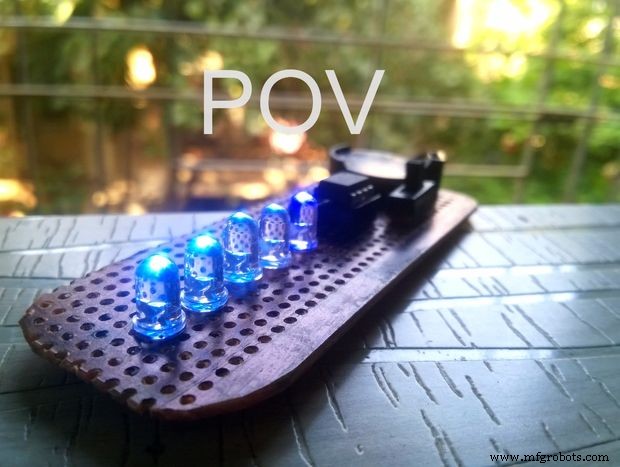
Persistence of vision is an optical illusion, it works on a simple phenomenon how our day to day television works. MY first pov was six months before with arduino uno and with motor. However it is best to have a small and portable device that can be carried anywhere and image can be seen without any external motors or fan.
This small portable pov version uses attiny 85 ic, smaller variant of arduino uno that uses atmega 328 ic. This time, I made pov to give my sister as a gift .There are many tutorials on how to make pov but lot of them have tons of wires and motors and many a time uses the arduino uno board itself .so I thought, to come with no wire small pov with built in power source and a switch. By switching the internal crystal speed to 1 MHZ of attiny85, the image was seen more clearly without any motor. With proper camera shutter speed control the image can be seen nice and clear.
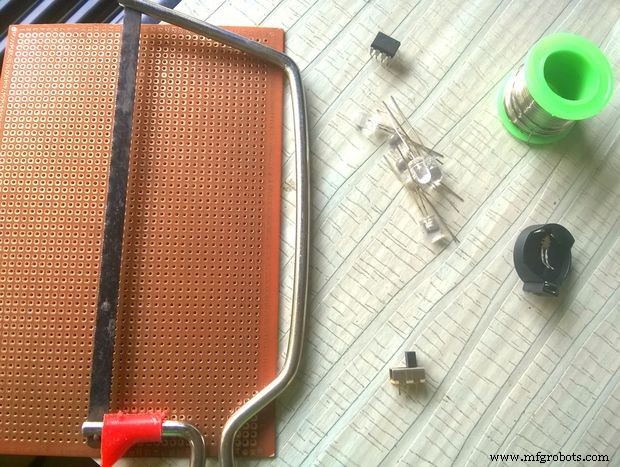
Step 1: Materials and Tools
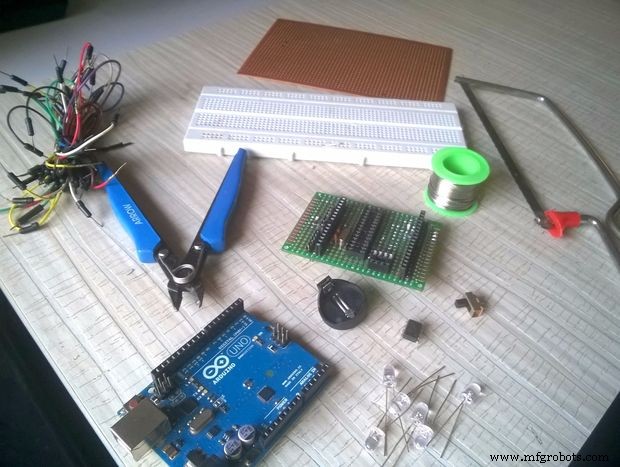
- Arduino UNO
- Attiny 85
- 5 leds of any colour
- Breadboard
- soldering ion and solder wire
- Cutter
- Dotted pcb
- Hacksaw
- Slider switch
- 8 pin ic socket
- 3v cr2032 coin cell battery and holder
- jumper wires
Step 2: MAKING THE BOARD
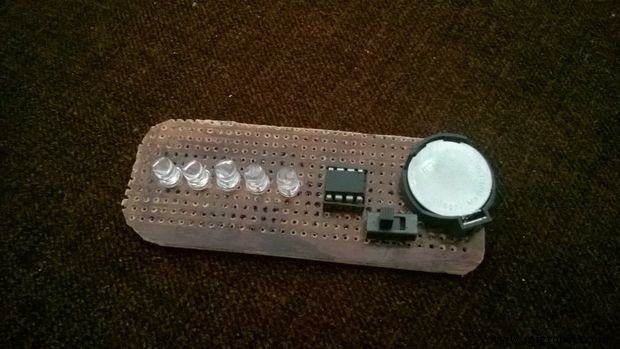

- Cut the Dotted pcb into 9 cm by 3.5 cm using Hacksaw
- Solder the led's on to the board and using cutter cut the extra led foot .
- solder the 8 pin ic socket on the board as shown in the picture
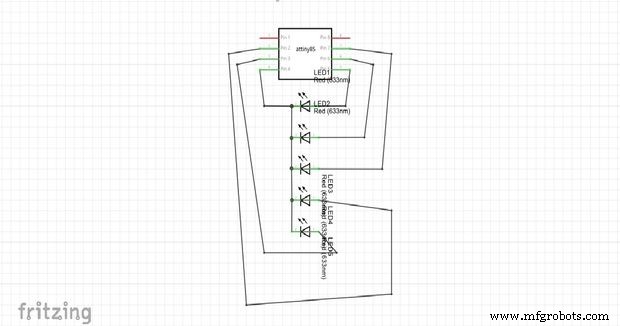
- Connect the ground of all leds to attiny 85 pin 4
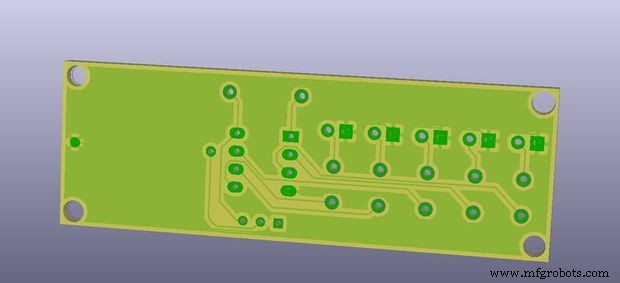
- connect the rest of circuit as given in the circuit diagram picture.make sure you use solder bridge technique,as the whole board should have no wires.
- check all the connections using multimeter to check if two traces are not shorted.
- clean the pcb and now we will solder the switch and battery holder
- put the coin cell into holder and check with multimeter which pin is positive and negative
- solder the pin of battery holder and slider switch as shown in the picture
- connect the 8pin of ic socket to middle pin of slider switch and first pin of slider will to positive terminal of battery holder
- Now trace the gnd to connect
- check every single connection if shorted use de soldering pump and redo the traces.
Thank you Hemal Chevli for sharing the pcb version of pov
https://github.com/hemalchevli/POV
Step 3: PROGRAM an Attiny

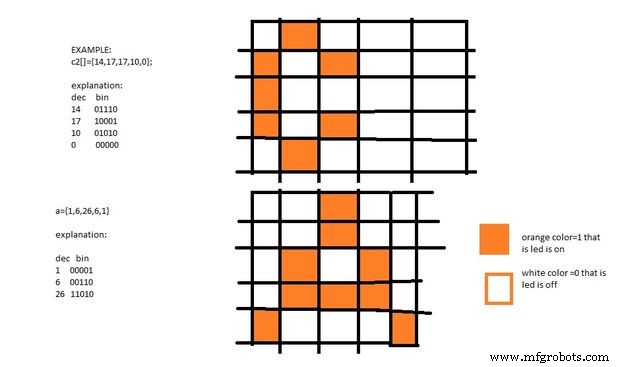
Step1. Install the ATtiny support in arduino ide
- Open the preferences dialog in the Arduino software.
- Find the “Additional Boards Manager URLs” field near the bottom of the dialog
-
Paste the following URL into the field (use a comma to separate it from any URLs you’ve already added) https://raw.githubusercontent.com/damellis/attiny/ide-1.6.x-boards-manager/package_damellis_attiny_index.json
package_damellis_attiny_index.json - Click the OK button to save your updated preferences.
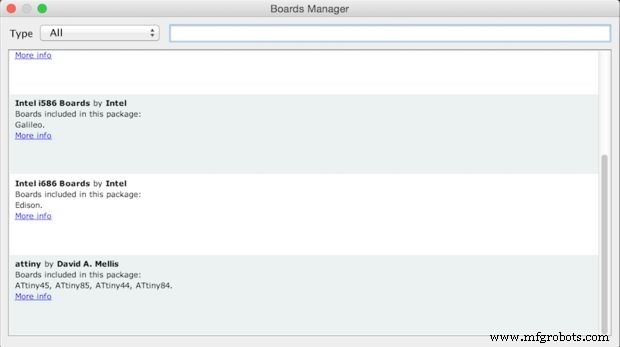
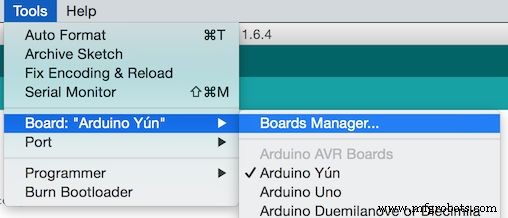
- Open the boards manager in the “Tools > Board” menu.
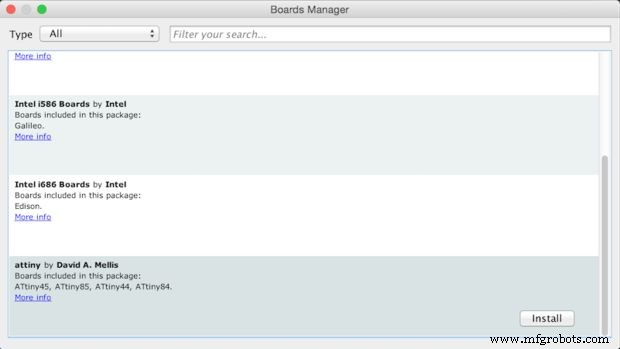
- Scroll to the bottom of the list; you should see an entry for “ATtiny”.
- Click on the ATtiny entry. An install button should appear. Click the install button.
-
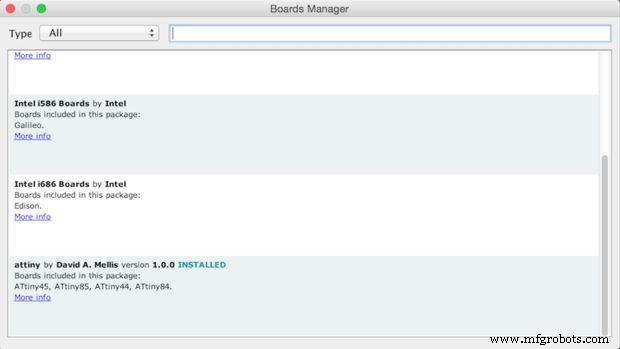
The word “installed” should now appear next to the title of the ATtiny entry.
-
Close the boards manager. You should now see an entry for ATtiny in the “Tools > Board” menu.
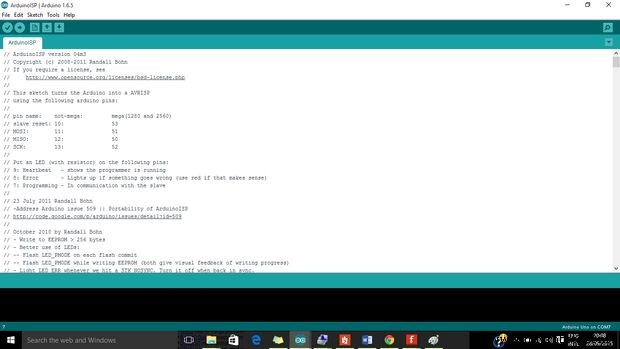
Step 2. Upload Arduino isp sketch from example into arduino uno
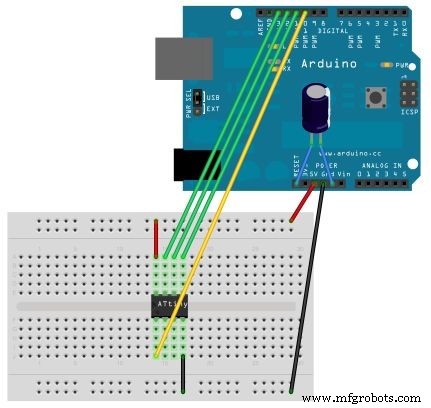
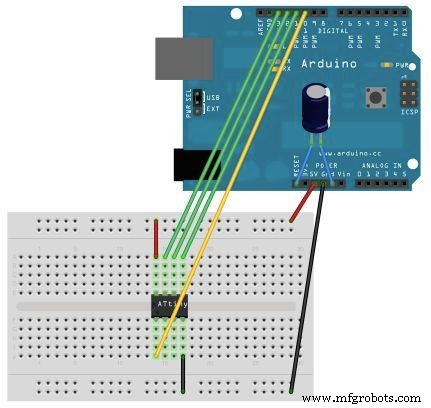
Step 3. Connect the following pins of ATTINY 85 to arduino uno
ATTINY 85 ----- Arduino Uno
pin5(MOSI) ----- D 11
pin6(MISO) ------ D 12
pin7(SCK) ------ D 13
pin8(VCC) ------ 5V
pin4(gnd) ------ GND
pin1(reset) ------- D10
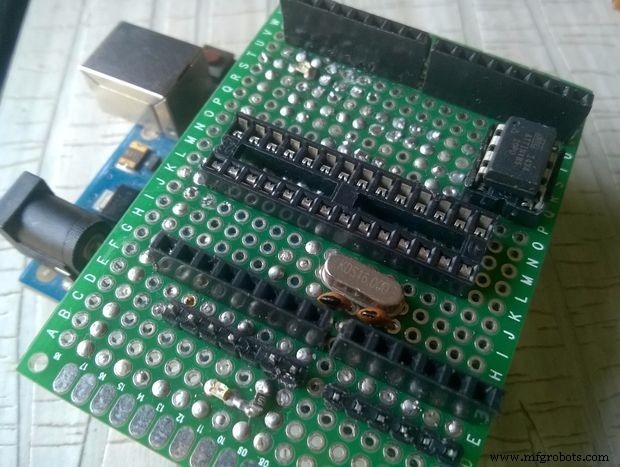
I made a shield to do this connection ,also added the atmega 328 support to the shield the shield is put straight on the arduino uno and you can do program without any wires and breadboard.
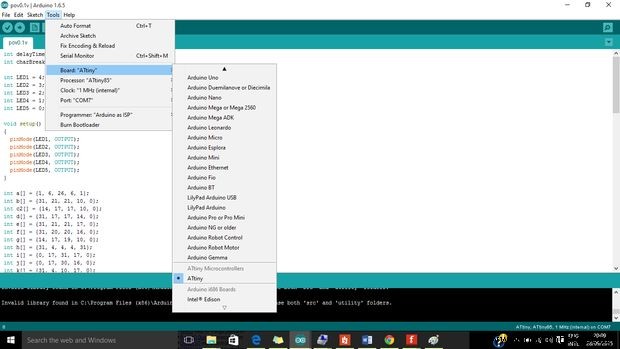
Step 4. Go to Tools and change programmer from avrisp mkll to Arduino as ISP
Step 5. change the board to aTtiny and select the aTtiny 85 chip and set internal clock to 1mhz
Step 6. upload the program of pov using shift + upload for successful uploading .
Step 4: FINISH!!
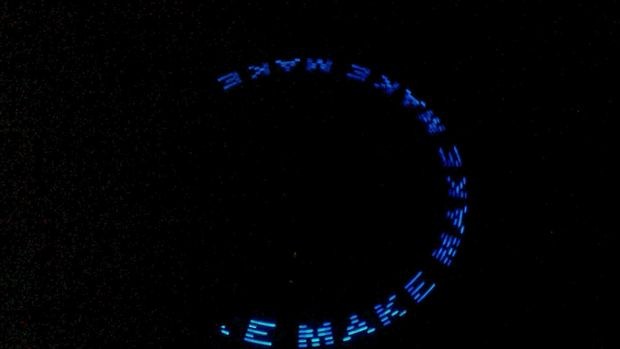
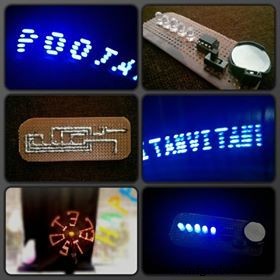
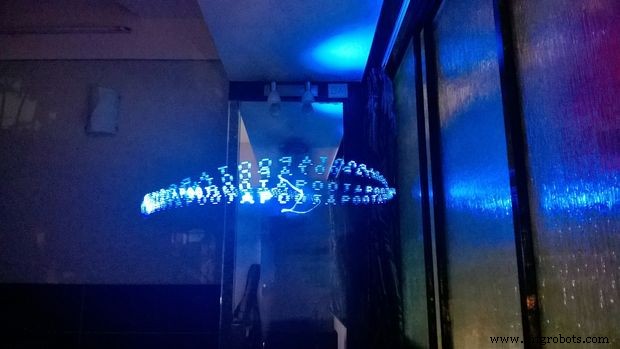
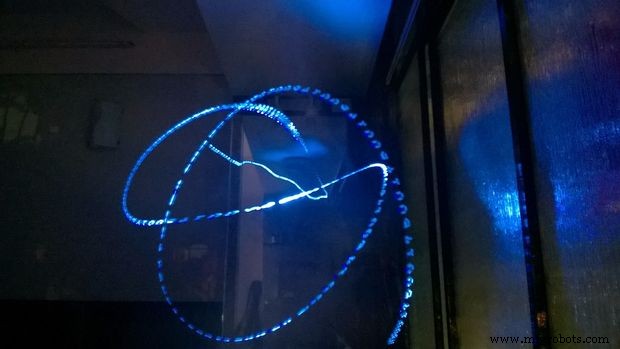
Take out the camera and start clicking photos .Adjust the shutter speed for perfect photo.
The making of pov was less than 4$ this is very cheap gift you can give to any loved one.small and can be taken anywhere.
Code
Github
https://github.com/hemalchevli/POVhttps://github.com/hemalchevli/POVSchematics
Manufacturing process
- Arduino POV Clock: Build a Persistance‑of‑Vision LED Display
- Arduino Uno WiFi Web Server: Toggle an LED via Browser
- Build a Basic Calculator with Arduino UNO – Easy Project
- Smartphone-Based Temperature Monitoring System with Arduino and Bluetooth
- Arduino Laser Tripwire Project: Build a Simple Intrusion Detector
- Gesture‑Controlled Robot Project: Build Your Own Motion‑Sensing Bot
- Arduino UNO Guitar Pedal: DIY, Open‑Source, Beginner‑Friendly
- Build a Realistic Traffic Light Simulator with Arduino UNO
- Bluetooth‑Controlled Car: DIY Arduino Remote Vehicle
- Efficiently Program ATtiny85 Using Arduino Uno: A Cost‑Effective Multi‑Sensor Solution