



Master C# Arrays: Declaring, Initializing, and Working with Integer Collections
What Are Arrays in C#?
In C#, an array is a data structure that holds a fixed‑size collection of elements, all of which share the same data type.
For example, an integer array might contain the values [1, 2, 3, 4], storing four elements in total.
Arrays are ideal when you need a single variable to manage a group of like‑typed values instead of declaring a separate variable for each item.
Below we walk through declaring, initializing, and using an integer array in a simple console application. All code snippets target the Program.cs file.
Step 1 – Declaring an Array
First, you declare the array type and name. The square brackets indicate the array rank (the number of elements it can hold).
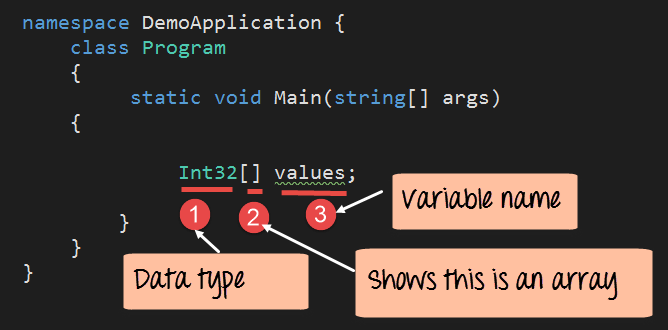
Code Explanation
- The datatype (
Int32) specifies the element type. - The brackets (
[]) define the array’s rank. - The identifier (
values) is the array variable name.
Step 2 – Initializing the Array
Specify the number of elements the array will hold and assign a value to each position. Array indices start at 0.
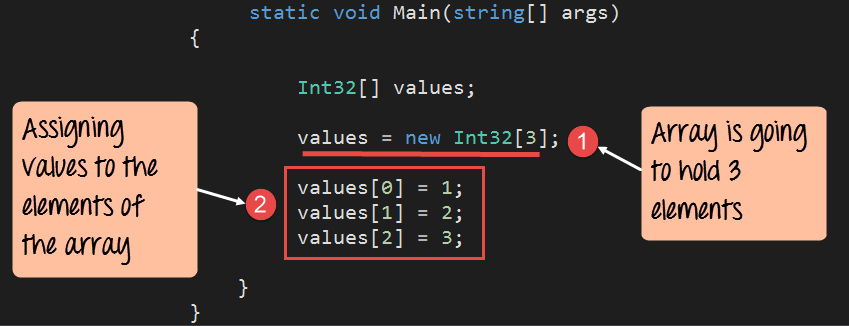
Code Explanation
- The expression
new Int32[3]creates an array that can store three integers. - Values are assigned by referencing the array name and the zero‑based index:
values[0] = 1;,values[1] = 2;,values[2] = 3;.
Step 3 – Displaying Array Elements
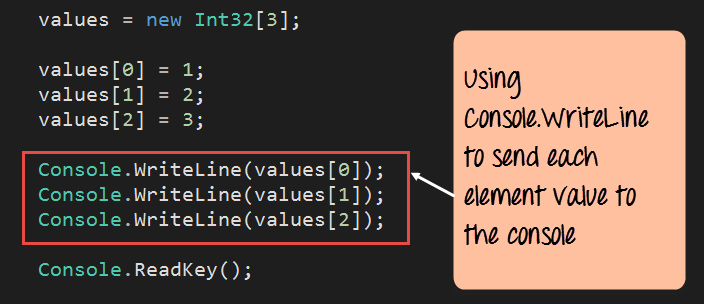
Use Console.WriteLine to output each element to the console.
using System;

namespace DemoApplication
{
    class Program
    {
        static void Main(string[] args)
        {
            // Declare and initialize an array of three integers
            Int32[] values = new Int32[3];
            values[0] = 1;
            values[1] = 2;
            values[2] = 3;

            // Output each element
            Console.WriteLine(values[0]);
            Console.WriteLine(values[1]);
            Console.WriteLine(values[2]);

            Console.ReadKey();
        }
    }
}
Code Explanation
Each Console.WriteLine call prints the value stored at the corresponding index. Running this program produces the following console output:
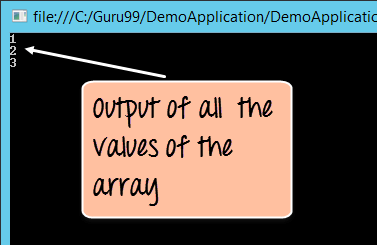
The output confirms that all array elements are correctly stored and accessed.
C Language
- Mastering C# Jagged Arrays: Declaration, Initialization, and Access
- C++ Arrays Demystified: Declaration, Initialization, and Pointer Techniques
- Master C# Collections: A Practical Tutorial with Real-World Examples
- Mastering C# ArrayList: Comprehensive Tutorial with Practical Examples
- C Strings Made Easy: Declaration, Input, Output, and Library Functions
- Java Arrays Tutorial: Declaration, Creation, and Initialization – Example Code
- Creating an Array of Objects in Java: A Step‑by‑Step Guide
- Master C Programming: Comprehensive Tutorial for Beginners
- C Arrays Explained: Efficient Data Storage & Access
- Mastering Arrays in C#: Efficient Data Storage & Access