



Mastering C# ArrayList: Comprehensive Tutorial with Practical Examples
What is ArrayList in C#?
The ArrayList collection, part of System.Collections, behaves like a traditional array but offers dynamic resizing. Unlike static arrays, you don’t need to declare a fixed size upfront; elements can be added or removed at any time.
Declaring an ArrayList
Instantiate an ArrayList using the new keyword and assign it to a variable. This variable becomes the handle through which you access and manipulate the collection.
ArrayList a1 = new ArrayList();
Adding Elements
The Add method appends any object to the list, whether it’s an int, string, bool, or a custom type.
ArrayList.Add(element)
Examples:
a1.Add(1);– adds an integer.a1.Add("Example");– adds a string.a1.Add(true);– adds a boolean.
Below is a complete console program that demonstrates creation, addition, and retrieval of elements:
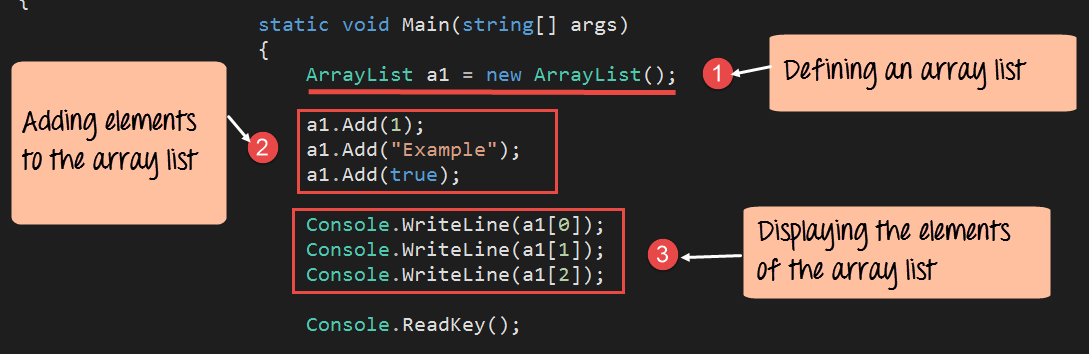
using System;
using System.Collections;

namespace DemoApplication
{
    class Program
    {
        static void Main(string[] args)
        {
            ArrayList a1 = new ArrayList();
            a1.Add(1);
            a1.Add("Example");
            a1.Add(true);

            Console.WriteLine(a1[0]);   // 1
            Console.WriteLine(a1[1]);   // Example
            Console.WriteLine(a1[2]);   // True
            Console.ReadKey();
        }
    }
}
Explanation:
- Instantiate the ArrayList.
- Use
Addto insert elements of varying types. - Access items by index, starting at
0.
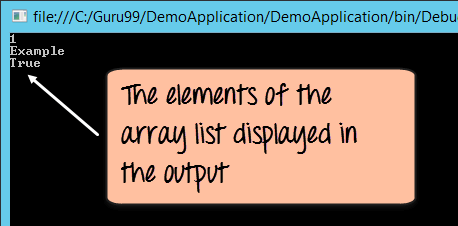
Running this code produces:
Common ArrayList Methods
Count
Retrieves the number of elements currently stored.
int total = a1.Count;
Contains
Checks if a specified element exists in the list.
bool exists = a1.Contains(2);
RemoveAt
Deletes the element at the given zero‑based index.
a1.RemoveAt(1);
The following program showcases these methods in action:
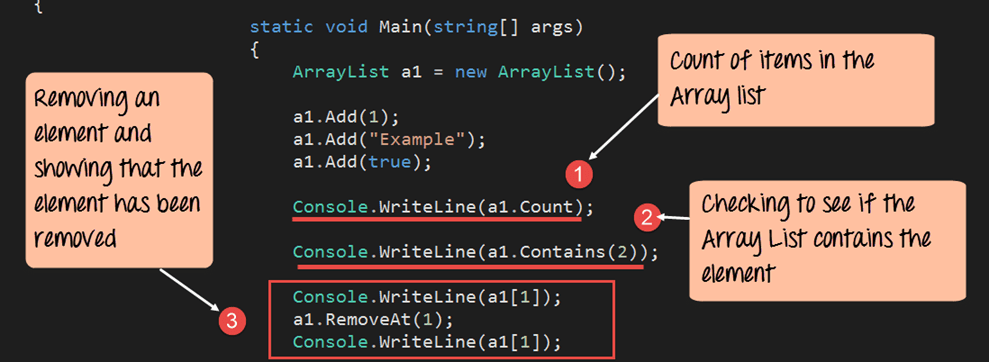
using System;
using System.Collections;

namespace DemoApplication
{
    class Program
    {
        static void Main(string[] args)
        {
            ArrayList a1 = new ArrayList();
            a1.Add(1);
            a1.Add("Example");
            a1.Add(true);

            Console.WriteLine(a1.Count);          // 3
            Console.WriteLine(a1.Contains(2));    // False
            Console.WriteLine(a1[1]);             // Example
            a1.RemoveAt(1);                      // Remove "Example"
            Console.WriteLine(a1[1]);             // True
            Console.ReadKey();
        }
    }
}
Explanation:
- Display the total number of items.
- Check for the presence of value
2. - Show the element at index
1before removal. - Remove the element at index
1. - Display the new element at index
1(nowTrue).
The output illustrates the dynamic nature of the collection:

Summary
ArrayList provides a flexible, non‑generic container for heterogeneous data. While modern C# favors List<T> for type safety, understanding ArrayList remains valuable for legacy codebases and quick prototyping.
C Language
- Mastering Java ArrayList: Operations, Methods, and Best Practices
- C++ do‑while Loop: Syntax, Practical Examples, and Nested Loops
- Master C# Arrays: Declaring, Initializing, and Working with Integer Collections
- Master C# Classes & Objects: A Practical Tutorial with Real‑World Examples
- Master C# Collections: A Practical Tutorial with Real-World Examples
- C# Hashtable Explained: Key-Value Storage, Operations, and Practical Examples
- Understanding Switch‑Case in C: Syntax, Examples, and Best Practices
- Java Multithreading Explained: Concepts, Lifecycle, and Practical Code Examples
- Python Arrays: Creation, Manipulation, and Advanced Operations – Expert Guide
- Comprehensive PyQt5 Tutorial: Build Professional GUIs in Python