



C# Hashtable Explained: Key-Value Storage, Operations, and Practical Examples
What Is a Hashtable in C#?
A Hashtable is a non‑generic collection that stores data as key‑value pairs. Unlike arrays or lists that hold a single value per index, a hashtable allows you to retrieve a value directly using its unique key, providing O(1) average‑time lookup.
Typical entries look like this:
{ "001", ".Net" }
{ "002", "C#" }
{ "003", "ASP.Net" }
Here, the keys are "001", "002", and "003", and the corresponding values are ".Net", "C#", and "ASP.Net".
Below we dive into the most common operations you’ll use with Hashtable.
Declaring a Hashtable
Instantiate a hashtable using the Hashtable type and the new keyword:
Hashtable ht = new Hashtable();
Adding Elements
Use the Add method to insert a key‑value pair. Both the key and the value must be supplied:
ht.Add("001", ".Net");
ht.Add("002", "C#");
ht.Add("003", "ASP.Net");
Example 1 – Displaying All Values
The following console application demonstrates creating a hashtable, populating it, and printing each value:
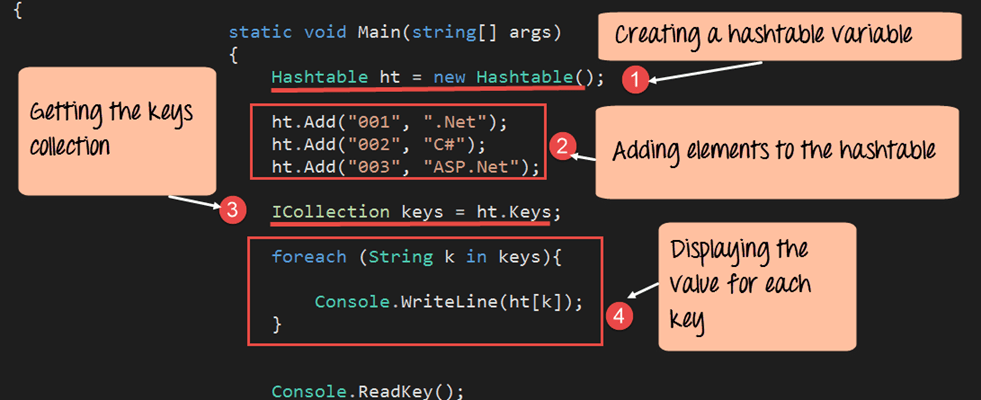
using System;
using System.Collections;

namespace DemoApplication
{
    class Program
    {
        static void Main(string[] args)
        {
            Hashtable ht = new Hashtable();
            ht.Add("001", ".Net");
            ht.Add("002", "C#");
            ht.Add("003", "ASP.Net");

            ICollection keys = ht.Keys;
            foreach (String k in keys)
            {
                Console.WriteLine(ht[k]);
            }
            Console.ReadKey();
        }
    }
}
Explanation
- Declare the
Hashtablevariableht. - Add key‑value pairs using
Add. - Retrieve the collection of keys via
ht.Keys(returns anICollection). - Iterate over the keys and output the associated value with
ht[key].
Running the program outputs:

Common Methods
ContainsKey
Check if a specific key exists:
ht.ContainsKey("001"); // returns true if key is present
ContainsValue
Verify whether a particular value is stored in the hashtable:
ht.ContainsValue("C#"); // returns true if value is found
Example 2 – Using ContainsKey & ContainsValue
Below is a concise program that demonstrates both methods:
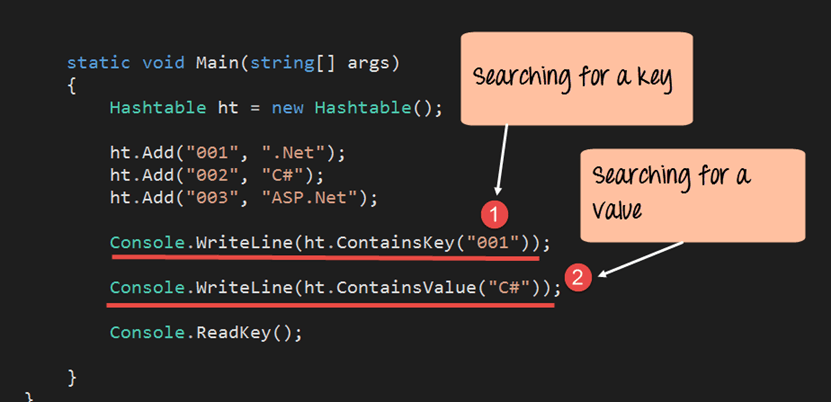
using System;
using System.Collections;

namespace DemoApplication
{
    class Program
    {
        static void Main(string[] args)
        {
            Hashtable ht = new Hashtable();
            ht.Add("001", ".Net");
            ht.Add("002", "C#");
            ht.Add("003", "ASP.Net");

            Console.WriteLine(ht.ContainsKey("001"));   // true
            Console.WriteLine(ht.ContainsValue("C#"));  // true
            Console.ReadKey();
        }
    }
}
Explanation
- Using
ContainsKeyconfirms the presence of "001". - Using
ContainsValueconfirms that "C#" is stored.
The console displays:

Key Takeaways
A Hashtable stores elements as key‑value pairs, enabling fast lookup when you know the key. While generic Dictionary<TKey, TValue> is recommended for type safety in modern C#, understanding Hashtable remains valuable for legacy code and interoperability scenarios.
C Language
- C++ do‑while Loop: Syntax, Practical Examples, and Nested Loops
- Mastering C++ Pointers: Concepts, Examples & Practical Applications
- Mastering C++ Char Data Types: Declaration, ASCII, and Conversion Techniques
- C++ Operator Overloading – A Practical Guide with Code Examples
- C++ Functions Explained with Practical Code Examples
- Mastering C# Variables & Operators: Practical Examples & Explanations
- Master C# Classes & Objects: A Practical Tutorial with Real‑World Examples
- Understanding C# Access Modifiers (Specifiers) with Practical Examples
- C# Hashtable Explained: Key-Value Storage, Operations, and Practical Examples
- Understanding Switch‑Case in C: Syntax, Examples, and Best Practices