



C# Control Flow: IF, SWITCH, FOR, WHILE – Practical Examples & Explanations
Flow Control and Conditional Statements
In every modern programming language, flow‑control constructs dictate the execution order of code blocks. In C#, the most common mechanisms are if, switch, while, and for. Understanding how to use these statements effectively is essential for writing clean, maintainable code.
This tutorial walks through each construct with real‑world examples and concise explanations. All code snippets are ready to paste into a Program.cs file and run immediately.
What you’ll learn:
- Conditional execution with
if - Multiple branch selection using
switch - Iterative processing with
while - Controlled repetition via
for
1) If Statement
The if statement evaluates a Boolean expression. If the expression is true, one block of code runs; otherwise, an alternate block runs. This is the most common way to branch logic.
Example: Check whether a value is less than 10 and print an appropriate message.
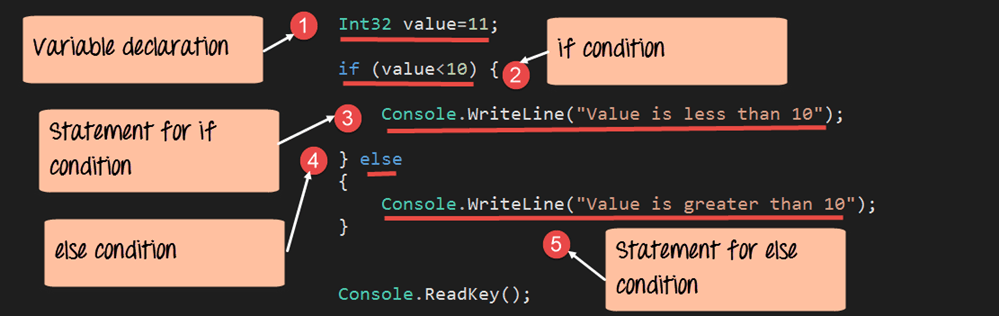
using System;
namespace DemoApplication
{
    class Program
    {
        static void Main(string[] args)
        {
            int value = 11;

            if (value < 10)
            {
                Console.WriteLine("Value is less than 10");
            }
            else
            {
                Console.WriteLine("Value is greater than 10");
            }
            Console.ReadKey();
        }
    }
}
Code Explanation
- Declare
int value = 11. - Evaluate
value < 10– the result is false. - Execute the
elseblock, printing "Value is greater than 10".
Running this program displays:
Output:
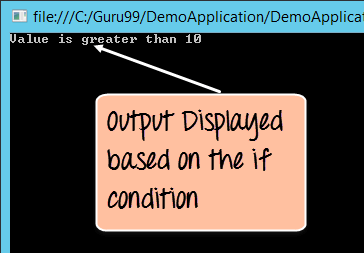
The output confirms that the if condition evaluated to false.
2) Switch Statement
When you have multiple discrete values to test, switch provides cleaner syntax than a chain of if statements. Each case represents a distinct branch, and default handles all other values.
Example: Compare a variable to several known constants.
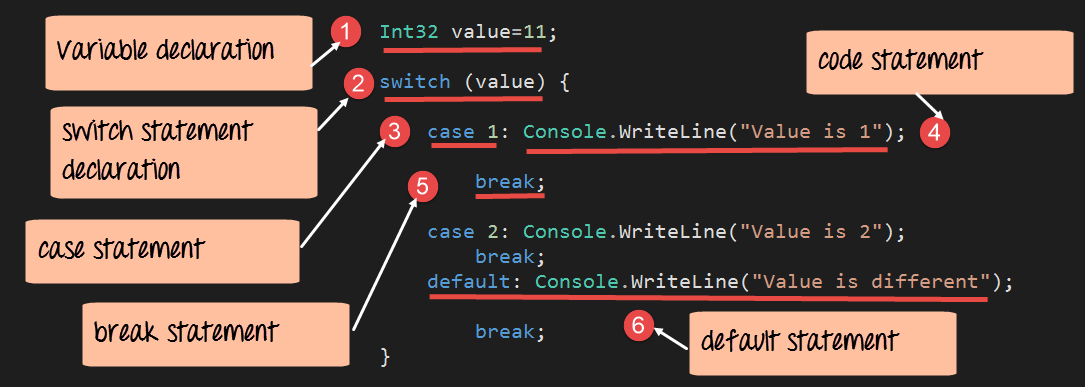
using System;
namespace DemoApplication
{
    class Program
    {
        static void Main(string[] args)
        {
            int value = 11;
            switch (value)
            {
                case 1:
                    Console.WriteLine("Value is 1");
                    break;
                case 2:
                    Console.WriteLine("Value is 2");
                    break;
                default:
                    Console.WriteLine("Value is different");
                    break;
            }
        }
    }
}
Code Explanation
- Set
int value = 11. - Enter the
switchconstruct. - Evaluate each
casesequentially; none match. - Execute the
defaultblock, printing "Value is different".
Output:
Output:
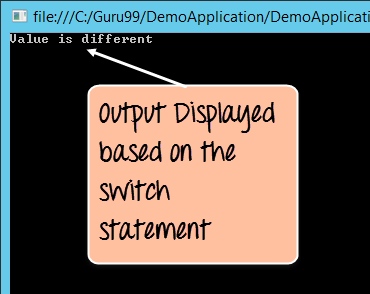
3) While Loop
The while loop repeats a block of code as long as a Boolean condition remains true. It’s ideal when the number of iterations is not known ahead of time.
Example: Print numbers from 0 up to (but not including) a specified limit.
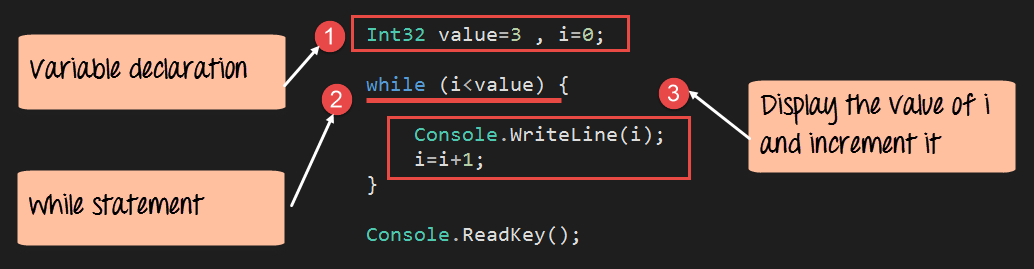
using System;
namespace DemoApplication
{
    class Program
    {
        static void Main(string[] args)
        {
            int value = 3, i = 0;
            while (i < value)
            {
                Console.WriteLine(i);
                i++;
            }
            Console.ReadKey();
        }
    }
}
Code Explanation
- Initialize
int value = 3, i = 0. - While
i < valueholds true, execute the loop body. - Print
iand increment it.
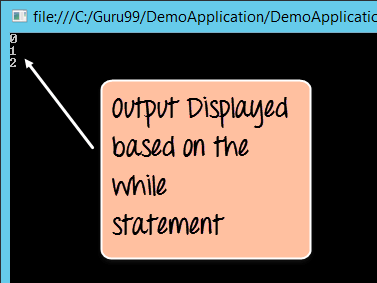
Running this program outputs:
Output:
4) For Loop
The for loop is a compact form for repeating a block a known number of times. It combines initialization, condition, and increment into a single line.
Example: Print numbers 0 to 2.
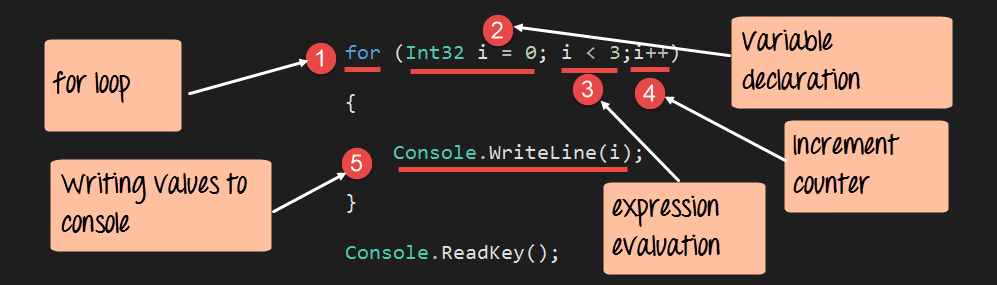
using System;
namespace DemoApplication
{
    class Program
    {
        static void Main(string[] args)
        {
            for (int i = 0; i < 3; i++)
            {
                Console.WriteLine(i);
            }
            Console.ReadKey();
        }
    }
}
Code Explanation
- Initialize
int i = 0. - Continue while
i < 3. - Increment
iafter each iteration. - Print the current value of
i.
The output is identical to the while example:
Output:
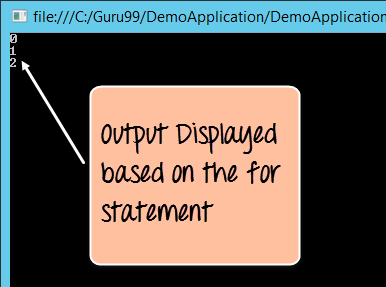
Both loops demonstrate the same iteration logic but differ in syntax and typical use cases.
With these fundamentals mastered, you can craft more complex logic, build robust applications, and adhere to best practices in C# programming.
C Language
- Mastering the C# Switch Statement: Syntax, Examples & Best Practices
- Mastering C# While and Do‑While Loops: Syntax, Examples, and Best Practices
- Mastering C# For Loops: Syntax, Flow, and Practical Examples
- Mastering the C for Loop: Syntax, Mechanics, and Practical Examples
- Mastering While and Do‑While Loops in C: Practical Examples
- Mastering the C Switch Statement: Syntax, Flow, and Practical Example
- Master C Loops: For, While, and Do‑While Explained with Practical Examples
- Master Python Loops: For, While, Break, Continue, and Enumerate Explained
- Mastering C Loops: A Comprehensive Guide to Repetition Control
- Master C# Loops: Efficient Code Repetition Techniques